
AI Birthday Photoshoot Ideas for Any Age
Birthday portrait concepts by age and effort, the kit a home shoot really needs, and where an AI birthday photoshoot template helps or gets in the way.
 Maya Chen 10 min read
A birthday photoshoot works when it has one idea, one background and one light. Twelve props and a themed backdrop produce a cluttered frame and a tired subject. This piece sorts concepts by age and by how much work each takes, then shows where an AI birthday photoshoot template fits: it is quick at trying a look, useless at documenting a party, and strictly one person per render. I ran the glitter overhead template twice for this, including one run that failed in an instructive way.
What makes a birthday photoshoot worth doing?
The sessions people keep are the ones with a single clear idea. A number balloon against a plain wall beats a table groaning with props, because the eye has somewhere to land. Decide what the picture is about before you buy anything: the age, the person, a hobby, a milestone, or simply how someone looked that year.
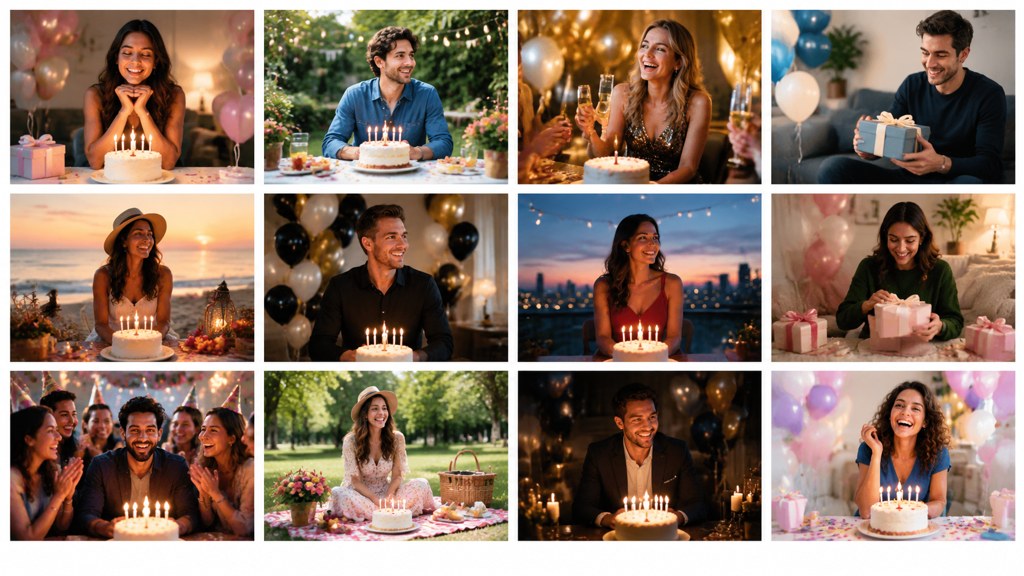
Then decide who the picture is for. A portrait for a grandparent's wall wants eye contact and clean light. A set for a group chat wants energy and can be messy. Those two briefs pull in opposite directions, and trying to satisfy both in one session is why so many birthday shoots end with fifty frames and nothing to print.
Gather references before you buy anything. Most of these concepts circulate as boards rather than articles, so Pinterest is a faster reference library than a search engine, and the seasonal party features at Good Housekeeping and Reader's Digest are useful for props and food staging even when the photography advice is thin.
One concept, three frames
Plan a wide shot, a half-length and a close crop of the same setup. Three usable frames from one idea beats one usable frame from three ideas.
What birthday photoshoot ideas work for adults?
Six adult birthday photoshoot ideas, ordered by how much effort they demand. The first two need nothing you do not already own.
- 1
Window portrait with a number balloon
Subject a metre from a plain wall, window at 45 degrees, balloon held low so it does not crowd the face. Ten minutes.
- 2
Cake and candles, lit by the candles
Room lights off, phone braced on something solid, exposure locked on the face. Warm, grainy, honest.
- 3
The outfit portrait
One good outfit, a doorway or a plain exterior wall, late afternoon light. This is the frame that ends up as a profile picture.
- 4
Hobby in context
Kitchen, workshop, running track, keyboard. The room does the storytelling and nobody has to smile at the lens.
- 5
Confetti or glitter throw
Dark clothing, dark background, one flash or a bright window, and a second person throwing from outside the frame. Messy, so shoot it last.
- 6
A built themed set
Fabric backdrop, matched props, a colour palette chosen in advance. Half a day of work, and the only idea on this list that needs a plan on paper.
Photography schools publish free material on lighting setups like these. NYIP keeps a public library of tips and tutorials (NYIP (2026), checked 7 September 2026), which is where to go for the reasoning behind that 45-degree window rather than only the instruction.
What birthday photoshoot ideas work for children?
Attention span sets the whole plan. You get about twenty good minutes with a toddler and less on a party day, so the setup has to be finished before the child arrives in the room.
- One to two years: floor level, camera on the rug, no posing. Get down to their eye line or you will only photograph the top of a head.
- Three to five: give them a job. Holding a balloon, blowing bubbles, unwrapping something. Instructions beat requests to smile.
- Six to nine: they can follow a simple direction, so a themed idea works. Costumes, a superhero pose, a favourite book.
- Ten and up: treat it as a portrait session with an opinionated client. Ask what they want to look like and shoot that.
- Any age: shoot before the cake, not after. Sugar and tiredness arrive together.
Gear matters less than pace. The same NYIP library runs a piece on gear for photographing children, and the honest summary is that a fast lens helps and a patient adult helps more. Skip the generated route entirely for children: the responsible position on likeness is that you do not feed a child's face to a model, and a plain window portrait is better anyway.
What do you need to shoot a birthday portrait at home?
A window, a plain wall, a phone and something white. That is the whole kit for a portrait that looks intentional.
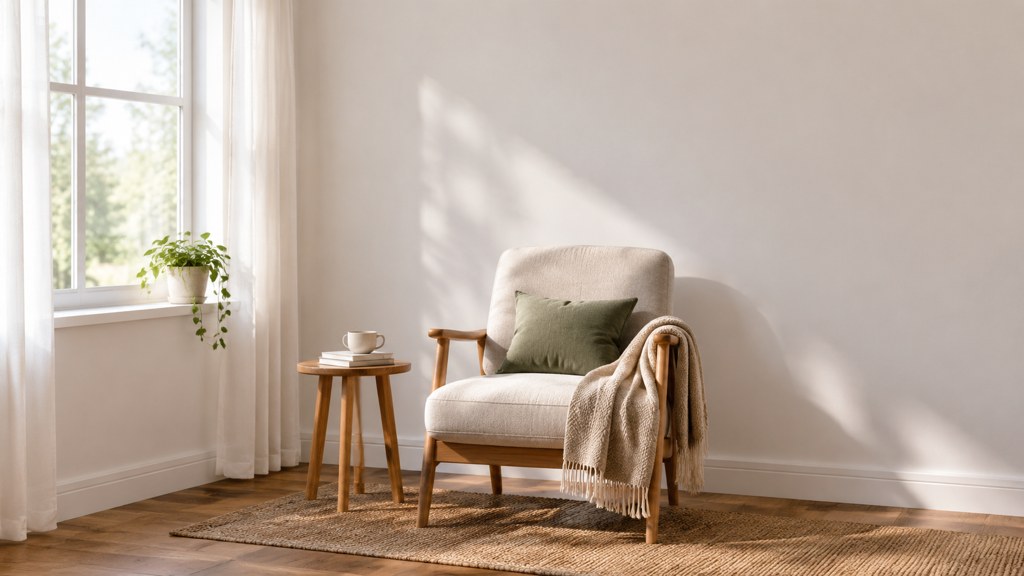
- The window: put the subject beside it, not in front of it, and turn off the room lights so you have one colour of light rather than three.
- The wall: any plain surface a metre or more behind the subject. Distance is what softens the background, not an expensive lens.
- The reflector: a white duvet cover, a foam board or a sheet of A3 paper held on the shadow side to lift the darker half of the face.
- The phone: rear camera, not the selfie camera, and portrait orientation for a single subject.
- A second light only when the first one runs out: an overcast day at 6pm needs help, a bright afternoon does not.
If you already own a flash, bounce it off the ceiling behind you rather than pointing it at anyone. Direct on-camera flash is what makes home party photos look like evidence. For gear questions beyond that, the photography trade press is a steadier guide than a shopping site (PetaPixel (2026)).
How do you generate a birthday photoshoot look instead of building one?
Sometimes you want the concept without the afternoon of setup: a styled frame for an invitation, a mood test before you buy props, a card image when the party is tomorrow. That covers how to make AI birthday photoshoot images in the workbench, and it takes about a minute per attempt. Treat an AI birthday photoshoot render as a look test rather than a document of anything.
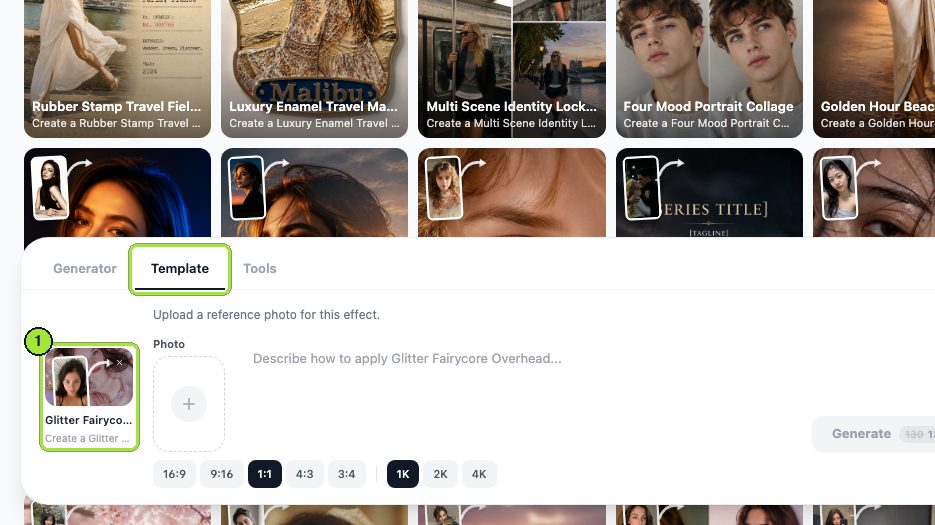
- 1
Pick a template that suits a bad source photo
Heavily styled looks hide a mediocre selfie. A realistic studio look exposes it.
- 2
Add one portrait
The Photo box takes a single image for this template. A plain background in the source gives the model less to argue with.
- 3
Set 1:1 and a resolution
Square suits a card or a post; 1K is the screen size and the cheapest run, 2K is the one to pick if it is going to print.
- 4
Generate and read the price
The credit cost sits on the button itself, 13 credits for a 1K render on the day I tested.
- 5
Collect it from My Image
Finished renders queue there, and the download is one click from the card.
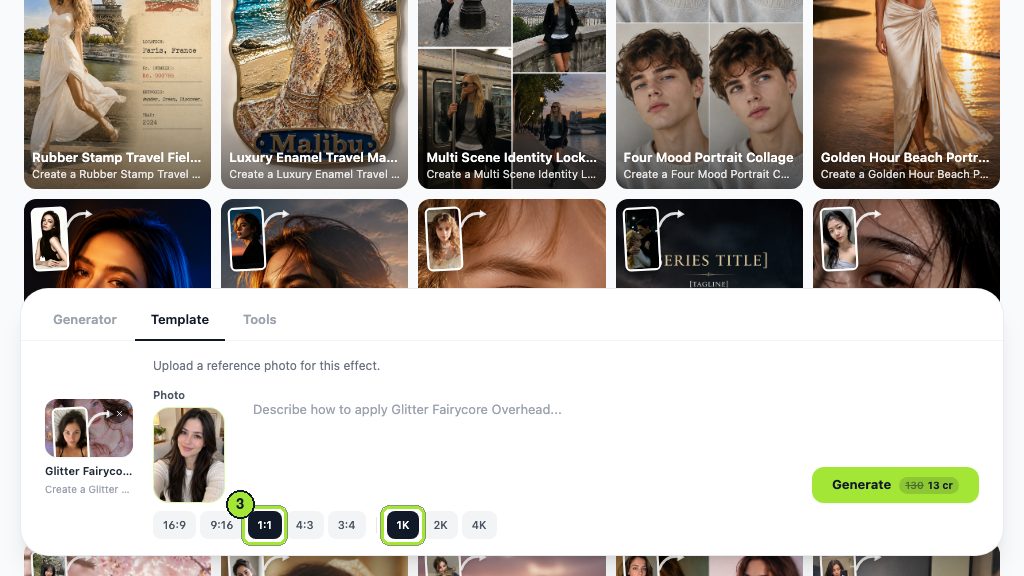
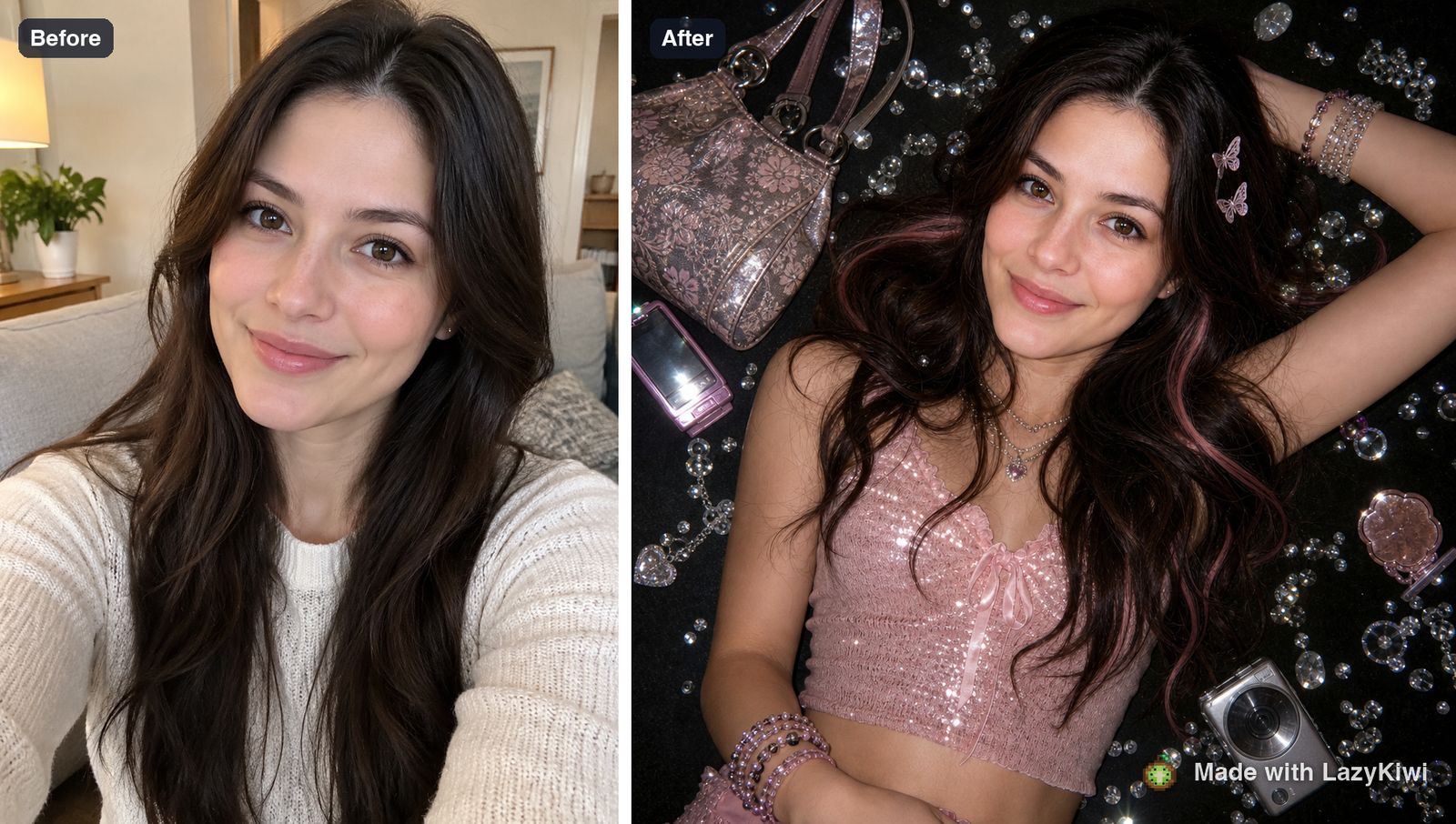
One genuine limitation, found the expensive way. For the second run I swapped in an overhead photo of a bowl of food, expecting a styled still life for a table-setting idea. The template is portrait-locked: it rebuilt the scene around a person instead. If your idea is a cake, a table or a group, this class of template will not do it, and no prompt wording fixes that.
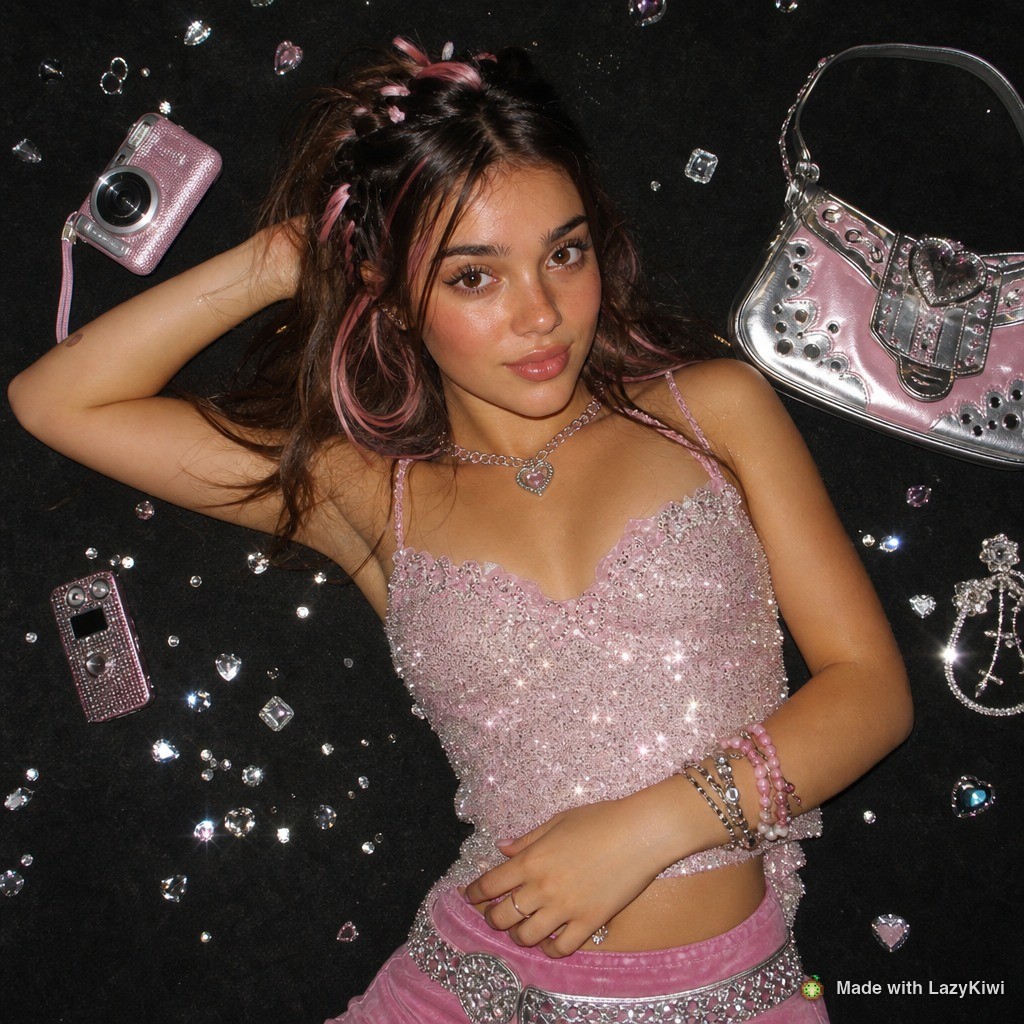
Square is the shape people actually use. In LazyKiwi's workbench data (August 2026), 1:1 accounted for 124 of 143 external image jobs, which matches what these templates are for: a card, a post, a print small enough to sit on a shelf. Every one of these renders runs on GPT Image 2 through the glitter overhead template. An AI birthday photoshoot frame earns its place when the alternative is no photo at all, and loses to a window portrait every other time.
How do you shoot a milestone birthday differently?
A milestone frame is documenting something specific, and the framing should follow what that is.
| Milestone | What the picture is really recording | Framing that suits it |
|---|---|---|
| First birthday | Scale: how small they still are | Wide, on the floor, with a familiar adult in frame for size |
| Sixteen | Identity in progress | Their choice of outfit and location, half-length, no props |
| Eighteen or twenty-one | A threshold, usually with friends | Group frame plus one solo portrait shot before the evening starts |
| Thirty | Competence and a life that is running | Environmental portrait: home, work, kitchen, studio |
| Fifty | Relationships that lasted | Pairs and small groups rather than a solo studio look |
| Eighty | Hands, faces and continuity | Close crops, natural light, three generations if you can arrange it |
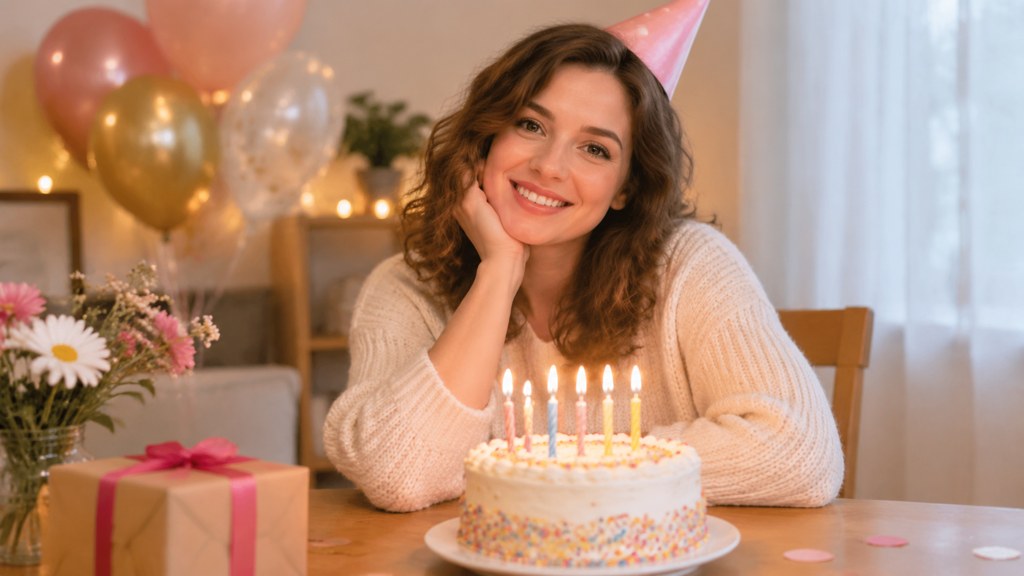
The mistake at every milestone is the same: photographing the decorations instead of the person. Balloons date a picture. A face does not.
How do you photograph a birthday party rather than a portrait?
A party is reportage, so stop directing and start waiting. Four moments carry the story: the arrival, the first proper laugh, the candles, and whatever happens immediately after the cake.
- Shoot available light wherever you can. Room lights plus a window plus a flash gives three colours and a horrible edit.
- Kill the flash for candles. The whole point of that frame is that the face is lit by the cake.
- Get low for children and high for a crowded table, and stop shooting everything from adult standing height.
- Take two frames of every hug, because someone always blinks in the first one.
- Put the phone down for ten minutes in the middle. Nobody has ever regretted having fewer party photos.
Party coverage is the one job on this page a generator cannot help with at all. It is timing, and timing has to be in the room.
How do you turn birthday photos into a card or collage?
Layout is a separate craft from capture, and it is where most home birthday photos go to die. Pick three to five images maximum: one wide, one portrait, one detail. More than five and the eye gives up.
| Route | Cost on 7 September 2026 | What you get | Watch for |
|---|---|---|---|
| LazyKiwi templates and tools | 40 credits a month free; 13 credits per 1K render | A styled portrait or a poster layout from one photo | Single subject per render |
| Picsart | Free plan exists; the page shows Pro at $10.5 monthly on yearly billing, marked down from $15 | Editor, layouts and background tools for the card itself | The pricing page details the paid tiers only |
| Fotor | Free tier with limited credits and one concurrent generation | Quick filters and simple layouts | The free tier watermarks JPG, PNG and PDF exports |
Tier contents were read on the vendors' own pages on 7 September 2026: Fotor pricing (2026) and Picsart pricing (2026). The watermark line is the one that decides most card projects, because a watermarked export cannot go to a printer. If you want the poster shape rather than a card, our poster generator builds the layout around a photo you already have.
For print, work at 2K rather than 1K and leave a margin around anything important. Trimming eats a few millimetres on every edge, and a birthday card with a cropped forehead is a permanent record of a small mistake.
What ruins a birthday photoshoot?
- Too many props, so the frame has no subject.
- A background full of kitchen. Move a metre; it costs nothing.
- Shooting after the cake, when the subject is sugared, tired and finished with you.
- Mixed light: a window, a ceiling bulb and a flash, all fighting.
- Making a reluctant subject perform. Give them something to hold or something to do instead.
- Trying every idea on the list in one session.
One idea, twenty minutes, three frames. Every birthday shoot I regret broke that rule.
— Maya Chen
Practical adults ask how much is a birthday photoshoot with a professional before they try any of this, and the honest answer is that it depends on hours, location, retouching and delivery rather than on any headline number. Ask for the delivered-image count and the licence in writing, and compare on those terms.
Key takeaways
- One idea, one background, one light: the constraint that makes a birthday portrait worth keeping.
- Children's sessions are twenty minutes long, so build the setup before the child walks in.
- The glitter overhead template is portrait-locked; a food still life came back rebuilt around a person.
- An AI birthday photoshoot render is square 1:1 at 1K for 13 credits; pick 2K when the file goes to a printer.
- Party coverage is timing, and no generator can be in the room when the candles are lit.
Image & Design Editor
Maya Chen
Maya Chen edits LazyKiwi's image and design coverage. She works through every template and tool herself before writing about it, and keeps the receipts: the settings used, the credits spent and the runs that did not work.
FAQ
Common questions
How much is a birthday photoshoot with a professional?
It varies by hours booked, location, the number of retouched images and the licence you get, so no single figure is honest. Ask each photographer for the session length, the delivered-image count and the usage terms, then compare those three things rather than the headline price.
What is birthday photoshoot etiquette for someone who hates being photographed?
Give them a task rather than a pose: pouring a drink, holding the cake, talking to somebody off camera. Shoot in short bursts, show them one good frame early so they trust you, and stop while they are still enjoying it.
What is pre-birthday photoshoot planning, and is it better than shooting on the day?
Shooting a few days before the date buys calm light and an unhurried subject, which is why portrait sessions are usually scheduled early. Keep the day itself for reportage: candles, guests and the moments you cannot arrange in advance.
How to pose for a birthday photoshoot without looking stiff?
Move between frames instead of holding a pose: turn the shoulders away from the camera, bring the chin slightly forward and down, put weight on the back foot. Hands need a job, so hold the balloon, the glass or the cake.
Can I put a generated portrait on a printed birthday card?
Yes, if it is your own likeness or you have permission, and if you render at 2K rather than 1K. Watermarked exports from free tiers cannot go to a printer, so check that limit before you build the layout around the image.
Try a party look before you buy props
Run one portrait through the glitter overhead template, compare it with a plain window shot, and see which idea is worth the afternoon.
Related reading
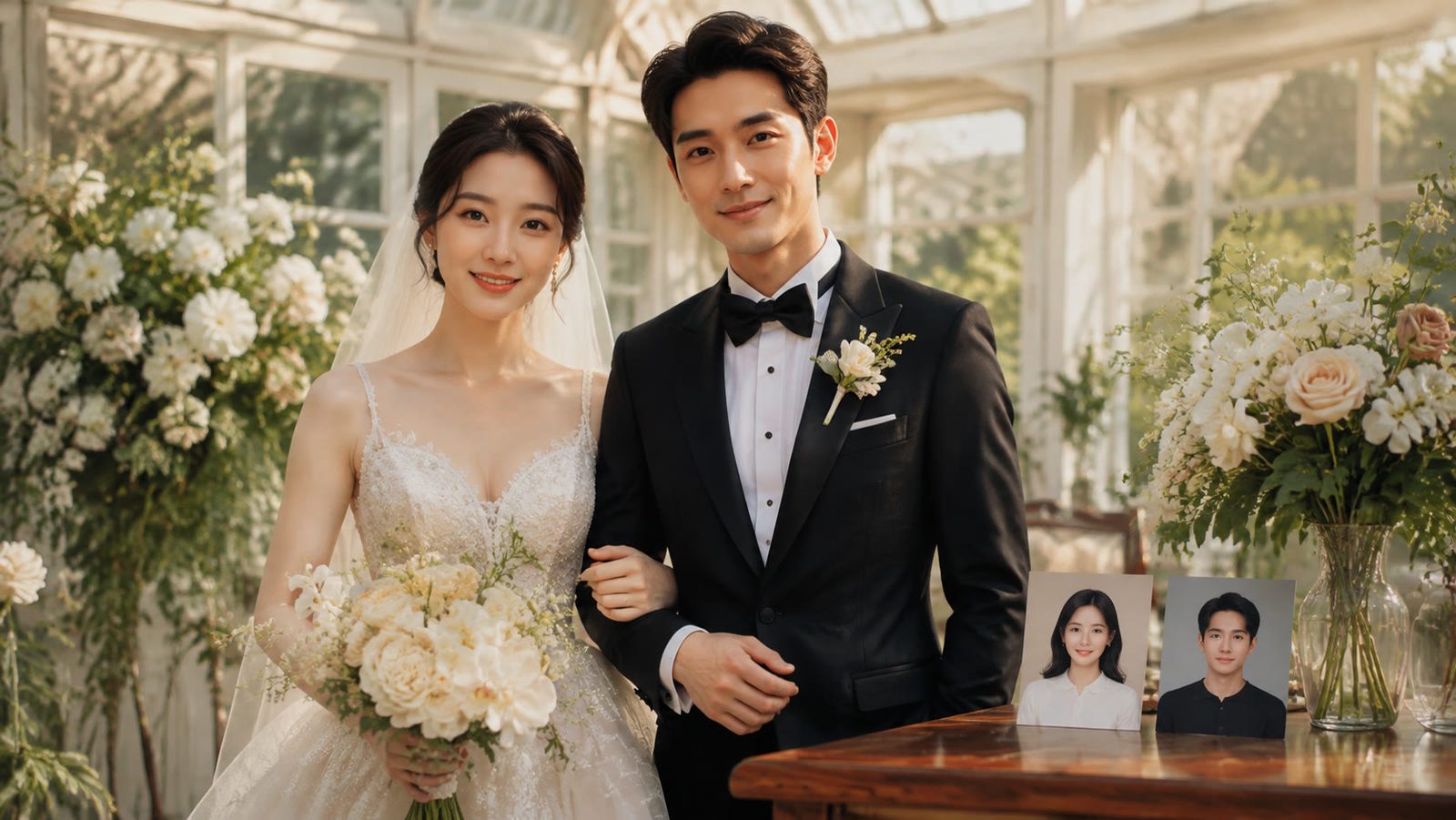
AI Couple Photo Generator: How to Make Natural Couple Photos
Use an AI couple photo generator to merge two selfies into one scene: the image combiner, instant couple and bridal templates, a video route, free credits.
8 min read
AI Coloring Page Generator: Printable Pages for Kids
Use an AI coloring page generator to make printable line art: prompts by age, photo-to-page conversion, 300 DPI export, free credits and Etsy or TPT rules.
8 min read
9 Canva Alternatives for 2026: Free and Paid Tools Compared
Nine Canva alternatives compared on pricing checked today, free tiers and AI features, plus a one-brief test you can repeat in Figma, Express and LazyKiwi.
10 min read