
PhotoCraft Review: The Open-Source Photoshop Clone
What PhotoCraft on GitHub does today, what its own roadmap says is missing, how to install it, and where AI edits still need a separate tool.
 Marcus Tan 10 min read
PhotoCraft is a free, open-source image editor written in Rust that copies the layout and file format of Adobe Photoshop. It is real, it installs on macOS, Windows, Linux and in the browser, and it opens layered PSD files. It is also, in its developers' own words, early alpha and "not yet a Photoshop replacement for daily professional work". This PhotoCraft review sticks to what can be checked today, 13 October 2026: the GitHub repository, the release list, the official app page and the project's own roadmap numbers. We did not run long production jobs in it, so you will not find a benchmark here, only what the sources say and what that means for your decision.
What is PhotoCraft, and which PhotoCraft do you mean?
Search for the name and you will hit at least four different things, so it is worth sorting them before reading any PhotoCraft review:
- PhotoCraft by ArtCraft (storytold/photocraft on GitHub). The open-source Photoshop-style editor this article is about. The official page lives at getartcraft.com/apps/photocraft.
- PhotoCraft AI Photo Editor, an unrelated iOS app on the App Store. Same name, different developer, different product.
- photocraft.one, a third-party fan site that summarises the GitHub project. When we read it, it still showed a star count far below the live repository, so treat its numbers as out of date.
- Artcraft Photoworks, a photo printing and framing shop. More on that in the ArtCraft section below.
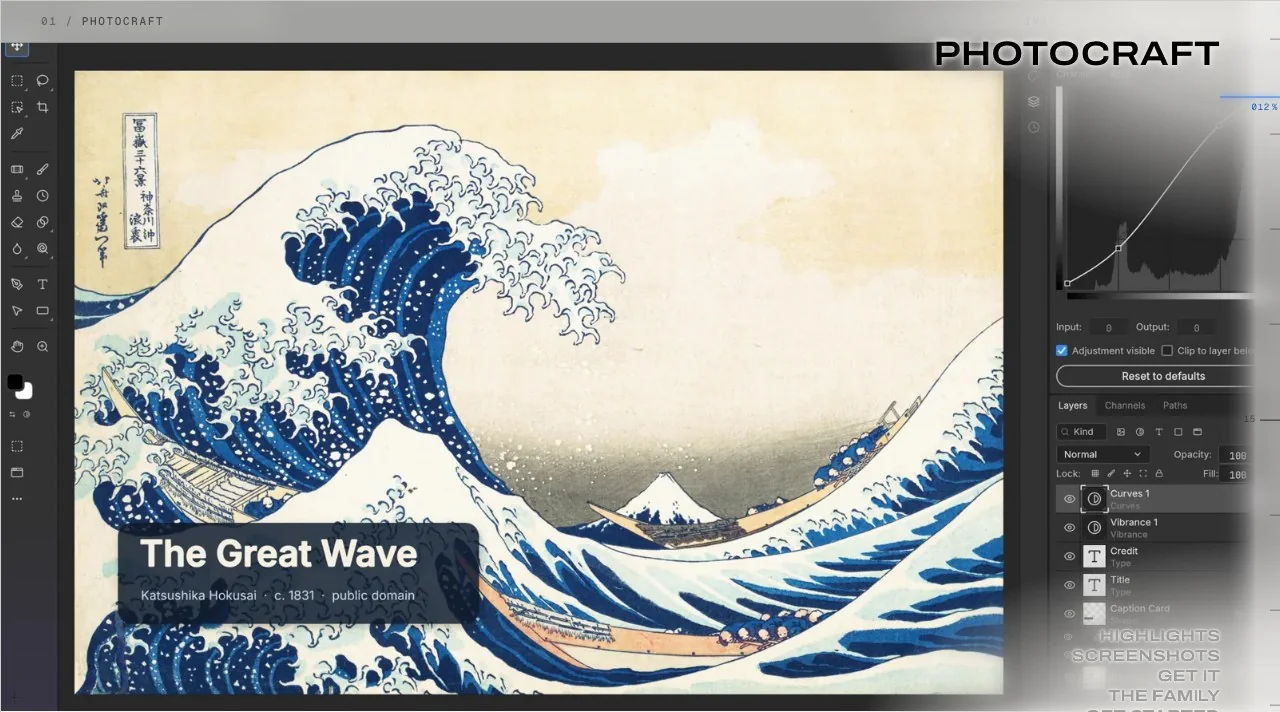
The ArtCraft team describes PhotoCraft as "a clean-room reimplementation of Adobe Photoshop, rebuilt in pure Rust", with layers, masks, adjustment layers, layer styles, type, vectors, brushes and real PSD files, per the README on GitHub. "Clean-room" here means it was written from public specifications rather than from Adobe's code.
PhotoCraft on GitHub: repository, releases and licence
Any PhotoCraft review should start at the source. If you searched "github photocraft" or "photocraft github", the address is github.com/storytold/photocraft. Everything below was read from GitHub on 13 October 2026.
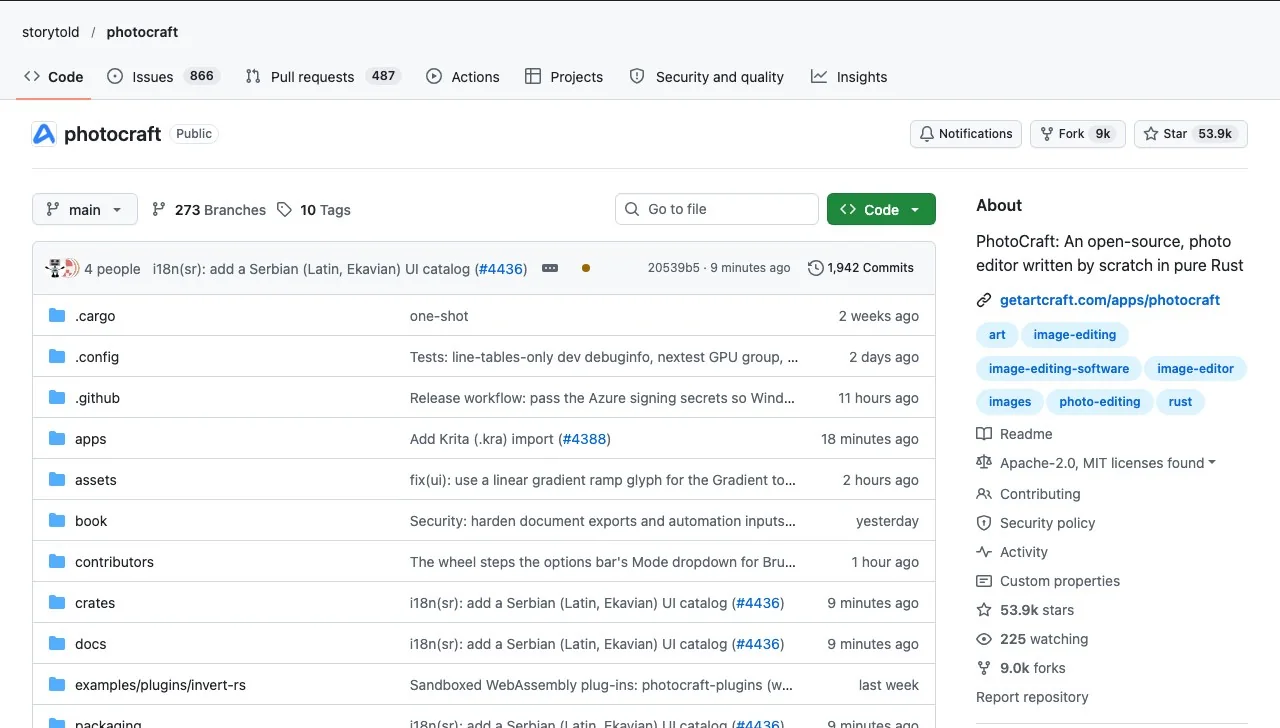
| Item | What GitHub showed on 13 Oct 2026 |
|---|---|
| Repository created | 30 September 2026 |
| Stars / forks | About 53.9k / 9.0k |
| Licence | Apache-2.0 or MIT (both licence files present) |
| First release | v0.1.0, 2 October 2026 |
| Latest release | v0.8.2, 12 October 2026 |
| Language | Rust |
| Stage | Early alpha (README and roadmap) |
For this PhotoCraft review, the pace is the striking part: ten tagged releases in under two weeks. That is good news if you want fixes quickly and bad news if you want a stable tool, because menus and behaviour are still moving between versions.
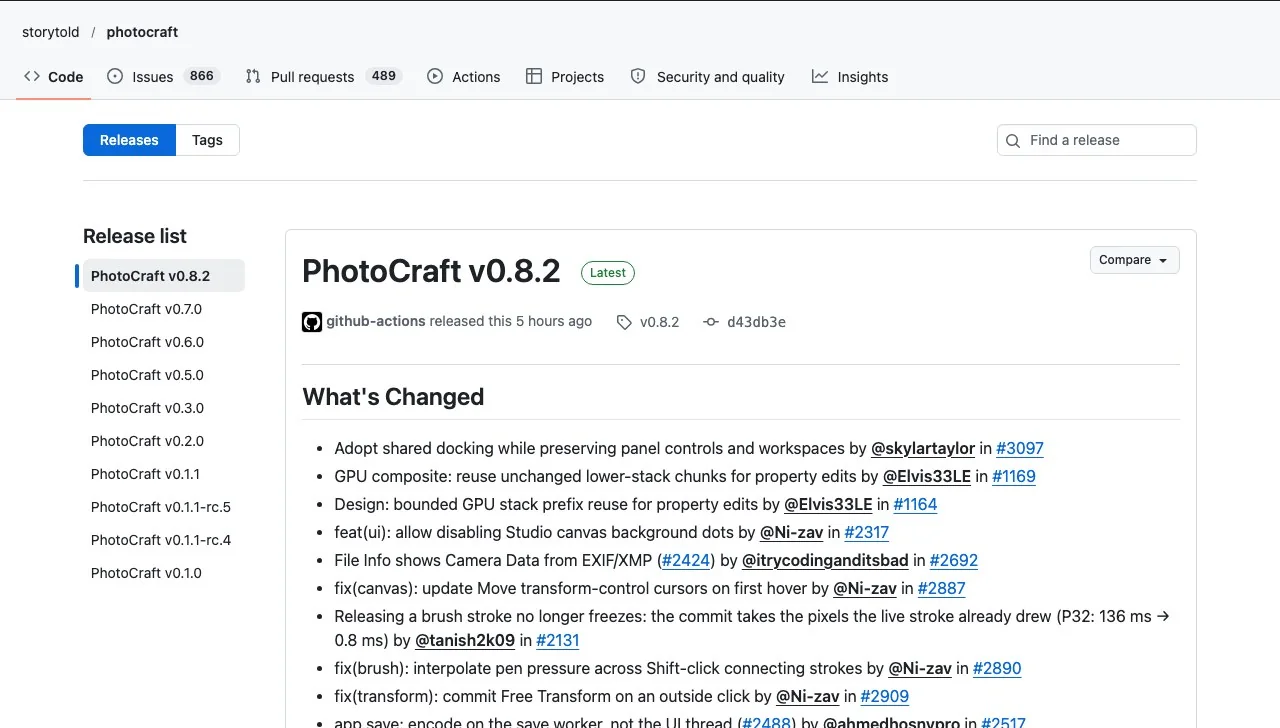
Each release ships installers for macOS (universal), Windows (x64, arm64 and x86, as MSI or portable zip), Linux (AppImage, deb, rpm, Flatpak and tarball, on x86_64 and aarch64, with riscv64 builds in recent versions), FreeBSD, a web build and a macOS command-line tool, per the release list.
What PhotoCraft can do today
The feature list in the README is long. Grouped by what an everyday editor actually reaches for:
- Layers and masks: groups, clipping masks, pixel and vector masks, smart objects with smart filters, 27 Photoshop blend modes.
- Non-destructive adjustments: 16 adjustment layers including Curves, Levels, Hue/Saturation, Gradient Map, Selective Color and Shadows/Highlights.
- Selections: Marquee, Lasso, Magic Wand, Quick Selection, Object Selection and Select Subject, run locally.
- Type, vectors and brushes: on-canvas text with character and paragraph panels, pen and shape layers, and a brush engine with pressure, scattering and dual-brush settings.
- Colour: ICC colour management in RGB, Grayscale, CMYK and Lab at 8, 16 and 32 bits.
- Files: PSD and PSB, layered TIFF, Krita, OpenRaster, Paint.NET, SVG and the usual flat formats; HEIC opens read-only.
- Automation: a registry of 500+ commands reachable from the UI, a CLI, a JSON channel or an MCP server, so scripts and AI agents can drive the editor.
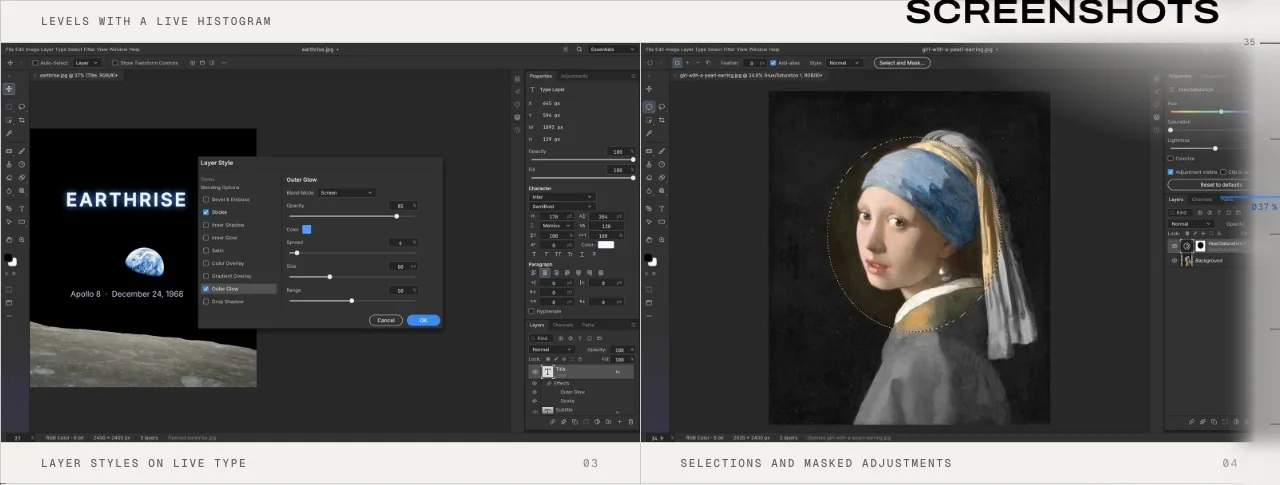
On PSD fidelity the project quotes two figures from two test sets: the README says 307 of 309 files in the psd-tools set round-trip identically, while the app page says 134 of 135 real-world test files round-trip byte for byte. Both come from the developers, not from an outside test.
Where it falls short: the roadmap's own numbers
The most useful document in the repository is ROADMAP.md, because it grades the project against Photoshop 2026 in plain numbers. As last updated on 11 October 2026:
| Measure (from ROADMAP.md) | PhotoCraft's own figure |
|---|---|
| Feature breadth vs Photoshop | About 76% |
| Ready for real work | About 45% |
| Core features for an essentials user | About 61% |
| Performance budgets met | 3 of 25 |
| AI features | About 10% |
| Plug-ins and scripting ecosystem | About 15% |
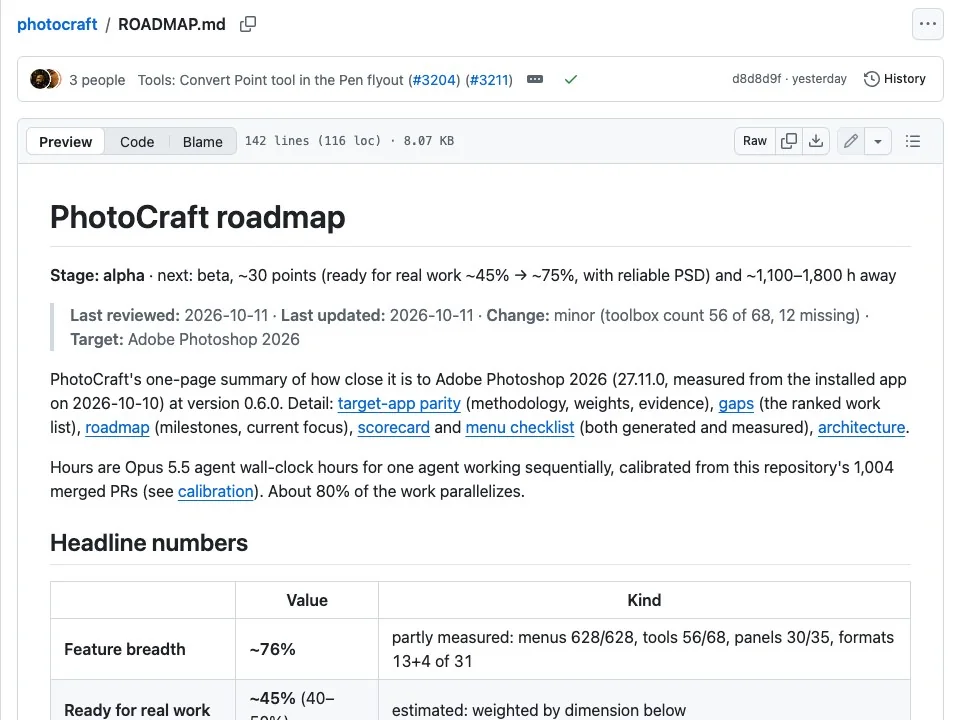
The same page explains why it is still called alpha: the core workflows of open, layer, select, paint, adjust, filter, type and save work end to end, but PSD files written by PhotoCraft are "not yet reliably accepted by Photoshop", and most performance budgets are missed. The Hacker News discussion of the launch reached the same points from the user side: limited RAW handling, PSD files that change on save in some cases, and no support for Photoshop plug-ins.
Keep a copy of any PSD before you save it from PhotoCraft. The developers themselves list Photoshop reopening PhotoCraft-written files as an open gap.
PhotoCraft vs Photoshop: which one fits your work?
A fair comparison has to use the project's own scorecard rather than a wish list. Here is how the two line up on the things that usually decide it:
| Factor | PhotoCraft (v0.8.2) | Adobe Photoshop |
|---|---|---|
| Price | Free, open source | Subscription |
| Account needed | No, works offline | Adobe account |
| PSD files | Opens and saves; Photoshop may reject some saved files | Native format |
| Generative AI (fill, expand, upscale) | Not built in | Built in |
| Plug-ins | Own WebAssembly plug-in system; no .8BF | Large plug-in ecosystem |
| Linux and browser | Yes | No native Linux build |
| Scripting by AI agents | CLI, JSON channel and MCP server | Scripting via Adobe's own APIs |
| Maturity | Early alpha, about 45% ready by its own count | Mature |
Photoshop pricing and features are on Adobe's product page. The short version of this PhotoCraft review: if you edit occasionally, live on Linux, or want an editor an AI agent can script, PhotoCraft is worth installing now. If you deliver layered files to clients who use Photoshop, it is too early to switch.
ArtCraft, the team behind it, and "artcraft photo"
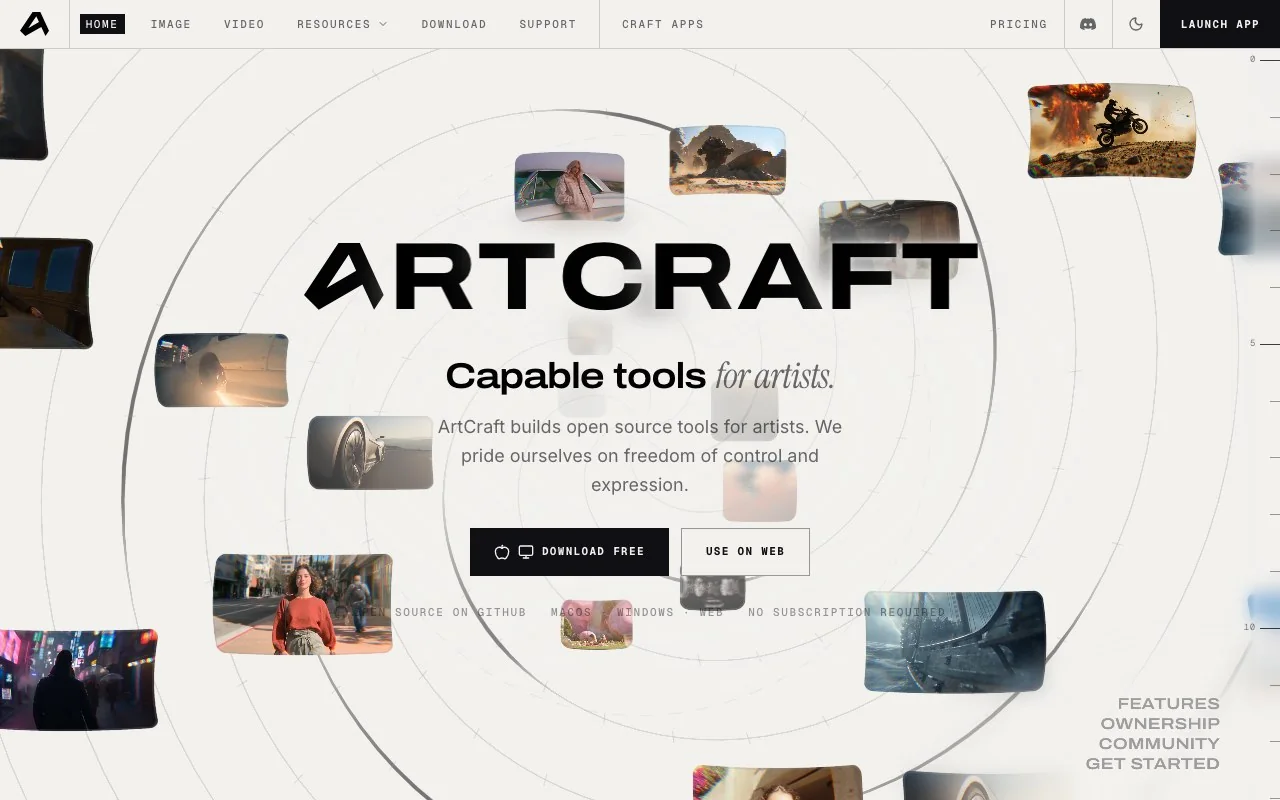
PhotoCraft is one of a family of "Crafting Apps" from ArtCraft, alongside VectorCraft, FilmCraft, LightCraft, PdfCraft, EffectCraft and DesignCraft, all rebuilt in Rust. ArtCraft's main product is something different again: an AI image and video studio, open source at storytold/artcraft, that runs hosted models and adds compositing, character posing and image-to-3D tools on top.
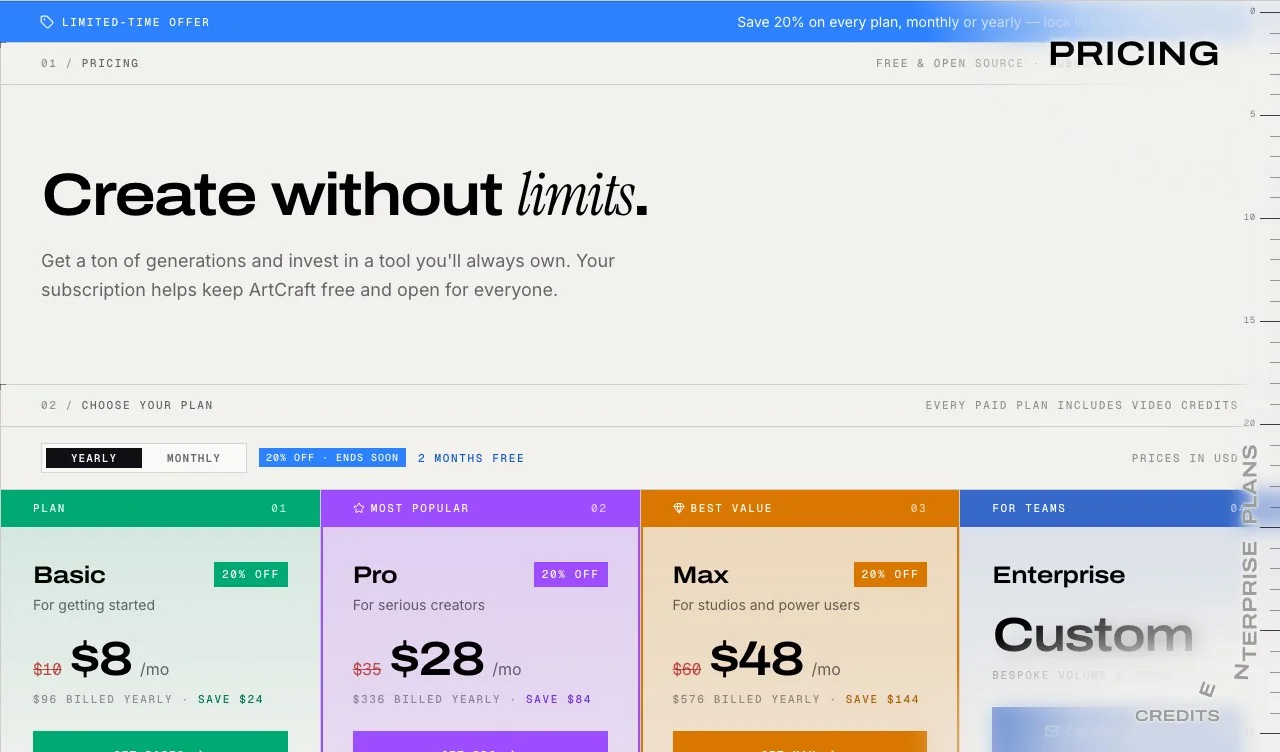
This is where the money is. PhotoCraft itself is free, but the ArtCraft studio sells generation credits: the pricing page listed Basic at $8 a month billed yearly ($96) with 1,000 credits a month, Pro at $28 and Max at $48 a month billed yearly, during a 20% launch discount.
One more thing for anyone who typed "artcraft photo": the top Google result for that phrase is Artcraft Photoworks, a print and framing shop that has nothing to do with the software. If you wanted prints, that is your site; if you wanted the editor, you want ArtCraft and PhotoCraft.
How to download and install PhotoCraft
- 1
Pick the source
Use the official page at getartcraft.com/apps/photocraft or the GitHub releases list. Avoid look-alike download sites; the project signs and notarises its macOS command-line build.
- 2
Choose launcher or standalone
The ArtCraft Launcher installs PhotoCraft and the other Crafting Apps and keeps them updated. The standalone installers on the releases page add only PhotoCraft.
- 3
Match your system
macOS has one universal build. On Windows pick x64, arm64 or x86. On Linux choose AppImage for a no-install trial, or deb, rpm or Flatpak for your distribution.
- 4
Or build it yourself
Clone the repository and run cargo run --release -p photocraft with a Rust toolchain, as the README describes. A WebAssembly build also runs in the browser.
- 5
Test with copies
Open a duplicate of a real project, try the five tools you use most, then save and reopen it in your usual editor before trusting it with live work.
For the photocraft download itself, there is nothing to pay and no account to create.
What PhotoCraft can't do: AI edits and where to get them
This is the section of a PhotoCraft review that matters most if you came from Photoshop's AI tools. The gap list is explicit: Generative Fill and Expand, Generative Upscale, Neural Filters, Sky Replacement and machine-learning selection are missing, and the editor ships no ML runtime at all. Some classical substitutes exist, such as a Remove tool based on patch completion, but nothing that invents new pixels from a prompt.
That leaves a clean split of work. Do the layer and colour work in PhotoCraft, and hand the generative steps to an AI tool, then bring the result back as a new layer. A few examples of that hand-off with tools on LazyKiwi:
- Restyling an outfit on a photo with the AI Clothes Changer, which takes a portrait and a garment description.
- Enlarging a small image before print with the AI Photo Upscaler, instead of plain resampling.
- Generating a background plate or an element to composite from a prompt in the image generator, for example with GPT Image 2.
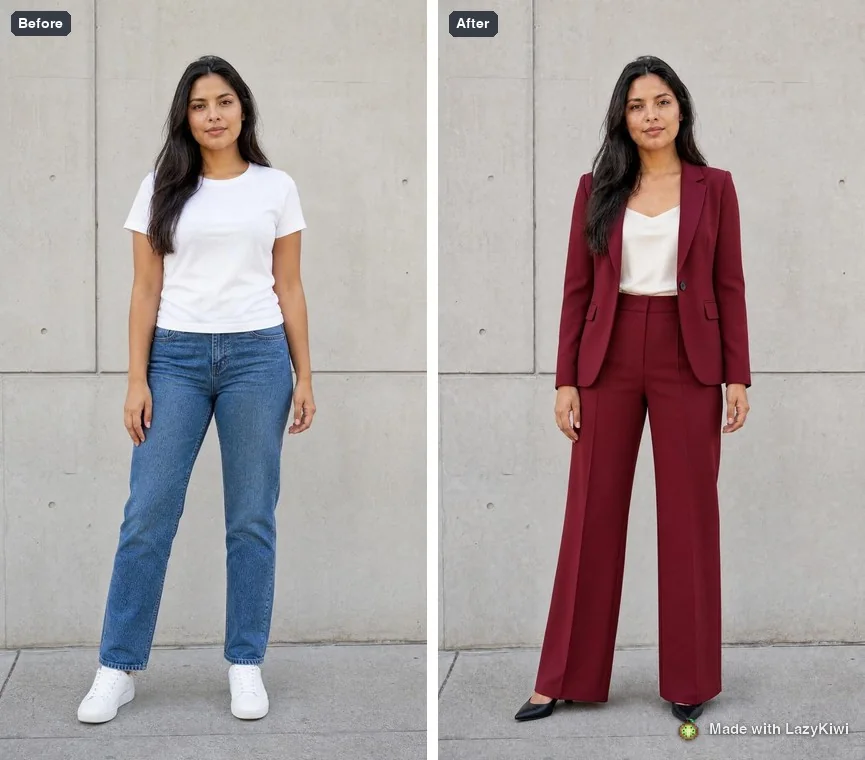
The limits run the other way too. An AI tool returns a flat image, with no layers, masks or adjustment history, so you still need an editor like PhotoCraft or Photoshop to finish the file properly.
Can ChatGPT do what PhotoCraft does?
Partly, and in a different way. ChatGPT can generate and edit images from a text instruction: change a background, restyle a photo, add an object. It does not give you layers, masks, Curves or a PSD you can reopen and adjust, and each edit re-renders the whole picture, so small details can shift between versions.
PhotoCraft is the opposite: precise, repeatable, manual control with no generation. The interesting overlap is automation. Because every PhotoCraft action is a command exposed over a CLI and an MCP server, an AI assistant can drive the editor step by step. One commenter in the Hacker News thread described using PhotoCraft together with Claude to combine two photos of the same place after a plain chat image model had failed at it. That is one anecdote, not a test, but it shows where the project is aiming.
Who should try PhotoCraft right now?
- Linux users who have put up with GIMP: this is the closest open source Photoshop alternative on the platform, and it is free.
- Hobbyists and students who need layers, masks and adjustment layers but not a subscription.
- Developers and agent builders who want an editor they can script from the command line or an MCP client.
- Not yet: studios exchanging PSDs with Photoshop users, anyone who depends on Photoshop plug-ins, and photographers who need mature RAW development.
Check back in a month. With releases arriving every day or two and a public roadmap that scores itself, it is easy to see whether the gaps above are closing before you commit.
Key takeaways
- PhotoCraft (storytold/photocraft) is a free, open-source, Photoshop-style editor in Rust, created on GitHub on 30 September 2026.
- Its own roadmap rates it about 45% ready for real work and 76% complete in feature breadth, and calls it early alpha.
- It opens and saves PSD files, but Photoshop does not yet reliably accept files PhotoCraft writes.
- There are no generative AI features; pair it with an AI tool for fills, outfit swaps or upscaling.
- ArtCraft also sells a separate AI studio with paid credits, and Artcraft Photoworks is an unrelated print shop.
Tools & Reviews Editor
Marcus Tan
I open every competitor's pricing page myself before writing a comparison, and I say plainly when another tool is the better pick.
FAQ
Common questions
Is PhotoCraft really free?
Yes. PhotoCraft is open source under Apache-2.0 or MIT, with free installers on GitHub and getartcraft.com and no account needed. What ArtCraft charges for is its separate AI studio, which sells generation credits; those plans are not required to use the PhotoCraft editor.
Is PhotoCraft safe to download?
Download only from the GitHub releases page of storytold/photocraft or from getartcraft.com. Each release includes a SHA256SUMS file you can check, and the macOS command-line tool is signed and notarised. Avoid look-alike sites that repackage the installers.
Can PhotoCraft open PSD files?
It opens and saves layered PSD and PSB files, and the developers report high round-trip scores on their own test sets. Their roadmap also says Photoshop does not yet reliably reopen PSDs that PhotoCraft writes, so keep a backup of any file you plan to send back to a Photoshop user.
Does PhotoCraft have AI features like Generative Fill?
No. The project lists Generative Fill and Expand, Generative Upscale, Neural Filters and Sky Replacement as missing, and the editor has no machine-learning runtime. Selection tools such as Select Subject work with classical methods on your own machine.
Is PhotoCraft the same as ArtCraft?
PhotoCraft is one app made by the ArtCraft team. ArtCraft also builds other Crafting Apps, such as VectorCraft and FilmCraft, and an AI image and video studio with paid credit plans. The studio and the editor are separate products.
Add the AI edits PhotoCraft leaves out
Keep your layers in PhotoCraft and run the generative step separately: upload a portrait, describe the new outfit, and bring the result back as a layer.
Related reading

Best AI Photo Editing Apps in 2026, Tested
Nine of the best AI photo editing apps run against the same two files: retouch a face, clean a scene, batch a set, export without a watermark.
10 min read
9 Canva Alternatives for 2026: Free and Paid Tools Compared
Nine Canva alternatives compared on pricing checked today, free tiers and AI features, plus a one-brief test you can repeat in Figma, Express and LazyKiwi.
10 min read
Remove Person From Photo: What Actually Works
How to remove person from photo edits that survive a 100% zoom: catch the shadow, protect the subject, and know when a crop beats reconstruction.
9 min read