
ComfyUI Alternatives: Flux and Qwen Image With No Install
ComfyUI alternatives that skip the install: cloud ComfyUI, hosted Flux and Qwen Image, desktop UIs and a browser workbench, priced on 15 October 2026.
 Noah Berger 9 min read
ComfyUI is the node-based engine that most open image and video models are released for first, and it is also a weekend of setup, a graphics card with a lot of memory, and tens of gigabytes of model files. If you searched for ComfyUI alternatives because of the second half of that sentence, this guide is for you. It covers what ComfyUI is genuinely good at, what the official docs say it needs in hardware and disk, and then every route that runs in a browser instead: cloud-hosted ComfyUI, hosted model endpoints for Flux and Qwen Image, lighter desktop front ends for people who still want local, and LazyKiwi's workbench. Every figure was read on 15 October 2026 from the project's GitHub page and docs, from the Comfy Cloud, RunComfy, ThinkDiffusion and Runpod pricing pages, and from the Hugging Face model cards. We did not benchmark any of them.
What is ComfyUI, and what is it good at?
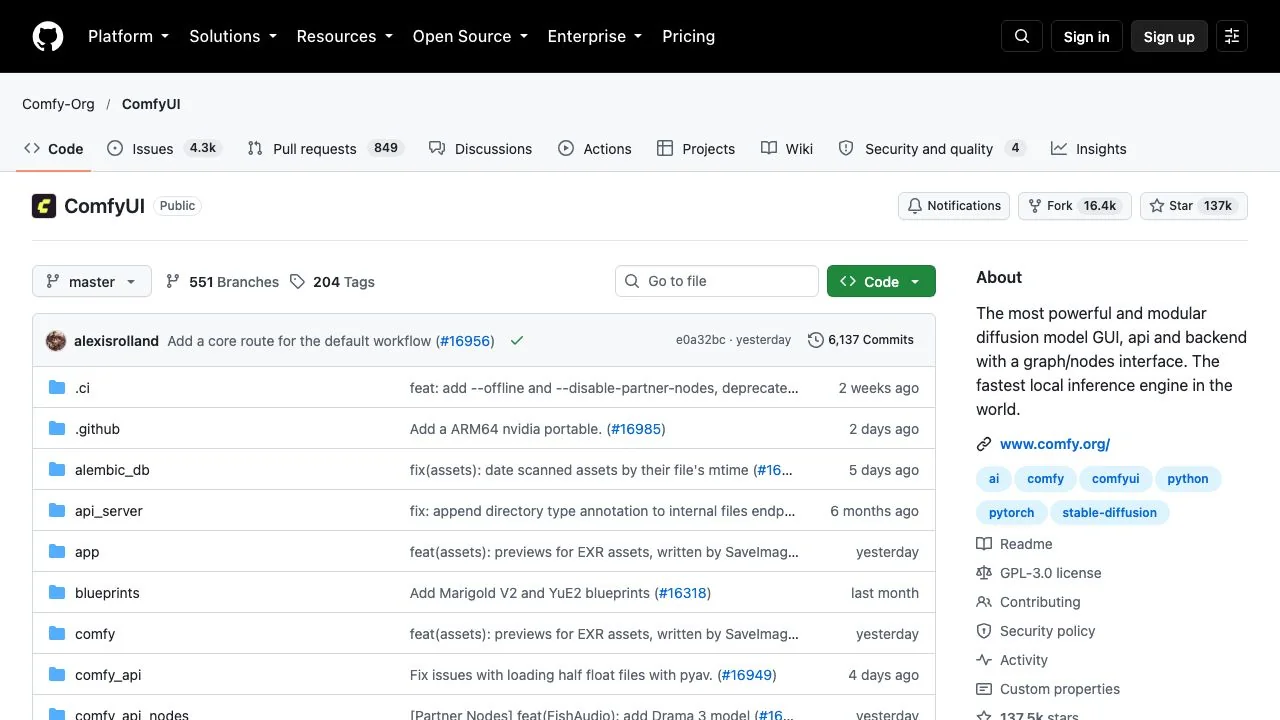
ComfyUI is an open-source application in which you build an image or video pipeline by wiring nodes together: a model loader feeds a prompt encoder, which feeds a sampler, which feeds a decoder and a save node. On 15 October 2026 the Comfy-Org/ComfyUI repository showed 137,491 stars and 16,370 forks, a GPL-3.0 licence, and a latest release of v0.40.0 dated 13 October 2026, two days before this article. The project was created in January 2023 by a developer known as comfyanonymous, per Wikipedia, and is now maintained by the company Comfy Org.
Its strengths are real and specific:
- Day-one support for open models. The README lists Flux, SD3.5, Qwen Image, Hunyuan video and 3D, LTX-Video and Wan among the families it runs natively, and new checkpoints usually get a ComfyUI workflow before any other interface.
- Full control. Every parameter, every model file and every intermediate step is visible and editable, which is why studios and tool builders standardise on it.
- Shareable workflows. A graph saves as a JSON file, so a whole pipeline can be sent to a colleague or published with a model.
- Broad hardware support. The docs list NVIDIA, AMD on Linux and Windows, Intel Arc, Apple Silicon, Ascend and Cambricon accelerators, plus a slow CPU mode.
None of that is the reason people leave. They leave because of what the next section describes.
What ComfyUI costs in hardware, disk and time
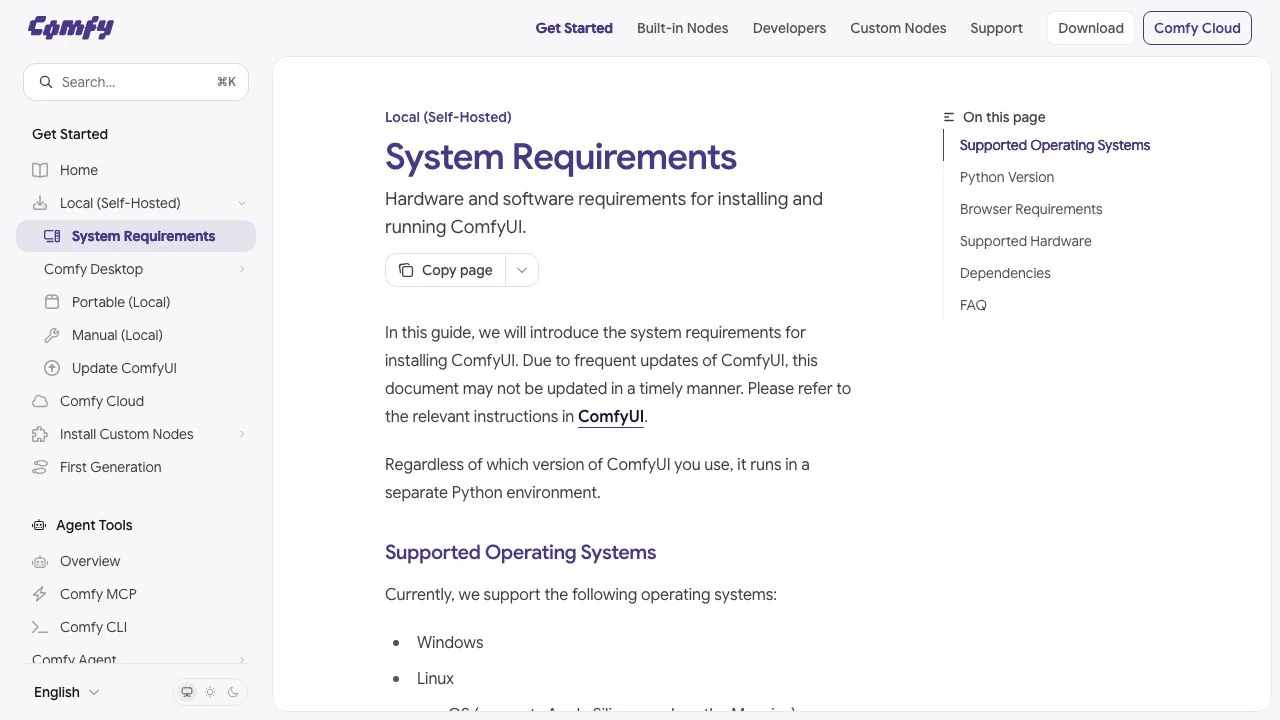
The official system requirements page lists Windows, Linux and macOS on Apple Silicon, recommends Python 3.13, PyTorch 2.7 or newer with CUDA 13.0 on NVIDIA cards, ROCm 7.2 on Linux or ROCm 10.0 on Windows for AMD, and Google Chrome 143 or later for the interface. It does not print a VRAM minimum, because the real requirement is set by the model you want to run. The Comfy Desktop page adds that a standalone install needs at least 4.85 GB of disk space and 8 GB of RAM, with 16 GB recommended, before a single model is downloaded.
The model files are the heavy part. Two examples from the official tutorials:
| Model (from ComfyUI docs) | Files you download | What the docs say about memory |
|---|---|---|
| Flux.1 Dev, full | Diffusion model, two text encoders and a VAE; the original Flux file is about 23 GB | 12 billion parameters; the docs call it one of the largest open-source text-to-image models and say the full version needs the most VRAM |
| Flux.1 Dev fp8 checkpoint | One combined fp8 file | Offered for devices with limited VRAM; the docs say quality is slightly reduced compared with the full version, and suggest the fp8 T5 text encoder when VRAM is low |
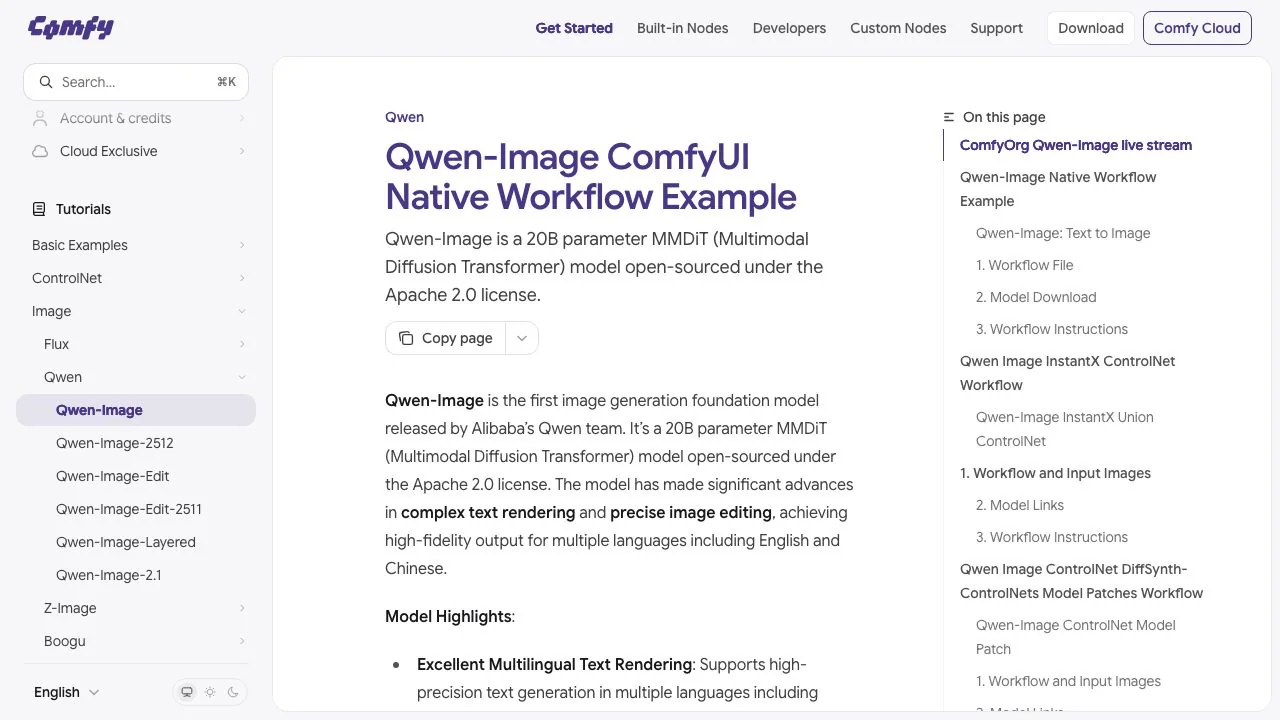
| Qwen-Image | 20.4 GB (fp8) or 40.9 GB (bf16) diffusion model, a 7B text encoder and a VAE | On an RTX 4090D with 24 GB, the fp8 model used 86% of VRAM and took about 94 seconds for the first image and 71 for the second |
Add it up and the entry ticket for current open models is a 24 GB consumer card, tens of gigabytes of free disk (4.85 GB for the desktop app before the first 20 GB model), an evening of installs and a habit of reading release notes, because a ComfyUI update can break a custom node. For anyone with a laptop, a Mac with 16 GB of shared memory, or no interest in dependency management, that is the case for looking at a ComfyUI alternative.
If you already own the hardware, keep ComfyUI. The alternatives below trade control for convenience, and a card you have already paid for has no hourly meter.
Can you run ComfyUI online without installing it?
Yes. The most direct answer to the search for ComfyUI without install is a hosted copy of the same interface on a rented GPU, which is what the ComfyUI cloud services below sell. Four of them, as priced on 15 October 2026:
| Service | What you get | Price on its pricing page | Free trial |
|---|---|---|---|
| [Comfy Cloud](https://comfy.org/pricing/) (official) | Hosted ComfyUI on an RTX 6000 Pro with 96 GB VRAM, 900+ pre-installed models, 30-minute job limit (1 hour on Pro), Partner Nodes for proprietary models | Standard $16 a month billed yearly or $20 monthly; Creator $28 or $35; Pro $80 or $100; Team $630 or $700 | 5 free runs on real GPUs for new users |
| [RunComfy](https://www.runcomfy.com/pricing) | Private GPU machines with 16 to 141 GB VRAM, custom models and nodes, 10 GB storage on pay-as-you-go | $0.99 an hour (T4 or A4000, 16 GB) to $9.59 an hour (H200); Pro $19.99 a month billed yearly takes 20% off GPU rates | Not stated as credits; a Get Started Free button |
| [ThinkDiffusion](https://www.thinkdiffusion.com/pricing) | Hosted ComfyUI, Automatic1111, Fooocus and Forge machines with persistent storage | QUICK 16 GB $0.99 an hour, TURBO 24 GB $1.75, ULTRA 48 GB $2.50; TD-PRO $19.99 a month billed yearly cuts rates by 20% | 15 minutes free with every sign-up |
| [Runpod](https://www.runpod.io/pricing) | Raw GPU pods billed per second; you install ComfyUI yourself or pick a community template | Per-GPU hourly rates on the pricing page, with Community Cloud cheaper than Secure Cloud; RTX 4090, RTX 5090, A40, L40S, A100 and H100 all listed | None stated |
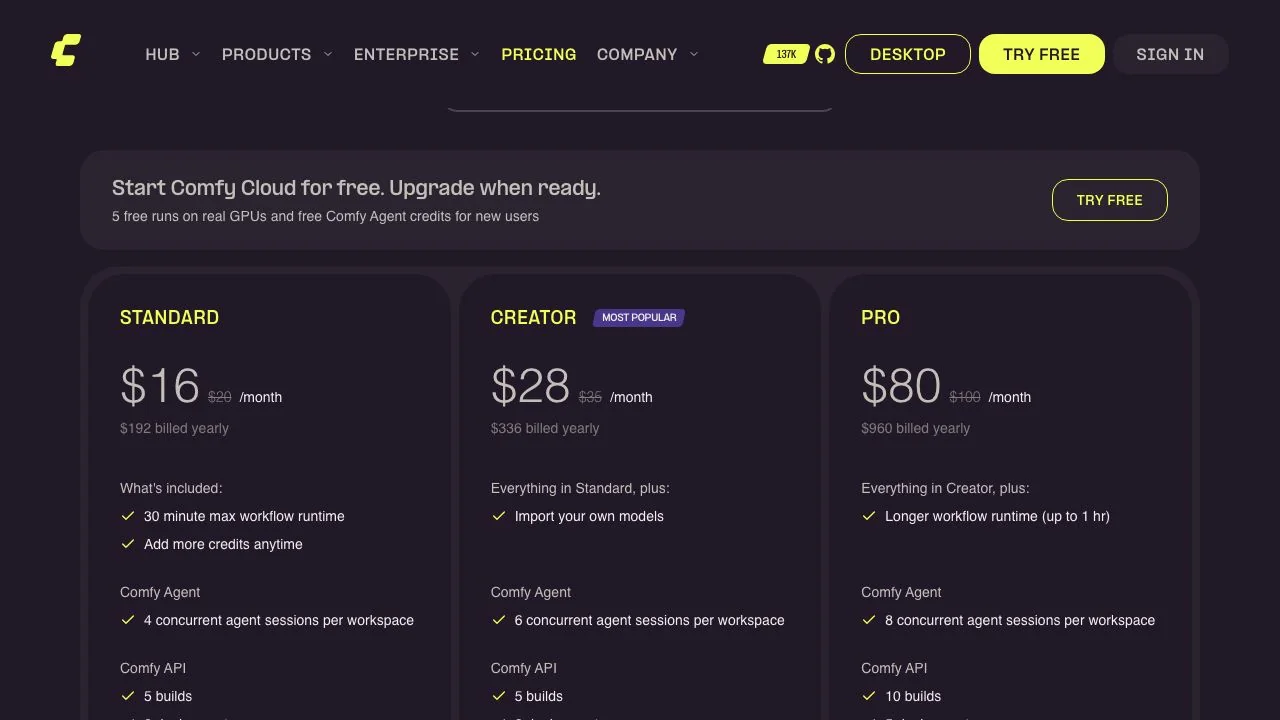
Comfy Cloud is the simplest of the four because the graph, the models and the GPU are already wired together, and its credits also pay for Partner Nodes such as Nano Banana Pro inside the same workflow. The trade-off is the job cap and a curated list of custom nodes. RunComfy and ThinkDiffusion give you a full machine you can modify, billed by the hour, so a two-hour session on a 24 GB machine costs about $3.50 on either, plus storage decisions. Runpod is the cheapest per GPU hour but assumes you are comfortable with containers.
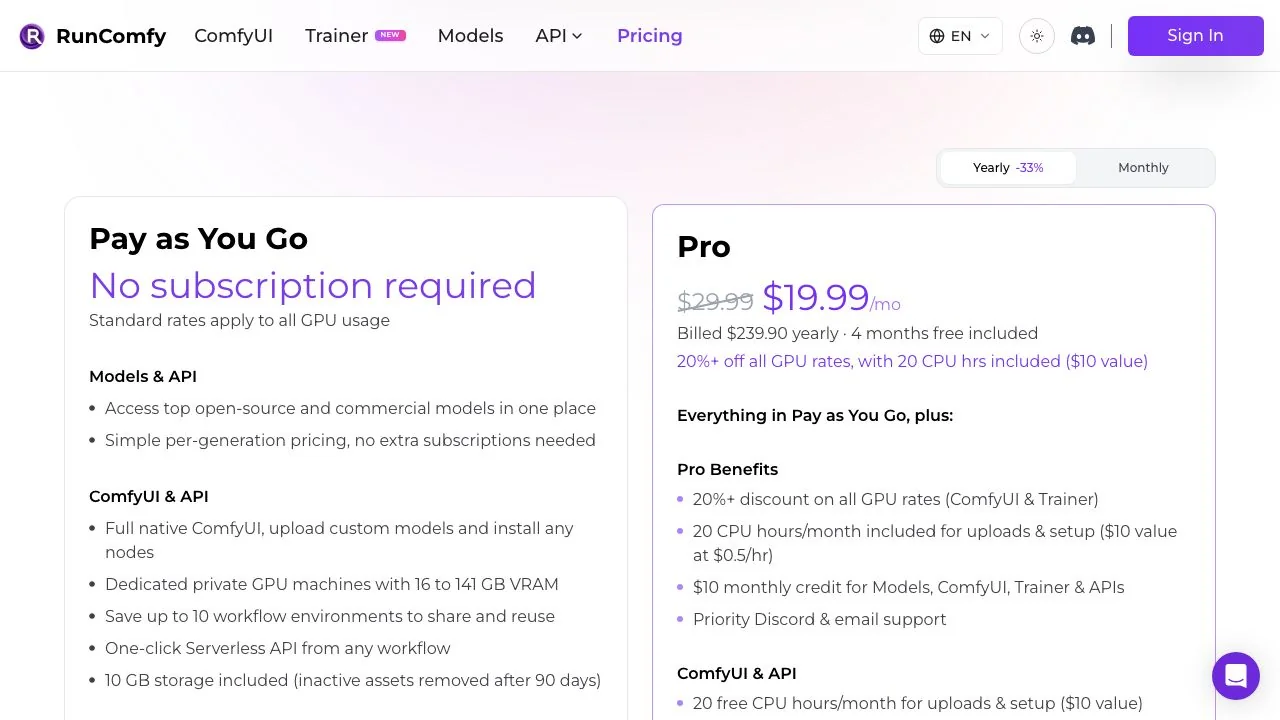
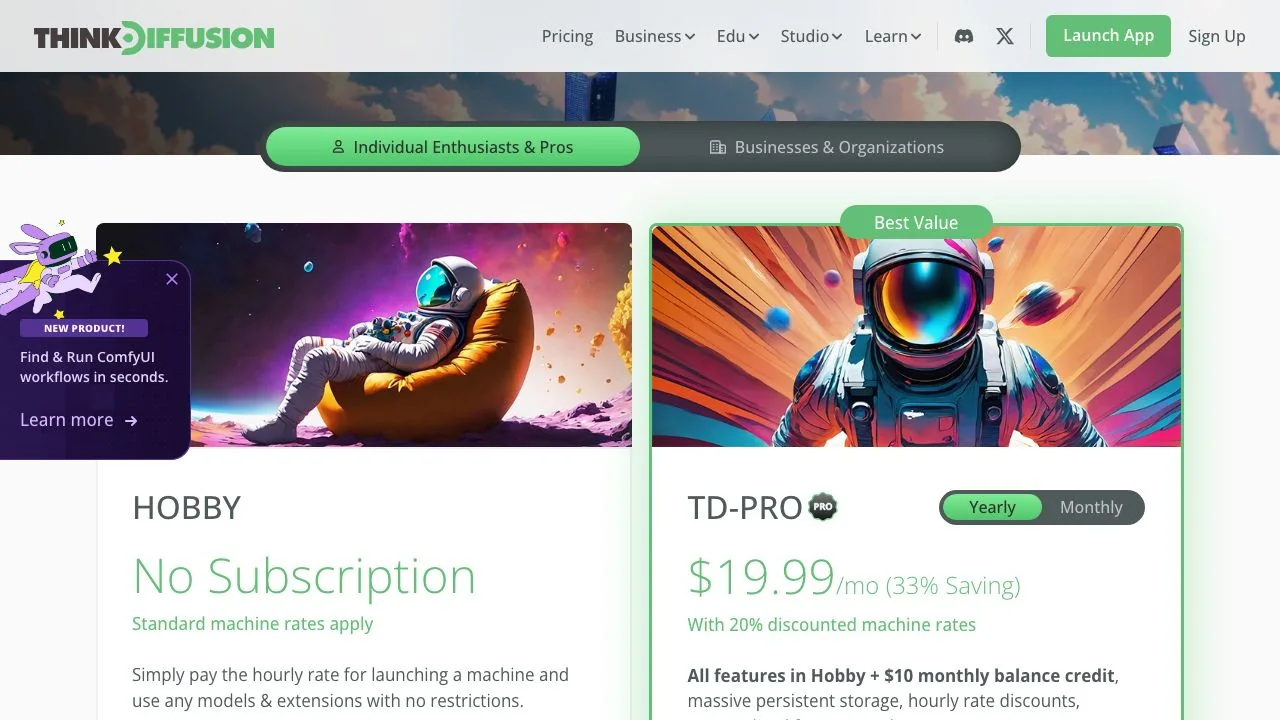
For people whose search was ComfyUI online free, the honest answer is that free means a trial: 5 runs on Comfy Cloud, 15 minutes on ThinkDiffusion. After that you pay per hour or per month.
How to run Flux without ComfyUI
If you do not care about nodes and only want the model, skip the graph entirely and use a hosted endpoint or a web demo. Three options, with the licence detail that matters:
- fal.ai runs FLUX.1 [dev] at $0.025 per megapixel, rounded up to the nearest megapixel, through a web playground and an API.
- Replicate lists flux-dev at $0.025 per output image, or 40 images for $1, and states that images generated on Replicate with FLUX.1 models may be used commercially, while images you generate from the downloaded weights on your own computer may not.
- Hugging Face Spaces hosts a free Qwen-Image demo on shared ZeroGPU hardware, with a queue instead of a bill.
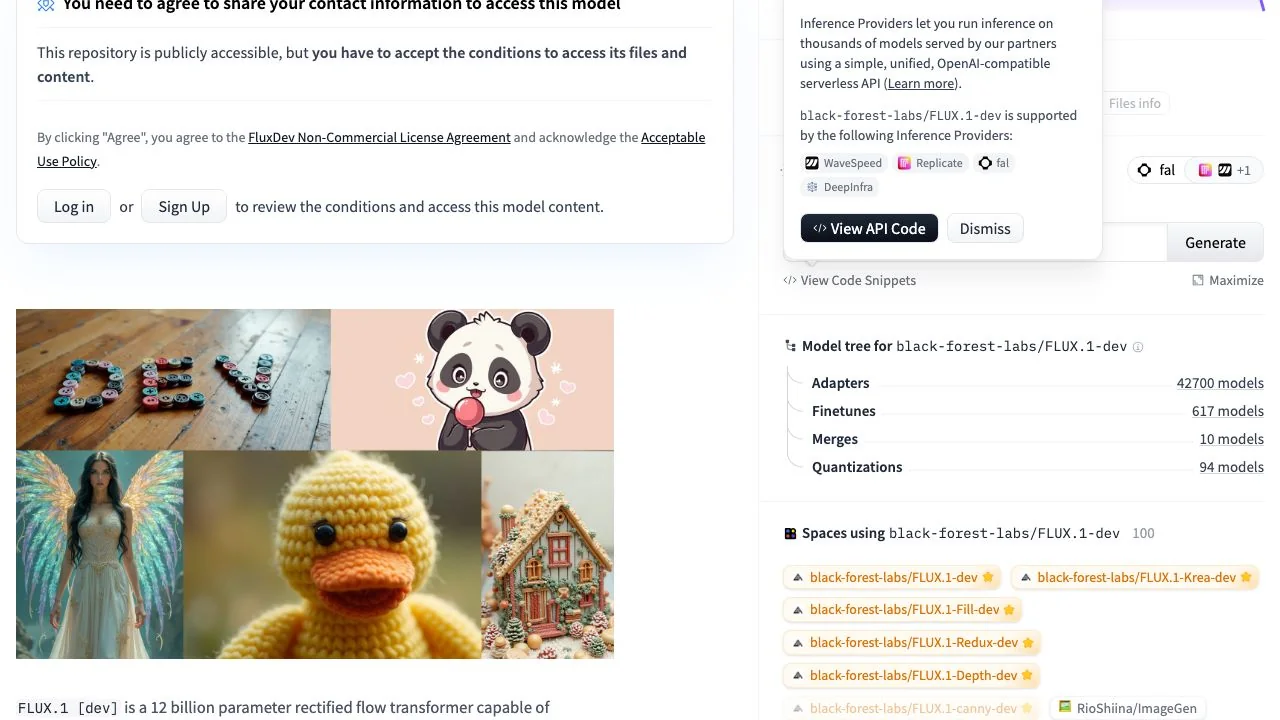
That licence line is the reason the Replicate note exists. The FLUX.1-dev model card places the weights under a non-commercial licence, so running them yourself in ComfyUI or Forge for paid work is a licensing question, while a hosted provider that has its own agreement with Black Forest Labs can sell you commercial outputs. Qwen-Image, by contrast, is a 20B-parameter model under Apache 2.0, which is why it appears both in the ComfyUI tutorials and in hosted workbenches without a licence caveat.
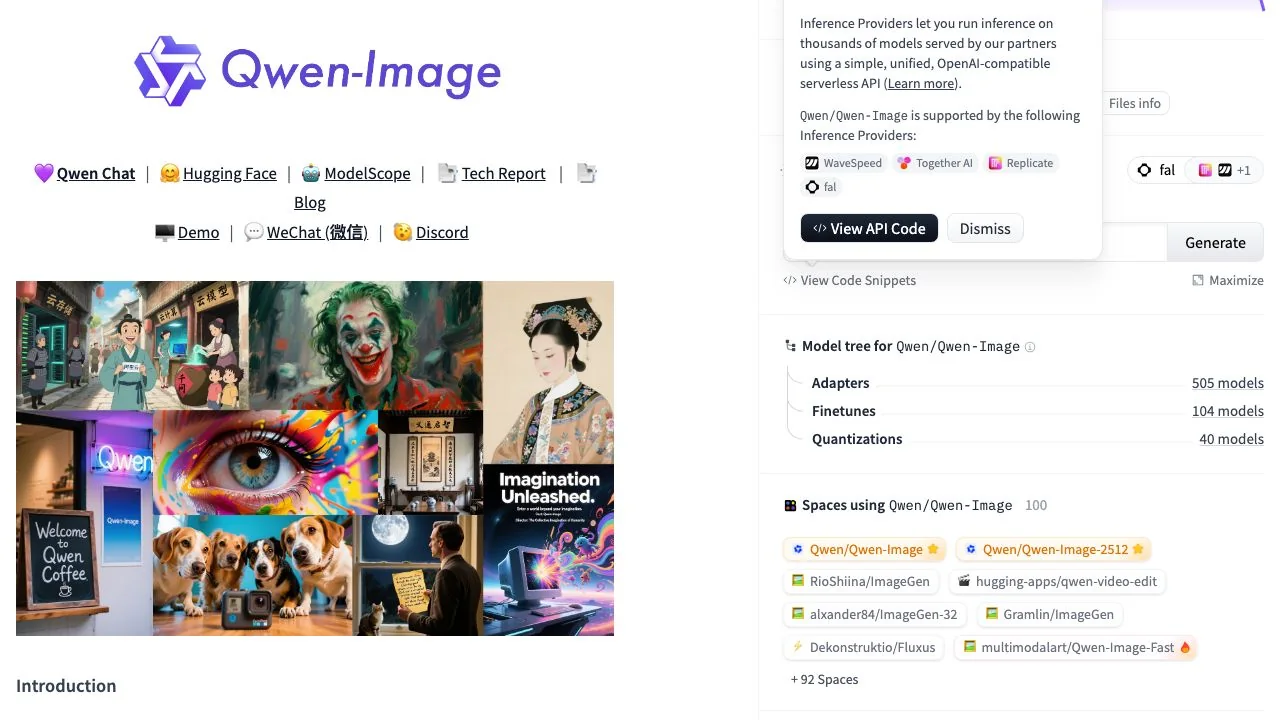
LazyKiwi belongs in this group too: its image generator runs Qwen Image and Z-Image as hosted open models next to GPT Image 2, Nano Banana and Seedream 5.0, with free credits on sign-up and the credit cost shown before you generate. More on that in a moment.
Best ComfyUI alternatives for your own machine
Some readers want local generation without the graph. These front ends run on your own GPU, and several of them use ComfyUI as a hidden engine, which tells you how central it has become. Figures are from each project's GitHub page or site on 15 October 2026.
| App | Engine and models | Platforms | Status on 15 Oct 2026 |
|---|---|---|---|
| [Invoke](https://github.com/invoke-ai/InvokeAI) | Own engine; the Flux Dev, Kontext, Krea, Flux 2 Dev and Klein models, SDXL and SD 3.5, with a unified canvas and node workflows | Launcher for desktop systems | 28,640 stars, Apache-2.0, pushed 14 October 2026 |
| [SwarmUI](https://github.com/mcmonkeyprojects/SwarmUI) | Auto-installs ComfyUI as its backend; Krea 2, Flux, Stable Diffusion, MiniMax H3, Wan, LTX-2, ACE-Step audio | Windows, Linux, macOS M-series, Docker, Colab, Runpod | 4,665 stars, MIT, pushed 12 October 2026 |
| [Forge](https://github.com/lllyasviel/stable-diffusion-webui-forge) | Automatic1111 fork with memory management; Flux in NF4 and GGUF quantisations | Windows, Linux | 13,065 stars; last push 31 July 2025; README marked under construction |
| [Fooocus](https://github.com/lllyasviel/Fooocus) | SDXL only, by design; minimum 4 GB VRAM on RTX 20 to 40 series cards | Windows, Linux, Mac, Docker, Colab | 53.4k stars; limited long-term support, bug fixes only, no newer architectures planned |
| [Krita AI Diffusion](https://github.com/Acly/krita-ai-diffusion) | Krita plugin on a ComfyUI backend, local or remote; Flux 2, Z-Image, SD 1.5, SDXL, Illustrious | Wherever Krita runs; 6 GB NVIDIA VRAM recommended | 10.7k stars |
| [Draw Things](https://drawthings.ai/) | On-device app with optional Cloud Compute; Draw Things+ at $8.99 a month raises cloud limits | iPhone, iPad, Mac | Free app, paid tier for cloud |
Three of these answer the Suggest queries directly. For ComfyUI alternatives on a Mac, Draw Things is the only one built for Apple hardware first, and SwarmUI lists M-series support. For ComfyUI alternatives on AMD, the SwarmUI and Krita projects inherit ComfyUI's ROCm support. For a ComfyUI alternative that is actively maintained with the newest Flux models, Invoke had a commit the day before we checked, whereas Forge and Fooocus are frozen at 2025 model generations.
ComfyUI alternatives compared: which fits which job
| Route | Setup time | What you pay | Control | Best for |
|---|---|---|---|---|
| ComfyUI local | Hours, plus updates | Hardware you own; 24 GB VRAM for current models | Total | Studios, tool builders, custom nodes |
| Comfy Cloud | Minutes | $16 to $80 a month on yearly billing | Full graph, curated nodes, 30-minute jobs | ComfyUI users without a GPU |
| RunComfy or ThinkDiffusion | Minutes | About $1 to $2.50 an hour by VRAM tier | Full machine | Occasional heavy sessions, custom models |
| Runpod | An hour, with a template | Per-second GPU billing | Root access | Engineers who want the cheapest GPU hour |
| fal, Replicate | Seconds | $0.025 per megapixel or per image for Flux dev | Model parameters only | Developers calling an API; commercial Flux outputs |
| Hugging Face Space | Seconds | Free, with a queue | Prompt and a few sliders | Trying Qwen-Image once |
| Desktop UIs (Invoke, SwarmUI, Forge) | An hour | Hardware you own | High, with a canvas | Local users who dislike node graphs |
| [LazyKiwi workbench](/image-generator) | Seconds | Free credits on sign-up; cost shown per generation | Model, prompt, reference image, size | Open and proprietary models side by side, plus edit tools |
The pattern is simple. The further down the table you go, the less you install and the less you can tune. Pick the row that matches how much tuning you actually do; most people who ask for ComfyUI alternatives are in the bottom half.
Stable Diffusion online with no install: the LazyKiwi route
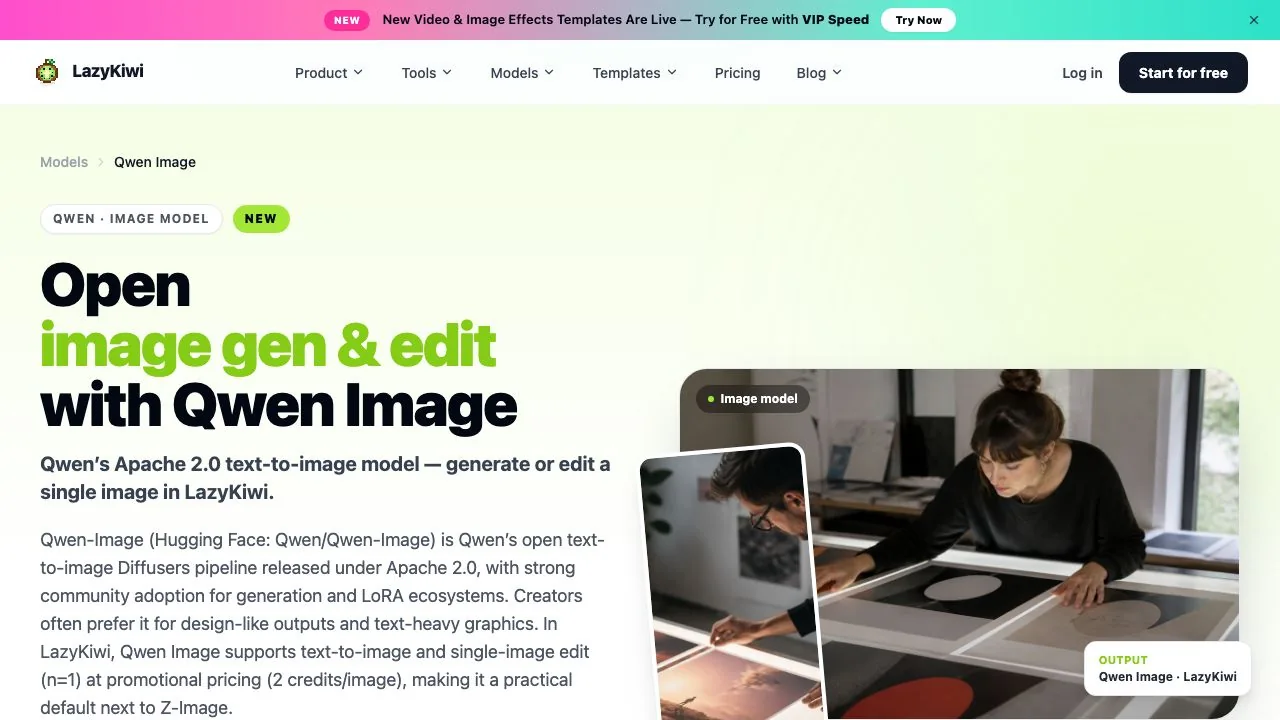
The phrase people type is still stable diffusion online no install, even though the models they want in 2026 are Flux-class and newer. LazyKiwi's image generator is that kind of page: a browser workbench that runs open models such as Qwen Image, described on its page as Qwen's Apache 2.0 text-to-image model for generation and single-image edits, and Z-Image, alongside GPT Image 2, Nano Banana, Seedream 5.0 and Wan 2.7 Image Pro, at up to 4K. There is nothing to download, new accounts start with free credits, and the price of a run is shown before you confirm it.

- 1
Open the model page
Go to the Qwen Image page and click Try Qwen Image free; it opens the workbench with that model preselected.
- 2
Paste your ComfyUI prompt
The positive prompt transfers directly. The public page describes the inputs as a prompt, an optional reference photo, a ratio and a resolution, not a node graph, so sampler-level settings stay behind.
- 3
Pick a size and, optionally, a reference image
The workbench offers text to image and image to image; for an edit, upload the source and describe the change.
- 4
Check the credit cost, then generate
The cost for the run appears before you confirm, which replaces the mental arithmetic of GPU hours.
- 5
Finish with a tool, not a node
The Image to Image tool restyles a result, and the AI Photo Upscaler enlarges it, which covers two of the most common ComfyUI post-processing graphs.
What you give up is exactly what the table says: LoRA stacks, ControlNet graphs, custom samplers and batch scripting. If your work depends on those, Comfy Cloud or a rented machine is the right ComfyUI alternative, not a workbench. If your work is a prompt, a reference and a size, the workbench is faster and costs nothing to try.
Which ComfyUI alternative should you choose?
- You know ComfyUI and lack a GPU: Comfy Cloud, from $16 a month on yearly billing, keeps your workflows and adds Partner Nodes.
- You need a specific custom node or model once a month: RunComfy or ThinkDiffusion by the hour, around $1 to $2.50 depending on VRAM.
- You are a developer who wants Flux in an app: fal or Replicate at $0.025 per megapixel or per image, with Replicate's commercial-use note in your favour.
- You want local without nodes: Invoke on a desktop GPU, or Draw Things on a Mac or iPad.
- You want to generate and edit in a browser today, with open and proprietary models in one place: the LazyKiwi workbench, starting with Qwen Image.
Whichever row you choose, keep one copy of a ComfyUI workflow JSON for the day you need to reproduce a result exactly. The graph is still the lingua franca of open image generation; the alternatives just let you stop living inside it.
Key takeaways
- ComfyUI (137,491 GitHub stars, GPL-3.0, v0.40.0 on 13 October 2026) is the reference interface for open models, and its docs put current models such as Qwen-Image at 20.4 GB of files and 86% of a 24 GB card.
- Hosted ComfyUI exists: Comfy Cloud from $16 a month on yearly billing with 5 free runs, RunComfy and ThinkDiffusion from $0.99 an hour, Runpod per second.
- To run Flux without ComfyUI, fal and Replicate charge $0.025 per megapixel or per image, and Replicate notes that its hosted FLUX.1 outputs may be used commercially while self-run weights are non-commercial.
- Invoke, SwarmUI, Forge, Fooocus, the Krita plugin and Draw Things cover local users who dislike node graphs; Invoke is the most actively maintained of the group.
- LazyKiwi's browser workbench runs Qwen Image and Z-Image next to GPT Image 2, Nano Banana and Seedream 5.0 with free credits on sign-up and the cost shown before each run.
Models & Research Editor
Noah Berger
Noah Berger tracks generative models and the rules around them for LazyKiwi. He works from primary sources, dates every claim, and updates a post when the model or the policy behind it changes.
FAQ
Common questions
Can I use ComfyUI without a GPU?
Yes, through a hosted copy. Comfy Cloud runs the full interface on an RTX 6000 Pro with 96 GB of VRAM for $16 a month on yearly billing, with 5 free runs for new users; RunComfy and ThinkDiffusion rent machines from $0.99 an hour. ComfyUI also has a CPU mode, but the docs describe it as slow and it is not practical for Flux-class models.
Is there a free way to run ComfyUI online?
Only as a trial. Comfy Cloud gives new users 5 free runs, ThinkDiffusion gives 15 minutes, and Hugging Face Spaces host free demos of individual models such as Qwen-Image on shared GPUs with a queue. Sustained free hosted ComfyUI does not exist; after the trial you pay per hour, per month or per generation.
What is the easiest ComfyUI alternative for beginners?
For local use, Invoke or Draw Things, because both hide the node graph behind a canvas and a prompt box. For no install at all, a browser workbench such as LazyKiwi's image generator, which runs Qwen Image and Z-Image with a prompt, an optional reference image and a size selector, and shows the credit cost before you generate.
Can I run Flux without ComfyUI?
Yes. fal.ai serves FLUX.1 [dev] at $0.025 per megapixel and Replicate at $0.025 per output image, both through a web form and an API. Note the licence: the FLUX.1-dev weights on Hugging Face are non-commercial, and Replicate states that outputs generated on its platform may be used commercially while self-hosted ones may not.
Does LazyKiwi replace ComfyUI?
Not for custom pipelines. LazyKiwi's workbench has no LoRA stacks, ControlNets or custom samplers; it gives you the model, the prompt, a reference image and a size, plus edit tools such as Image to Image and the AI Photo Upscaler. It replaces ComfyUI for people who only ever used the default workflow, and complements it for everyone else.
Run Qwen Image in the browser, no install
Open LazyKiwi's image generator with Qwen Image preselected, paste the prompt from your ComfyUI workflow, pick a size, and see the credit cost before you generate.
Related reading

PhotoCraft Review: The Open-Source Photoshop Clone
What PhotoCraft on GitHub does today, what its own roadmap says is missing, how to install it, and where AI edits still need a separate tool.
8 min read
Nano Banana 2.1 vs Pro: Price, Specs and Which to Use
Nano Banana 2.1 vs Pro from Google's own model card and price list: what each costs per image, where 2.1 wins, and the jobs Pro still does better.
8 min read
Can You Copyright AI Art? What the Rules Say
Can you copyright AI art? The US position quoted from the Copyright Office, what counts as human authorship, how to register, and how the UK differs.
9 min read
Best AI Photo Editing Apps in 2026, Tested
Nine of the best AI photo editing apps run against the same two files: retouch a face, clean a scene, batch a set, export without a watermark.
10 min read