
AI Muscle Generator: Add Muscle to a Photo and Watch It Happen
Upload one photo and describe the change in a sentence, from a leaner athletic build to a full bodybuilder frame. The AI muscle generator keeps the face, hair and setting from your photo and returns a short vertical clip in which the shoulders, arms and chest fill out on screen. It edits a picture; it does not predict what training would do.
What it is
One photo, a bigger frame, and the change on screen.
An AI muscle generator rebuilds the body in a photo with more muscle while keeping the face. The simple version returns a still; this tool returns a short video in which the transformation happens in front of you, because a body that fills out on screen holds a feed's attention in a way a before-and-after pair does not. You upload one photo and write a line about the result you want: how much muscle, which parts, what the moment looks like. A lean, athletic build reads differently from a bodybuilder's, a shirt pulling tight is a different beat from a flex in a gym mirror, and the description is where you choose. The model keeps your face, hairstyle, skin tone and the setting from the photo, and grows the shoulders, arms, chest and definition over the length of the clip. It is a costume, not a forecast. There is no model of training, nutrition or anatomy behind it, so it cannot tell you what a year in the gym would produce, and it should never be posted as a genuine progress photo. If you want a fixed before-to-after look with nothing to write, the Skinny to Muscular template is the same input with the transformation already described.
How it works
How to add muscle to a photo in three steps
Upload one photo
A straight-on shot from the waist or knees up, in something fitted such as a t-shirt or vest, with the arms away from the body so the shoulders and arms are visible.
Describe the transformation
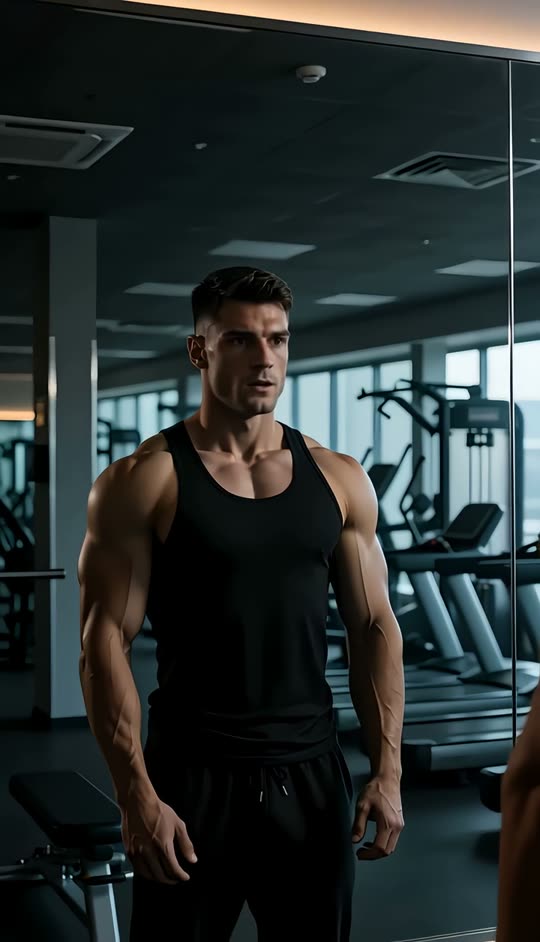
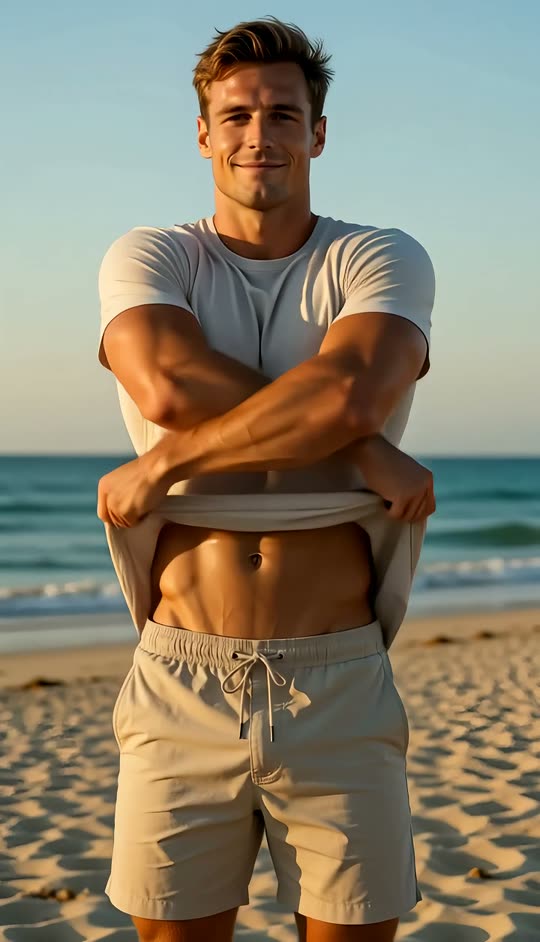
One sentence: how big, which parts, what happens. A lean athletic build with visible arms, a broad bodybuilder frame with the shirt pulling tight, a flex in the mirror, a shirt lifted on the beach.
Generate and download
The workbench shows the credit cost first. Watch the body fill out over the clip, then download it for a post or a side-by-side edit.
Your build, in words
Describe how much muscle, and where
The description is what separates this from a fixed filter. A filter has one amount of muscle and one moment; here you say what you want. The useful parts of the sentence are the scale of the change, the body parts that matter and the beat the clip lands on. Lean and athletic, with defined arms and a flat stomach, is one request. A broad, heavy bodybuilder frame with the shirt straining at the shoulders is a very different one. You can add what the person does as the change completes: rolls the shoulders back, flexes in the mirror, lifts the shirt to show the result, stands square to the camera. Keep it to one line; the tool handles the identity and the motion itself. If you would rather not write anything, the Skinny to Muscular template has the transformation already described.
- Say how much: lean and athletic, or full bodybuilder
- Say where: shoulders, arms, chest, stomach
- Prefer a fixed look? Use the Skinny to Muscular template
Identity
Face kept, frame rebuilt
The point of a muscle video is that people can tell it is still you underneath, so the face, hairstyle, skin tone and the background from your photo are held while the body changes. The shoulders broaden, the arms and chest thicken and definition emerges under the light in the photo, and the clothing stretches to follow the new shape rather than staying painted on. How well that holds depends on the photo: a sharp, front-facing, well-lit shot stays recognisable through the whole clip, while a dark or side-on photo gives the model less to keep. The same approach powers the other body edits on the site, such as the fat filter, and pairs with the clothes changer when the outfit needs to suit the new build.
Photo tips
Photos that make muscle read on camera
Muscle reads on camera through shadow, so the photo decides more than the description does. A shot lit from the side or slightly above shows definition the model can build on; a flat frontal phone flash removes exactly the shadows that make an arm look like an arm. Fitted clothing matters for the same reason: a t-shirt or vest tells the model where the body actually is, whereas a loose hoodie leaves it guessing and the result looks pasted on. Keep the arms slightly away from the body, since crossed arms and hands in pockets hide the shoulders and biceps that sell the effect. Straight on, waist or knees up, one person in the frame. The more of these boxes a photo ticks, the more the transformation looks like it belongs to the person in it.
- Side light or top light, not a flat flash
- Fitted t-shirt or vest, arms away from the body
- Straight on, waist or knees up, one person
Honest limits
A picture, not a prediction
None of this is a forecast. The tool edits pixels; it has no model of training, nutrition, genetics or anatomy behind it, so it cannot show what any amount of work would do for a particular body, and it should never be presented as a real before-and-after. Treat the output as an illustration: a goal image, a character concept, a joke for a group chat. Run it on your own photos, or on photos of people who have agreed. Changing how a real person's body looks and posting it without their permission is not a use this tool supports, and public figures are refused. A clip shared publicly should say it is AI-generated.
- No training or anatomy model behind it
- Never post it as a real progress photo
- Your own photos, or with permission; public figures refused
Pricing
See the cost before you generate
Each run spends credits according to the video model, the length and the resolution you choose, and the workbench shows the exact figure before you generate. The credits a new account starts with cover a first clip or two, which is enough to test a photo and a couple of descriptions before deciding whether it is worth more. It is a starting balance rather than an unlimited allowance; once it is used, more credits come with a LazyKiwi plan.
- Exact cost shown before you run it
- Starter credits cover a first try
- More credits with a plan
Examples
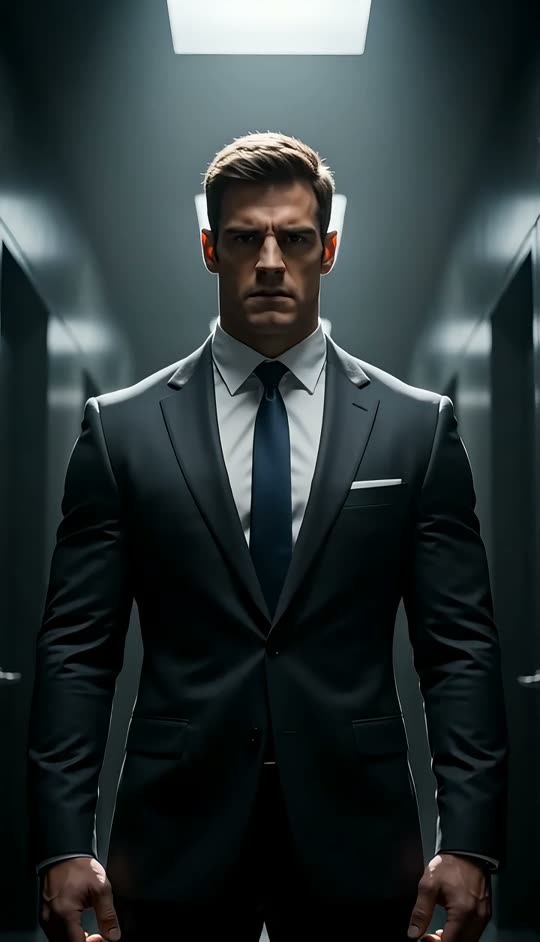
Muscle videos made with this tool
One photo and one line of description each.
Why LazyKiwi
Why make a muscle video this way
Any build you can describe
Lean, athletic or bodybuilder, and which parts change, all from one line.
Face kept
Identity, hair, skin tone and the setting stay from the photo while the frame is rebuilt.
The change on screen
A short clip where the body fills out in front of the viewer, not just a still.
Cost shown first
The workbench shows the credit cost before you generate, and starter credits cover a first try.
Honest about what it is
An illustration with no anatomy model behind it, never a progress photo.
Keep editing
Swap the outfit with the clothes changer, restyle the clip with video to video or sharpen it with the video enhancer.
FAQ
AI muscle generator questions
What is an AI muscle generator?+
It is a tool that edits a photo so the person in it carries more muscle, keeping the face and the setting while changing the shoulders, arms, chest and overall definition. This one returns a short video of the change happening, and you describe the build you want in a line.
How do I add muscle to a photo with AI?+
Upload a straight-on photo from the waist or knees up, write a sentence describing the build and the moment, check the credit cost the workbench shows, and generate. The clip shows the body filling out over a few seconds, and you can download it when it is done.
Will this show what I would look like after training?+
No. There is no model of training, nutrition, genetics or anatomy behind the result, so it cannot forecast anything about your body. Treat it as an illustration. If you want a realistic idea of what is achievable, that is a question for a coach rather than for a video tool.
What photo works best?+
A straight-on shot from the waist or knees up, in a fitted t-shirt or vest, lit from the side or slightly above. Side light is what makes muscle read on camera, because definition is drawn with shadow. Avoid a direct phone flash, loose hoodies, crossed arms and hands in pockets.
Can I choose how much muscle is added?+
Yes, that is what the description is for. A lean, athletic build with defined arms is one request; a broad bodybuilder frame with the shirt pulling tight is another. You can also say which parts change and what the person does as the change completes, such as a flex or a shirt lift.
Is the AI muscle generator free?+
A new account starts with free credits that cover a first clip or two, so you can try it before deciding on a plan. After that each run spends credits according to the model, length and resolution, and the exact cost is shown before you generate.
Can I run it on someone else's photo?+
Only with that person's permission, and never on a public figure, whose photos are refused. Changing how a real person's body looks and posting it without their agreement is not a use this tool supports, and a shared result should say it is AI-generated.
Does it work for women as well as men?+
Yes. Describe the build you want, from toned and athletic to visibly muscular, and the tool applies it to the person in the photo. The same photo advice applies: fitted clothing, side light and the arms away from the body.
Do I get a still image as well as the video?+
This tool returns the video. If you want a still, pause the clip on the final frame and take a screenshot, or run the photo through the AI photo editor with the same description for an image-only result.
What is the difference between this and the Skinny to Muscular template?+
Same one-photo input, different amount of control. The Skinny to Muscular template has the transformation already written, so you only upload and generate. This tool lets you describe the build and the moment yourself.
Use cases
Ideas for AI muscle videos
A goal-physique post, labeled as one
Post the version of yourself you are training toward as a visual target, with a caption that says it is generated. It works as motivation precisely because nobody is pretending it is last week.
Character and costume concepts
A comic, game or sketch needs a heroic build for a character based on a cast member or on original art. Generating the physique is faster than a muscle suit and keeps the face.
Fitness brand creative
A consenting model photographed once, or an original character, supplies the base for several builds and several outfits without booking a shoot per concept.
The group-chat transformation
A friend's photo from the weekend, a shirt-rip description and a five-second clip. It lands better than a caption, as long as the friend is in on it.
Before-and-after style content
Creators who explain training use the clip as the illustrated 'after' next to the real 'before', with the generated half clearly marked.
Halloween and cosplay previews
See how a superhero or action-movie costume would sit on a bigger frame before buying the padding, from one photo in the outfit.
Sketch comedy and reaction clips
The shirt-straining reveal is a punchline on its own. Describe the moment, keep it short, and cut it into the sketch.
More answers
More on AI body transformation videos
Is this an AI body generator?+
In the sense people usually mean, yes: it changes the body in a photo according to a description while keeping the face. It adds muscle and definition; for the opposite direction, the fat filter does the same trick with weight instead.
How long does it take to generate?+
Usually a minute or two, depending on the model, the length and how busy the service is. For a first try, a short clip gives you something to judge sooner, and you can rerun with a different description once you have seen how the photo takes the change.
Why does the result sometimes look pasted on?+
Almost always because of the photo. A loose hoodie hides where the body is, a flat flash removes the shadows that define muscle, and crossed arms hide the shoulders. Reshoot in a fitted top with side light and the arms slightly out, and the same description will look like it belongs.
Can I use it for a character or a costume, not myself?+
Yes. Character art, a cosplay photo or a photo of a consenting performer all work as the upload. The tool keeps whatever face is in the picture and rebuilds the frame around it, which is what a costume concept needs.
Can I post the clip on TikTok, Instagram or YouTube?+
You can download the result and post it like any other video. Say it is AI-generated, especially if it is anywhere near fitness content, and only post other people with their permission. The platforms' rules on AI-generated content apply.
Can I improve the clip afterwards?+
Yes. Change the outfit to suit the new build with the clothes changer, restyle the whole clip with video to video, or clean it up with the AI video enhancer.
Do I need to write a long prompt?+
No. One sentence with the scale of the change, the parts that matter and the moment the clip lands on is enough. The tool handles the identity and the motion. Very long prompts rarely help, and detailed staging instructions are the part most likely to be ignored.
Add the muscle to a photo you already have
One photo and one line of description in, a short transformation clip back. An illustration, not a progress photo, with the credit cost shown before you generate.
No credit card · Free to try · Results in seconds