Badass Cam: A Low Angle Shot That Steps On The Camera
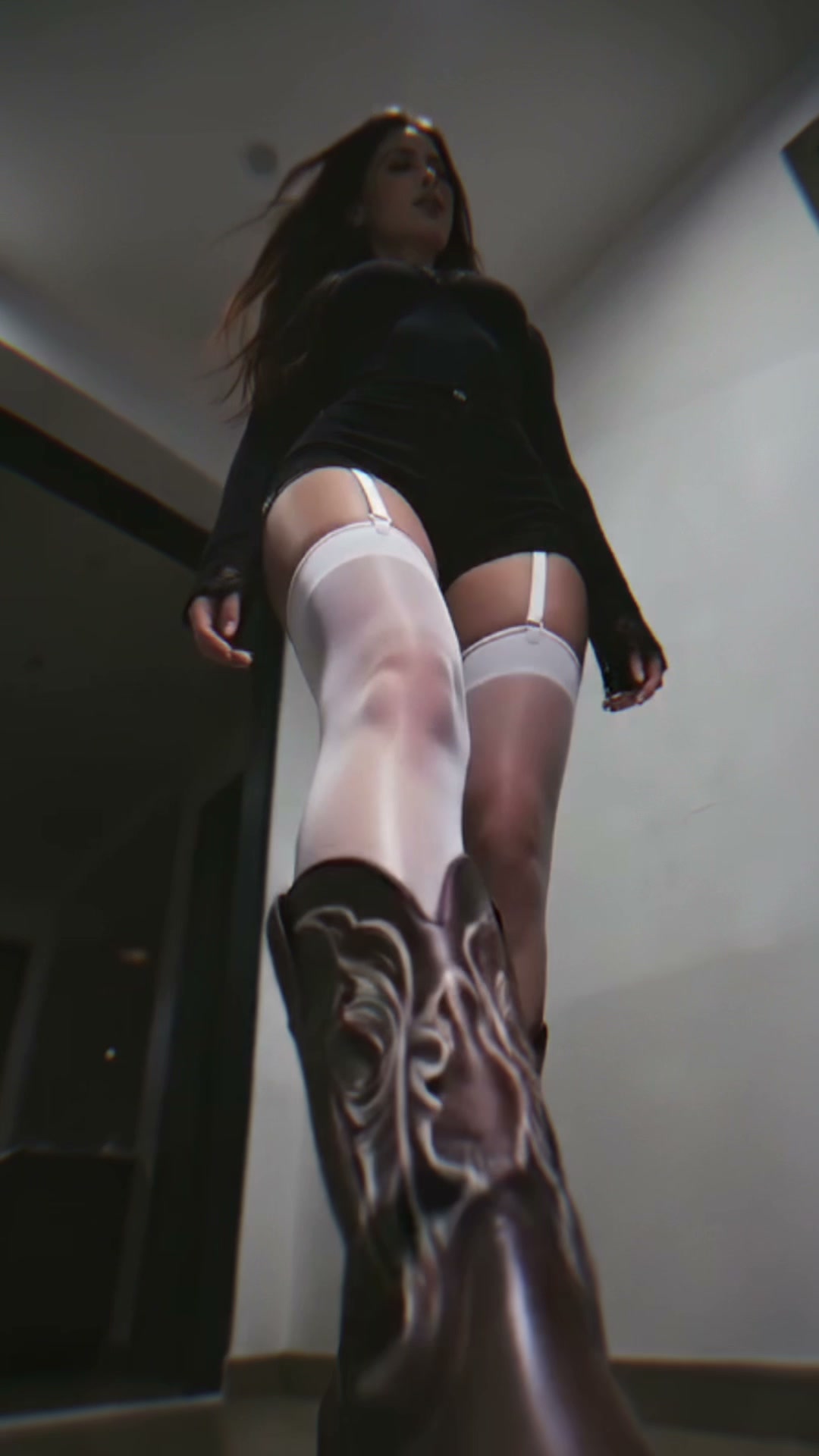
Badass Cam is a ground-level low angle shot generated from one photo. The person walks straight at the lens, lifts a foot and steps on the camera. At the instant the sole covers the frame the clip drops into bullet time, and the camera glides up from the shoe, along the leg to the upper body, rolling 90 degrees on...
Badass Cam Template
Upload one photo of a person standing or walking, full body or three-quarter, with the face, hair and outfit clearly visible.
WHAT IT IS
What a low angle shot is, and how Badass Cam takes it to the ground
A low angle shot is a camera setup that places the lens below the subject's eye line and tilts it upward, so the person fills the frame from underneath and reads as taller and more in control. Badass Cam pushes that setup to its limit: the camera sits on the ground with a wide lens, the subject walks straight at it, and one shoe rises to step on the lens. The moment the sole covers the frame, the clip enters bullet time. The person and the raised foot hold almost still while fabric and hair drift in extreme slow motion, and the camera, instead of being knocked over, begins to climb: from the sole, up the shin and thigh to the torso, rolling 90 degrees on its own axis as it goes. The shot resolves on a side-composed close-up of the upper body, the subject steady and looking into the lens. One take, no cut, no collision, generated from a single uploaded photo on the Seedance video model.
- Ground-level wide lens
- The virtual camera starts flat on the floor with a wide field of view, so the approaching figure towers over it and the shoe grows fast as it comes in. That exaggerated scale is what makes the low angle shot land.
- The step, then the freeze
- The sole comes down onto the lens and, at the instant it covers the frame, time slows to a crawl. It is a bullet time effect triggered by the step, so the freeze arrives with the impact.
- The climb with a roll
- From the frozen shoe, the camera glides up the leg to the upper body, rolling 90 degrees on its own axis on the way. It never orbits the person and never falls; the climb is the trick.
- Your face, hair and outfit stay yours
- The upload sets the identity. Face, hairstyle and clothing carry through the climb, and the clip ends on the subject looking into the lens, so the last frame works as a thumbnail.
USE CASES
Where a ground-level step-on-camera shot fits
Three photos that come out better from below.

Streetwear walk-up
A full-body photo of an outfit becomes a shoe cam moment: the sneaker fills the frame first, the freeze holds on the sole, and the climb up the leg shows the whole fit before the face arrives. A 9:16 outfit reveal.

Athlete intro
A boxer or sprinter photographed in kit gets an arena-entrance walk-in: the step on the lens, the bullet-time hold, then the roll and climb to a close-up that stares down the viewer. Works as the opening second of a training reel.

Music teaser walk
An artist photo turns into a teaser beat: the boot comes down, the frame freezes, the camera rolls and rises to a side-lit close-up as the hook drops. Cut the 5-second clip against the first bar of a single.
FAQ
Common questions
What is a low angle shot?+
A low angle shot places the camera below the subject and points it upward. It makes a person look larger and more dominant, which is why it is used for hero entrances and villain reveals. Badass Cam is the extreme version: the lens sits on the ground and the subject walks right onto it.
Does the camera get kicked over or knocked down?+
No. The shoe covers the lens, the clip freezes into bullet time, and the camera glides upward along the leg. There is no collision, no shake and no fall; the template avoids the knocked-over phone look on purpose, because the climb and the roll are the point.
What is the bullet time effect in this template?+
Bullet time is the moment where the subject holds almost still while the camera keeps moving. Here it starts the instant the sole covers the frame: the person and the lifted foot freeze, hair and fabric move in extreme slow motion, and the camera rises and rolls 90 degrees through the frozen pose.
Is this the same as a shoe cam or step on camera video?+
Those are names for the same idea: a camera on the floor that a shoe comes down on. A phone-filmed shoe cam usually ends with the sole blocking the lens; Badass Cam continues past that moment with the freeze, the climb and the close-up.
What photo should I upload?+
One photo of a person, standing or mid-walk, with the face, hairstyle and outfit clear. Full body or three-quarter framing gives the engine the shoes and legs it needs. Group photos, seated poses and waist crops lose the step.
How long is the clip and what does it cost?+
The template produces a 5-second vertical 9:16 clip from one photo, generated on the Seedance model. New users get their first 5-second template video free; after that generations use credits from your balance.
Other names for Badass Cam
People search for this shot by the setup rather than the name. Low angle shot and ground level camera shot describe the camera position; step on camera, shoe cam and foot cam describe the action; bullet time effect and camera roll transition describe what happens once the sole covers the lens. All of them are this template.
Take the low angle shot all the way to the floor
One photo in, one continuous step, freeze and climb shot out.