What Would I Look Like With Gray Hair?
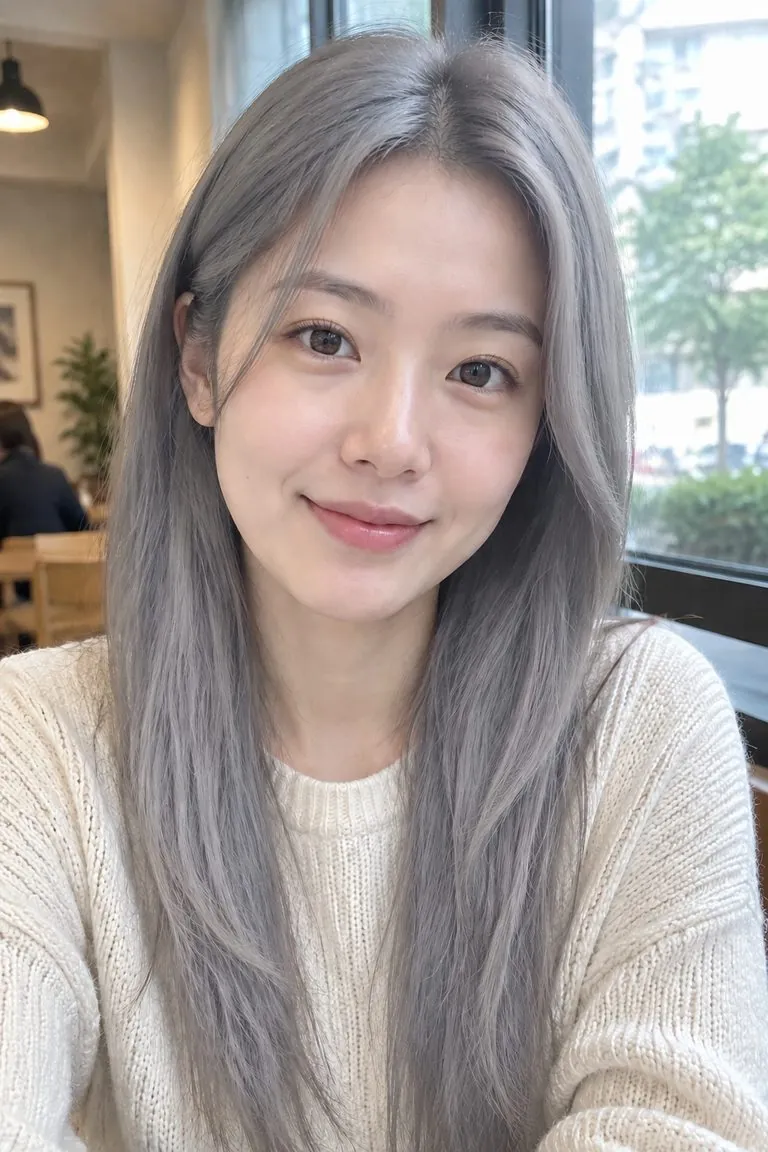
See yourself with silver, salt-and-pepper or ash gray hair on your own photo. Your face, your cut and your age stay exactly as they are — only the colour goes gray.










WHAT IT IS
Silver, salt-and-pepper, ash, steel
Going gray can mean a bright silver, a mix of dark and white strands, or a cool ash. Type the gray you have in mind and compare a few.
- Your age stays the same
- This changes the hair colour only, so you see gray hair on today's face — useful if you are thinking about growing out your gray or dyeing it silver. To see an older you, use the age filter.
- Thinking of going gray?
- Stopping the dye is a months-long decision. A preview on your own photo shows how your natural gray could look with your current cut.
- One click
- Upload a photo and generate: the template applies natural silver gray for you. Add a note only if you want salt-and-pepper, ash gray, steel gray or silver white.
Gray hair filter specs: what goes in, what comes out
- Input
One photo
a selfie or portrait where the hair is visible
- Output
The same photo with natural silver gray
ready to download
- Keeps
Cut, length, face and background
only the colour changes
- Your note
Optional
ask for salt-and-pepper, ash gray, steel gray or silver white
How to see yourself with gray hair in 3 steps
One photo in, the same photo with gray hair out.
- 1
Upload a photo
A clear selfie or portrait where your hair is visible.
- 2
Generate, or add a note
The template applies natural silver gray. For a different colour, add a short note such as "salt-and-pepper".
- 3
Compare and download
Try a softer or a brighter gray, then download the one you would actually wear.
FAQ
Gray hair filter FAQ
What would I look like with gray hair?+
Upload a photo and the gray hair filter shows you: your hair turns silver, salt-and-pepper or ash gray, and everything else in the photo stays the same, including your face and your age.
Does the gray hair filter make me look older?+
No. It only changes the hair colour. Your skin, face and expression are left as uploaded. If you want to see yourself aged as well, use the age filter.
Which grays can I try?+
Natural silver, silver white, salt-and-pepper, ash gray, steel gray, charcoal, or a gray balayage. The template applies natural silver gray by default; add a note to ask for another.
Can I see how growing out my gray would look?+
Yes. Try a natural salt-and-pepper or silver on your current photo to get a sense of the full grow-out, then compare it with a brighter dyed silver.
Does it change my haircut?+
No. The cut, length and texture stay as they are. To try a different cut, use the AI hairstyle changer.
Can I try other colours?+
For any colour you can describe, use the hair color changer; this template is gray in one click. See also the blonde hair filter, black hair filter and pink hair filter.
Is the gray hair filter free?+
Signing up is free and comes with free credits to try it. Every run shows its price on the Generate button before anything is charged, and there is no card needed to start.
Is my photo private?+
Your upload is used only to make your image. It is never sold, shared or published.
Other names for the gray hair filter
People search for the same thing under several names.
See yourself gray. Stay the same age.
Upload one photo, pick a gray, download the result.