Black Hair Filter
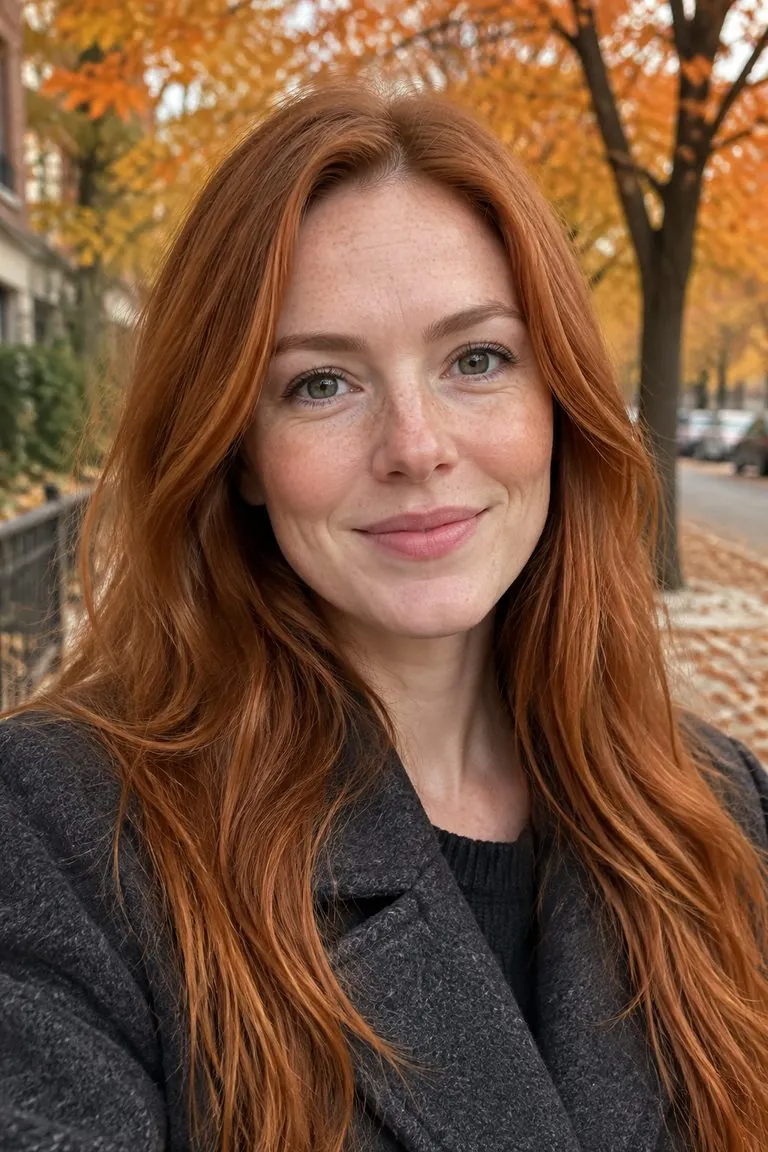
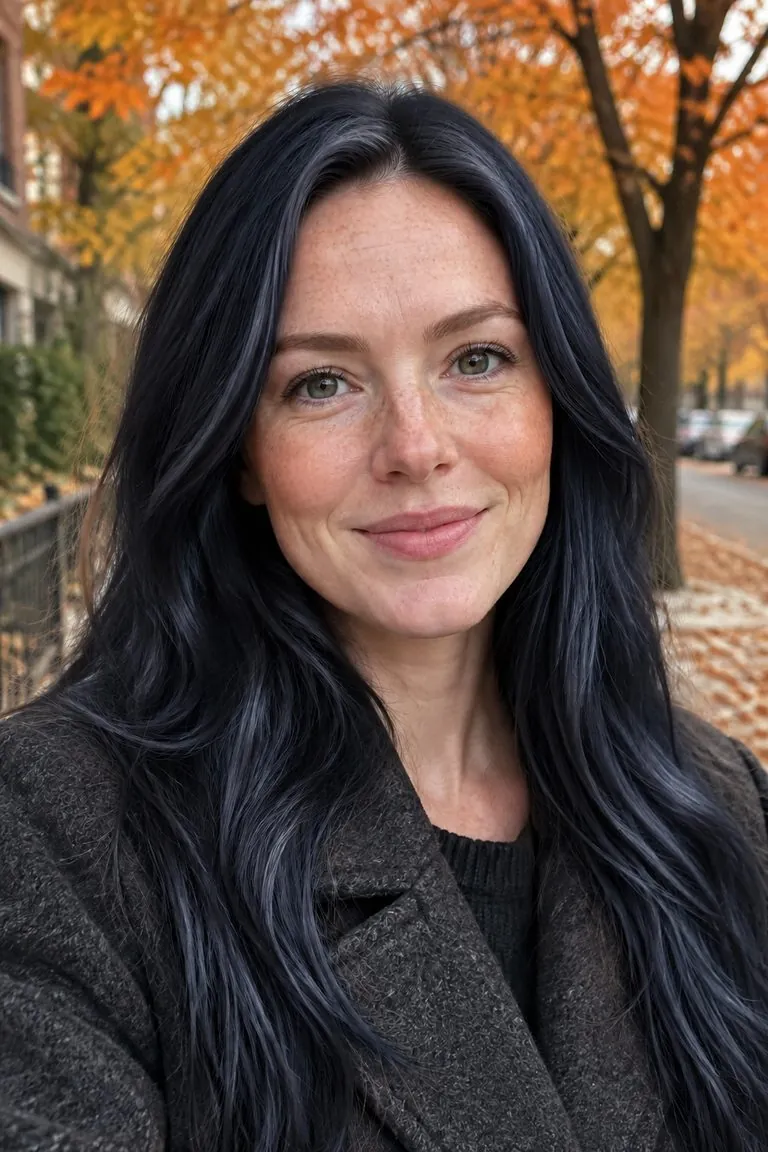
Find out how you look with black hair before you dye it. Upload a photo and try jet black, soft black or blue-black on your own hair, with your cut and face unchanged.





WHAT IT IS
Jet black, soft black, blue-black
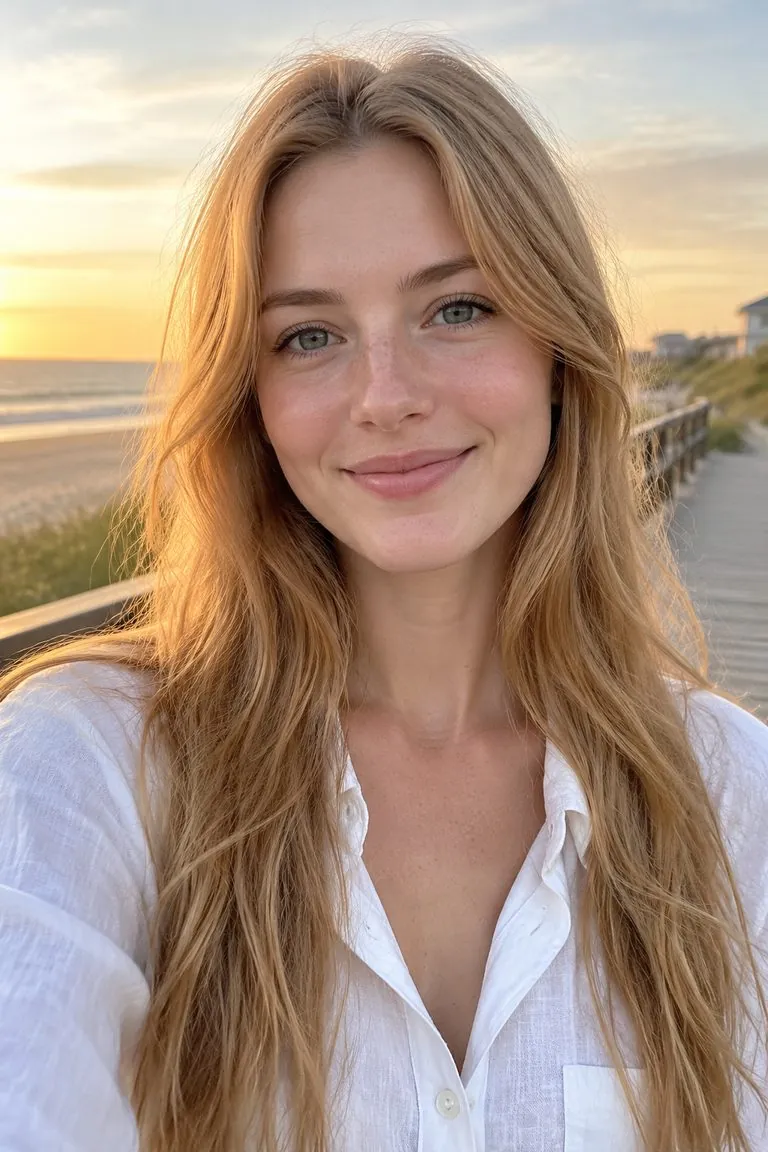
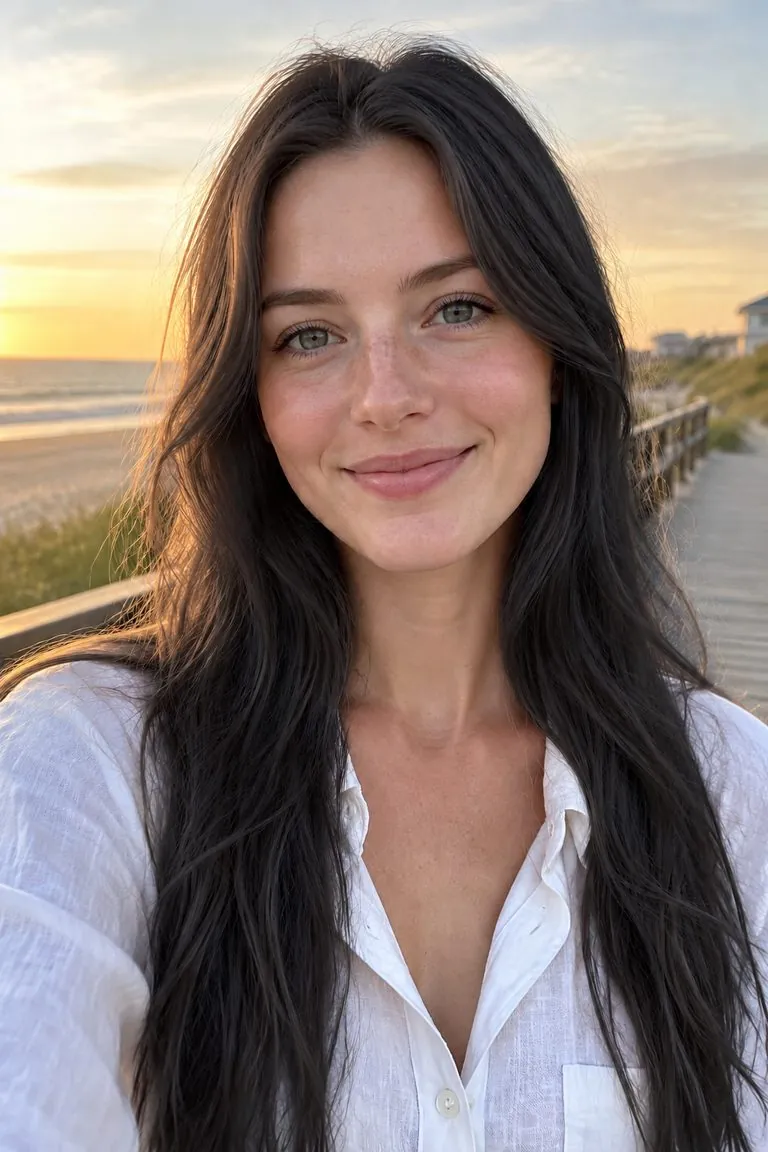
Black hair dye comes in more than one black. Try a deep jet black, a softer off-black that is kinder to fair skin, or blue-black with a cool sheen.
- Only the colour changes
- Your haircut, length and texture stay put. You see the colour on your own hair, which is what matters when you are deciding on a box dye.
- Blonde and red to black
- Going from blonde, red or light brown to black is easy to do and hard to undo. See it first, on your own photo, before the dye goes on.
- One click
- Upload a photo and generate: the template applies glossy natural black for you. Add a note only if you want jet black, soft black or blue-black.
Black hair filter specs: what goes in, what comes out
- Input
One photo
a selfie or portrait where the hair is visible
- Output
The same photo with glossy natural black
ready to download
- Keeps
Cut, length, face and background
only the colour changes
- Your note
Optional
ask for jet black, soft black or blue-black
How to try black hair in 3 steps
One photo in, the same photo with black hair out.
- 1
Upload a photo
A clear selfie or portrait where your hair shows. Light hair gives the most dramatic before and after.
- 2
Generate, or add a note
The template applies glossy natural black. For a different colour, add a short note such as "jet black".
- 3
Compare and download
Check the shine and the hairline, try a softer black if it feels heavy, then download.
FAQ
Black hair filter FAQ
What is a black hair filter?+
A black hair filter recolours the hair in your photo to black and leaves the rest of the photo as it was. You choose the black: jet, soft, blue-black or off-black.
Will black hair suit me?+
Black is high contrast, so it reads differently on fair and deep skin tones. Try jet black and a softer off-black side by side on your own photo; the softer one is often the better match for light skin and light eyes.
Can I go from blonde to black?+
On the photo, yes — light hair to black is one of the clearest previews. In real life the dye is the easy part and going back is the hard part, which is why a preview is worth it.
Does it change my haircut or face?+
No. Only the hair colour changes; the cut, the face, the eyebrows and the background stay as uploaded. To change the cut too, use the AI hairstyle changer.
Can I try other colours?+
For any colour you can describe, use the hair color changer; this template is black in one click. See also the blonde hair filter, gray hair filter and pink hair filter.
Is the black hair filter free?+
Signing up is free and comes with free credits to try it. Every run shows its price on the Generate button before anything is charged, and there is no card needed to start.
Is my photo private?+
Your upload is used only to make your image. It is never sold, shared or published.
Other names for the black hair filter
People search for the same thing under several names.
See yourself with black hair first.
Upload one photo, pick a black, download the result.