
Bald Filter: See What You'd Look Like Bald
Where the head-shave effects actually live now, which previews draw a believable scalp, and the five things to check in a result before the clippers.
 Maya Chen 9 min read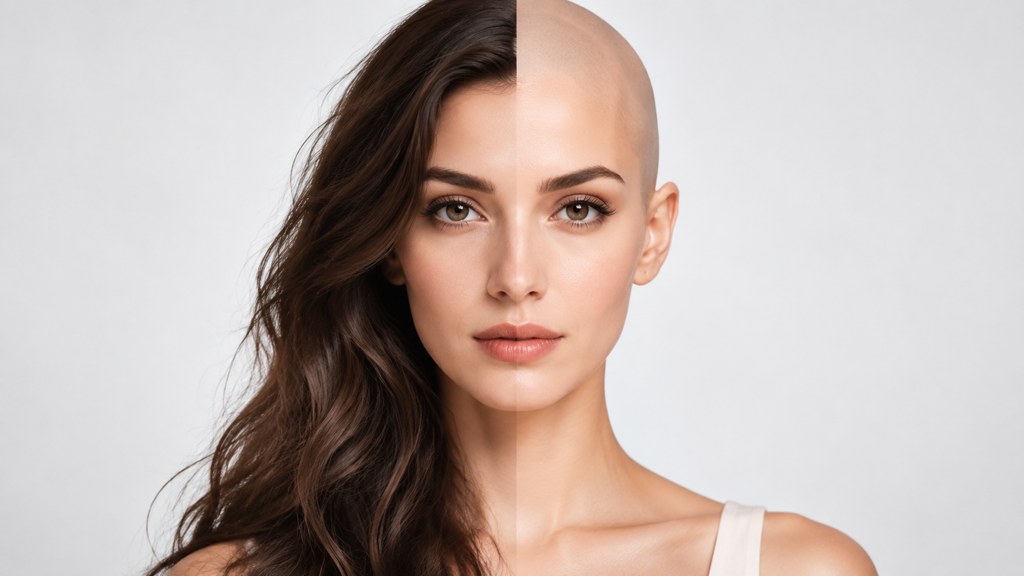
Short answer: the joke version lives inside short-video apps and moves around constantly, and the reliable version is a still-photo tool you run on a headshot you control. If you are asking what would i look like bald because you are actually considering clippers, use a photo. A live effect on a moving face hides the two things that decide whether a shaved head works on you, which are the shape of your crown and the tone difference between your scalp and your face. This piece covers where the effects sit today, what a real run costs and returns, and the five checks worth doing before anything gets shaved.
What is the bald filter and why did it spread?
It started as a party trick. Camera effects that erase hair are cheap to build, land instantly, and produce a reaction from everyone in the room, so they spread through short-video apps the way any face-warping effect does: through duets, reaction clips and group chats.
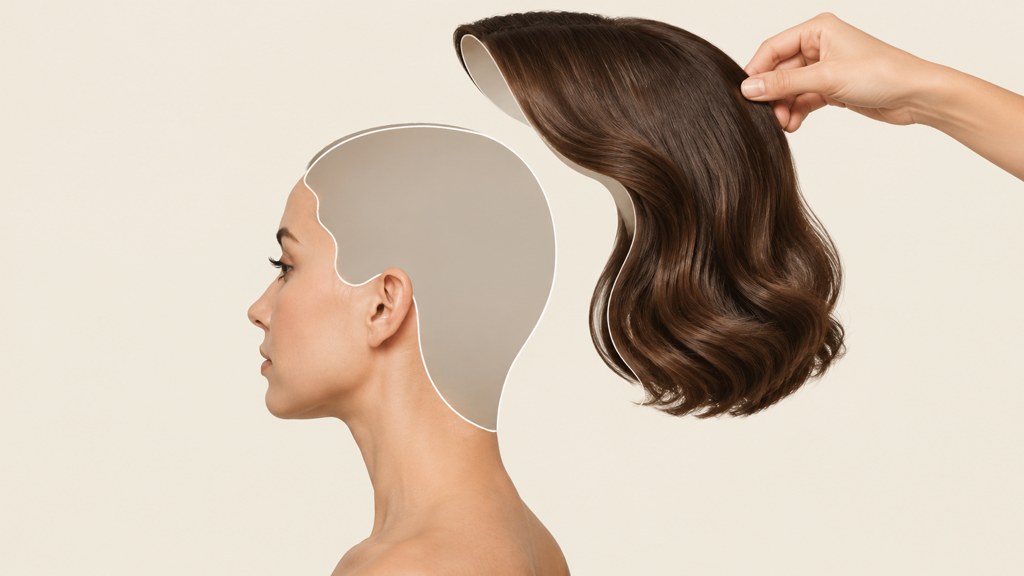
The interesting part is what happened next. A joke tool turned into a genuine pre-shave preview, because for a lot of people the alternative was a decision with a four-month undo time. Put a number on the undo cost: Cleveland Clinic gives average scalp growth as four to six inches over a whole year. Regret it in week one and you are living with the decision until roughly next spring.
That shift in use changes what a good preview has to do. A novelty effect only has to be funny for eight seconds. A preview has to survive being looked at carefully, in daylight, twice.
Where do you find a bald filter on Instagram, TikTok and Snapchat?
Here is the honest position, checked on 7 September 2026. Camera effects on all three platforms are mostly creator-made rather than first party, they are searched for by name inside each app's own effect browser, and they are withdrawn without notice. Anything that names a specific effect in an article older than a season is probably describing something that has since gone.
- Instagram. Effects live in the camera's effect browser and the vast majority are made by third-party creators, which is why an effect can disappear when its creator removes it. Meta publishes product and policy changes through its own newsroom rather than through a stable effect catalogue, and the same newsroom is where it set out how AI-generated images get labelled once you post one.
- TikTok. Effects are also searched by name in the app. We checked TikTok's newsroom on 7 September 2026 and it carried no effect announcement at all; the most recent post was about the Toronto film festival. Effect availability simply is not announced, so treat any list of names as a snapshot.
- Snapchat. The same pattern: community lenses, searchable by name, no guarantee of persistence.
So when people search does instagram have a bald filter or does snapchat have a bald filter, the accurate answer is that both platforms host effects made by other people, and neither publishes a stable catalogue you can link to. Whatever the effect is called this month, how to do bald filter on instagram and how to do bald filter on tiktok have the same four steps: open the camera, tap into the effect browser, search by name, and treat an empty result as proof it has been withdrawn.
Why a still photo beats a live lens
A live effect has to run in real time on a moving face, so it works with a coarse mesh and hides its mistakes in motion. A still-image tool gets the whole frame and one attempt, which is why the scalp it draws holds up when you stop scrolling and look at it.
How accurate is a bald head filter?
Split the question. There are things a preview can genuinely know from your photograph, and things it is guessing at.
| What the preview sees | How reliable | Why |
|---|---|---|
| Head outline and proportions | Reliable | Your skull's silhouette is visible through most hairstyles |
| Hairline position | Fairly reliable | Unless a fringe covers it, in which case the tool invents one |
| Ear position and size | Reliable | Ears look larger without hair, and this is real, not an artefact |
| Crown shape | Guesswork | The top of the skull is exactly where hair is thickest |
| Scalp tone | Guesswork | Skin that has never been in sunlight is lighter than your face, and no model can see that |
| Scar tissue and dents | Invisible | Nothing under the hair is in the photograph at all |
Set expectations from that table. A preview answers the question of whether the proportions work. It does not answer what the top of your head looks like, and it never answers what colour it is.
How do you see what you would look like bald from a photo?
Take two photographs first, one straight on and one at a three-quarter turn, in flat daylight with your hair pushed back off the forehead and ears. The three-quarter frame is the one that shows the crown, and the crown is the thing you are really deciding about.
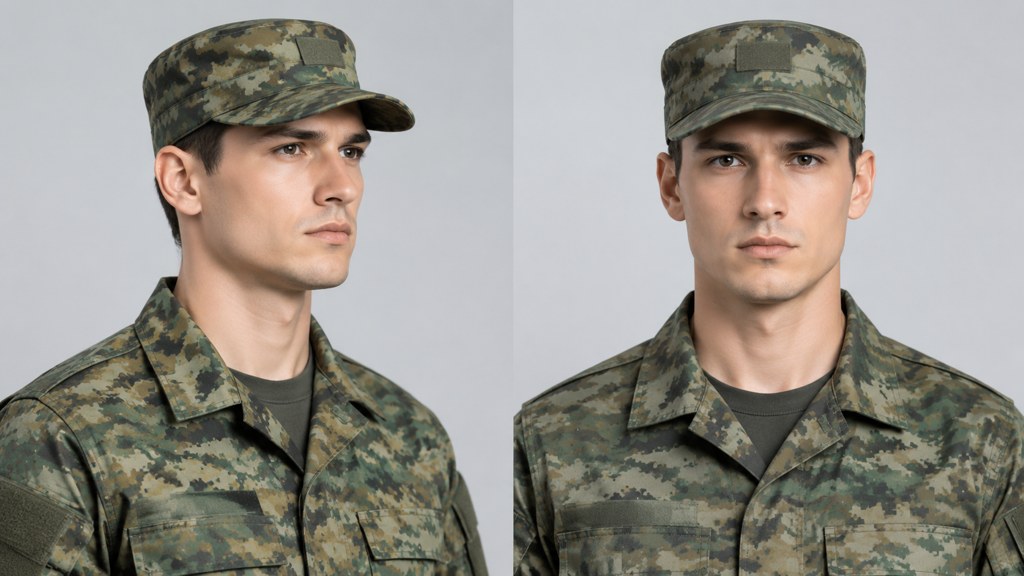
Then run them through our bald filter. The panel is deliberately plain, and the run we recorded on 7 September 2026 went like this.
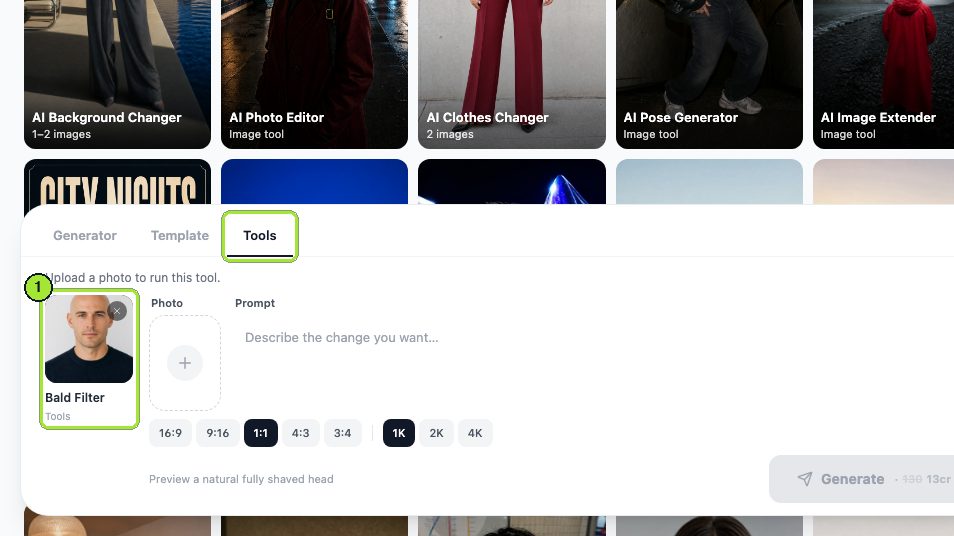
- 1
Drop one photo in the Photo box
One file is everything the tool needs. No prompt is required here, and there is no strength control for dialling the effect up or down.
- 2
Choose 1:1 and 1K on the chips
Five shape chips and three size chips sit under the panel. We took the square shape and the smallest size, which suits a head-and-shoulders crop and wastes no margin.
- 3
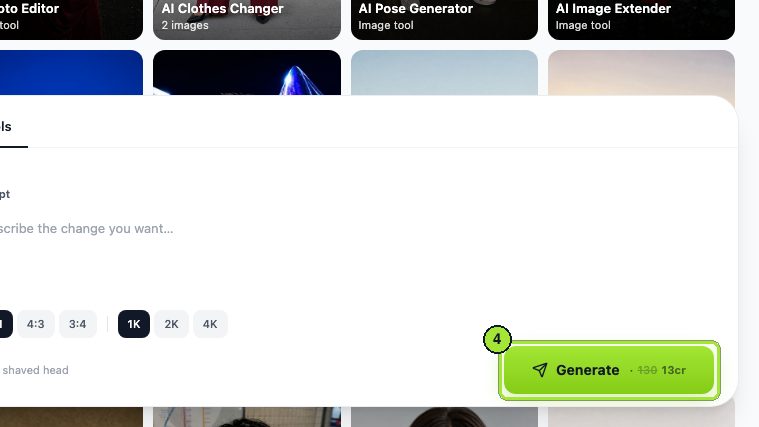
Hit Generate
The cost is printed on the button before the click: 13 credits for a 1K image. Progress appears in My Image while the job runs.
- 4
Swap the photo and run it again
We replaced the man's headshot with a woman's and generated a second time, another 13 credits, to confirm the tool is not built for one gender. Two runs, 26 credits total.
- 5
Download from My Image
Finished cards stack at the top of My Image with a download control on each one.
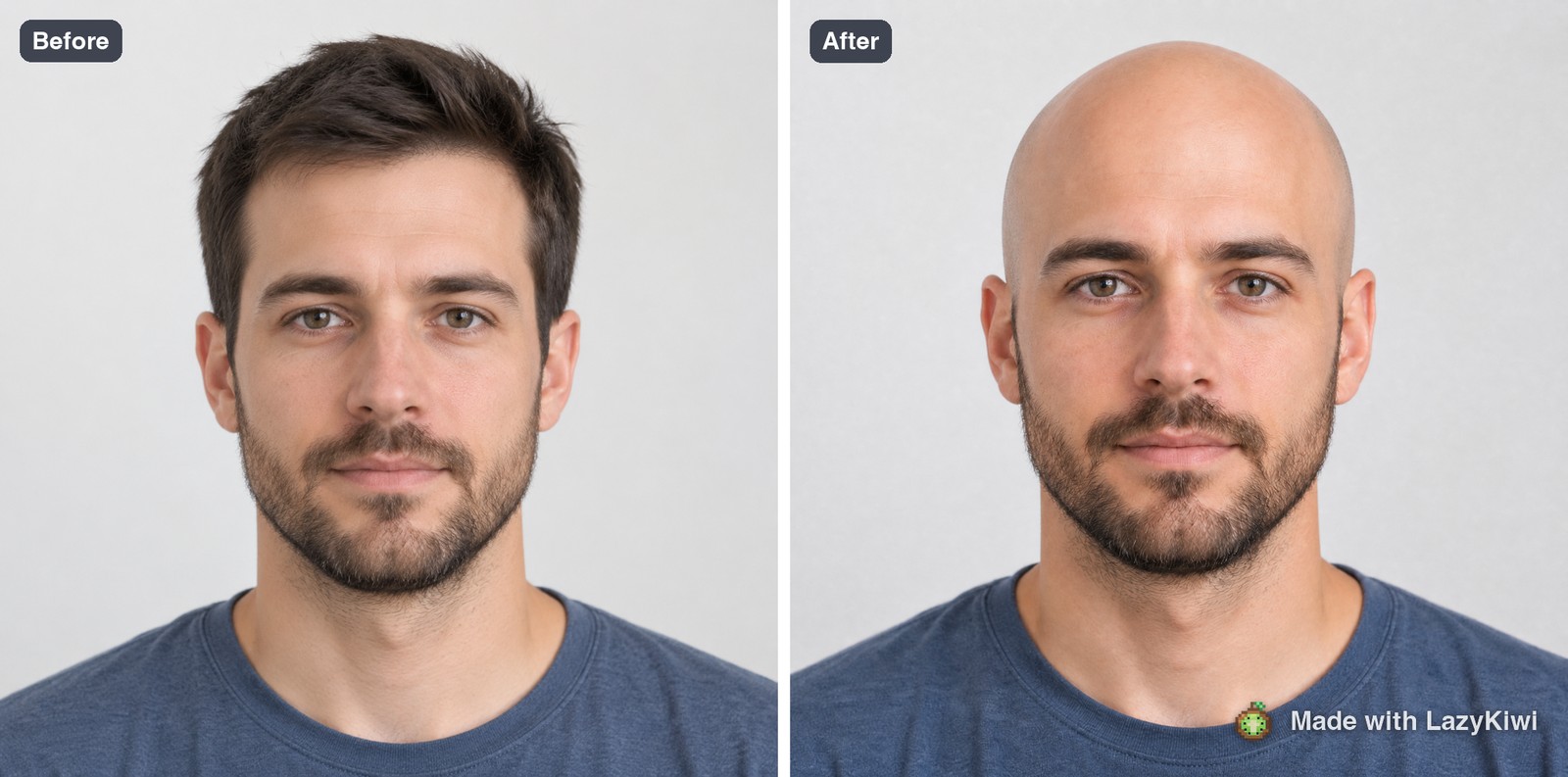
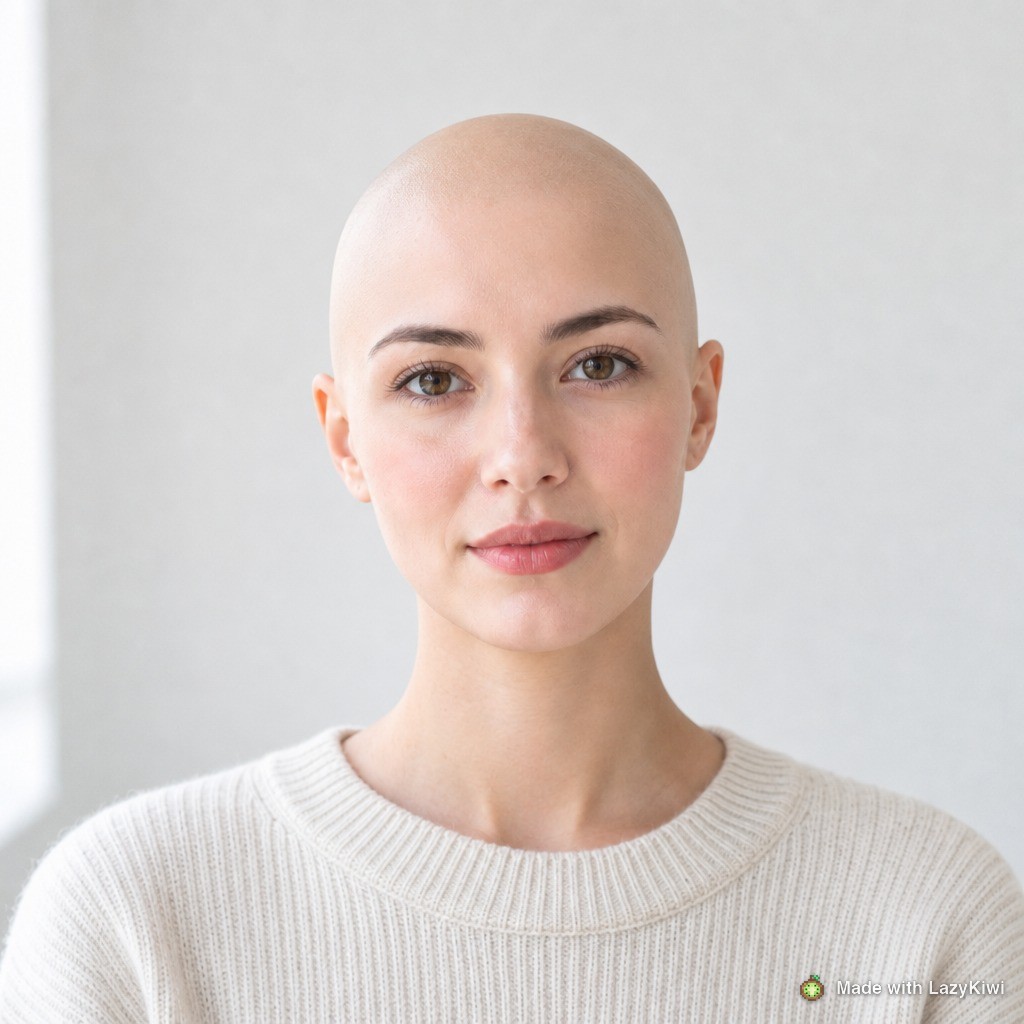
Both results run on GPT Image 2, which is worth knowing because the model regenerates the whole picture rather than erasing pixels. In our second run the background lightened noticeably even though nothing else in the frame was touched.
What should you check in the preview before you shave?
Five things, in this order. Four of them are visible in the result and one of them is not, which is the important one.
- 1
Crown shape
Look at the three-quarter frame, not the frontal one. A flat spot or a pronounced point at the back reads clearly on a shaved head and disappears under even a number two guard.
- 2
Ear position
Ears that sat inside a hairstyle now sit against skin. This is the single most common surprise, and it is not a fault in the preview.
- 3
Beard contrast
A shaved head with a beard is a different face from a shaved head without one. Our test subject kept his beard through both runs and the balance held; a clean-shaven head and a bare face together is a much starker look.
- 4
Neck and jaw line
Hair covers the join between head and neck. Without it the jaw is the only line up there, which flatters a defined jaw and exposes a soft one.
- 5
Scalp tone, which you cannot see
This is the one the preview always gets wrong. Skin that has spent years under hair is lighter than your face, and the boundary follows your old hairline for weeks.
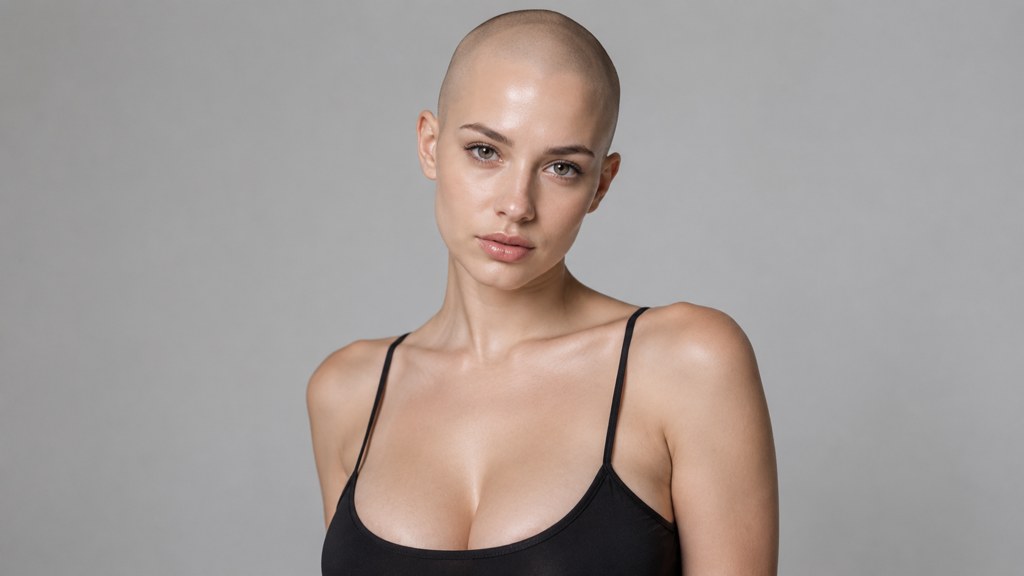
There is also an aftercare cost that no preview shows. A shaved scalp needs sun protection, which the American Academy of Dermatology treats as basic skin care rather than optional, and the hardware is not free either: Dollar Shave Club listed its six-blade razor at 10 US dollars and a twin blade at 6 dollars when we checked on 7 September 2026, with free shipping over 18 dollars.
Is there a free bald head filter without a watermark?
Depends what you mean by free. Platform effects cost nothing and give you a clip you cannot easily study. Web tools give you a file, and the file is where watermark policies start to matter. All four rows below were read off the official page on 7 September 2026.
| Route | What the official page says | Watermark position |
|---|---|---|
| Platform camera effects | No published catalogue; effects are creator-made and searched by name in the app | None, but you get a video rather than a still |
| LazyKiwi | 13 credits buys one 1K image and the figure sits on the Generate button; a new account arrives holding 40 credits | Demo images in this article carry our own watermark; downloads from My Image do not |
| Fotor | Its own FAQ answers the free question directly: a free plan, no cap on how many images you edit, and exports that leave without a watermark | That promise covers the editor; the AI tools are metered separately |
| Picsart | The plan grid opens at Pro, discounted to 10.50 US dollars monthly on annual billing, with no free row beside it | Its privacy policy says the service scans face geometry from the images you upload, and calls that biometric data |
Of the three, Fotor is the only one that puts a watermark promise in writing on its own home page. Picsart publishes prices without publishing a free row. Perfect Corp licenses its try-on engine to brands, so you meet its hair tools inside a retailer site and never see a price of your own.
For calibration: in LazyKiwi workbench data (August 2026), half of all new accounts reach their first finished generation inside roughly 90 seconds of signing up. Anything slower than that is a sign the tool is making you work for it.
Does a buzz cut or a full shave suit you better?
Most people jump straight from a full head of hair to a razor and skip the option in between. A clipper with no guard is not the same as a blade, and a number one is not the same as either.
- A guard leaves visible stubble, which softens the hairline and hides minor scalp irregularities. A blade leaves nothing to soften anything.
- Stubble also keeps the contrast between scalp and face lower, because you are seeing hair colour rather than skin colour.
- A guarded cut regrows into itself. A shaved head grows into a fortnight of unavoidable patchiness before it looks like a deliberate short cut again.
If that middle ground is where you are heading, run the same photograph through the buzz cut filter and compare the two results side by side. The number-by-number version of that comparison is in our buzz cut lengths guide.
What do bald previews get wrong most often?
Our own two runs show the failure modes clearly, so here they are rather than a list of generic caveats.
- The scalp is too perfect. Both results returned a smooth, evenly toned dome with no pores, no shine variation and no old hairline. Real scalps show a demarcation line for weeks.
- There is no stubble shadow at the temples. Even a fresh shave leaves a faint darker zone where the hairline used to be, and neither result drew one.
- The crown is idealised. The tool cannot see the top of your head, so it renders a symmetrical dome. If your skull has a flat area, the preview will not tell you.
- Recession is ignored. A preview shows a clean shave rather than a shave over a receding hairline, which are different pictures once hair starts regrowing.
- The background moves. Because the model rebuilds the frame, small things behind you shift between runs. Judge the head, not the room.
Use those five as a checklist rather than as a reason to skip the exercise. The proportions in both of our results were convincing; it was the surface detail that flattered. If you want to run several angles at once, the tools are all reachable from the image generator page, where the jobs queue together and land in My Image side by side.
A preview tells you whether the shape works. It never tells you what colour the top of your head is.
— Maya Chen
Key takeaways
- Platform effects are creator-made and get pulled without notice, so no article can promise a named effect still exists.
- A still-photo run beats a live lens because it renders the crown and the hairline at full resolution instead of hiding them in motion.
- Our two runs cost 13 credits each at 1:1 and 1K, 26 credits for the pair, with the price printed on Generate first.
- Shoot two angles: front on for proportion, three-quarter for the crown, both in flat daylight with the hair pushed back.
- The five checks are crown, ears, beard contrast, jaw line and scalp tone, and only the first four are visible in a preview.
- Every preview draws a perfect scalp with no demarcation line, so subtract that flattery before you decide.
Image & Design Editor
Maya Chen
Maya Chen writes the image side of the LazyKiwi blog. She tests every tool in the workbench on real photographs before she describes it, and prefers a measurement to an adjective.
FAQ
Common questions
Does Instagram have a built-in effect that shaves your head?
The effects in the Instagram camera are overwhelmingly made by third-party creators rather than by Instagram, and they are searched by name inside the app. That means availability changes without notice and no article can promise a specific effect is still there today.
How accurate is a bald preview compared with actually shaving?
Accurate on proportion, unreliable on surface. It reads your head outline, hairline and ear position from the photo, but it guesses the crown and cannot know your scalp tone, because skin that has been under hair for years is lighter than your face.
What would I look like bald if I have a receding hairline?
Most previews render a clean shave rather than a shave over recession, so the result flatters. Shoot the three-quarter angle as well as the frontal one, and expect the regrowth stage to show the recession that the preview quietly smoothed away.
How much does one preview run cost in the LazyKiwi workbench?
Thirteen credits for a 1K image, and the Generate button shows the figure before you commit. Two runs, which is what a proper front and three-quarter comparison needs, came to 26 credits. New accounts start with 40 free credits.
Should I try a buzz cut before shaving completely?
Usually yes. A guarded cut leaves stubble that softens the hairline, keeps the scalp and face contrast lower, and grows back into itself instead of through a patchy fortnight. Preview both on the same photo and compare the pair before you decide.
Run your own headshot through it
One photo in the Photo box, 13 credits on the Generate button, and a full-resolution result you can actually study before anything is shaved.
Related reading
What Is My Face Shape? A Measured Self-Test
Measure four numbers, get one answer. The tape-measure method, the six shapes, and what each one changes about hair, glasses and camera angle.
9 min read
Oval Face Shape: How to Tell and What Suits It
How an oval face is measured, how it differs from round and oblong, and the haircuts, glasses and beard shapes that keep those proportions intact.
9 min read
Buzz Cut Lengths: Guard Numbers 1 to 8 Compared
What each clipper guard actually leaves in millimetres, how much scalp shows at each number, and how to pick a length you will not regret in week two.
9 min read