
AI Photo Booth: Event Options and Cheaper Setups
What an AI photo booth actually costs to rent, what the software does behind the shutter, and how to run one at a wedding or office party without a vendor.
 Marcus Tan 9 min read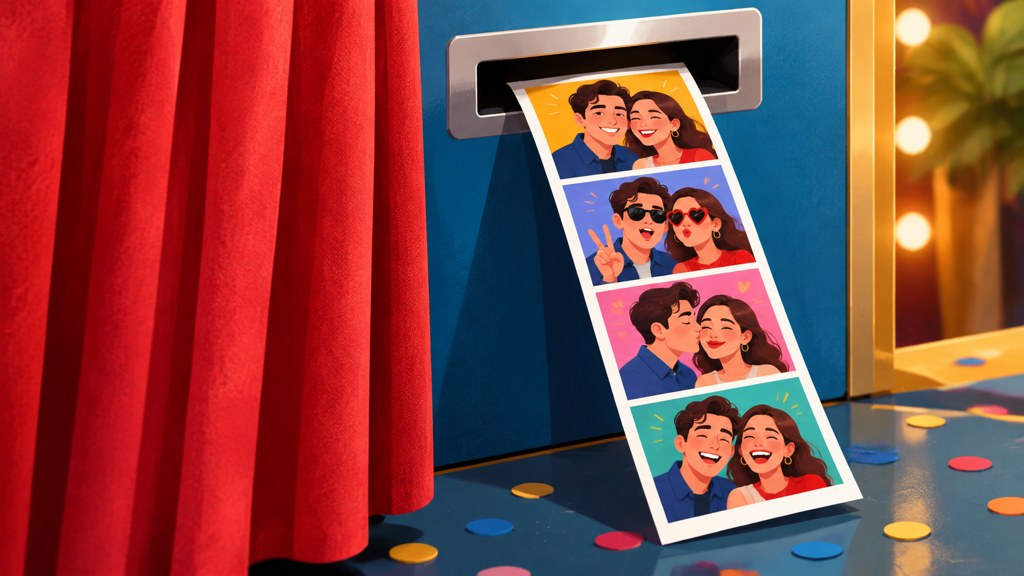
A generated photo booth is the same box of hardware as the old one with a different back end: instead of printing a strip of four flash photographs, it sends the frame away, restyles it and hands back a generated portrait. Rental pricing is mostly quote-only, the round-trip time decides whether a queue forms, and a tablet plus a template will do the same job at an office party for the price of a few credits. Here is what each route costs you in money, time and staffing.
What is an AI photo booth and how is it different from a normal one?
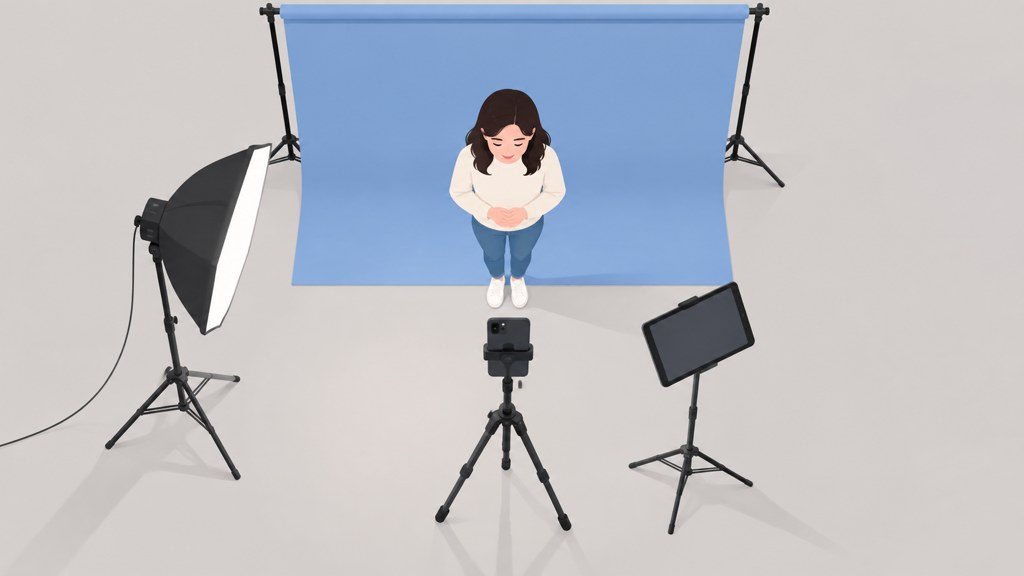
Mechanically, almost nothing changes. A camera, a light, a screen, a trigger. The difference sits behind the shutter: a normal booth develops or prints what the sensor saw, and a generated booth sends that frame to a model and returns something restyled.
- Output. A strip of four real frames becomes one styled portrait, and guests treat the two very differently. Nobody frames a strip; people do send a portrait to their family.
- Round-trip time. A print takes a fixed number of seconds. A generation takes as long as the queue and the network allow, which is the single number that decides whether your booth works at a party.
- Failure mode. A normal booth fails by jamming. A generated one fails by returning a face that is not quite the guest, which is worse socially and harder to explain at the time.
- Consent. A printed strip stays in the room. An uploaded photograph does not, and that changes what you owe the people using it.
Vendors spell it several ways, which matters if you are searching. AI photobooth as one word, photo booth AI reversed, and the phrasing people actually type into a search box, how to make AI photo booth. All of them describe the same setup.
What does an AI photo booth cost to rent?
Mostly you cannot find out without asking, and that is the honest answer rather than a dodge. On WeddingWire, which lists photo booths alongside photographers and says it covers over 157,000 local professionals with reviews and pricing, a handful of featured vendors publish a starting figure and the rest carry a request-pricing button (checked 2026-09-07). The Knot runs a comparable marketplace.
- Expect quote-only pricing as the norm. Directory categories do not publish an average, and any single number you see quoted in an article is a regional guess.
- Ask what the quote includes: hours on site, an attendant, printing, a backdrop, delivery, and whether idle setup time is billed.
- Ask what happens when the venue network fails, because that is the question that separates a rental worth paying for from a laptop on a table.
- Compare against staffing costs rather than against software. The U.S. Bureau of Labor Statistics puts median pay for photographers at $44,660 a year, or $21.47 an hour, as of May 2025 (BLS Occupational Outlook Handbook, page last modified 27 August 2026). An attended booth is priced against that reality.
Get two quotes minimum and ask both for the same list. Vendors bundle differently enough that a lower headline figure regularly ends up more expensive once printing and hours are matched.
Which AI photo booth options are best for an event?
Four routes, judged on the things that matter on the night rather than on feature lists. Everything in this table was read on the company's own page on 2026-09-07.
| Route | Styles | Turnaround | Printing and staffing | Price as published |
|---|---|---|---|---|
| Rental vendor from a directory | Set by the vendor, agreed in advance | Seconds to a minute, attendant managed | Printing usually offered, attendant included | Quote-only for most listings |
| Beauty and AR platform for business | Makeup and beauty effects, brand-styled | Live, on-device effects | No printing, you supply staff | Not published on the business page |
| Self-serve editor on a tablet | Wide, but the guest has to choose | Seconds, one guest at a time | No printing, one host needed | Not published on the pages you land on |
| Template on your own tablet | One fixed look per template, chosen by you | About a minute per guest | No printing, one host needed | 13 credits per 1K image, 40 free at signup |
Perfect Corp sells beauty and augmented-reality technology to businesses and does not publish pricing on that page. Picsart, PhotoRoom, which says its background remover is used by more than 80 million people, and Fotor are the self-serve options most people end up testing, and none of them shows a price on the page you arrive at.
An AI photo booth app running on a borrowed tablet is the cheapest route by a wide margin, and it is also the one that fails hardest when the venue Wi-Fi drops. Budget for that trade rather than pretending it away.
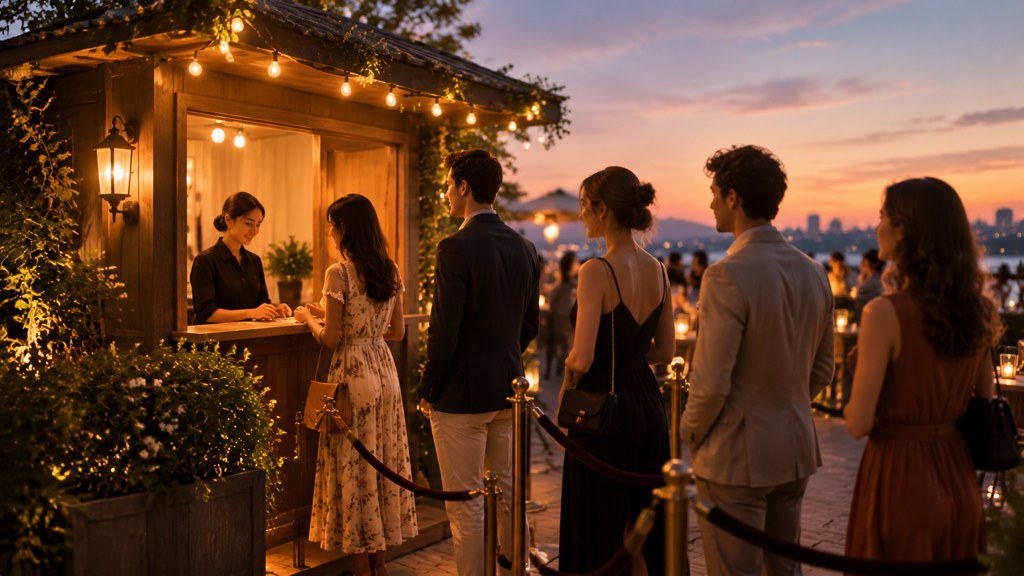
How do you run an AI photo booth at a wedding?
- 1
Fix the camera position and never move it
A mark on the floor, a stand at a set height, one backdrop. Consistency across the night is what makes the set look like one thing.
- 2
Bring one light and point it at the ceiling
Venue lighting after dark is orange, dim and coming from the wrong direction. A single bounced light fixes the input, and the input is what the model has to work with.
- 3
Run the tablet on mobile data, not the venue network
Wedding venue Wi-Fi is shared with two hundred phones. Tether the tablet and test it in the actual room at the actual hour.
- 4
Have an offline fallback ready
A normal camera app and a printer, or simply the raw frames collected for later. Decide this before the night, not during it.
- 5
Put one person in charge
Not the photographer, who is busy. Someone whose only job is the queue and the retries.
Test at the same hour of day
A booth that works at four in the afternoon can fail at nine at night in the same room. Light, network load and guest sobriety all change, and all three affect the output.
How do you run one for an office party or conference?
A workplace changes the problem from logistics to governance. The technical setup is identical; the paperwork is not.
- Put signage at the queue, not on the tablet. People read what they pass, not what they tap.
- Make participation genuinely optional, and make sure the opt-out is not standing conspicuously to one side.
- Say where the photographs go and how long they are kept. If the answer is a third-party service, say which one.
- Decide in advance who can use the images afterwards. Recruitment marketing is a different consent from an internal newsletter.
- Brand it lightly. A styled portrait with a logo baked into it is an advertisement the guest did not agree to appear in.
Someone will ask what happens to the uploads, and the useful answer is a specific one. Provenance standards make that easier to answer honestly: Content Credentials, a project hosted by the Coalition for Content Provenance and Authenticity with more than 500 participating companies, records the method of creation and an editing history alongside a file (checked 2026-09-07).
How do you build a DIY AI photo booth for free?
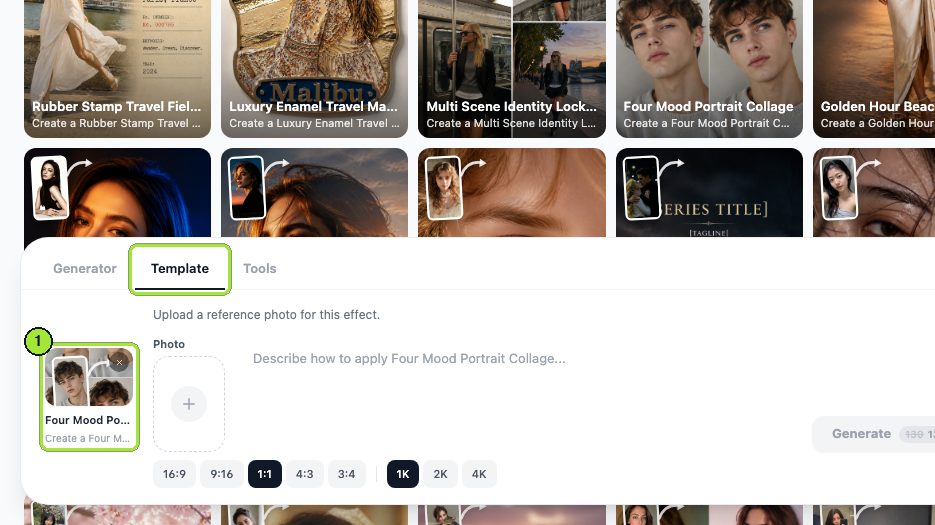
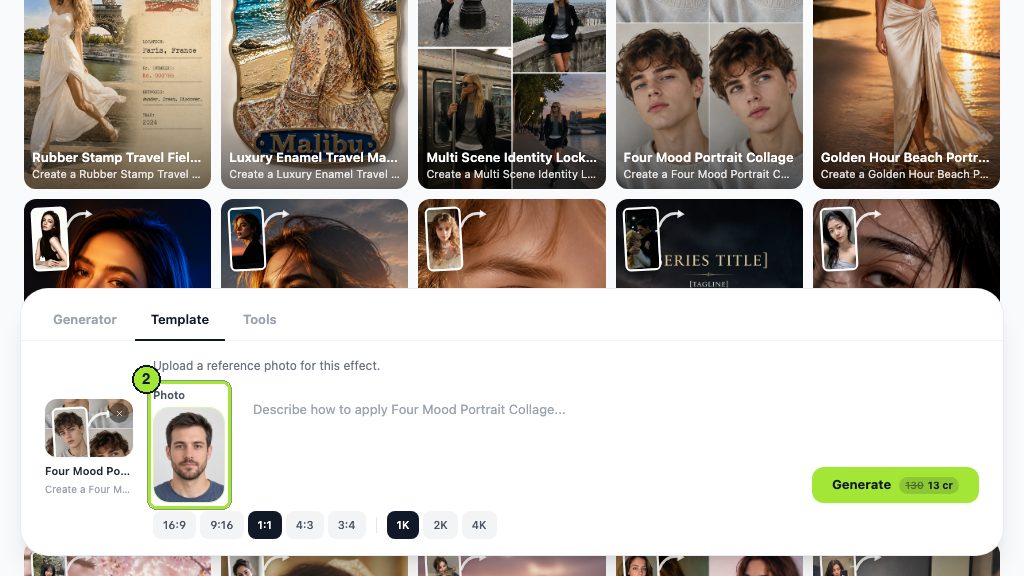
A tablet, a stand, one light and a template. We ran the four mood portrait collage template twice to time the loop and find out where it breaks.
- 1
Choose one template and leave it alone
A booth with a consistent look produces a set worth sharing. Letting guests pick a style produces forty unrelated pictures and a queue.
- 2
Shoot to a mark
Same distance, same height, plain background. The template gets a predictable input and returns a predictable output.
- 3
Watch the price on the button
Generate shows the cost before committing, and each 1K run took 13 credits in our test.
- 4
Set the ratio once
We used 1:1 at 1K. A square portrait shares well and crops badly nowhere.
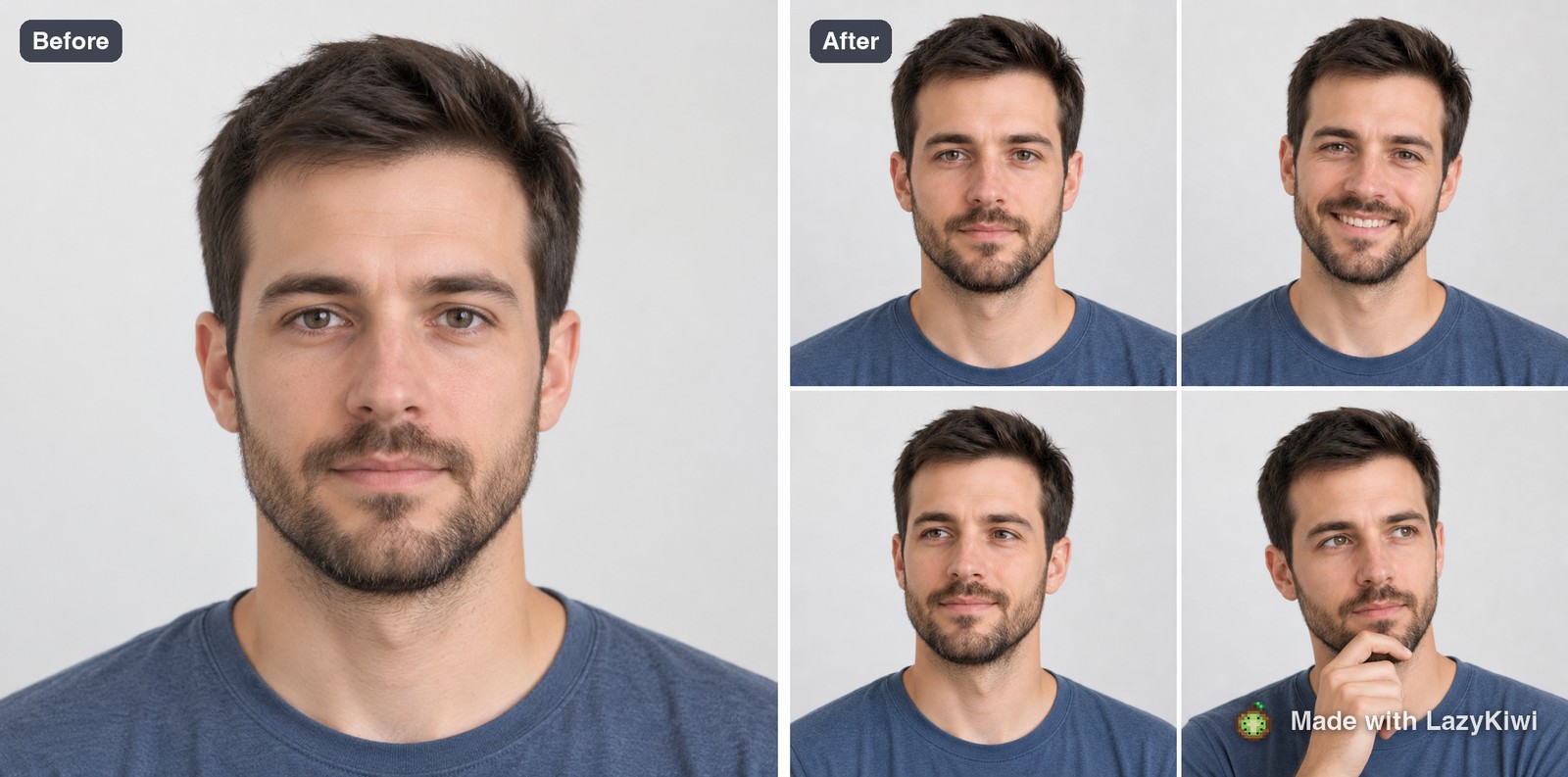
Both runs used GPT Image 2, and the photo editor tools cover the tidying afterwards. Forty free credits arrive with a new account, which is three guests, enough to rehearse the loop before the night. In LazyKiwi's workbench data from August 2026, the median time from signing up to a first generation was about a minute and a half, which is roughly the training time a host needs.
What styles actually work at an event?
Two constraints decide this: bad venue light and mixed group sizes. Styles that survive both are a short list.
- Single-portrait styles work. Painterly, editorial, retro film, studio-lit. They only need one face and they hide poor input light.
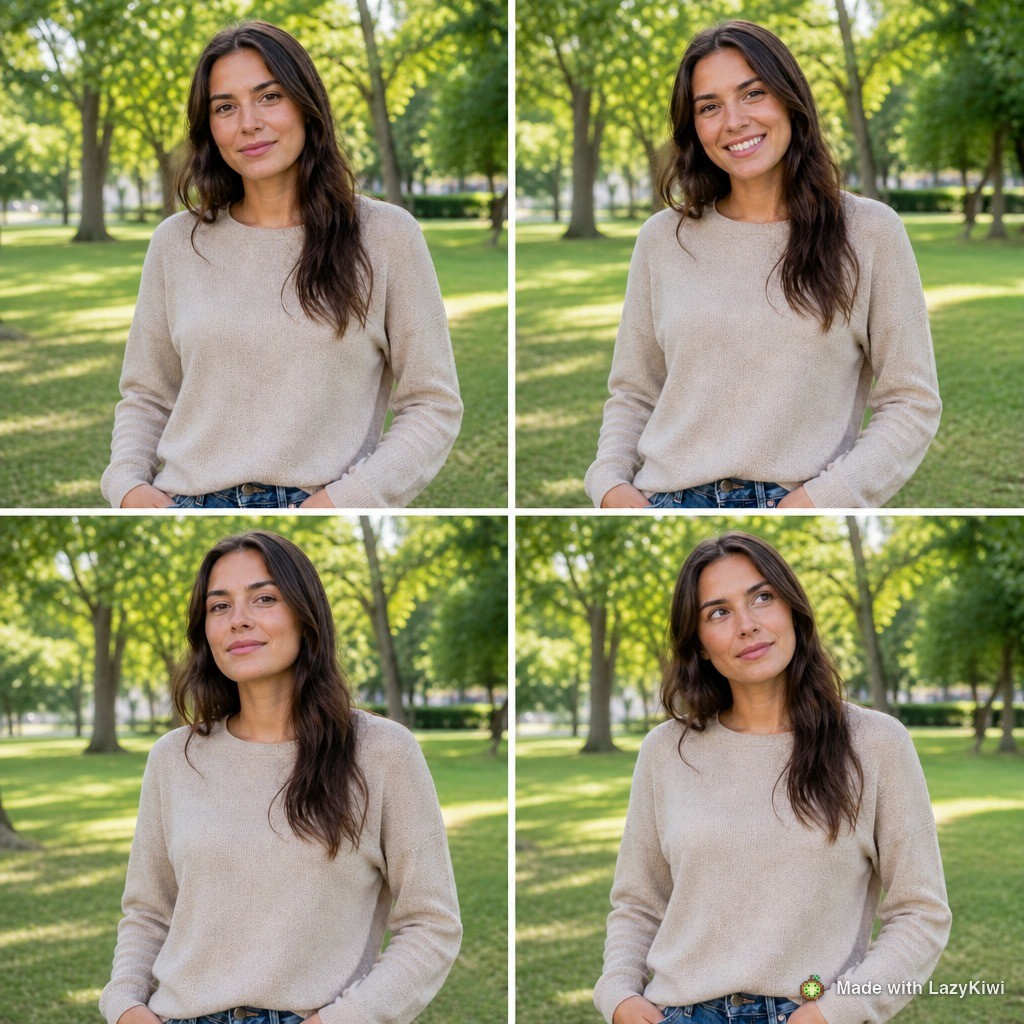
- Group styles mostly do not. As the frame above shows, a template built for one face will discard the second person entirely, so a booth that lets couples in together needs a template that explicitly takes two uploads.
- Heavy costume and character styles fail on the night. They look excellent in a demo with a clean studio portrait and fall apart on a dim phone snap of somebody laughing.
- Avoid anything that changes the face structure. Guests forgive a strange background and do not forgive a different nose.
- Test your chosen style on three genuinely bad photographs before the event: underlit, backlit, and one with two people in the frame.

What do you have to tell guests about their photos?
Write the signage before the event and keep it to four lines. Guests read a sign in about three seconds, so anything longer is decoration.
- What is happening to the photograph: it is uploaded and restyled by an automated service.
- Where it goes: which company processes it, and whether anything is stored after the event.
- How long it is kept, stated as a number of days rather than as a policy link nobody will open.
- How to opt out or have an image deleted, with a name and a way to reach that person on the night.
Do not invent legal wording. Follow the FTC's endorsement guides Q&A for anything that shades into promotion, and if the images will be used in marketing, treat that as a separate permission asked separately.
What goes wrong at AI photo booths?
Five failures account for nearly all of them, and each has a run-sheet answer.
- 1
The queue
One generation per guest at about a minute means sixty guests need an hour of continuous running. Two tablets halve it. Nothing else does.
- 2
A face that comes back wrong
Retry once with better light, then hand over the original photograph and move on. Arguing with a queue behind you never ends well.
- 3
The network
Tethered data, tested in the room. A booth that depends on venue Wi-Fi is a booth that stops during the speeches.
- 4
Printing
If you promised prints, the printer is now the bottleneck and the failure point. Consider sending files instead and printing later.
- 5
A style nobody chose
Decide the look with whoever is paying, show them three test outputs, and get it agreed in writing before the day.
Run the whole loop once, start to finish, on the day before. Every problem on this list surfaces in that rehearsal and none of them surfaces in a planning document.
Key takeaways
- The hardware is unchanged; the back end and the round-trip time are what make a generated booth different.
- Rental pricing is quote-only on the big directories, so ask two vendors for the same itemised list.
- A tablet, one bounced light and a fixed template runs the same job at 13 credits per 1K image.
- Single-portrait templates discard a second person, so a booth for couples needs a two-upload template.
- Tether the tablet, test in the room at the right hour, and have an offline fallback decided in advance.
- Four lines of signage: what happens, where it goes, how long it is kept, how to opt out.
Tools & Reviews Editor
Marcus Tan
I open every competitor's pricing page myself before writing a comparison, and I say plainly when another tool is the better pick.
FAQ
Common questions
What happens to your photo inside a generated booth?
A booth with the same camera, light and screen as a traditional one, but the captured frame is sent to an image model and returned as a restyled portrait instead of a printed strip. The round-trip time is the practical difference, because it decides how fast the queue moves.
How much does a generated photo booth cost to rent?
Most vendors do not publish it. On the main wedding directories a few featured listings show a starting figure while the rest carry a request-pricing button, so plan on collecting two itemised quotes covering hours, attendant, printing and delivery rather than trusting an average.
Can you build your own booth with a tablet?
Yes, with a tablet on a stand, one light bounced off the ceiling, a plain backdrop and a single template kept the same all night. Budget about a minute per guest, tether the tablet rather than using venue Wi-Fi, and rehearse the full loop the day before.
Do these booths work for group photos?
Only if the template is built for more than one face. Single-portrait templates rebuild one person and drop the others entirely, which we saw in testing when a photograph of two people came back as four panels of one of them. Test with a real group shot first.
What should you tell guests at the booth?
Four things, on a sign at the queue rather than on the tablet: that the photo is uploaded and restyled automatically, which company processes it, how many days it is kept, and who to ask to have it deleted. Marketing use needs a separate, explicit permission.
Rehearse the booth before the night
Run one template on a tablet, time the loop, and see what a guest gets back. Each 1K image costs 13 credits and a new account starts with 40 free ones.
Related reading
Pose Reference Library: 40 Poses by Use Case
Forty pose references sorted by what you need them for, figure drawing, portrait sessions, product shots, plus how to generate your own on demand.
10 min read
Instagram Photo Dump: How to Plan a Good One
What a photo dump is, why the unpolished format works, how to sequence ten photos so the carousel keeps holding, and captions that fit the tone.
9 min read
Car Photography: Angles, Light and Clean Edits
The five car angles buyers expect, the light that hides reflections, and the edits that clean a listing shot without misrepresenting the vehicle.
9 min read