
UGC Creator Candy Storm
Step into a colorful candy aisle, offer a lollipop to the camera, and let a whirlwind of treats take over.

UGC Creator: Candy Storm Template
Upload one clear photo of yourself facing the camera. Keep your face and outfit visible for the best result.
THE TREND
What is the ugc creator candy storm trend?
It turns a simple candy offer into an extravagant convenience-store moment, with the person from your photo at the center.
Candy-aisle setting
Bright shelves, refrigerated cases, and fluorescent lights set the scene.
Playful royal accessories
A pink crown, pearls, neck cushion, and orange cape layer over the person's original outfit.
Lollipop close-up
One hand brings a round lollipop straight toward the lens for the signature reveal.
Swirling snack storm
Candy packets and loose paper sweep through the aisle as the camera moves closer.
EXAMPLES
See the Candy Storm in action
Two different photos show how the same candy-aisle scene can put a new person at its center.
The Candy-Aisle Host
A warm smile meets the camera before the lollipop fills the foreground and the snack storm begins.
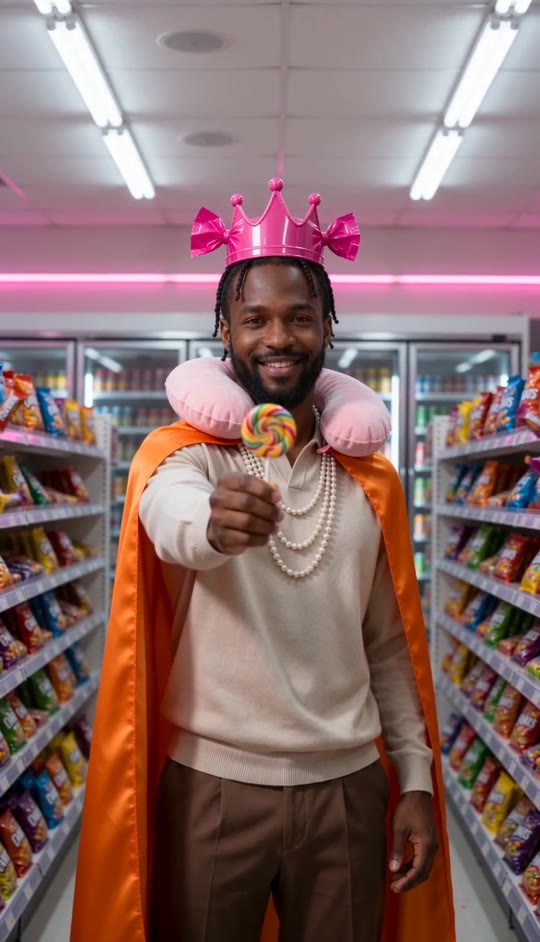
The Candy-Aisle Entrance
A different face and outfit take on the same crown, cape, close-up gesture, and flying treats.
FAQ
UGC Creator: Candy Storm FAQ
What is the ugc creator candy storm trend?+
It is a short video format in which one person presents a lollipop in a brightly lit candy aisle while snack packets swirl around them.
How do I make a UGC Creator Candy Storm video?+
Upload one clear photo and generate. The candy aisle, accessories, lollipop gesture, and storm are built into the template.
How many photos do I need?+
One photo of one person.
What kind of photo works best?+
Choose a sharp, front-facing photo with an unobstructed face and visible clothing.
Will my outfit change?+
The template calls for your original clothing to stay visible, with a crown, pearls, neck cushion, and cape added over it.
What happens in the video?+
The person extends a lollipop toward the camera as candy packets and paper sweep through the store aisle.
Does the camera move?+
Yes. It gently pushes toward the person while keeping them centered.
Does the video have sound?+
Yes. It includes generated rustling, whooshes, and a playful musical sting, not an original song.
Is this connected to a candy brand?+
No. It is an original video in the style of a playful candy-store reveal, with no brand affiliation.
Other names for the ugc creator candy storm trend
You may see this candy-aisle video format described in a few different ways.
Make your candy-aisle entrance
Bring your photo into the lollipop reveal and swirling snack storm.


