
Smartphone X-Ray Scan Ad
Turn your photo into a polished product reveal as a phone scans a bright can and shows the fruit inside.
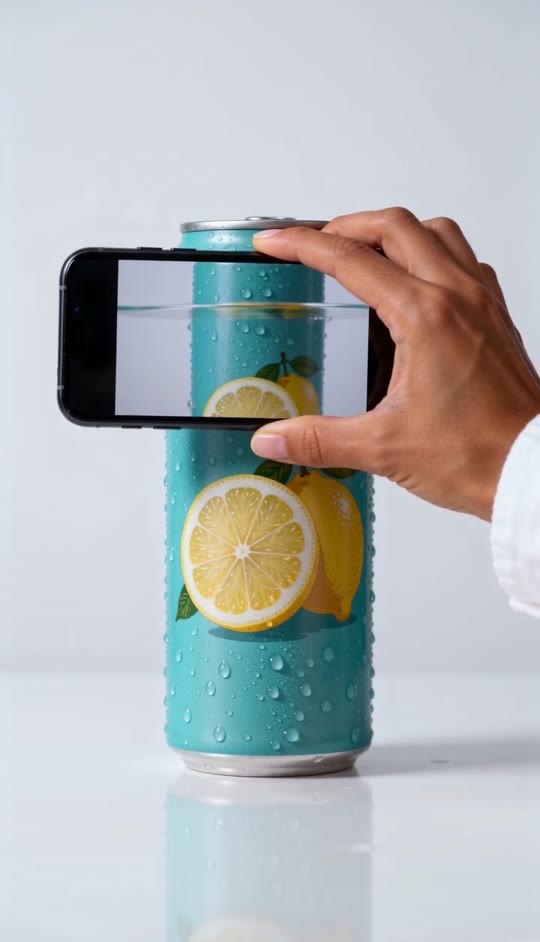
Smartphone X-Ray Scan Ad Template
Upload one clear photo of yourself. A photo with your right hand visible helps the hand-held phone look more like yours.
THE TREND
What is the smartphone x-ray scan ad trend?
This product-ad-style effect makes a phone screen appear to see through a drink can as it moves across the label.
Cyan can, clean backdrop
A condensation-covered cyan can stands centered against a bright white studio background.
Phone across the can
A hand holds a phone sideways and sweeps it down over the can's body.
Fruit inside the screen
The overlapping screen reveals sparkling liquid, a lemon slice, and blueberries where the can is covered.
Held product reveal
The phone finishes across the can's middle so the fruit and cyan packaging remain visible together.
EXAMPLES
Smartphone x-ray scan ad examples
See how the same can-and-phone reveal works with different uploaded photos.
Bright studio scan
A hand slides the phone down the cyan can, bringing the lemon slice into view.
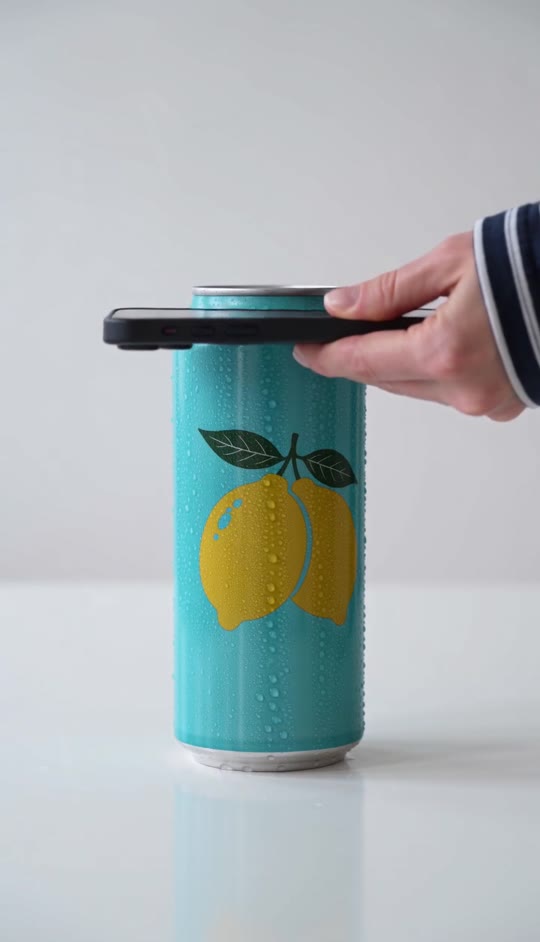
Fruit-window finish
The phone settles across the can's center, holding the fruit-filled screen in place.
FAQ
Smartphone X-Ray Scan Ad FAQ
What is the smartphone x-ray scan ad trend?+
It's a short product-ad-style video where a phone moves across a can and its screen appears to reveal the fruit and liquid inside.
How do I make a smartphone x-ray scan ad?+
Upload one photo and generate. The can, phone movement, fruit reveal, studio setting, and generated audio are built into the template.
What kind of photo should I upload?+
Use a clear photo of one person. A visible right hand and even lighting are helpful because the finished scene focuses on a hand holding the phone.
Will my face appear in the video?+
The shot is framed tightly around the can and phone, so the person is represented by the hand rather than an on-screen face.
Does the phone actually scan the can?+
No. The see-through view is a generated visual effect that appears within the phone screen.
What does the phone reveal?+
The screen shows sparkling liquid, a lemon slice, and blueberries aligned with the part of the can behind it.
Does the phone move across the can or just stop above it?+
It sweeps downward over the can's body and finishes overlapping the middle, where the fruit reveal stays visible.
Is the result a vertical video?+
Yes. The template makes a short vertical video suited to a phone screen.
Does the video include sound or an original song?+
It includes generated scan-style audio, not an original song.
Other names for the smartphone x-ray scan ad
You may see similar can-and-phone reveals described with these search terms.
Put the fruit reveal in motion
Upload your photo to create the can-and-phone scan with generated audio.


