
Rap God
Turn your photo into a center-stage rap performance, opening on your face before revealing dancers, neon lights, and a cheering crowd.
Rap God Template
Upload a clear photo of one person with their face unobstructed. Dark outerwear works well for the concert setting.
THE TREND
What is the Rap God trend?
This photo-to-video format puts your subject at the center of a concert scene. A close microphone performance opens into a full stage reveal in one continuous camera move.
You on the microphone
The person in your photo becomes the lead performer, facing the camera with a handheld microphone and rhythmic free-hand gestures.
Silver-clad backup dancers
Two generated dancers stand behind the lead, stepping outward and swinging their arms in a mirrored routine.
Neon concert atmosphere
A nighttime city backdrop, blue-magenta lights, stage haze, and overhead fixtures create a polished performance setting.
The full-stage reveal
The camera pulls back from a close performance to a wide view, revealing raised audience arms across the foreground.
EXAMPLES
Rap God examples
Two different photo subjects take the lead in the same neon-stage performance.
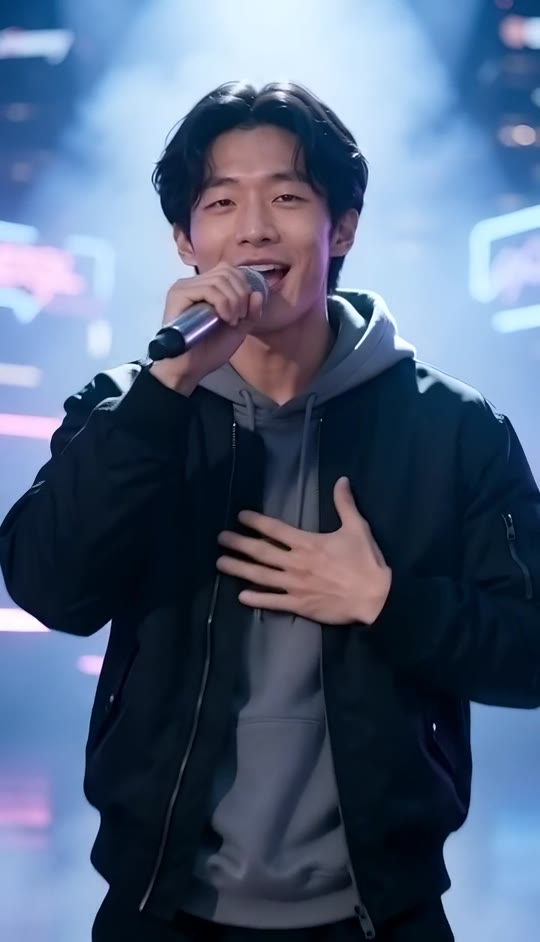
Rap God: Streetwear Performance
A performer in a black bomber jacket and gray hoodie opens close to the lens before the camera reveals silver-clad dancers and the audience.
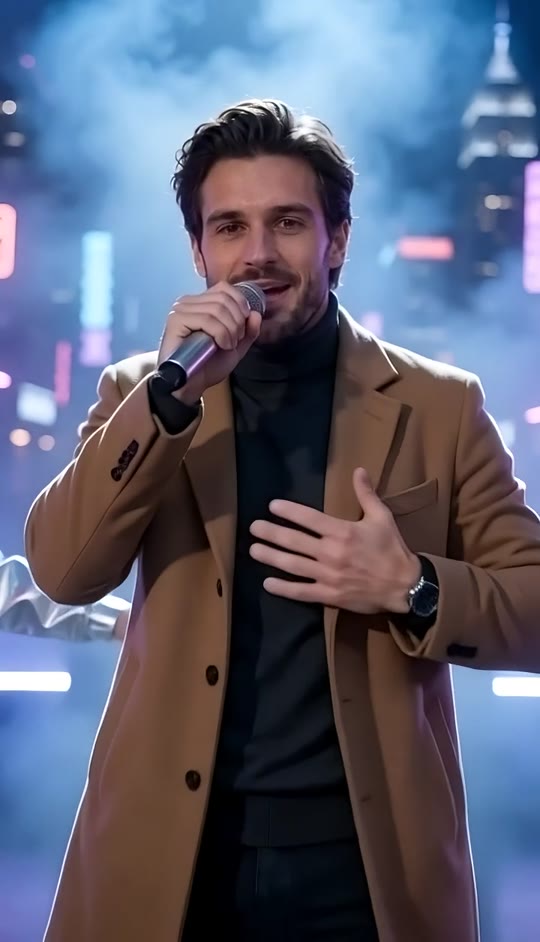
Rap God: Tailored Performance
A performer with swept-back hair, a short beard, and a camel overcoat takes center stage under blue-magenta lights as the concert scene opens around him.
FAQ
Rap God FAQ
What is the Rap God video effect?+
It turns one uploaded photo into a short vertical rap-performance video. The subject holds a microphone on a neon-lit stage while two dancers perform behind them and the camera pulls back to reveal a crowd.
How many photos do I upload?+
Upload one photo of one person. The dancers, audience, stage, and lighting are generated as part of the scene.
Do I need to write a prompt?+
No. The stage, gestures, choreography, camera movement, and generated audio are already described in the template.
What happens during the video?+
The lead starts close to the camera, points toward the lens, and sweeps their free hand across their chest while performing. The camera then pulls back to reveal synchronized dancers, overhead lights, and raised audience arms before settling on a wide finish.
Does it use an existing song or recording?+
No. The clip uses generated rhythmic vocals and a generated hip-hop beat, not an existing song or recording.
Will my clothing change?+
The template instructs the video to preserve the clothing in your photo, along with your face, hairstyle, and skin tone. Choose dark outerwear in the upload for a look closer to the concert styling.
Can I choose the backup dancers?+
This template generates two silver-clad dancers behind the lead performer. It does not use separate dancer photos.
How long is the finished video?+
The template creates a five-second vertical video. The performance and camera reveal settle into their final composition by second four.
What photo works best?+
Use a sharp, well-lit photo with one clearly visible face. A front-facing waist-up or full-body image gives the generation more information about the person's clothing and proportions.
Is this a recreation of a particular artist?+
No. It uses the style of a polished concert-performance format with your uploaded subject. It does not request a particular artist's face, voice, or recording.
Other searches for Rap God
Related phrases for this photo-to-concert performance format.
Make your entrance with Rap God
Put yourself on the microphone and let the concert reveal unfold around you.


