
Turn Your Photo Into A Glowing, Otherworldly City Moment
Your photo becomes a brilliant white figure moving across a rotating miniature city street, with light trails following every step. The full look is built in, and the video comes with generated audio.
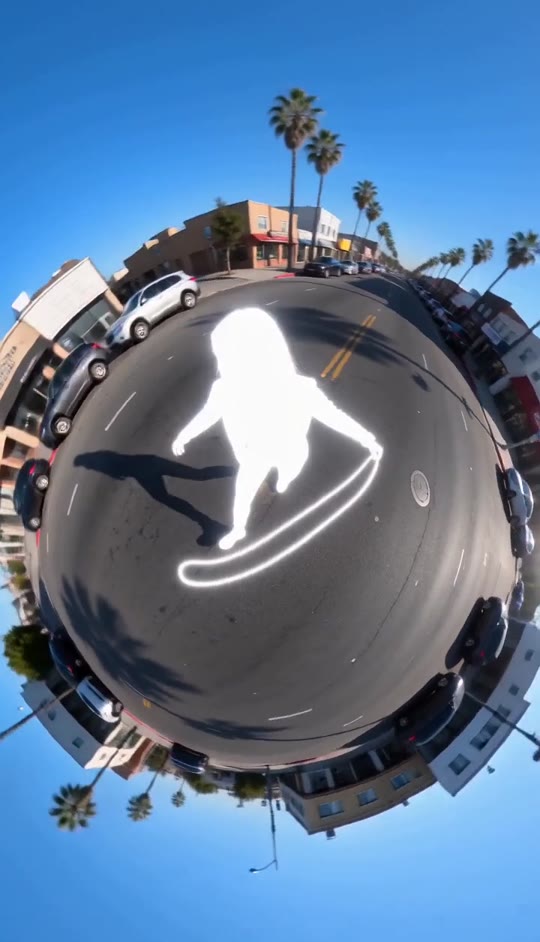
Overexposed Template
Upload one clear photo of a single person. Full-body photos with visible arms and legs work best.
THE TREND
What is the Overexposed trend?
The effect turns a person into a brilliant white silhouette at the center of a rotating tiny-planet street, with motion drawn in bright streaks.
A glowing human silhouette
The person becomes an intense white figure, with the light obscuring facial details while preserving the reference person's look and clothing.
A miniature city planet
The street bends into a circular world, with low-rise buildings, parked cars, and palm trees wrapped around the horizon.
Continuous orbiting view
The wide fisheye camera drifts and rotates around the tiny planet without cutting away from the scene.
Light trails in motion
Quick steps and sweeping movement stretch the figure's glow into bright trails across the center.
EXAMPLES
Two takes on the Overexposed effect
Each example uses a different person while keeping the glowing figure, circular city, and flowing camera movement.
A bright city orbit
A glowing figure starts moving as palm-lined buildings and parked cars revolve around the tiny planet.
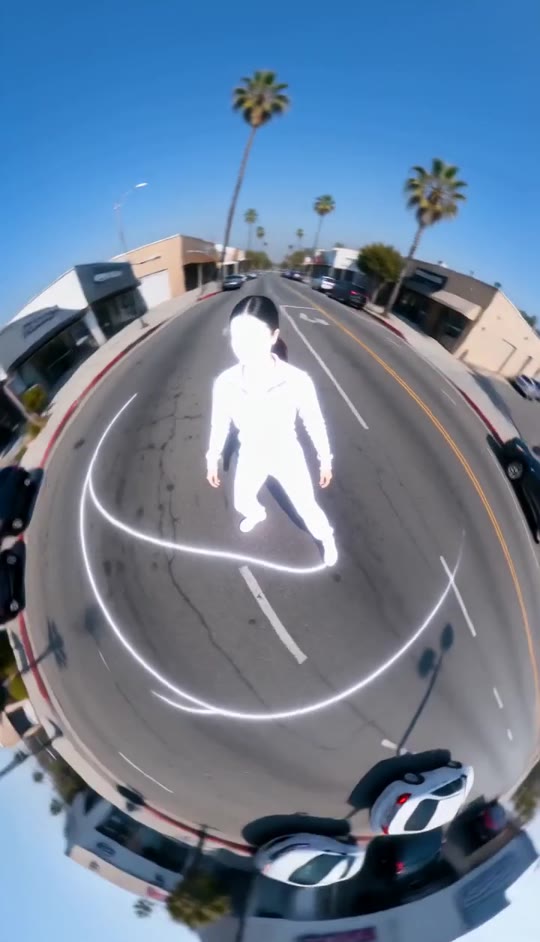
White light in motion
A fluid sideways sweep stretches the silhouette into luminous trails across the rotating street.
FAQ
Overexposed FAQ
What is the Overexposed video effect?+
It transforms a person into an intensely glowing white silhouette and places them in a rotating tiny-planet view of a sunny city street, with bright trails following their movement.
How do I make an Overexposed video?+
Upload one clear photo of a person and generate the video. The city scene, circular perspective, glow, movement, and camera rotation are already part of the template.
How many photos do I need?+
One photo. A full-body image with clear visibility of the person's limbs is a good choice for the movement and light trails.
Will the person's face be visible?+
The reference person's face and appearance inform the figure, but the effect deliberately overwhelms facial detail with bright white light.
Does the video keep the original outfit?+
The template preserves the reference person's clothing, hairstyle, skin tone, and identity, while the strong glow can make outfit details hard to see.
What appears in the background?+
A sunny urban street forms a circular miniature planet, surrounded by low-rise buildings, parked cars, palm trees, and blue sky.
Does the video include music?+
It includes generated audio, not an original song. You can add audio separately when sharing if you choose.
Can I use a close-up portrait?+
A close-up can work, but a full-body photo usually gives the effect more visible limbs to shape into dance-like movement and light trails.
Can I make other photo-based trend videos?+
Yes. Browse other templates such as Stop World, Golf Dance, or Lost in a Book for different scenes and effects.
Other ways people search for this effect
Related search phrases for the glowing silhouette and rotating tiny-planet look.
One photo, glowing city motion
A rotating tiny planet and bright trails are built into the effect.


