
Orbit 360: Turn Your Photo Into A Giant City Moment
Transform one photo into a cinematic city scene where you balance beneath an overhead road sign, check your phone and tower over the skyline as the camera circles around you.
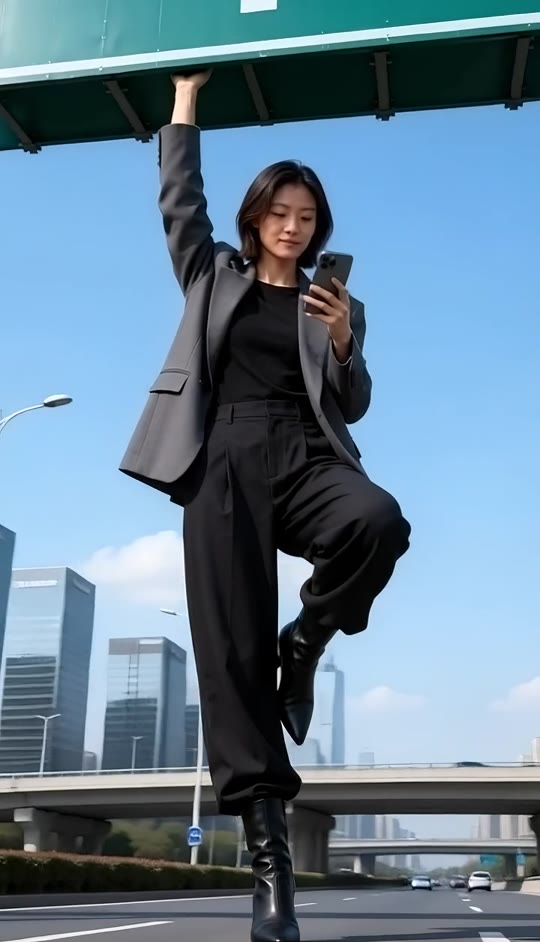
Orbit 360 Template
Upload one clear photo of a person. Full-body or three-quarter fashion photos with visible hair, clothing and face work best.
THE TREND
What is the Orbit 360 trend?
Orbit 360 turns an ordinary portrait into a playful giant-scale fashion shot. The recognizable pose stays fixed while the camera makes a continuous cinematic circle around the subject.
Giant against the skyline
A low-angle full-body view makes the person tower over elevated roads, towers and distant city traffic.
The overhead sign pose
One arm reaches straight up to hold a large road sign while the other hand casually checks a phone.
One-leg balance
The subject stays balanced on one heeled boot with the other knee raised, creating a bold fashion silhouette.
Continuous camera circle
The view travels from the front to the side, behind the subject and back again without a visible cut.
EXAMPLES
Two ways to style Orbit 360
These sample looks show how different outfits and personalities change the same giant-city visual.
Streetwear sign hold
A confident city look pairs with the raised-knee balance, glossy boots and a phone-in-hand attitude.
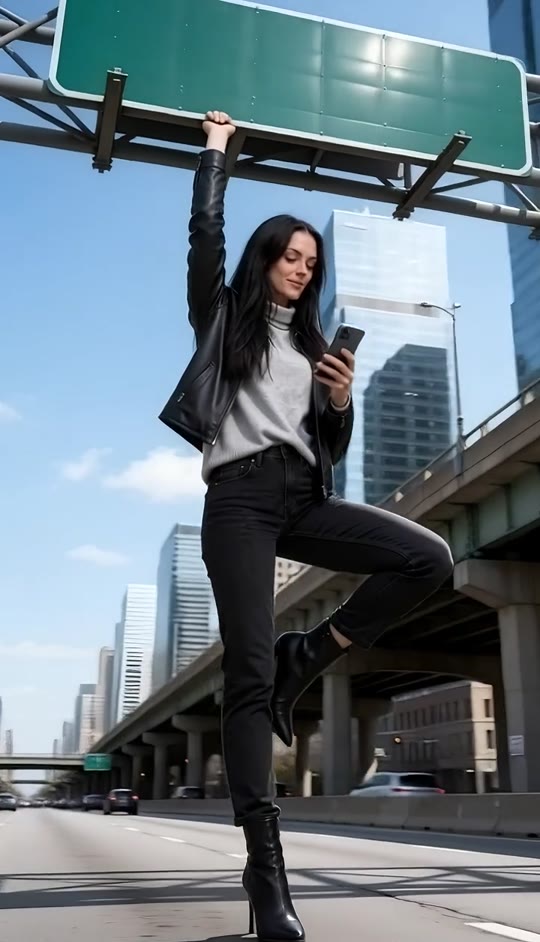
Soft daylight fashion
A lighter outfit and warm expression bring a playful, editorial feel to the elevated roadway orbit.
FAQ
Orbit 360 FAQ
What is the Orbit 360 trend?+
Orbit 360 is a visual effect where one person appears giant above a city roadway while a low-angle camera circles around them and returns to the opening view.
What pose does the Orbit 360 template use?+
The subject holds an overhead road sign with one straight arm, checks a phone with the other hand and balances on one heeled boot with the opposite knee raised.
How do I make an Orbit 360 video?+
Upload one clear photo, choose the Orbit 360 template and generate. The city, pose, camera orbit and generated audio are built into the template.
What kind of photo works best?+
A well-lit photo with a visible face, hair and outfit works best. Full-body or three-quarter fashion portraits give the effect enough visual detail to build the complete pose.
Will the video keep my appearance?+
The template is designed to preserve the person’s facial features, hairstyle, skin tone and clothing from the uploaded photo while placing them in the city scene.
Does the camera really move around the subject?+
Yes. The effect uses a smooth low-angle orbit that travels across the front, side and back before returning near the opening angle.
Does Orbit 360 include audio?+
The generated video includes its own audio layer. It does not use an original song.
Can I use a photo of a man?+
The effect is built around the fashion pose shown in the examples, but a clear photo of any person can be used to explore the same visual format.
Can I change the road sign wording?+
The sign is treated as a visual prop without readable wording, so the focus stays on the pose, skyline and camera movement.
Orbit 360 search terms
People may describe this effect in several ways when looking for the same giant-city camera move.


