
On Fire
Stay perfectly calm while everything around you burns. Turn your photo into an illustrated burning-room meme with flickering flames and rolling smoke.
On Fire Template
Upload one clear photo of yourself with your face and clothing visible.
THE TREND
What is the On Fire trend?
The joke is the contrast: you sit comfortably beside a mug while an entire illustrated room burns around you. Your photo supplies the person; the template supplies the room, animation, and generated audio.
Calm in the middle of chaos
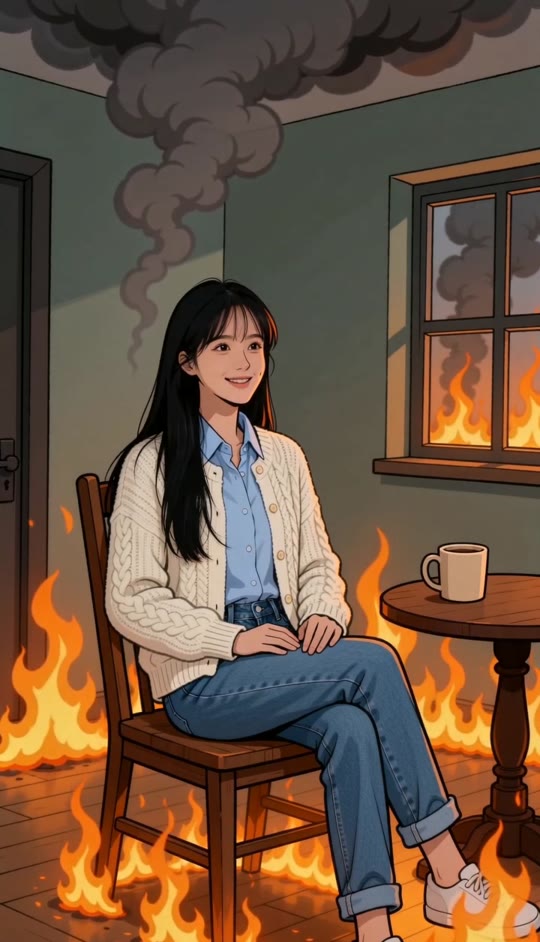
Your illustrated likeness sits slightly left of center, hands resting on your thighs and expression relaxed.
The burning-room setup
A wooden chair, round table, cream mug, left doorway, and right window establish the enclosed gray-green room.
Flames, smoke, and soot
Orange-yellow flames flicker around the furniture while layered dark smoke curls overhead and small soot specks drift down.
A still camera, a moving room
Bold outlines and flat colors give the scene its illustrated look. The camera stays fixed while the surrounding fire keeps moving.
EXAMPLES
On Fire, With a Different Face
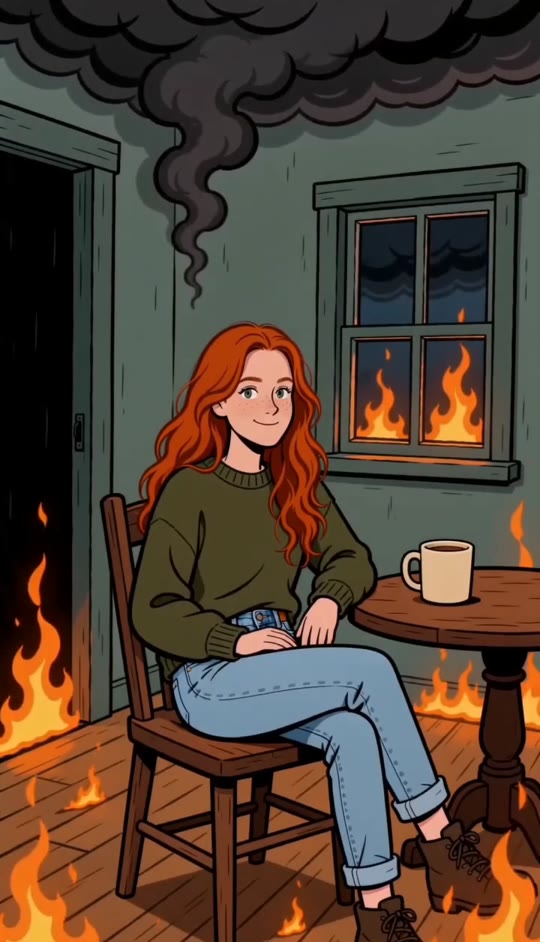
These samples use the same room, seated pose, and animation. Only the uploaded person changes.
A Quiet Smile Amid the Flames
Long black hair and a cream cardigan carry into the illustrated scene, with hands resting calmly beside the burning table.
Unbothered in Green
Curly copper-red hair and an olive sweater stand out against gray-green walls, orange flames, and heavy ceiling smoke.
FAQ
On Fire FAQ
What is the On Fire video effect?+
It turns one photo into a short illustrated video of you sitting calmly in a burning room. Flames move around the furniture while smoke and soot drift overhead.
How do I make an On Fire video?+
Upload one clear solo photo, leave the built-in prompt in place, and generate. The template already specifies the room, seated pose, framing, and animation.
How many photos do I need?+
One. This template creates a scene with a single seated person.
Will the result look like a photograph?+
No. The intended result is a stylized 2D illustration with dark outlines and flat colors. The prompt asks to preserve your facial likeness, hair, skin tone, and clothing within that style.
Does the person move or pick up the cup?+
The person is prompted to hold a relaxed seated pose with both hands on their thighs. The mug stays on the table; flames, smoke, and soot provide the motion.
Does the camera zoom or change angles?+
The template calls for a fixed front-facing medium-wide shot that shows the seated person, chair, table, and surrounding room.
How long is the video?+
The template is set to create a five-second vertical video.
Does the video include sound?+
The prompt requests generated fire crackling and a low ambient rumble. It does not request a song or an existing soundtrack.
What photo works best?+
Choose a well-lit solo photo with a clear face and visible clothing. A waist-up or full-body image gives more outfit detail than a tightly cropped selfie.
Do I need to write my own prompt?+
No. The built-in prompt describes the complete effect. Entering custom text replaces that prompt rather than adding to it, so leave it unchanged to keep the preset scene.
Other Searches for On Fire
Related ways to describe the calm-in-a-burning-room effect.
Let the Room Panic
Put your calmest face in the middle of an illustrated disaster.


