
Turn Your Photo Into A Vivid Ocean-and-neon Scene
Your figure stands out in hot pink as crashing waves and a rainy neon street flicker around you in a gritty analog collage. Upload one photo to make a short vertical video with generated audio.
Ocean Template
Upload one clear, full-body photo of an adult woman. Keep the entire figure visible for the best result.
THE TREND
What is the Ocean trend?
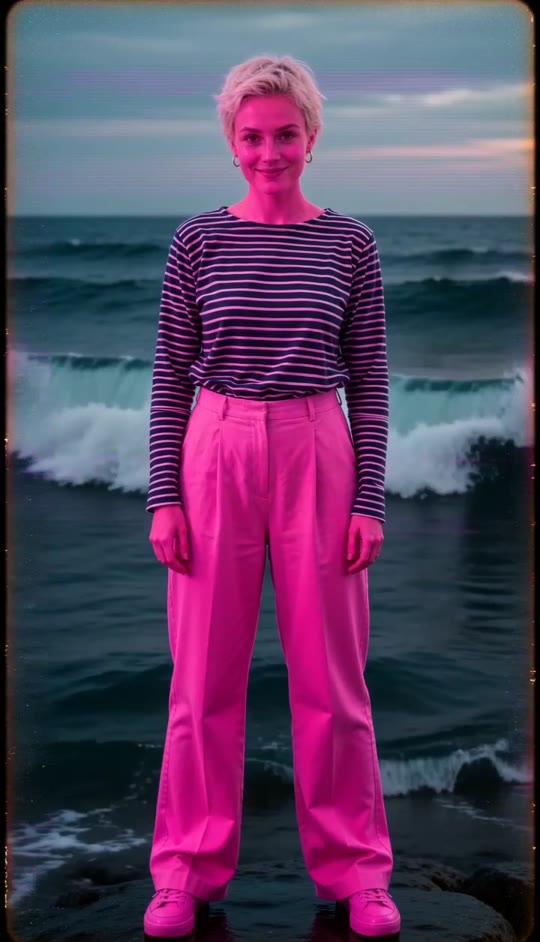
The Ocean effect turns a still portrait into a striking collage: a hot-pink figure stays centered while surf and a rainy neon street trade places.
Hot-pink figure
A vivid pink treatment makes the centered person pop against the changing scenes.
Ocean in motion
Foamy water, rolling surf, and the open horizon cut in behind the figure.
Rainy neon street
Wet pavement and cyan-blue reflections bring a city-night contrast to the sea.
Analog collage texture
Grain, scratches, scan lines, color fringing, and glitch bands give each cut a raw, flickering feel.
EXAMPLES
Two Ocean looks
See how different portraits take on the same pink figure, ocean, and neon-street treatment.
Ocean waves and neon
A blonde-haired subject stands centered as foamy surf and a rain-lit street alternate around her.
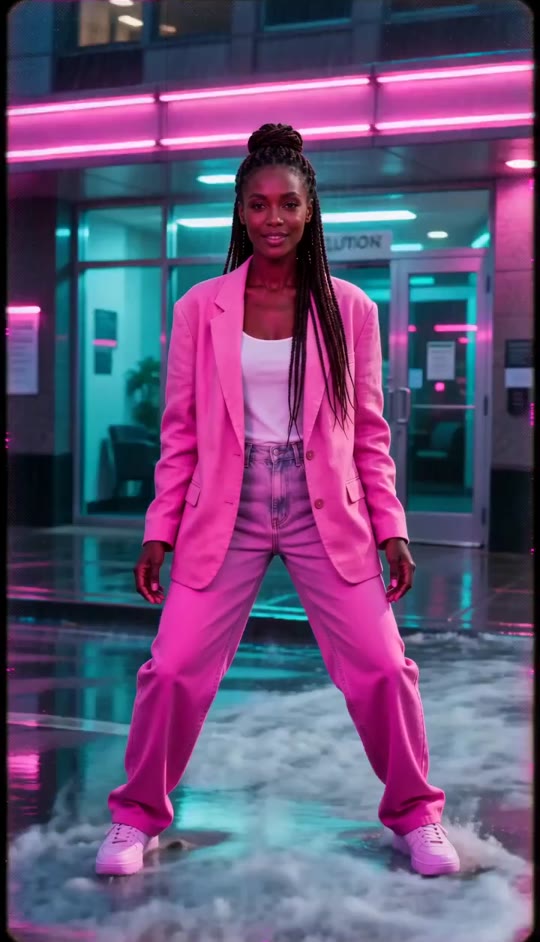
Pink figure, shifting sea
A dark-haired subject holds a poised stance as the horizon, waves, and neon reflections flicker into view.
FAQ
Ocean FAQ
What is the Ocean AI video trend?+
It is a visual effect where a hot-pink, full-body person stays centered while scenes of ocean surf and a rainy neon street cut back and forth with a worn analog look.
How do I make an Ocean video?+
Upload one clear, full-body photo and generate. The scene changes, pink treatment, stance, and glitch texture are built into the template.
What kind of photo works best?+
Choose a front-facing full-body photo with the person's outfit and limbs visible. A simple background helps the figure read clearly.
Will the video keep my appearance?+
The template is designed to preserve the person's face, hair, skin tone, and clothing from the uploaded photo while applying the vivid pink visual treatment.
Does the effect include both the ocean and the city?+
Yes. The background cuts between rolling sea and a rainy neon street, then returns to the street at the end.
Does the clip use an original song?+
No. The video has generated audio and does not include an original song.
Can I upload more than one photo?+
This template uses one uploaded photo for one person.
Is this a smooth cinematic transition?+
No. Its look comes from abrupt background cuts, flicker, scratches, scan lines, and analog glitch texture.
Other Ocean trend searches
Related phrases people use to find this visual effect.
One photo, two shifting worlds
Bring the hot-pink figure, crashing surf, and rainy neon street together in one generated video.


