
Make The Never Confuse Them Video From Your Photo
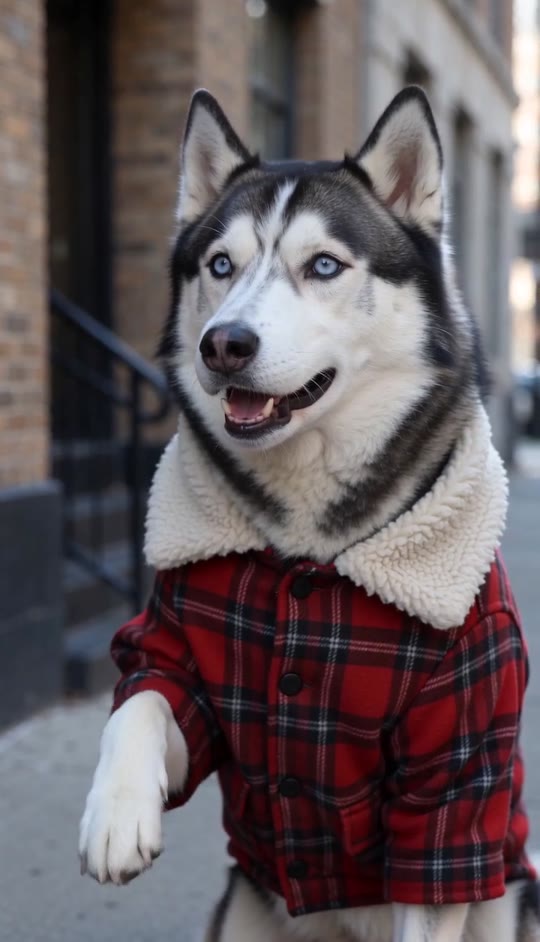
A blue-eyed husky appears to deliver the setup, then your portrait cuts in with a knowing reply. The outdoor scene, close-up framing, and character switch are built in.
Never Confuse Them Template
Upload one clear portrait of an adult. A front-facing photo with your face and hair visible works best.
THE TREND
What is the Never Confuse Them trend?
The joke comes from a quick contrast: a dressed-up husky seems to speak first, then a woman answers with a knowing, emphatic look.
Husky setup
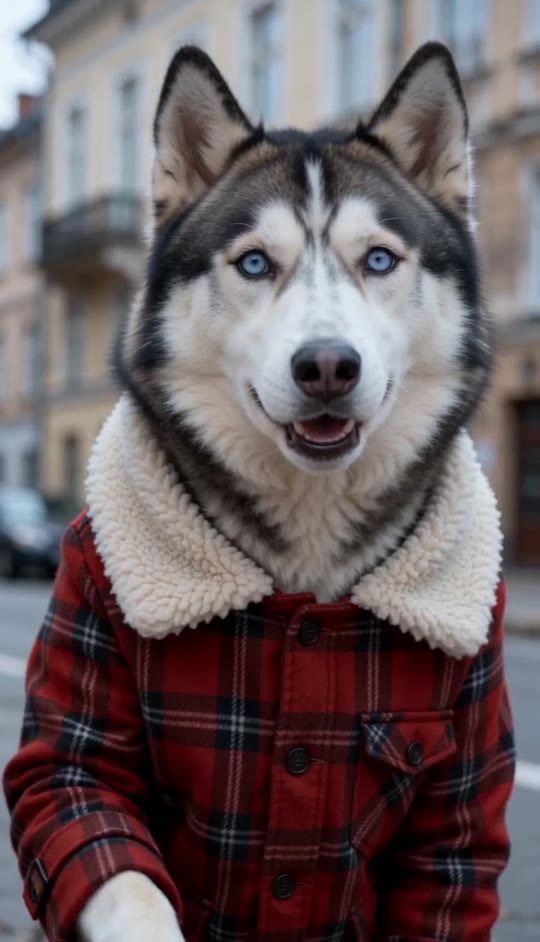
A blue-eyed husky in a red plaid coat moves its muzzle as if speaking and briefly lifts its paws.
Clear subject switch
A direct cut shifts the close-up from the dog to the woman, keeping the comic exchange easy to follow.
Knowing response
The woman looks to camera and punctuates her reply with small conversational gestures.
Cinematic outdoor look
An old building, soft overcast light, cool tones, and subtle handheld drift create an intimate portrait style.
EXAMPLES
Two portraits, one playful contrast
Both examples keep the husky's setup and the woman's close-up reply, with a different portrait in each.
Warm autumn reply
A honey-blonde portrait takes over after the husky, bringing a bright, friendly presence to the knowing response.
Cool city comeback
A dark-haired portrait delivers the close-up reply with an assured expression against the muted street setting.
FAQ
Never Confuse Them FAQ
What is the Never Confuse Them video?+
It's a short comedic video where a dressed-up husky appears to speak before a woman cuts in with a knowing reply.
How do I make one?+
Upload one clear portrait and generate. The template supplies the husky, outdoor setting, subject switch, and gestures.
Why does the video show a husky if I upload a portrait?+
The husky is part of the built-in setup. Your uploaded portrait appears as the woman in the second shot.
What kind of photo works best?+
Use a clear portrait with the face and hair visible, preferably facing the camera in good light.
Will my appearance and clothing stay the same?+
The template asks the video to keep the person in your reference photo's face, hairstyle, skin tone, and clothing unchanged.
Can I upload a photo of a man?+
The example features a woman in the second shot, so a portrait of a woman best matches the intended look.
Does the video include the original song?+
No. The clip uses generated audio and does not include an original song.
Can I change the scene or actions?+
The built-in template sets the husky's setup, the mid-clip switch, and the woman's response.
Can I use someone else's photo?+
Use a photo only when you have that person's permission.
More ways to search
Search phrases people use for this husky-and-human comedy format.
One portrait, one unexpected reply
The husky, outdoor setting, and close-up switch are built in.


