
Mighty Fighter AI Video Generator
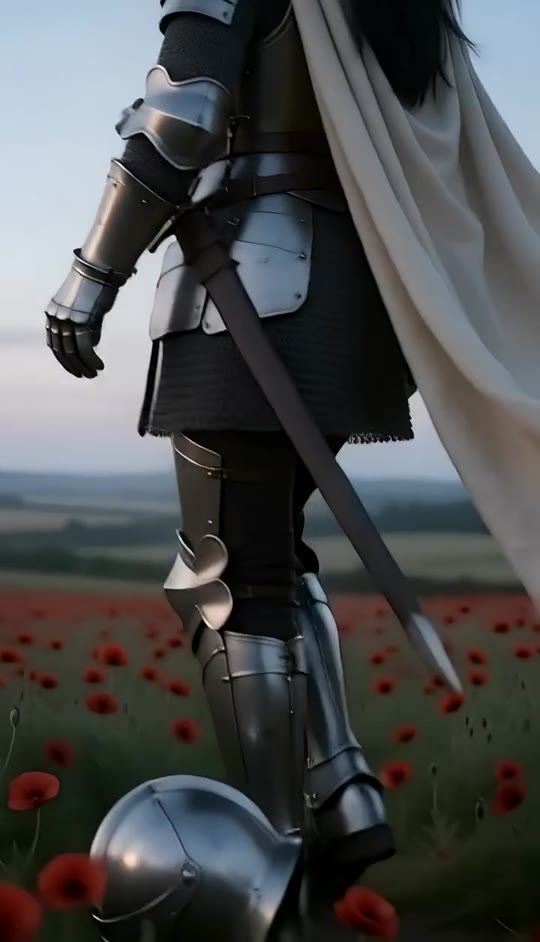
Turn a single portrait into a cinematic fallen-knight scene across a misty red poppy field. Armor, cape movement, camera arc, and the final resting pose are built in.
Mighty Fighter AI Template
Upload one clear portrait with the face, hair, and skin tone visible. Front-facing photos with simple backgrounds work best.
THE TREND
What is the mighty fighter trend?
The mighty fighter format turns an ordinary portrait into a dramatic medieval scene with a precise reveal, a heavy fall, and a quiet final pose among red poppies.
Silver knight reveal
The camera begins behind the subject, then rises and arcs around to reveal reflective armor and the person’s preserved identity.
Helmet drop
A steel helmet falls beside the armored boots at the opening, establishing the battle-worn mood before the portrait reveal.
Red poppy meadow
Muted green stems, vivid red flowers, misty farmland, and cool twilight create the recognizable cinematic setting.
The final fall
The knight sinks backward into the flowers, her ivory cape lifts in the wind, and one gauntleted hand settles over her abdomen.
EXAMPLES
Two ways to enter the mighty fighter world
Try the same cinematic format with different portraits. The built-in action keeps the scene consistent while your chosen face gives each result its own presence.
The fallen guardian
A long-haired portrait becomes a solemn silver knight walking through poppies before gently collapsing into the field.
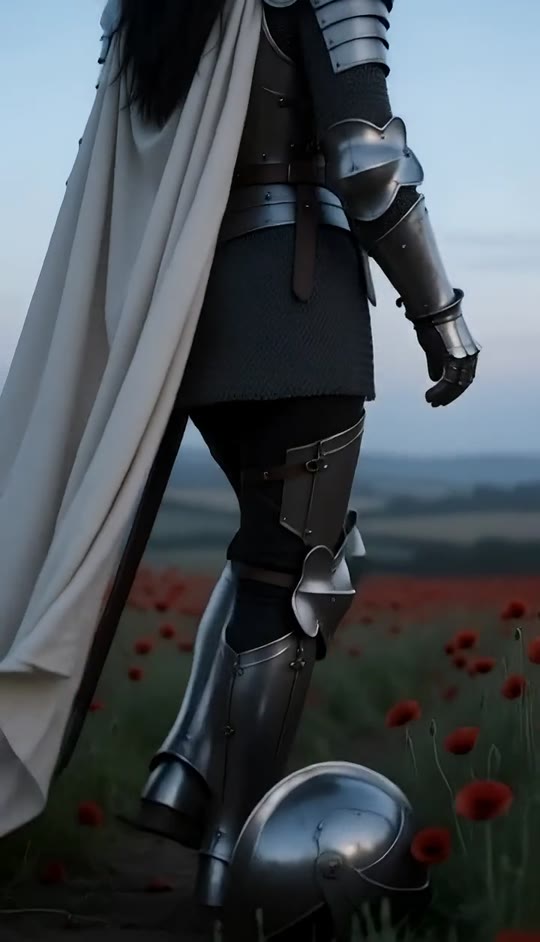
The last stand
A confident portrait takes on a colder, battle-worn mood with the helmet drop, distant gaze, and quiet final pose.
FAQ
Mighty Fighter FAQ
What is the mighty fighter AI video?+
It is a short vertical transformation video that places one person into a cinematic medieval knight scene. The knight walks through red poppies, drops a helmet, and falls backward into the flowers.
How do I make a mighty fighter video?+
Upload one clear portrait and generate. The template already includes the meadow, armor, cape, helmet drop, camera movement, fall, and final resting pose.
What kind of photo works best?+
Use a front-facing portrait with a clear face, visible hair, even lighting, and minimal obstructions. Simple backgrounds help the transformation stay focused on the person.
Will the person’s face stay recognizable?+
The template is designed to preserve the uploaded person’s facial identity, hairstyle, and skin tone while placing them in the knight scene.
Does the video include audio?+
Yes. The generated clip includes its own generated audio. It does not include an original song.
Is this a real medieval setting?+
No. The meadow, armor, mist, cape movement, and cinematic action are generated from the uploaded portrait.
Can I use a portrait of any gender?+
Yes. The template can place different people into the same knight format, although portraits with long or medium-length hair tend to match the visual reference most closely.
Why does the knight fall into the flowers?+
The backward fall is the signature moment of the format. The cape briefly billows before the knight settles into a quiet final pose among the poppies.
Can I change the scene or action?+
The built-in template is designed to reproduce the mighty fighter sequence. You can choose a different portrait, but changing the prompt may alter the signature camera movement and fall.
Mighty fighter search terms
People may use several phrases when looking for this cinematic knight transformation.
Step into the red poppies.
One portrait becomes a cinematic knight scene with the helmet drop and final fall already choreographed.


