
Make A Mic Session AI Rap Video
Turn one photo into a solo studio performance. Step up to the microphone, put on the headphones and sunglasses, and deliver an expressive rap with generated audio.
Mic Session AI Rap Video Template
Upload one clear photo of an adult man with his face and shoulders visible.
THE TREND
What is the Mic Session AI Rap Video trend?
This solo performance format turns a portrait into a close-up studio rap session, centered on a microphone and expressive delivery.
A focused solo performance
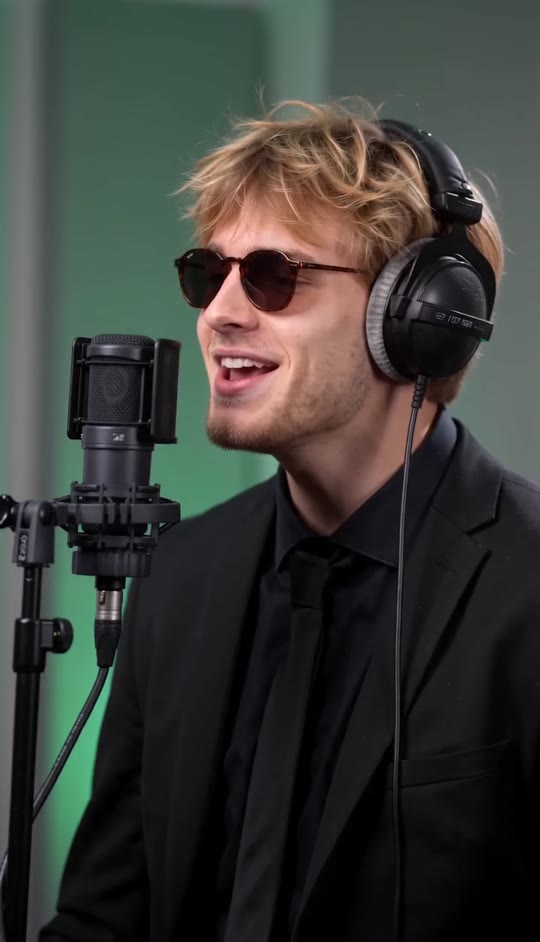
One singer holds the frame throughout, with the camera close enough to catch every change in expression.
The recording-booth look
A softly lit green-and-gray studio backdrop gives the performance a warm, polished feel.
Signature studio details
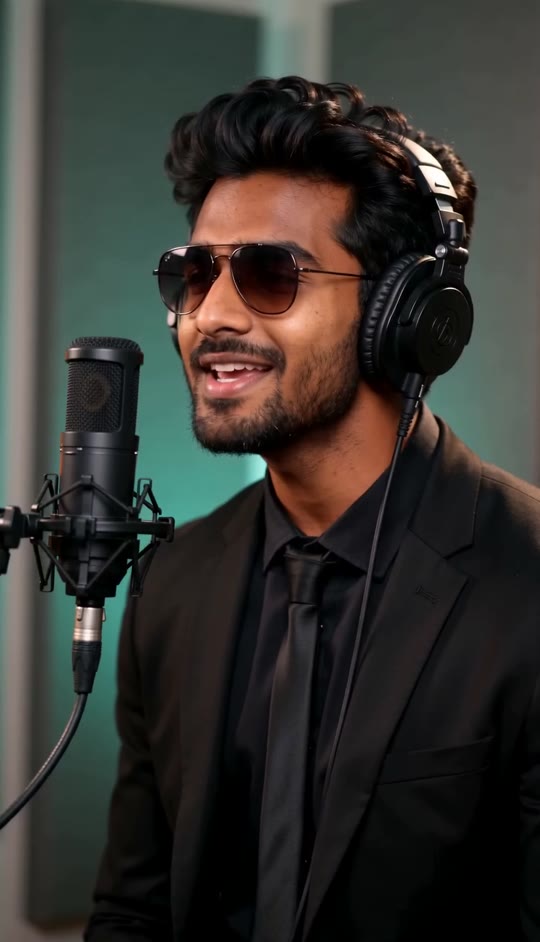
A black suit, tie, sunglasses, over-ear headphones, and a microphone on a stand complete the setup.
Expressive delivery
Small head movements, changing mouth shapes, and a brief smile make the vocal performance feel animated.
EXAMPLES
Two takes, one mic session
See how different portraits become expressive solo performances in the same intimate recording-booth setup.
The close-up take
A solo singer leans toward the microphone, lifting his chin as his delivery builds.
The rhythmic take
A second singer holds the same steady frame, shaping each phrase with subtle head and facial movement.
FAQ
Mic Session AI Rap Video FAQ
What is the Mic Session AI Rap Video trend?+
It is a solo performance format that transforms one portrait into a close-up recording-booth scene with a microphone, headphones, sunglasses, and expressive rap-style delivery.
How do I make a Mic Session video?+
Choose the template, upload one clear portrait, and generate your video. The scene and performance are already built in.
What kind of photo works best?+
Use a sharp, front-facing portrait with the face unobstructed and shoulders in view. Even lighting helps preserve recognizable features.
Do I need to upload a photo wearing headphones or sunglasses?+
No. The template creates the studio styling and accessories while preserving the person's facial features, hair, skin tone, and clothing from the uploaded photo.
Does the video use an original song?+
No. The video uses generated audio rather than an original song.
Can I use a photo of someone else?+
Use a photo only when you have that person's permission to make and share a generated performance video.
Will the singer move around the room?+
No. The performance stays in a steady medium close-up, with subtle head and facial movements near the microphone.
Can I change the scene or performance?+
The template supplies the studio setting, camera framing, styling, and performance sequence. You can start with a different portrait to personalize the result.
What makes the mic-session look recognizable?+
The close microphone, over-ear headphones, sunglasses, dark suit, softly lit booth, and expressive vocal delivery work together to create the signature look.
More ways people search for this trend
Related searches for the solo recording-booth performance format.
One photo. Your mic-session moment.
A studio booth, close microphone, and expressive solo performance come together in one generated video.


