
Turn A Photo Into A Torn-paper Portrait Collage
Transform one photo into a fast-moving magazine-style video: layered portraits, rough paper textures, and vivid color blocks come together in a distressed street-photo look.
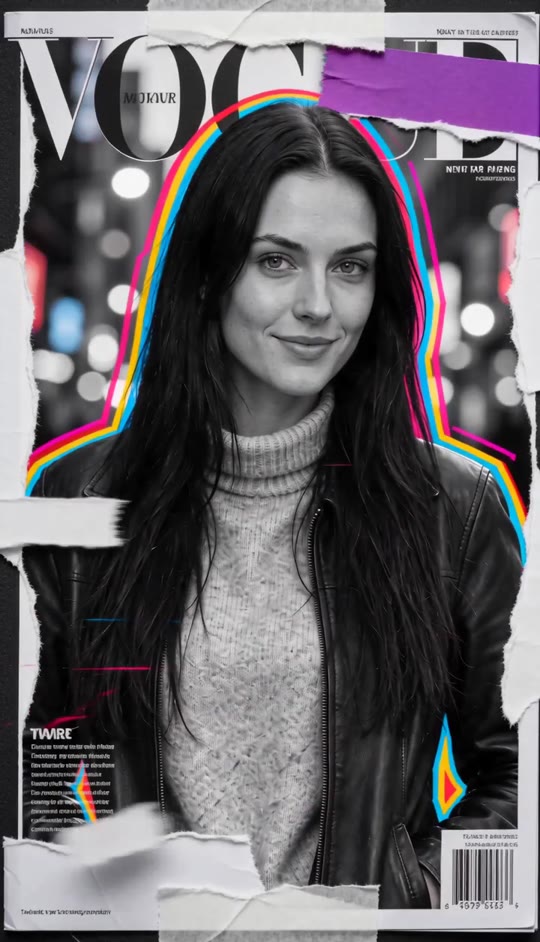
Magazine Template
Upload one clear photo with the person's face visible. A front-facing portrait works best.
THE TREND
What is the Magazine video trend?
The effect turns portraits into a flickering printed collage, layering rough paper fragments and vivid color over a gritty street-photo mood.
Torn-paper portraits
Portraits break into overlapping pieces with rough, ripped edges that stay easy to see.
Photocopied texture
Creases, scratches, tape, and grain give the collage the feel of a heavily handled printed page.
Bold color blocks
High-contrast black-and-white portraits stand out against saturated red, electric blue, and purple.
Fast collage shifts
Photo layers slide, flicker, and reassemble in quick, beat-like changes rather than one continuous scene.
EXAMPLES
Magazine collage examples
See how different portraits take on the same distressed print treatment.
Street-photo collage
A portrait breaks into gritty paper layers with bold color accents and quick shifts.
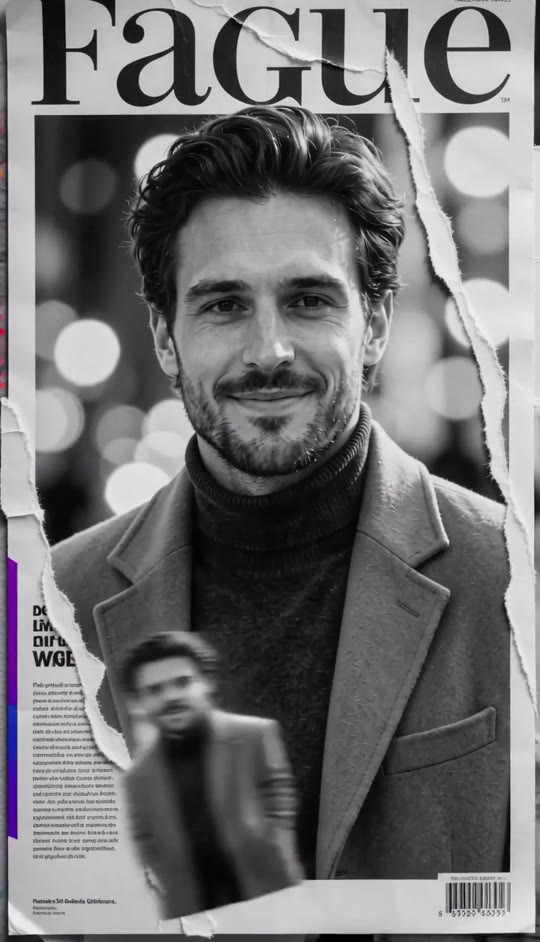
Layered portrait fragments
Repeated photo pieces slide and flicker into a compact, torn-paper composition.
FAQ
Magazine FAQ
What is the Magazine video effect?+
It transforms a photo into a short vertical collage video with torn-paper edges, rough printed textures, high-contrast portraits, and saturated color blocks.
How do I make a Magazine video?+
Upload one clear portrait and generate. The collage look, paper textures, color accents, and shifting composition are built into the template.
What kind of photo works best?+
Choose a sharp, front-facing photo where the face and outfit are easy to see. A simple background helps the portrait fragments remain distinct.
Can I use a photo with more than one person?+
A single-person photo gives the clearest result and keeps the collage focused on one recognizable subject.
Does it preserve my appearance?+
The template is designed to preserve the person's face, hair, skin tone, and clothing while arranging the portrait as layered printed fragments.
Is the result a live-action scene?+
No. The people are presented as photographic collage imagery, with subtle photo movement and shifting paper layers.
Does the video use an original song?+
No. The generated video has generated audio and does not use an original song.
Can I share the video on social media?+
The video is vertical and can be shared on social platforms. Check each platform's current rules before posting.
Can I use someone else's photo?+
Use a photo only when you have the person's permission to make and share a video featuring them.
Other ways people search for this effect
Related search terms for the distressed portrait collage look.
One photo, rebuilt as a magazine collage
Torn edges, vivid color, and shifting portrait layers are already part of the template.


