
Make Your Own Latex Fashion Portrait
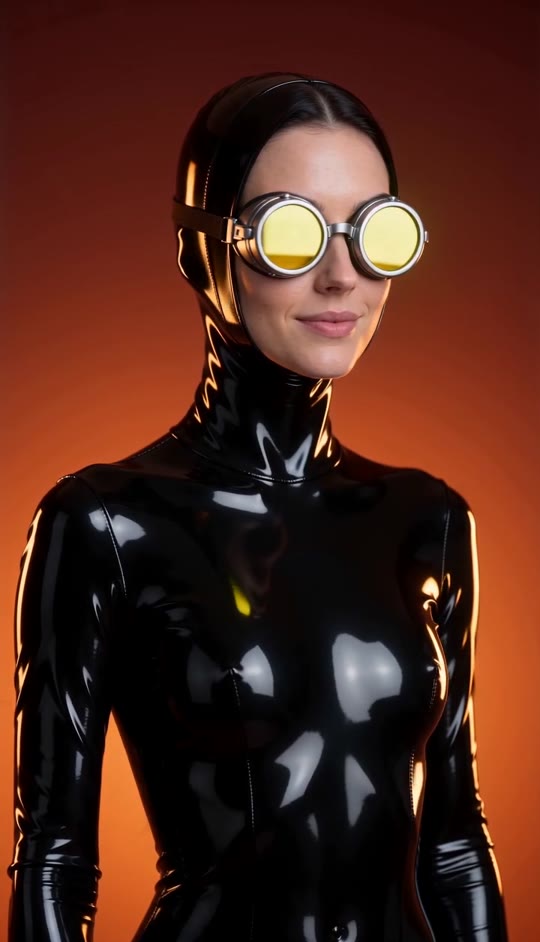
Turn your photo into a dramatic glossy-black portrait. Watch the yellow-reflective goggles catch the light as you turn from camera-facing to a sculptural back view.
Latex Video Template
Upload one clear photo of an adult woman with her face unobstructed. A head-and-shoulders photo works best.
THE TREND
What is the Latex trend?
It is a futuristic fashion-portrait look built around one continuous turn, bold reflections, and a warm studio backdrop.
Glossy black silhouette
A close-fitting black latex hood and bodysuit create the reflective fashion look.
Yellow-reflective goggles
Round metallic goggles catch a flash of yellow light as the face turns toward camera.
One continuous turn
The portrait moves through a frontal view and side profile before settling on the back of the hood.
Warm gradient studio
A seamless dark-red-to-orange background and dramatic backlight keep the focus on the subject.
EXAMPLES
See the Latex look on two people
Both examples use the same studio scene and turn, with a different person in each video.
Dark-haired portrait
A dark-haired subject moves from a yellow-goggled front view to the reflective back-of-hood finish.
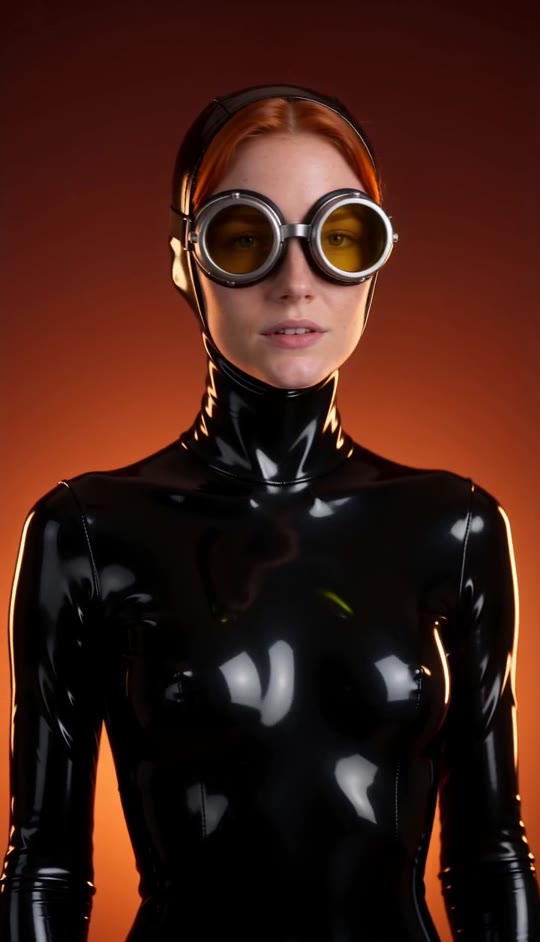
Copper-haired portrait
A second subject shows how the same lighting and slow rotation work with a different face.
FAQ
Latex FAQ
What is the Latex video trend?+
It is a stylized fashion portrait featuring a glossy black hood and bodysuit, round yellow-reflective goggles, a warm red-to-orange background, and a continuous turn from a front view to a back view.
How do I make a Latex video?+
Upload one clear photo of an adult woman and generate. The studio look, goggles, turn, and audio are built into the template.
How many photos do I need?+
Just one photo of the person who will appear in the video.
What kind of photo works best?+
Choose a well-lit photo with an unobstructed face and visible head and shoulders. Avoid heavy filters or objects covering the face.
Does the video keep my face?+
The template directs the video to preserve the face, hairstyle, and skin tone from the uploaded photo while adding the glossy hood, bodysuit, and goggles.
Does the person dance or pose?+
No. The action is a single slow turn through a frontal view and side profile to a held back view.
Does the camera move?+
No. The camera stays fixed in a medium close-up while the person turns.
Will my original outfit show?+
The original clothing stays beneath the generated bodysuit, so the visible fashion look is glossy black latex.
Does the video include music?+
The video includes generated audio with a subtle electronic pulse, not an original song.
Other names for the Latex effect
You may also see searches for this glossy fashion-portrait look under these names.
Your photo, reimagined in glossy black.
Upload one portrait and let the light, goggles, and continuous turn create the look.


