
One Portrait, Three Striking Moments
Give your photo an editorial collage look with three side-by-side portraits and luminous plastic-wrap texture.

THE TREND
What is the plastic-wrap collage look?
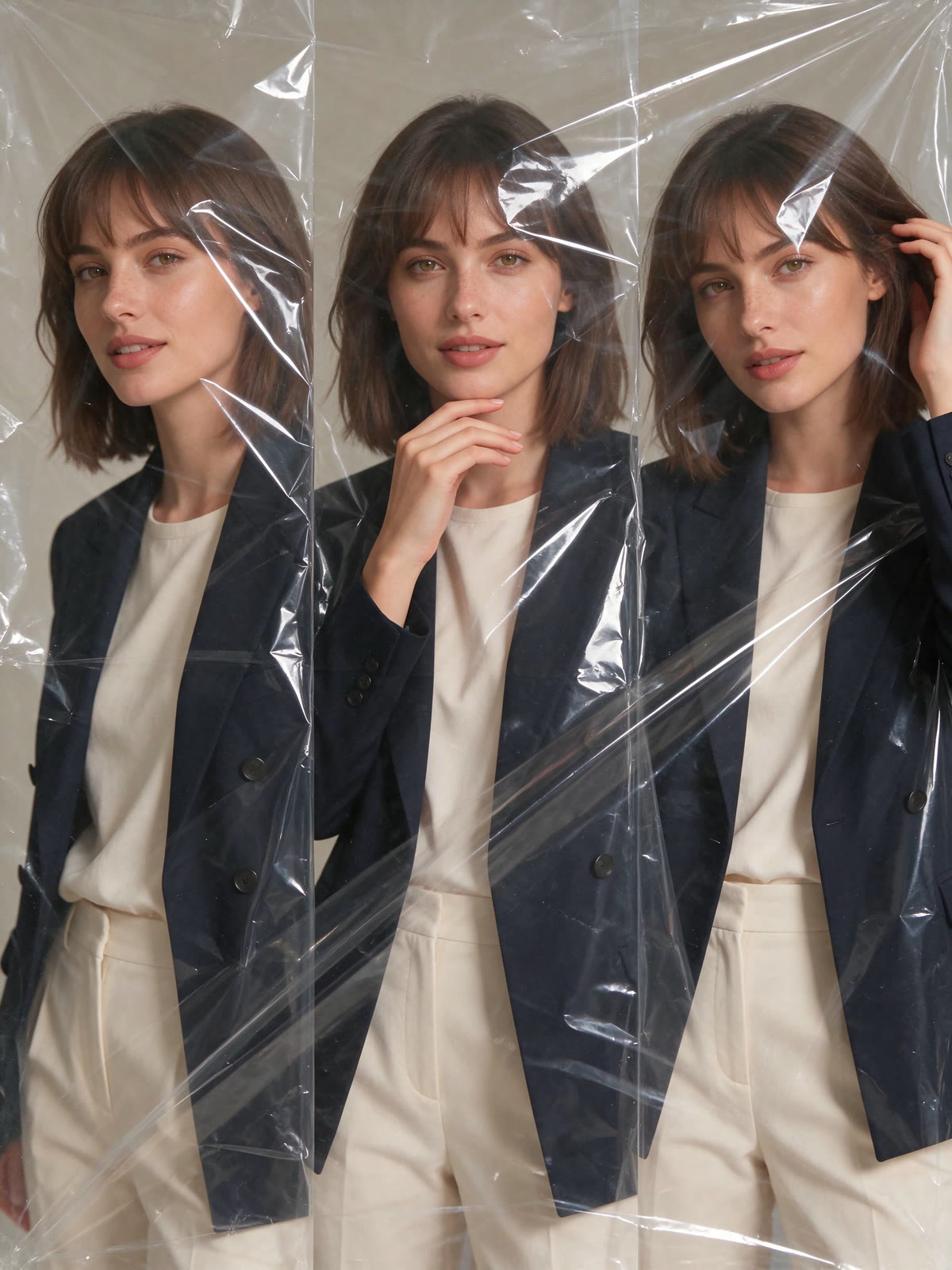
It repeats one person across three adjacent portraits and layers glossy, crinkled plastic wrap over the composition. The panels run horizontally within a portrait-oriented still image.
Three Views, One Person
Three neighboring panels show subtle variations in pose while keeping the same face and outfit.
Visible Plastic Texture
Transparent folds and reflections create the wrapped, tactile look without covering the face.
Portrait-First Layout
The three panels sit side by side on a canvas that is taller than it is wide.
Editorial Finish
Soft studio light and a simple backdrop keep attention on the portraits and glossy texture.
FAQ
Horizontal Plastic-Wrap Collage FAQ
How many photos do I need?+
Upload one photo. The template uses that person throughout all three panels.
Will the finished image be wide?+
No. The three portraits sit side by side inside a portrait-oriented image.
Is the plastic wrap easy to see?+
The edit emphasizes transparent folds, crinkles, and glossy highlights while keeping the face visible.
Will I look like myself in every panel?+
The edit is instructed to preserve your facial features and identity across all three portraits.
What photo works best?+
Choose a clear, well-lit chest-up portrait with an unobstructed face and visible clothing.
Does this create a video?+
No. It creates one edited still image, not an animation or a sequence of files.
Other names for this look
You may also see this style described by its three-panel layout or glossy film texture.
Give your portrait a wrapped editorial look
Upload one photo to create a three-panel collage on a portrait canvas.


