
Free Hand Pinch Filter Video Generator
Turn one photo into a playful vertical video where a giant hand pinches the corner of your mouth, stretches your cheek, then leaves you laughing in surprise.
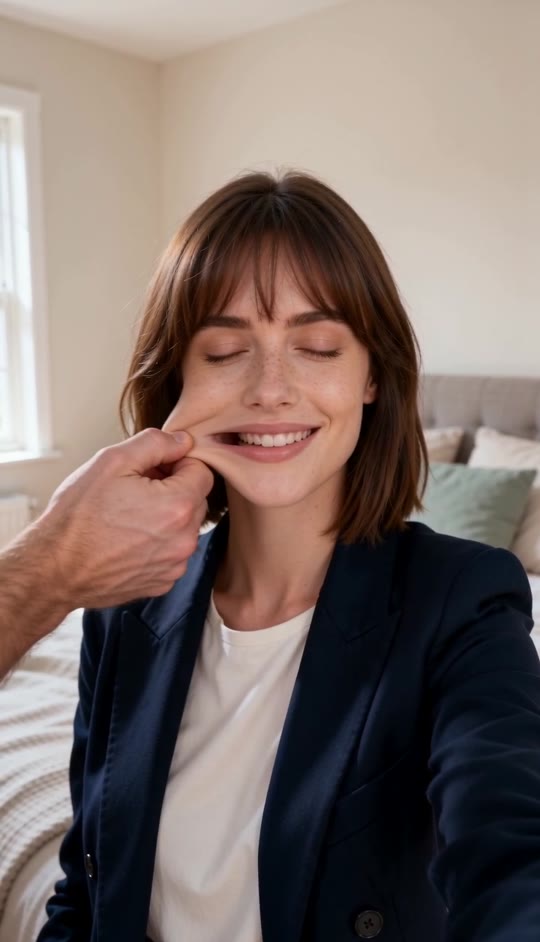
Hand Pinch Filter Template
Upload one clear, front-facing chest-up photo with the face and upper torso visible. The template supplies the bedroom, hand interaction, elastic stretch, and reaction.
THE TREND
What is the Hand Pinch Filter trend?
The Hand Pinch Filter turns a familiar selfie into a surreal comedy moment: an oversized hand pinches one mouth corner, pulls it into a rubbery ribbon, and vanishes before the face snaps back.
One-photo selfie setup
Your uploaded portrait becomes the centered subject in a bright, natural bedroom with soft window light.
Oversized hand entrance
A separate hand enters from the left and pinches one mouth corner with a clear, readable gesture.
Elastic mouth stretch
Only the lips and lower cheek elongate dramatically while the eyes and upper face stay recognizable.
Instant reaction payoff
The stretch disappears, followed by wide-eyed surprise, a hand-to-cheek pose, and a happy smile.
EXAMPLES
Two ways to try the Hand Pinch Filter
See how different faces carry the same playful bedroom setup and exaggerated mouth-stretch reaction.
Soft bedroom surprise
A warm, gentle portrait turns into an expressive cheek-pull reaction with a bright open-mouth smile.
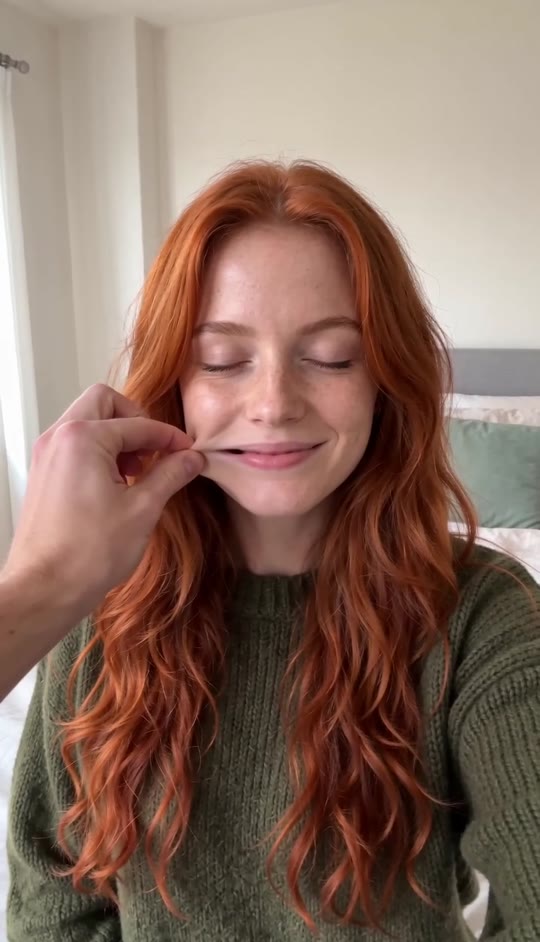
Confident selfie twist
A composed portrait gets the same sudden pinch, elastic stretch, and delighted return to camera.
FAQ
Hand Pinch Filter FAQ
What is the Hand Pinch Filter?+
It is a short vertical effect in which a large hand pinches one corner of a person’s mouth, stretches the lower cheek in an exaggerated elastic shape, then releases it for a surprised reaction.
How do I make a Hand Pinch Filter video?+
Upload one clear chest-up photo and generate. The scene, incoming hand, mouth stretch, camera movement, and reaction are already built into the template.
What kind of photo works best?+
Use a front-facing portrait with a clearly visible face, upper torso, and both cheeks. Even lighting and a simple background help the effect stay clean.
Does the hand pinch both cheeks?+
No. The effect uses one hand from screen left to pinch and pull one mouth corner, then the person places their own palm against the opposite cheek during the reaction.
Will my face and clothes stay recognizable?+
The template is designed to preserve the person’s face, hair, skin tone, clothing, and identity while applying the localized mouth-and-cheek effect.
Does the video include audio?+
The generated clip can include generated audio, but it does not use an original song.
Can I use a photo of a man?+
Yes. The effect is built around the face and reaction, so it can work with any clear portrait that leaves the mouth and cheeks visible.
Why does the prompt mention a bedroom?+
The bright bedroom, window light, pale bedding, and plant create the stable selfie setting that makes the hand and elastic stretch feel like one continuous shot.
Can I add my own text to the video?+
You can add text later in your preferred editing or posting workflow. The generated template focuses on the hand interaction and does not rely on captions.
Hand Pinch Filter search terms
People may describe this effect in several ways when looking for the same playful mouth-stretch video.
One photo. One impossible pinch.
The hand, elastic stretch, and surprised reaction are built in.


