
Make Your Floating Fall Video
Turn one photo into a cinematic sidewalk moment where a backward fall sends glasses, a flip phone and a coffee cup floating toward the camera.
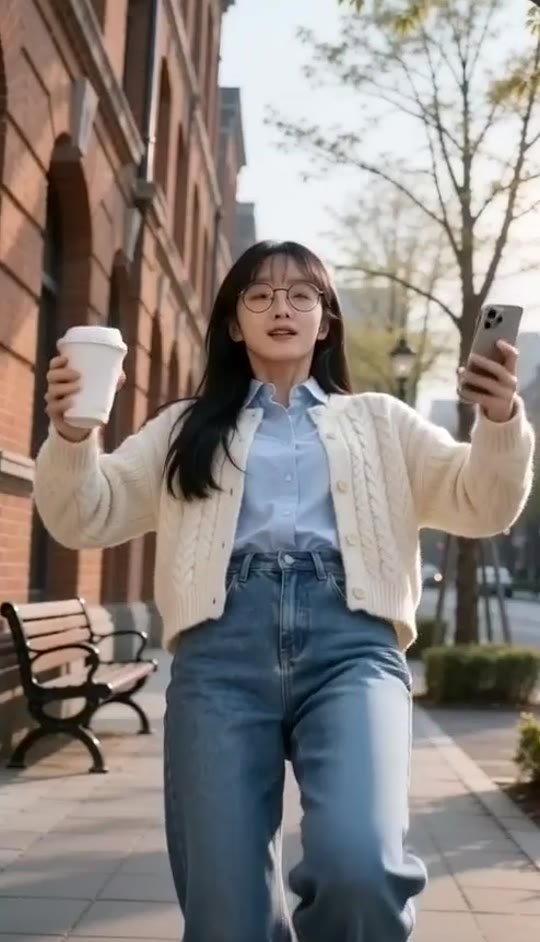
Floating Fall Template
Upload one clear photo of the person you want to feature. A front-facing full-body or three-quarter image with visible hair and clothing works best.
THE TREND
What is the Floating Fall trend?
Floating Fall turns an ordinary walk into a polished slow-motion visual effect, with familiar personal items becoming the stars of the shot.
A sudden backward fall
The subject walks toward the camera, then loses balance with both arms spread and one foot lifted.
Objects fly toward the lens
The open flip phone, round glasses and coffee cup leave the subject in a precise sequence.
Cinematic focus pulls
Each airborne object gets its own crisp close-up while the falling subject stays softly blurred behind it.
A grounded final frame
The action ends at sidewalk level with the subject down and the scattered objects settling in front of the camera.
EXAMPLES
See the Floating Fall effect in action
Two different looks show how the same built-in sequence adapts to different faces, hair and outfits.
Striped Sweater Sidewalk Fall
A warm street-style portrait becomes a playful brick-sidewalk fall with a coffee cup, open phone and floating glasses.
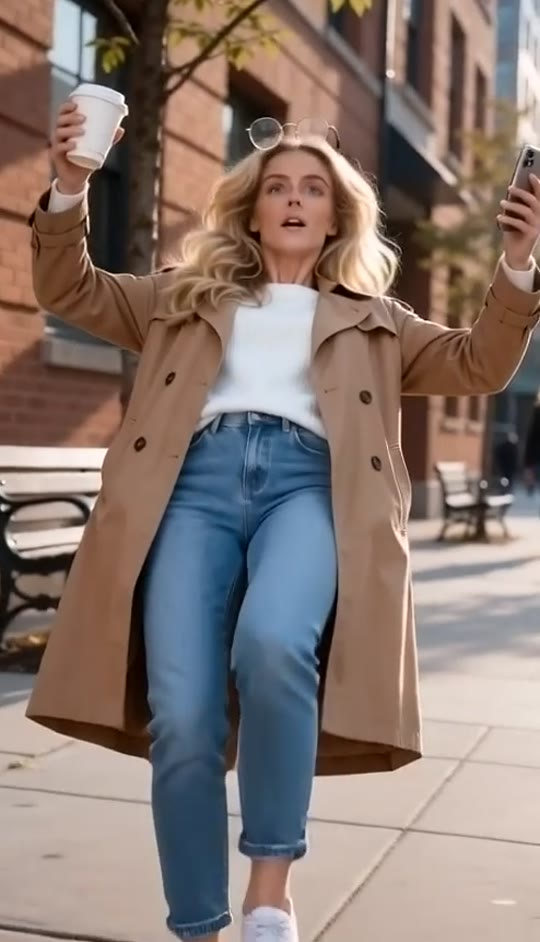
Autumn Coat Floating Fall
A polished outdoor portrait gets the full slow-motion treatment, from the first step to the ground-level landing.
FAQ
Floating Fall FAQ
What is the Floating Fall video trend?+
It is a cinematic visual effect where a person walks toward the camera, falls backward in slow motion, and sends personal objects floating into close-up view one after another.
How do I make a Floating Fall video?+
Upload one clear photo, choose the Floating Fall template and generate. The sidewalk, camera movement, fall, object sequence and final landing are already built in.
What objects appear in the video?+
The template uses an open flip phone, round glasses and a takeaway coffee cup, followed by suspended coffee droplets around the cup.
Do I need to hold those objects in my photo?+
No. The template creates the walking action and props from the single uploaded photo, so your reference image only needs to show the person clearly.
What kind of photo works best?+
Use a sharp front-facing full-body or three-quarter photo with visible hair, face and clothing. Natural streetwear and a relaxed expression usually produce the most convincing result.
Does the video include audio?+
Yes. The generated clip includes its own audio treatment. It does not use an original song.
Can I use a photo of someone else?+
Use photos only when you have permission from the person shown. The template is designed to transform an uploaded portrait into a short video.
Why are the flying objects sometimes soft?+
The effect relies on shallow depth of field and rapid focus changes. A clear reference photo and simple clothing help preserve the intended subject detail.
Can I change the sidewalk scene?+
The template is designed around the brick-lined sidewalk, warm daylight and ground-level landing, so keeping the built-in setting produces the recognizable Floating Fall look.
Floating Fall search terms
People may describe this effect in several ways, but they are looking for the same cinematic backward-fall sequence.
One photo. A whole fall in midair.
The sidewalk, slow motion and flying-object sequence are ready to generate.


