
Make Your Own Cold Vision Video
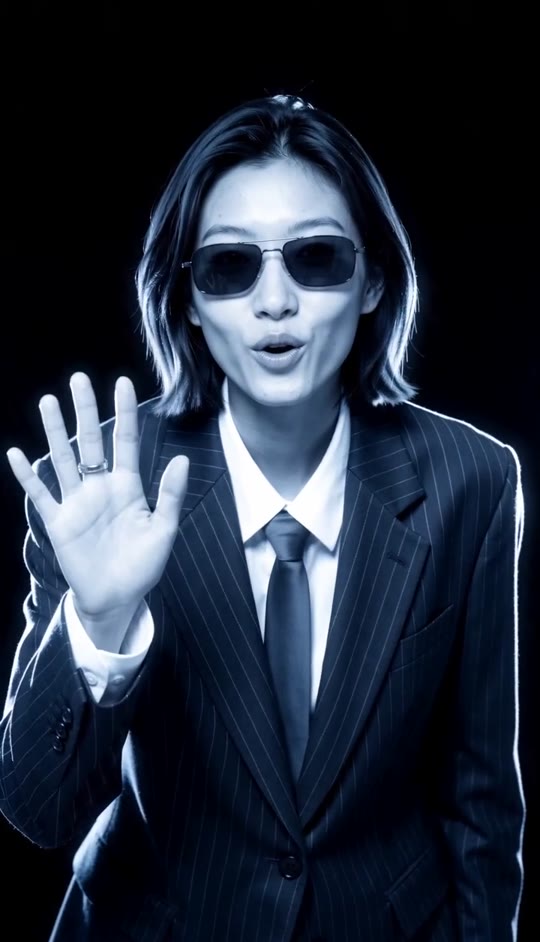
Put your photo into a stark, glowing portrait that cuts from a raised-hand gesture to an intense close-up of overlapping hands, then snaps back to your face.
Cold Vision Template
Upload one clear, front-facing photo. A pinstripe suit, shirt, and tie give the closest match to this look.
THE TREND
What is the Cold Vision trend?
Cold Vision turns a straightforward portrait into a stark performance clip built around one sudden change in framing.
Inverted neon portrait
Blue-white highlights trace the face and suit against deep black shadows.
Raised-hand opener
The person leans toward the camera and lifts an open hand beside their face.
Hands take the frame
An abrupt downward cut becomes an extreme close-up of one hand resting over the other.
Black-band flickers
Brief horizontal interruptions punctuate the cuts before the face returns.
EXAMPLES
See Cold Vision With Different People
The same framing and hand sequence give each uploaded portrait a distinct presence.
Tailored, understated portrait
A composed expression and dark blazer put the glowing face and abrupt hand close-up in focus.
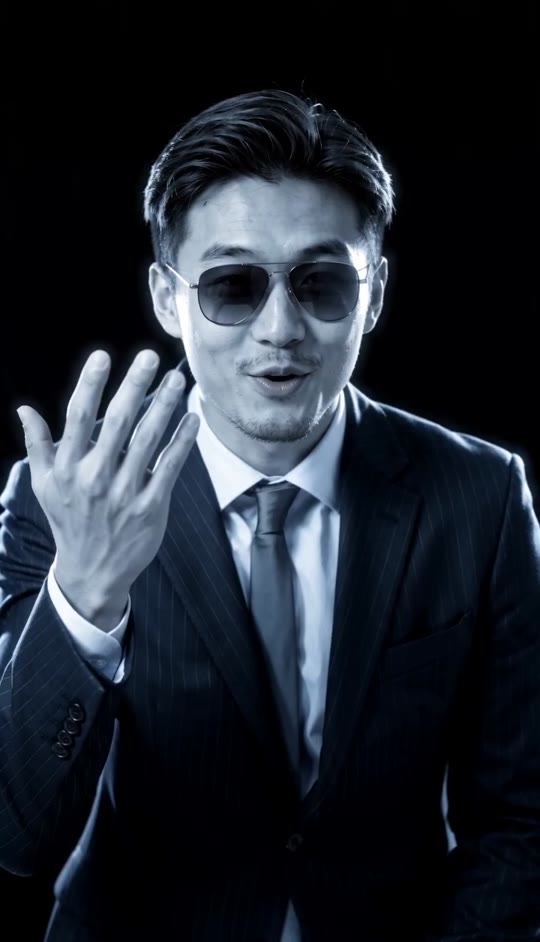
Confident suited portrait
A formal jacket gives the frontal shots a crisp silhouette against the black background.
FAQ
Cold Vision FAQ
What is the Cold Vision trend?+
It is a short portrait-video format with blue-white inverted lighting, a raised open hand, a sudden close-up of overlapping hands, and brief black-band flickers.
How do I make a Cold Vision video?+
Upload one clear portrait and generate. The template sets the backdrop, camera cuts, gestures, visual treatment, and audio.
How many photos do I need?+
One photo of one person.
What photo works best?+
Choose a front-facing portrait with a clear face and visible upper body. A dark pinstripe suit, white shirt, and tie are the closest wardrobe match.
Will the video keep my face and hair?+
The template directs the video to preserve the face and hairstyle in your uploaded photo while changing the lighting and adding motion.
What happens in the hand close-up?+
The camera cuts below the chest and pushes toward the hands as the right hand settles across the back of the left, with small finger movements.
Is the hand gesture a heart?+
No. The opening gesture is an open palm beside the face; the later close-up shows two overlapping hands.
Does the template add sound?+
Yes. It calls for an original electronic pulse timed to the cuts, not an existing song.
Can I use a casual outfit?+
You can, but the prompt preserves the uploaded clothing. For the closest match to the suited look, upload a photo already showing a pinstripe suit and tie.
Other Ways to Search for Cold Vision
These phrases describe the same inverted-light portrait and its signature cuts.
Your portrait, seen in Cold Vision.
Upload a photo; the lighting, gestures, cuts, and generated audio are built in.


