
Cinematic Duotone Studio Portrait
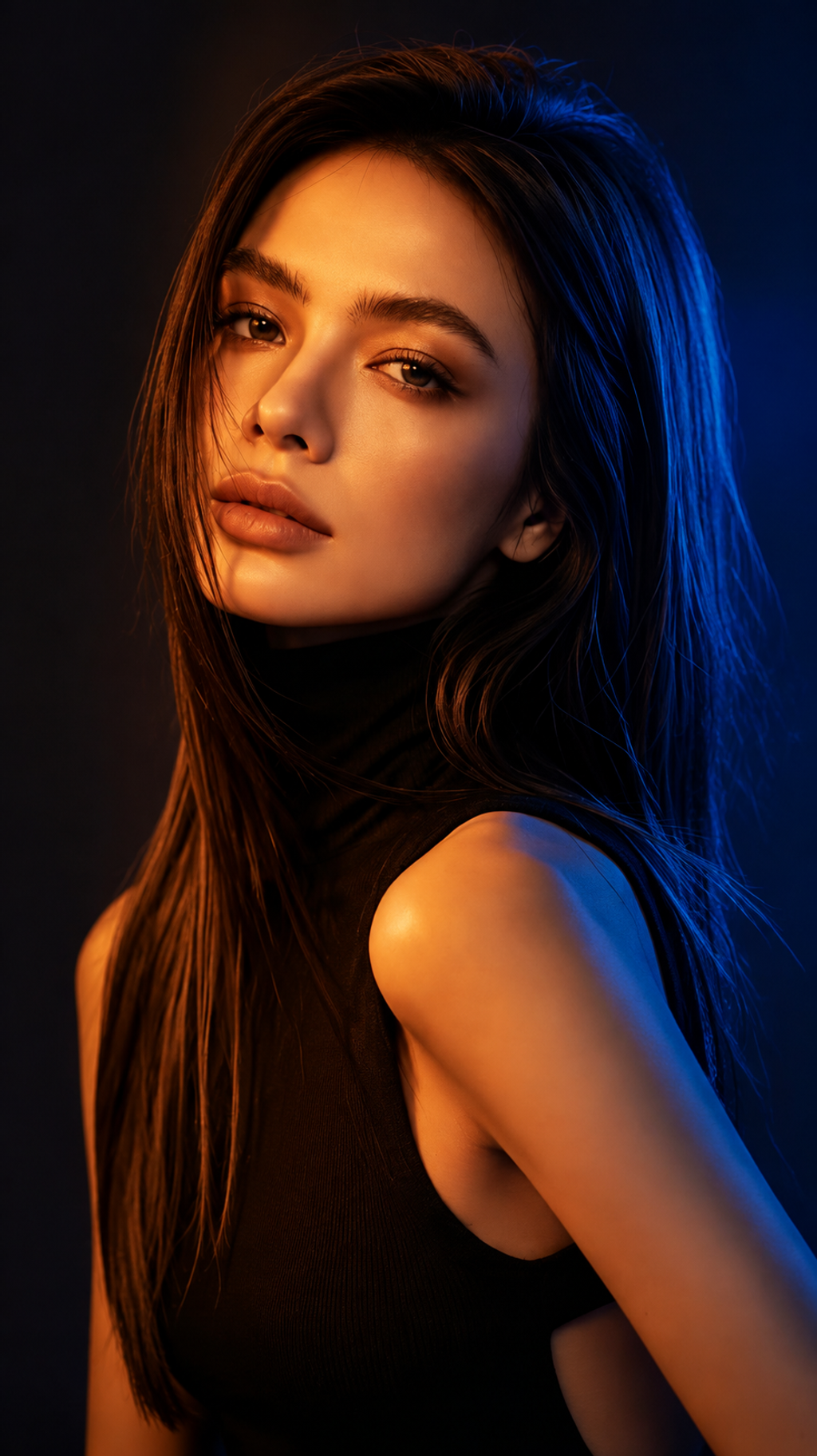
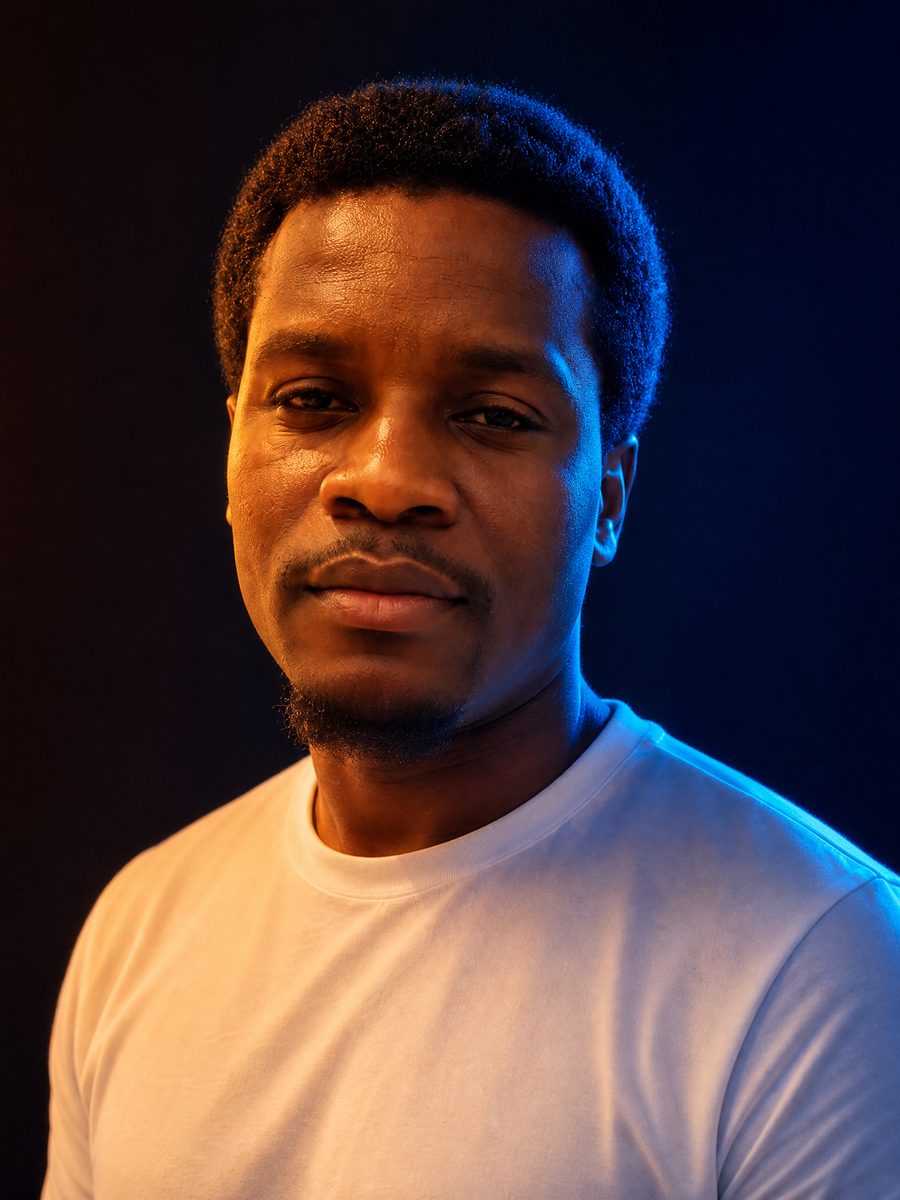
A duotone effect done with studio light instead of a color overlay: a warm orange key from one side on the face, a cold blue rim from the other on hair, cheek and shoulder, and a background dropped to near black. Face, hair and outfit stay as uploaded. Upload one photo, pick a ratio; samples here are 9:16.
Cinematic Duotone Studio Portrait Template
Upload one head-and-shoulders or half-body photo with the face clearly lit and unobstructed; a plain background is easiest to replace with the dark studio.
WHAT IT IS
A duotone portrait made with light, not a gradient map
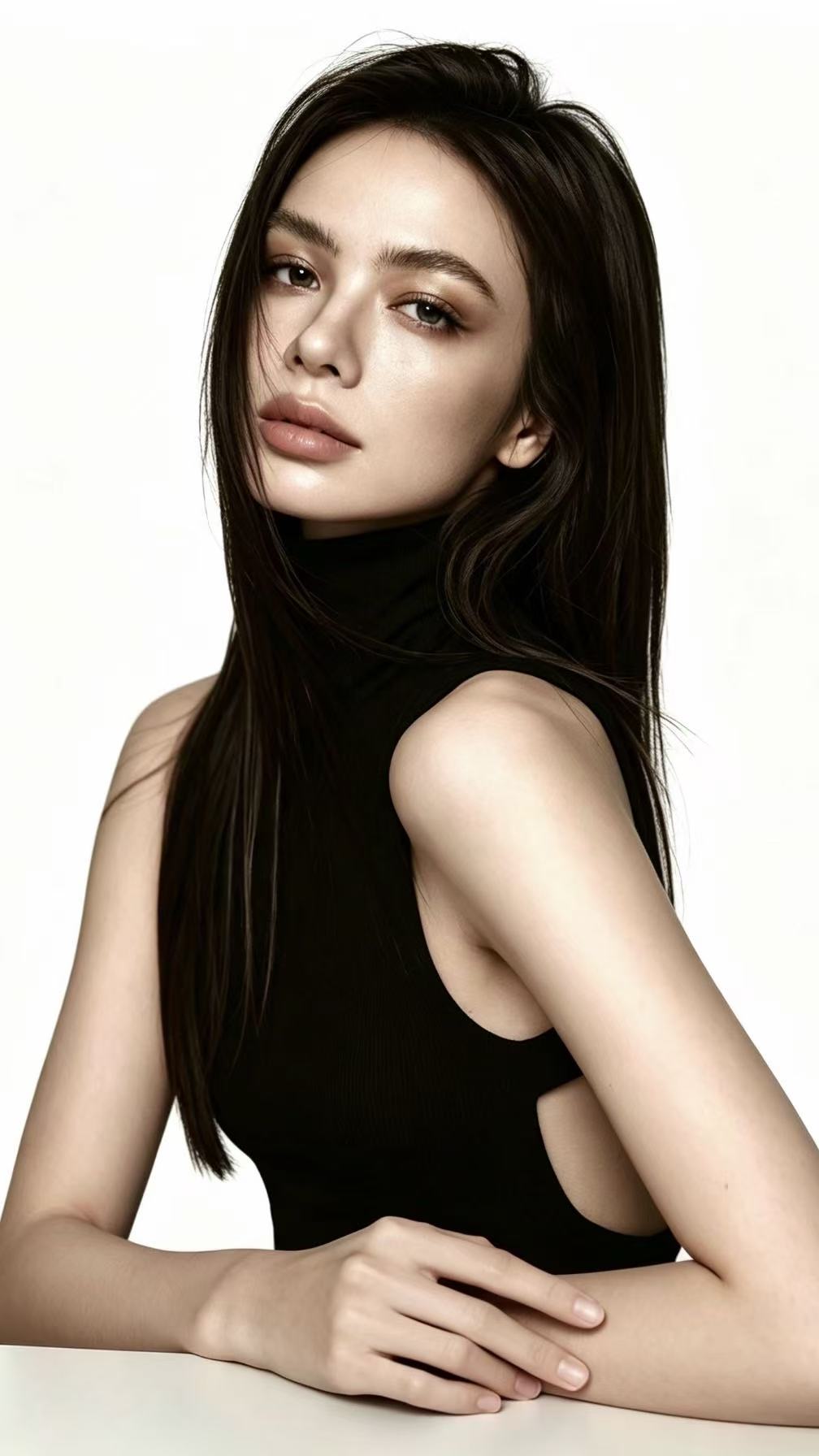
Cinematic Duotone Studio Portrait is a duotone effect template that relights one uploaded portrait with two colored studio lights and a black background. The engine keeps the person intact: identity, age, skin tone, hairstyle and clothing come through as shot, and the pose is held where the framing allows. What changes is the light. A warm orange key sits to one side at roughly 45 degrees, modeling the cheekbone, nose and lips. A saturated blue rim comes from behind on the opposite side, catching flyaway hair, the edge of the jaw and the top of the shoulder. The gap between the two colors falls into shadow, and the backdrop goes to a deep blue-black so nothing competes with the face. The result is the orange-and-blue split you see on streaming key art and album covers, as one image at the ratio you pick. The samples on this page were rendered at 9:16; in the workbench you choose from 16:9, 9:16, 1:1, 4:3 or 3:4 before generating.
- Orange key, blue rim
- Two light sources, two colors. The orange key from the front-side shapes the face; the blue rim from behind separates hair and shoulder from the black. The split line between them runs down the cheek.
- Background to black
- Whatever was behind you, a white wall, a window, a bookshelf, is replaced with a near-black studio backdrop and a faint blue gradient on the rim side, so the two-color light reads at full contrast.
- Skin tone preserved
- The orange light warms the lit side, but the underlying skin tone, face shape, age and hairstyle stay locked to the upload. Dark clothing goes deeper black; light clothing picks up both colors.
- Half-body crop
- Output frames head to mid-torso at the ratio you pick, with the face in the upper third, which is where the orange key lands. Tighter or wider uploads are reframed to that crop.
USE CASES
Where a two-color relight beats a flat filter
Cover art, thumbnails and team pages all need a face that holds up small and dark.
Single or EP cover art
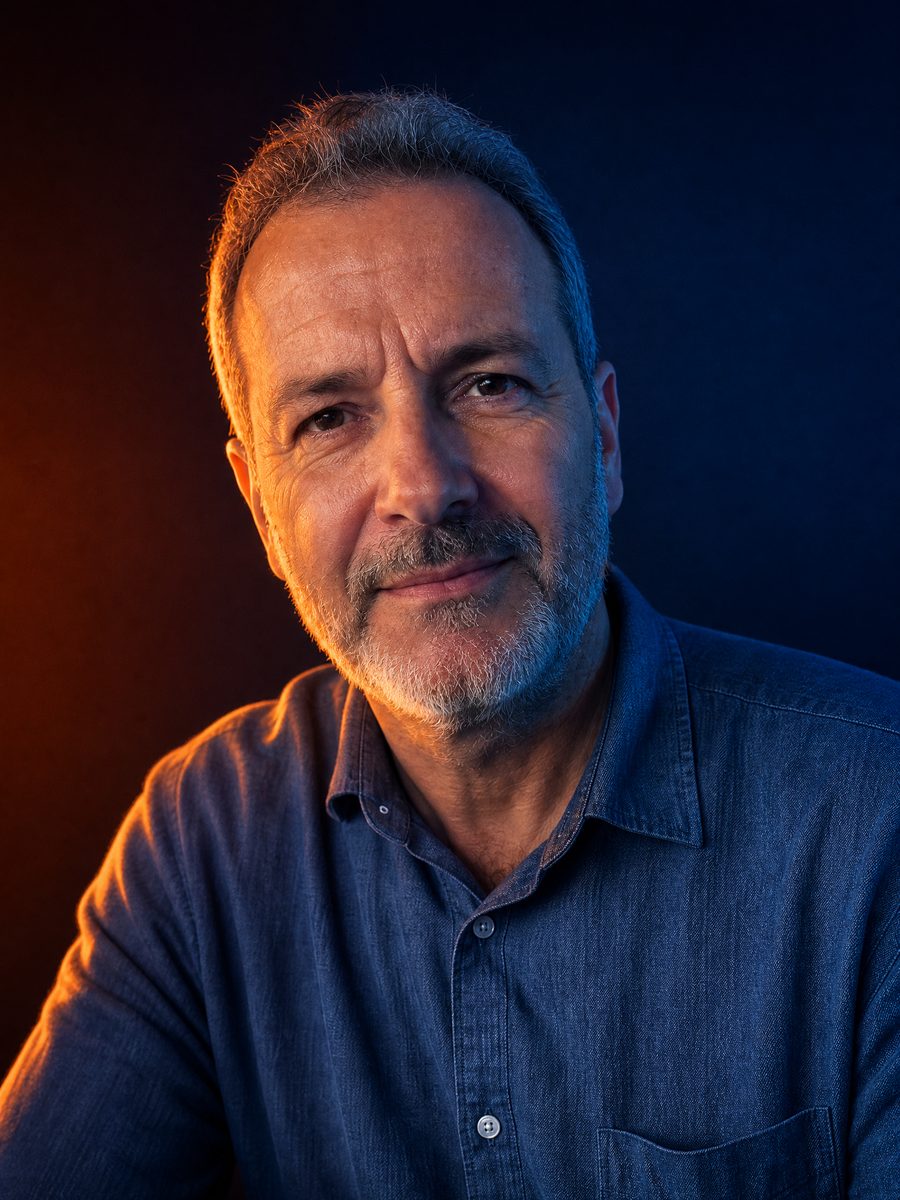
A singer has a plain-wall phone portrait and a release in two weeks. The template returns a duotone portrait with orange across the face and blue in the hair against black, which she generates at 1:1 for streaming cover art and at 9:16 for the announcement Story.
Thriller-style thumbnail
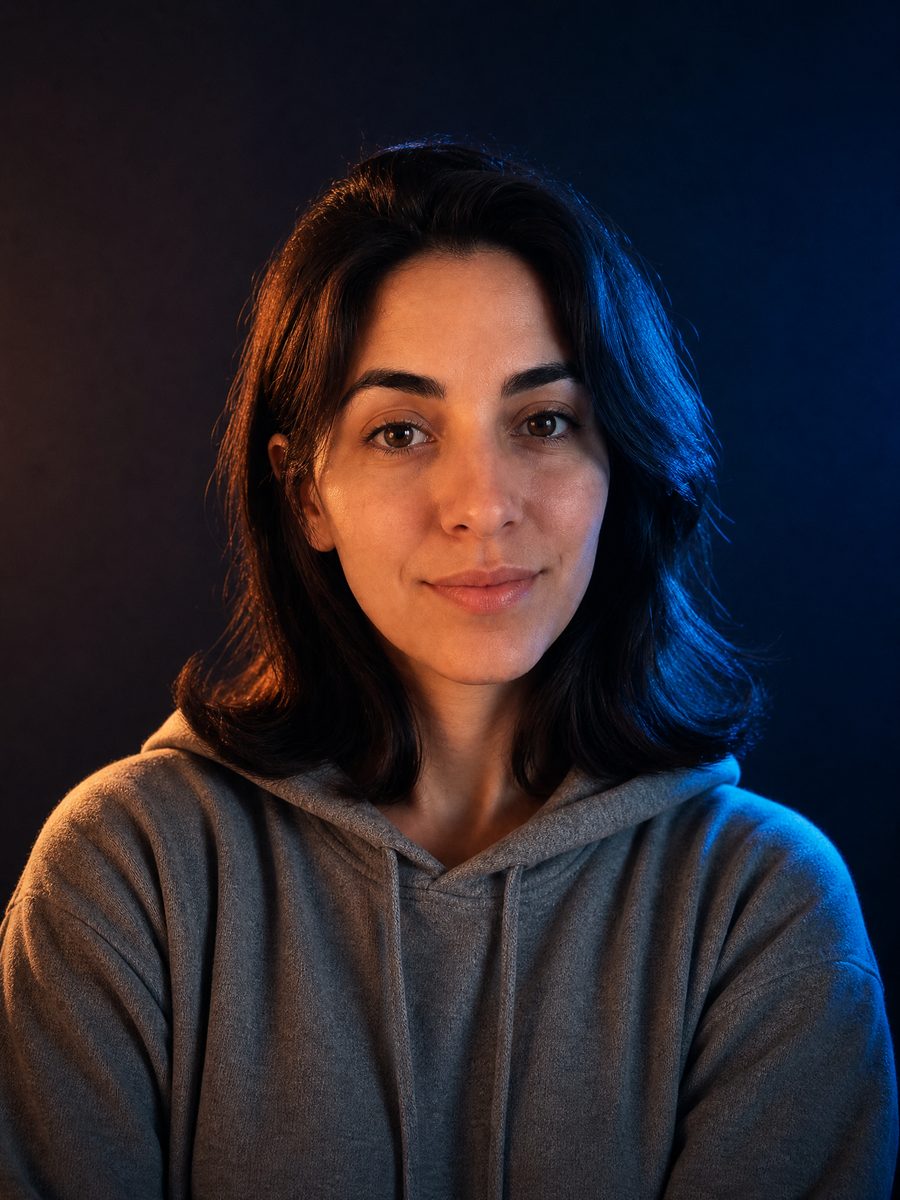
A YouTube filmmaker needs a thumbnail face that reads at 200 pixels wide. Orange key on the eyes and a blue rim on the jaw give the contrast a compressed thumbnail keeps, and the black backdrop leaves room for title text on either side.
Agency headshots with attitude
A creative agency wants team headshots that do not look like a job board. Each person uploads one front-lit office photo, and the set comes back with the same orange-and-blue split on the same black backdrop, consistent enough to line up on the about page.
FAQ
Common questions
What is a duotone effect?+
A duotone effect renders an image in two colors instead of full color: originally a dark ink plus a tinted ink in print, now usually a two-color gradient map in editing apps. The LazyKiwi Cinematic Duotone Studio Portrait gets the two-color look with light instead: an orange key and a blue rim.
What size and crop is the result?+
The Cinematic Duotone Studio Portrait returns one still image at the ratio you pick in the workbench (16:9, 9:16, 1:1, 4:3 or 3:4, default 1:1), cropped head to mid-torso with the face in the upper third. The sample above was rendered at 9:16, which posts directly as a Story or Reel cover; generate at 1:1 for cover art.
What photo works best for the duotone portrait?+
A head-and-shoulders or half-body photo with the face evenly lit, sharp and free of sunglasses gives the duotone portrait the best base. Long hair helps because the blue rim has more edges to catch. Hard existing shadows or colored light already on the face can conflict with the new orange key and leave odd patches.
Duotone effect vs a two-color gradient map in a photo editor: what is the difference?+
A gradient map replaces every tone in the picture with a point on a two-color ramp, so skin, wall and shirt all become shades of the same two colors and the photo goes flat. This template keeps real skin, real fabric and real depth, and puts the two colors into the lighting: highlights orange, edges blue, midtones natural.
Where do people use a duotone photo like this?+
A duotone photo with a black background and a strong face is common as music cover art at 1:1, as a YouTube thumbnail with title text set into the dark side, and as an Instagram Story or Reel cover at 9:16. Podcast hosts also use the look for episode art.
Is this an ai studio portrait or a filter?+
The Cinematic Duotone Studio Portrait is an ai studio portrait: the engine rebuilds the lighting and background rather than tinting existing pixels. A filter cannot add a rim light where none existed or turn a white wall black without haloing. This template does both with identity, age, skin tone and hairstyle unchanged.
Other names for Cinematic Duotone Studio Portrait
The look goes by more names than the template does. Duotone effect, duotone photo effect and duotone image are the editing-app terms; duo tone, duotones and the misspellings duotine and dutone show up in search too. Duotone portrait and ai studio portrait describe this use on a person. Photographers call the same setup split lighting with gels, orange and teal, or a two-color rim light.
Relight your portrait in orange and blue
Upload one photo, get a two-light studio portrait. Free credits come with signup.


