
Make Your Own Blue Depth Portrait
Step into a dreamlike underwater scene where silver fish drift past as you turn toward the camera. Your face, hair, and outfit stay yours.
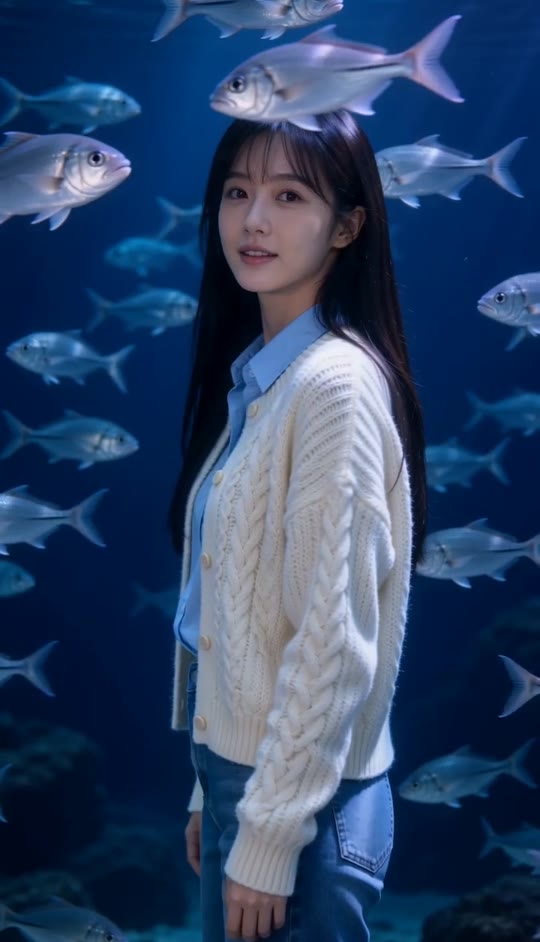
Blue Depth Template
Upload one clear photo of yourself. A waist-up portrait works best; for the closest look, wear a sleeveless blue-and-white striped top and have long, straight pale hair with blunt bangs.
THE TREND
What is the Blue Depth trend?
Blue Depth turns a still portrait into a quiet underwater moment, with the person holding steady while fish move through the frame.
A slow turn
The portrait opens in left-facing profile, then turns into a direct look at the camera.
Fish at every depth
Silver fish move behind the subject and across the foreground, sometimes passing in front of the shoulders and top.
Deep blue light
A dark aquarium-like backdrop and cool blue-violet highlights create the dreamlike look.
One continuous portrait
An eye-level, waist-up shot stays nearly still, with only a subtle push-in.
EXAMPLES
See Blue Depth with Different Portraits
Both examples use the same turn, moving fish, and blue-lit setting while preserving each person's appearance.
Soft Bangs, Deep Blue
A portrait with long hair and bangs takes on the underwater lighting as fish pass between the subject and camera.
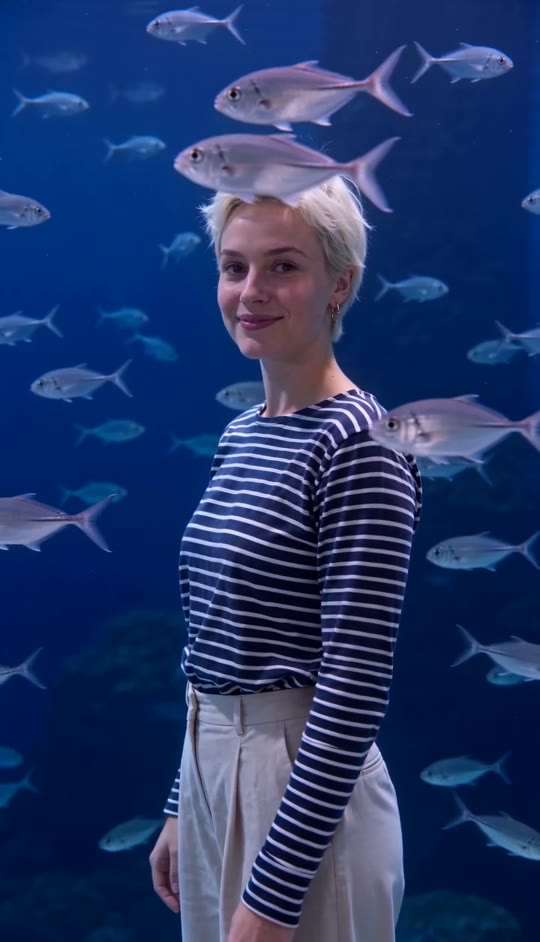
Striped Top, Silver Fish
A striped outfit stands out against the dark water while the subject turns and holds the camera's gaze.
FAQ
Blue Depth FAQ
What is the Blue Depth trend?+
It is a cinematic portrait format: one person slowly turns from profile to face the camera while silver fish swim through a dark, blue-lit scene.
How do I make a Blue Depth video?+
Upload one clear photo and generate the video. The template provides the underwater setting, fish movement, camera framing, and turn.
Will it keep my face?+
The prompt directs the video to preserve the face, hairstyle, skin tone, and clothing in your uploaded photo.
Will it give me pale hair and a striped top?+
No. It keeps the hair and outfit in your photo. To match that part of the look, upload a photo that already has them.
Do I need an underwater photo?+
No. Upload a clear portrait; the dark aquarium-like setting and swimming fish are part of the generated scene.
What happens in the video?+
The subject begins in left-facing profile, turns toward the camera, and holds a steady gaze as fish pass in front and behind.
Does the camera move?+
It stays nearly still at eye level, with a subtle push-in rather than a dramatic camera move.
Does the video have sound?+
Yes. It includes generated underwater ambience, not an original song.
Can I use someone else's photo?+
Use a photo only when you have permission from the person pictured.
Other Ways to Find the Blue Depth Look
These searches describe the same blue-lit portrait and drifting-fish effect.
Your Portrait, Beneath the Blue
Upload a photo and let the fish drift into frame.


