
Double Chin Remover: a cleaner jawline in one click
Upload a portrait and get a natural, more defined jawline, while your face, smile and everything else stay exactly as they were.
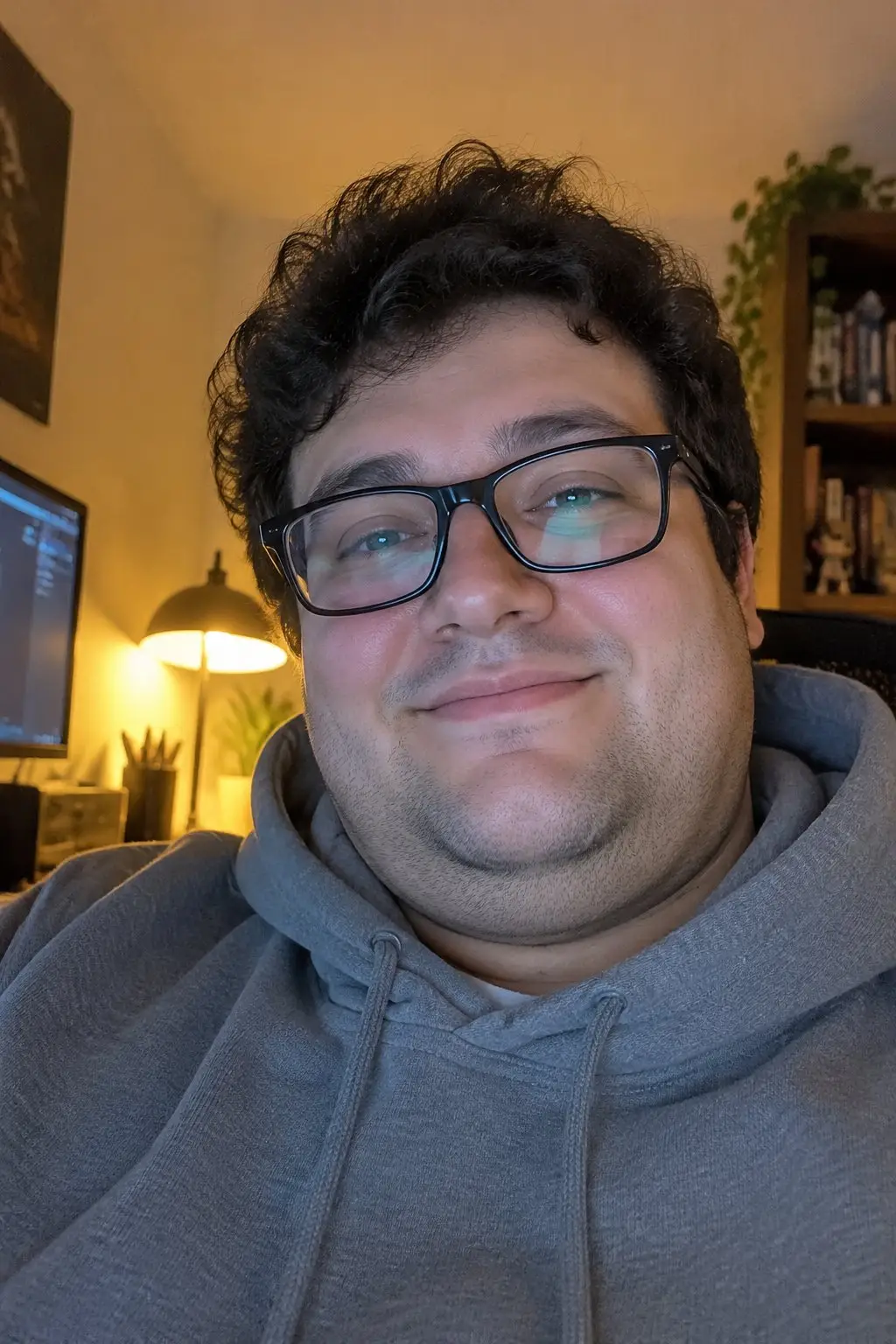
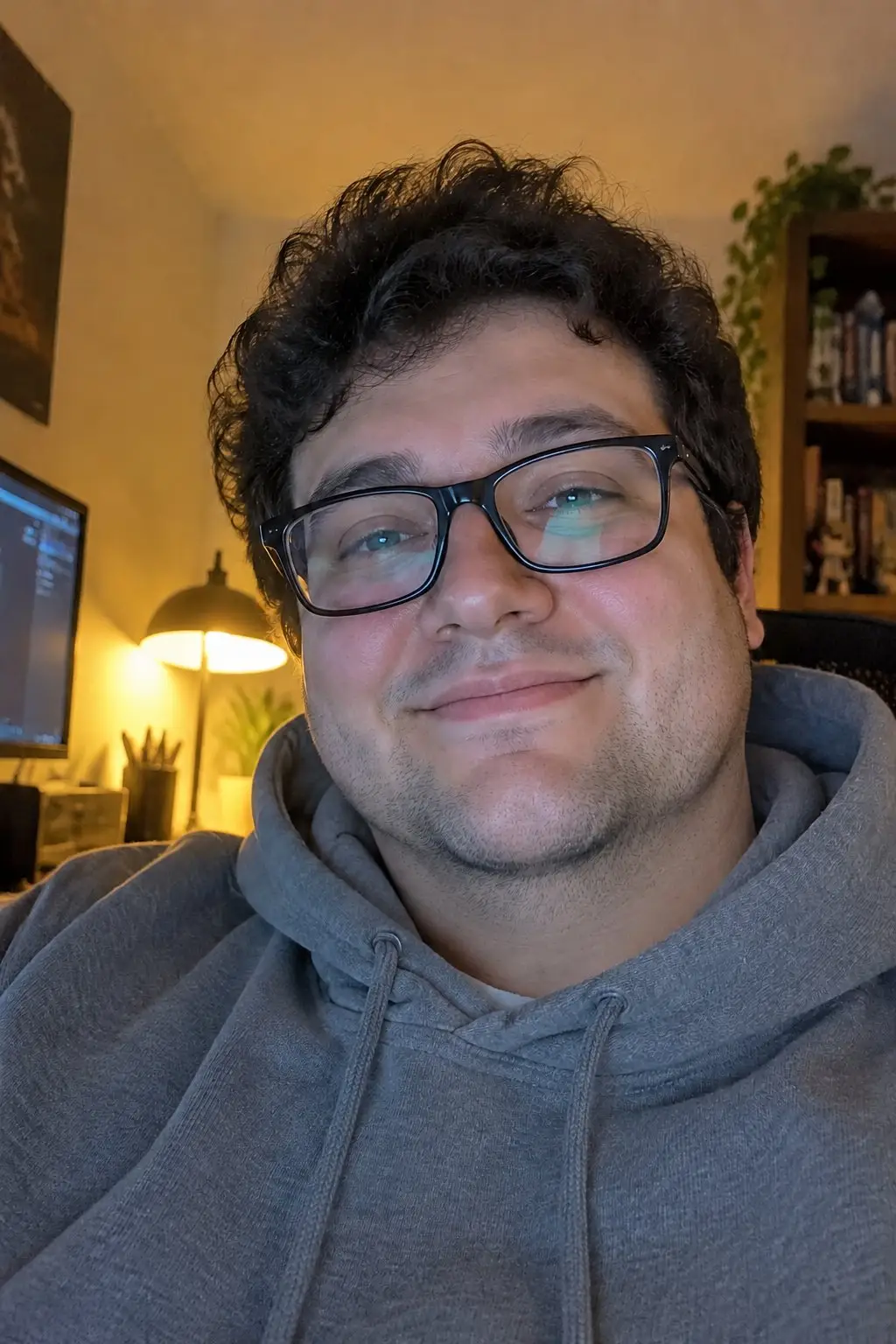








Specs
Double chin remover specs
- Input
One portrait
selfie, headshot or group photo, face clearly visible
- Strength
Three levels
subtle, natural or a defined jawline
- Output
Same photo
same framing and shape as the one you uploaded
- Keep
Everything else
face, expression, skin texture, hair, clothes and background
How to remove a double chin in 3 steps
One photo, one choice, one download.
Step 1
Upload a portrait
Any photo where your face and jaw are visible: a selfie, a headshot or a group photo.
Step 2
Pick the strength
Subtle, natural or a defined jawline. Add a note if you want only one person in a group retouched.
Step 3
Download
The result keeps the same framing as your photo, ready to post or use as a profile picture.
Still unmistakably you
Only the soft area under the chin and along the jaw changes. Your face shape above the jaw, eyes, nose, smile, skin texture, freckles and beard stay exactly as they were, so it does not look filtered.
- Face and expression kept
- Real skin texture kept
- No face slimming
Subtle, natural or defined
Subtle only softens the fullness under the chin. Natural gives a clean jawline that still looks like the same day. Defined gives a sharper jaw and a clear angle between chin and neck.
- Three strengths
- Natural neck shadow kept
- No visible editing marks
Selfies, headshots, group shots
Low-angle selfies, webcam shots and photos where you looked down are where a double chin shows up most. In a group photo, the main person is retouched and everyone else is left alone.
- Low-angle selfies
- Profile and headshots
- Group photos
FAQ
Double chin remover FAQ
Is it free?+
Signing up is free and comes with free credits to try it. Each run shows its price on the Generate button before anything is charged.
Will it change my face?+
No. Only the area under the chin and along the jawline is retouched. Your face shape above the jaw, eyes, nose, smile, skin and hair stay the same.
Does it smooth my skin or slim my face?+
No. Skin texture, pores, freckles, wrinkles and beard are kept, and the cheeks are not slimmed. It is a jawline retouch, not a beauty filter.
Which strength should I pick?+
Natural suits most photos. Use Subtle when the double chin is slight and you want it barely noticeable, and Defined for a sharper jaw in a headshot.
Does it work on group photos?+
Yes. The main person is retouched. To pick someone else, add a note such as "only the man in the middle".
Are my photos kept private?+
Your photo is used only to make your edit and is not shown publicly. See the LazyKiwi privacy policy for how uploads are stored.
More portrait tools


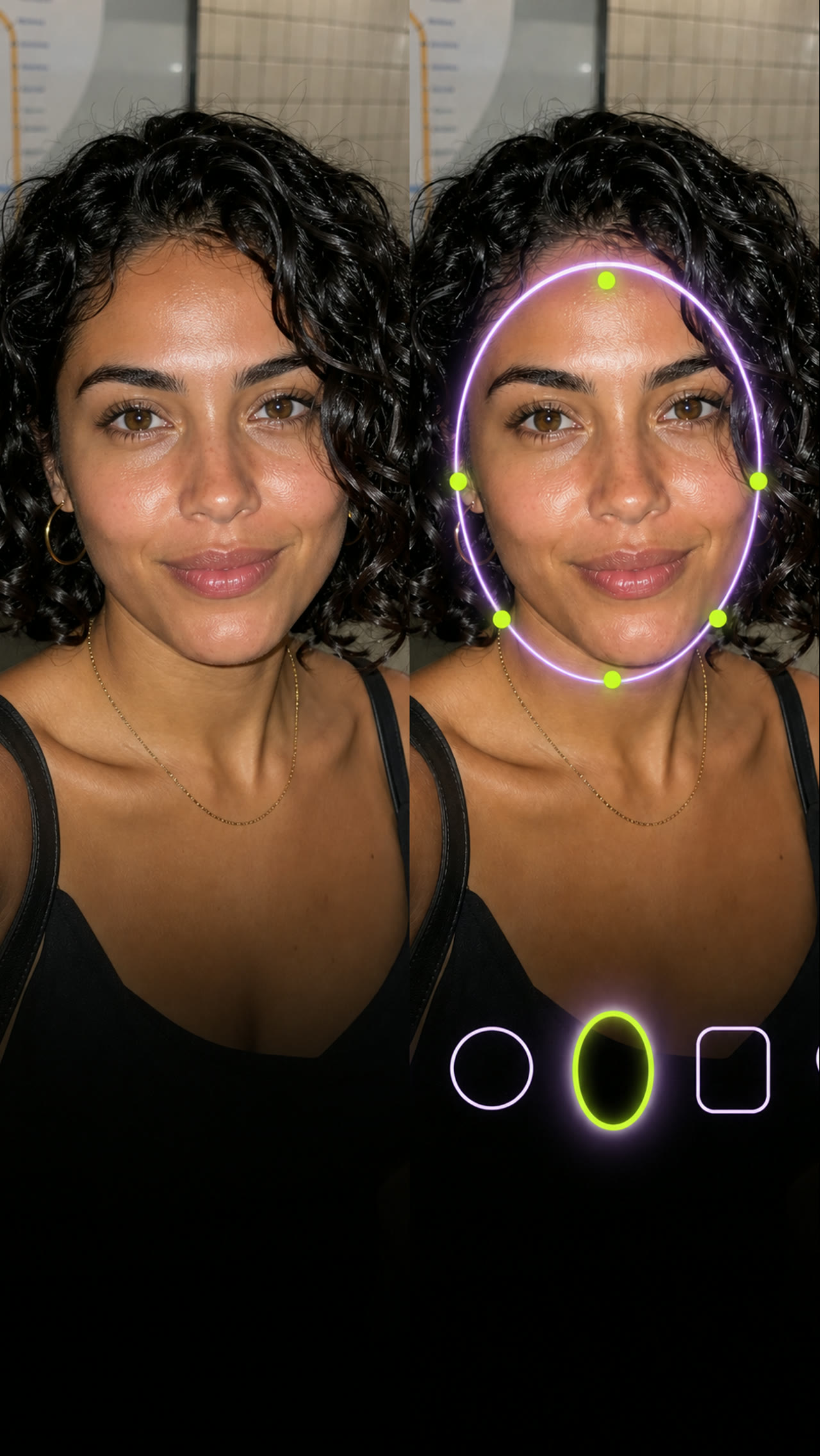
A cleaner jawline, same you.
Upload a portrait, pick the strength, download.
Free to try · Price shown before you generate · Your photos stay private