
AI Kissing Generator: Turn Two Photos Into a Kissing Video
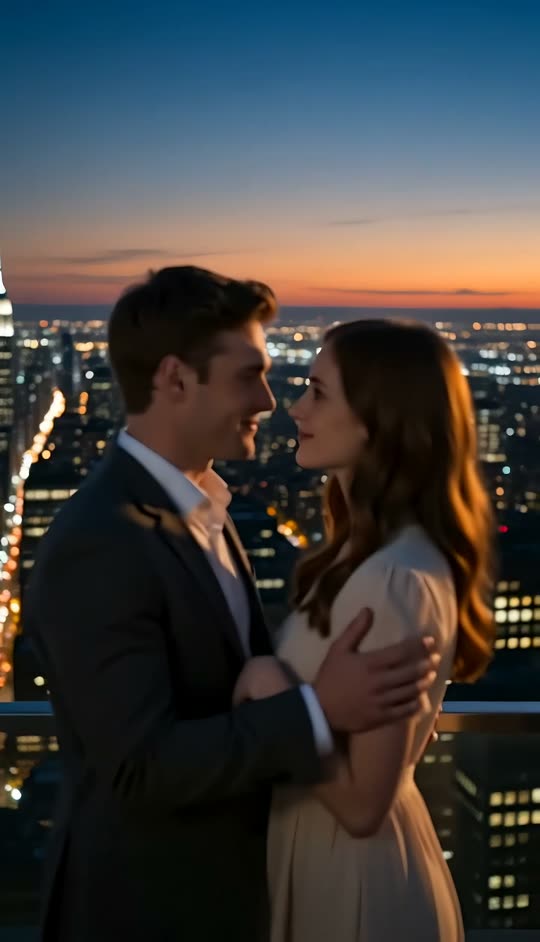
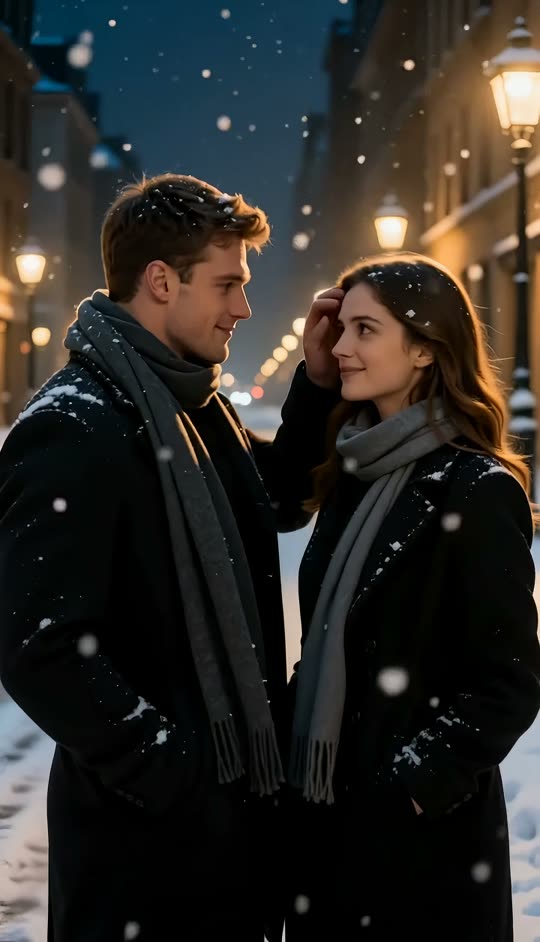
Upload one front-facing photo of each person and add a line about the scene, such as a rooftop at dusk or a snowy street at night. The AI kissing generator places both people in one frame and animates the lean-in, the kiss and the moment after, keeping both faces from your photos. Adults only, photos you own or have permission to use; public figures are refused.
What it is
Two portraits in, one kiss video out.
An AI kissing generator takes two separate photos of two people and produces a short video of them kissing, in a scene neither photo contained. Most AI kiss generators give you a fixed template: one setting, one kind of kiss, no say in either. This tool works from a description instead. You upload the two photos, then write one line about the moment you want: where it happens, what kind of kiss it is, what the light is like. The model composes both people into a single frame, animates the approach, the kiss and the pause afterwards, and keeps both faces locked to the uploads throughout. The output is a short vertical clip made for a feed or a message thread. Because it is a picture of a moment that never happened, the rules are firm: both people must be adults, both photos must be yours or used with the permission of the people in them, and photos of public figures are refused. If you would rather skip the description and start from a finished look, the French Kiss template is the same two-photo input with the scene already written.
How it works
How to make an AI kissing video in three steps
Upload two photos
One clear, chest-up photo of each adult, front-facing and lit from roughly the same direction. You need to own the photos or have permission from the people in them.
Describe the kiss in a line
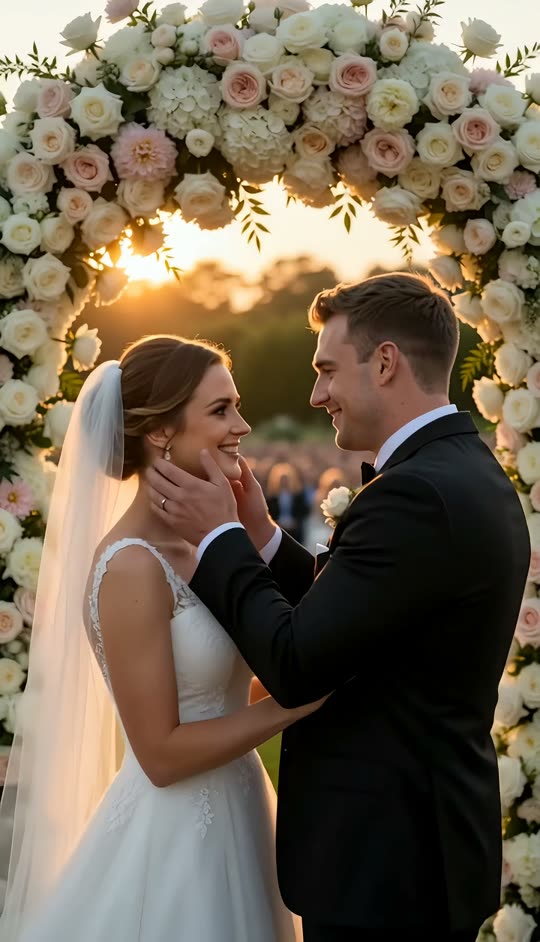
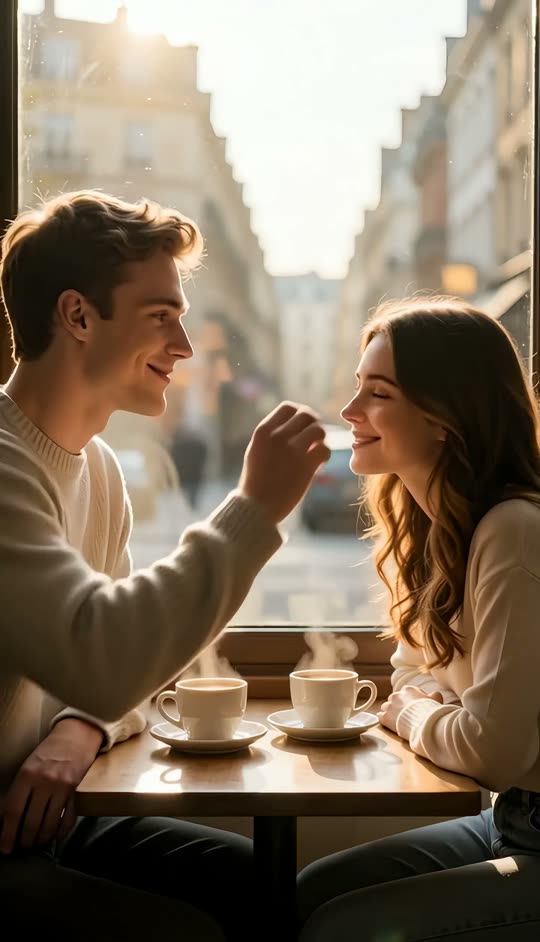
Where it happens, what kind of kiss, what mood: a quick kiss on a café terrace in morning light, a slow kiss under a streetlamp in the snow, a kiss at a wedding arch at golden hour.
Generate and download
The workbench shows the credit cost before you run it. Play the clip back, then download it to post or to drop into an editor.
Your scene, in words
Describe the kiss instead of picking from a menu
The description is where this tool differs from a kiss template. A template decides the setting and the kind of kiss for you; here you write it. One sentence is enough, and the useful parts are the place, the light and the pace: a rooftop at blue hour with the city behind them, a wedding arch in late sun, a snowy street under lamps, a café window with steam on the glass. You can also say what kind of kiss it is, from a brief kiss on the cheek to a slow, close kiss, as long as it stays tasteful. The scene is generated around the two people, so nothing in your photos needs to match it: two indoor selfies can end up on a rooftop. If you want a ready-made scene with no writing at all, the French Kiss template has one written already.
- One line: place, light, kind of kiss
- The scene is generated, so the photos do not need to match it
- Prefer a finished look? Use the French Kiss template
Identity
Both faces come from your photos
Two-person generation is harder than one-person generation for a specific reason: when two faces come close, the model has to decide which identity owns the pixels between them, and that is where couples turn into a blended third person. This tool is built around that problem. Both faces are locked to the uploads, the lean-in carries most of the screen time, and the contact itself is brief, so there is less overlap for the model to get wrong. The framing keeps both people at a similar scale, so neither identity gets outvoted. Hair, skin tone and the outfits in the photos are kept as consistent as the photos allow. It shares its approach with the AI hug generator, which solves the same two-subject problem with arms instead of faces.
Photo tips
Photos that compose cleanly
The photos decide how recognisable the couple is, so they are worth a minute of care. Two chest-up, front-facing portraits with similar lighting and similar resolution compose best. A bright flash selfie paired with a dim indoor photo will look pasted together, and a small, low-resolution crop next to a sharp portrait reads as a cut-out no matter how good the motion is. Profiles, sunglasses, hats and heavy beauty filters all cost identity detail, because the model can only keep what it can see. One person per photo: if there are other people in the frame, crop them out before uploading. Neutral or gentle expressions work better than wide grins, which are hard to carry into a kiss.
- Chest up, front-facing, similar light and resolution
- No sunglasses, hats or heavy filters
- One person per photo; crop out anyone else
Consent and limits
Adults only, with permission
A kissing video is a picture of a moment that did not happen, which is exactly why the rules are firm. Both people must be adults. Both photos must be yours, or the people in them must have agreed to this use. Photos of public figures, including celebrities and politicians, are refused outright. The scene stays non-explicit: the tool animates a kiss, not anything beyond it, and descriptions that ask for more are declined. A clip you post publicly should say it is AI-generated; most platforms now offer a label for exactly this. Used with those limits, it is a sweet thing to make for a partner or a couple you know. Used without them, it can hurt someone, and that is not a use this tool supports.
- Adults only; public figures refused
- Photos you own or have permission to use
- Non-explicit; label the clip as AI-generated when you post it
Pricing
See the cost before you generate
Each run spends credits according to the video model, the length and the resolution you choose, and the workbench shows the exact figure before you generate, so there is no surprise afterwards. The credits a new account starts with cover a first clip or two, which is enough to test a pair of photos and a couple of descriptions before deciding whether it is worth more. It is a starting balance rather than an unlimited allowance; once it is used, more credits come with a LazyKiwi plan.
- Exact cost shown before you run it
- Starter credits cover a first try
- More credits with a plan
Examples
Kiss videos made with this tool
Each one started as two photos and a single line of description.
Why LazyKiwi
Why make a kissing video this way
Any scene you can describe
The setting, light and kind of kiss come from your line, not from a fixed menu.
Both faces kept
Identity is locked to the two uploads through the lean-in, the kiss and the moment after.
Two photos, no photoshoot
The two people never had to be photographed together, or in the same place.
Cost shown first
The workbench shows the credit cost before you generate, and starter credits cover a first try.
Built with limits
Adults only, permission required, public figures refused, and the scene stays non-explicit.
Keep editing
Restyle it with video to video, change the background or sharpen it with the video enhancer.
FAQ
AI kissing generator questions
What is an AI kissing generator?+
It is a tool that takes two separate photos of two people and produces a short video of them kissing, generating the shared scene, the lean-in and the lighting that neither photo contained. This one works from a one-line description of the moment rather than a fixed template, and keeps both faces locked to the uploads.
How do I make an AI kissing video from two photos?+
Upload one clear, front-facing, chest-up photo of each adult, write a line describing where the kiss happens and what it is like, check the credit cost the workbench shows, and generate. The clip comes back as a short vertical video you can download and post.
Is the AI kissing generator free?+
A new account starts with free credits that cover a first clip or two, so you can try it before deciding on a plan. After that each run spends credits according to the model, length and resolution, and the exact cost is shown before you generate.
Can I use a photo of a celebrity, or of someone who has not agreed?+
No. Photos of public figures are refused outright, and using someone's face without their permission is not allowed here regardless of who they are. Both people must be adults, both photos must be yours or supplied with the permission of the people in them, and a clip you post publicly should say it is AI-generated.
What photos work best?+
Two chest-up, front-facing portraits with similar lighting and similar resolution, one person per photo. A flash selfie paired with a dim indoor shot looks composited, and a small crop next to a sharp portrait reads as a cut-out. Skip sunglasses, hats and heavy beauty filters, since all three cost the model identity detail.
Does it keep our faces?+
It is designed to. Both faces are locked to the uploads, the kiss itself is kept brief because the overlap between two faces is where models blend features, and the framing keeps both people at a similar scale. How close the result looks still depends on the photos: sharp, well-lit, front-facing portraits stay recognisable far better than small or side-on ones.
Can I choose the kind of kiss and the setting?+
Yes, that is what the description is for. Say where it happens, what the light is like and what kind of kiss it is, from a quick kiss on the cheek to a slow, close kiss. The scene is generated around the two people, so the photos do not need to match it. Descriptions that ask for anything explicit are declined.
How long is the clip, and does it have sound?+
It is a short vertical clip, a few seconds long, with no generated dialogue or music. The picture is the deliverable; add a track in your editor or in the app you post to, where you can also pick a licensed song.
Can I use illustrated characters instead of real people?+
Yes. Two character portraits work as the two uploads, which sidesteps the consent question entirely and keeps a cast consistent across episodes. Clean, front-facing character art gives the most recognisable result, for the same reasons a clear photo does.
What is the difference between this and the French Kiss template?+
Same two-photo input, different amount of control. The French Kiss template has the scene already written, so you only upload and generate. This tool lets you describe any scene and any kind of kiss yourself.
Use cases
Ideas for AI kissing videos
A long-distance anniversary
Two people who have not been in the same city this year each have a good photo and no shared one. One clip gives them the moment they never got to photograph.
A Valentine's message that moves
Instead of a photo collage, send a five-second clip of the two of you. The vertical format suits a message thread and takes one upload each.
A wedding save-the-date
Describe a kiss under a flower arch at golden hour and you have a teaser for the invitation before the venue is even booked.
An engagement announcement
The proposal photo was blurry, or nobody took one. Two clear portraits and a line about the place give you a clip for the announcement post.
Characters from a story
Webtoon, audio-drama and fiction creators can upload two character portraits and get a romance beat, with no consent question and a consistent cast across episodes.
A couple's channel intro
A short, cinematic kiss in a setting you describe makes a cleaner opener for a couples' reel than another clip filmed on a phone in the kitchen.
Recreating a first date
Describe the café, the season and the light of the day you met, and let the two photos you already have stand in for the moment.
More answers
More on AI kiss videos
Why is a two-person video harder than a one-person video?+
When two faces come close together, the model has to decide which identity owns the pixels between them. Get that wrong and both people drift toward a blended third face. Keeping the contact brief, the lean-in long and both faces at a similar scale gives the model less overlap to get wrong.
AI kissing generator vs AI hug generator: which should I use?+
They solve the same two-subject problem in different ways. The AI hug generator animates an embrace, which is easier on identity because the faces stay apart. Use the kiss tool when the kiss is the point, and the hug when you want a warmer, safer moment for a family or friendship clip.
Will it generate anything explicit?+
No. The tool animates a kiss and the moment around it. Descriptions that ask for more are declined, and the two-photo, adults-only, permission-required rules apply to every run.
How long does it take to generate?+
Usually a minute or two, depending on the model, the length and how busy the service is. For a first try, a short clip gives you something to judge sooner, and you can rerun with a different description once you have seen how the photos compose.
Can I post the video on TikTok, Instagram or YouTube?+
You can download the result and post it like any other clip. What you are allowed to post depends on the people in it: you need permission from both, and the platforms' rules on AI-generated content apply. Adding the platform's AI label where it is offered is good practice.
Can I improve the clip afterwards?+
Yes. Restyle the whole clip with video to video, place the couple somewhere new with the video background changer, or clean it up with the AI video enhancer.
Do I need to write a long prompt?+
No. One sentence with the place, the light and the kind of kiss is enough; the tool adds the identity handling and the motion itself. Longer prompts rarely help, and very specific staging instructions are the part most likely to be ignored.
Make the kiss the two photos never shared
Two portraits and one line of description in, a short kiss video back. Adults only, with permission from both, and the credit cost shown before you generate.
No credit card · Free to try · Results in seconds