Travel Photo Collage
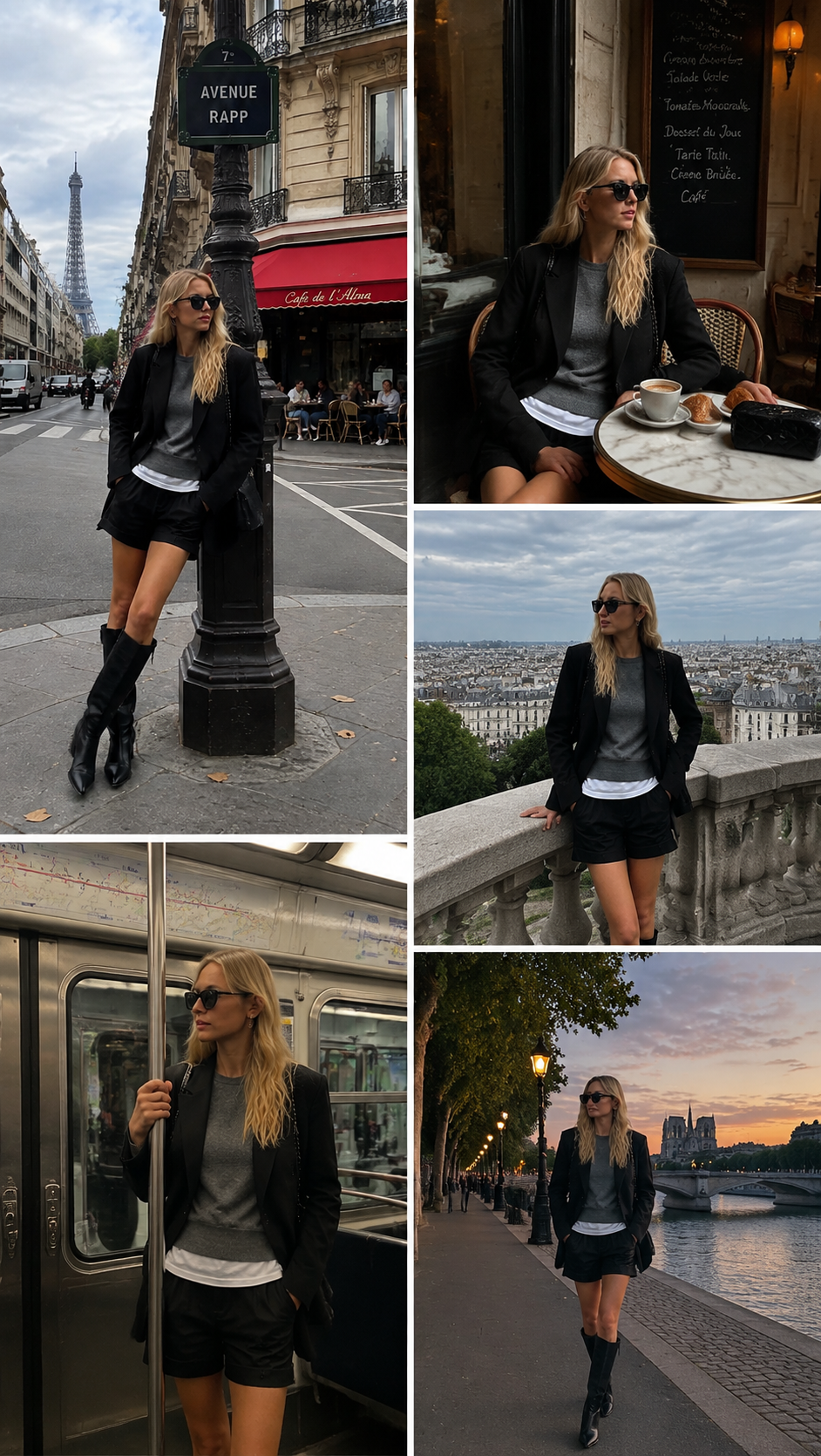
Builds a five-frame collage from a single shot: the same person, same outfit and same hair placed in five scenes around the city, from a street corner and a cafe table to a viewpoint, a metro car and a riverside at dusk. Upload one full-body photo and pick a ratio; the samples here were rendered at 9:16.
Travel Photo Collage Template
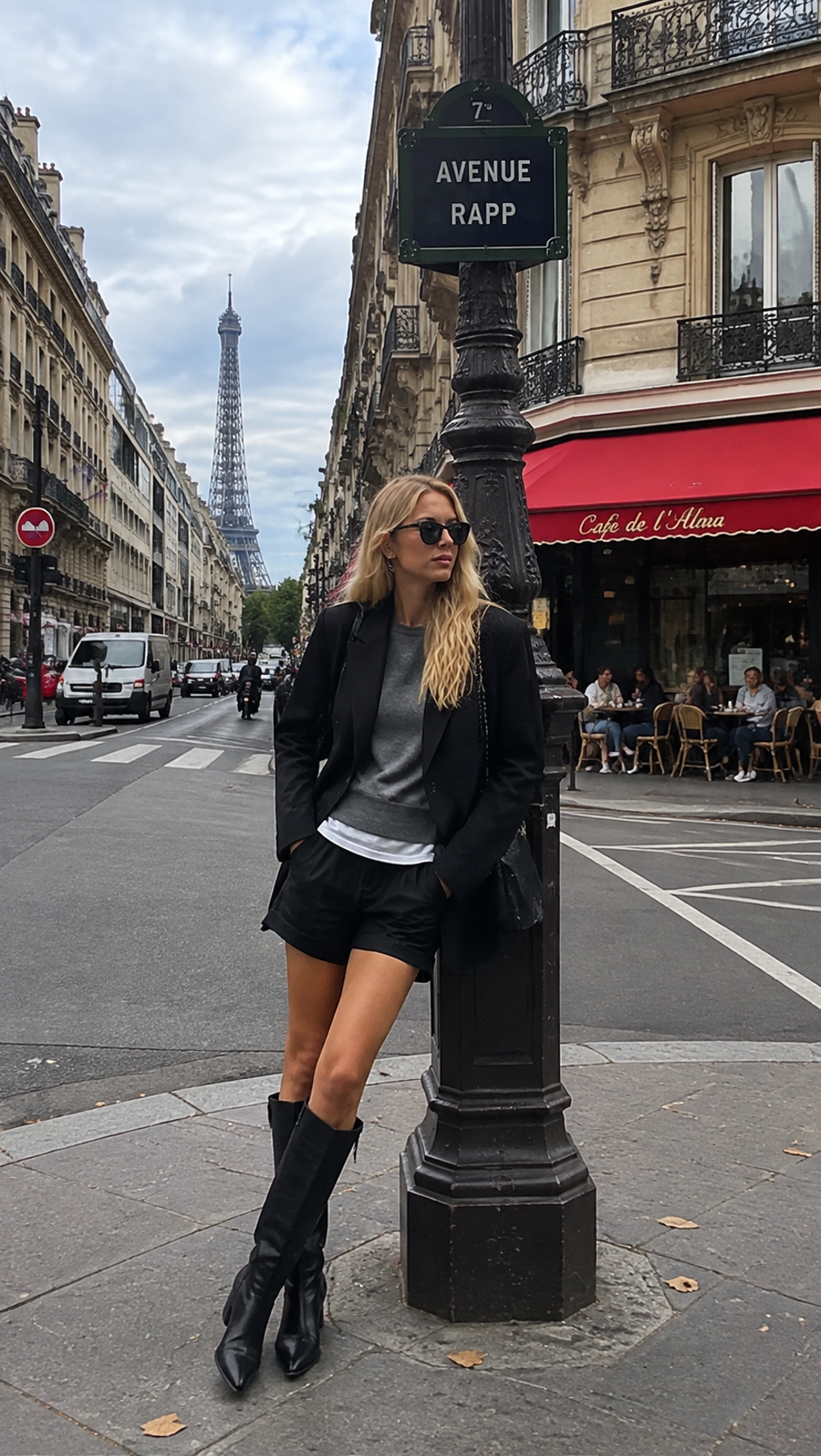
Upload one full-body or three-quarter travel photo in the outfit you want repeated; a clear face and visible shoes give the engine more to keep consistent.
WHAT IT IS
An ai travel photo generator that keeps you and your outfit locked
Travel Photo Collage is an ai travel photo generator that takes one photo and returns a five-frame grid of the same person in five new locations from the same trip. The engine locks identity, age, skin tone, hairstyle and the full outfit from the upload, down to the boots and sunglasses, then places that person into scenes that fit the city in the background: a street corner under a sign, a marble cafe table with a coffee, a stone balustrade above the rooftops, a metro carriage with a hand on the pole, and a tree-lined embankment at sunset. Each frame gets its own pose and light, so the set reads like five stops on one afternoon rather than one photo copied five times. Layout is two tall frames on the left and three on the right, on white gutters. The samples on this page were rendered at 9:16; in the workbench you choose the ratio (16:9, 9:16, 1:1, 4:3 or 3:4) before generating.
- One outfit, five scenes
- The clothes you upload are the clothes in every frame. A black blazer, gray knit and tall boots stay exactly that in all five, so the grid looks like one day of shooting, not five trips.
- Scenes match the city
- The engine reads the landmark or street style in your background and builds the other four locations to match, so a Paris upload gets Haussmann facades and a metro car, not a generic beach.
- Pose changes per frame
- Standing, seated with a coffee, leaning on a railing, holding a pole, walking toward camera. Each frame gets a different pose and camera distance, which is what stops the grid from feeling copy-pasted.
- Ready-made grid layout
- Frames sit two-up on the left and three-up on the right with thin white gutters at the ratio you pick, so a vertical grid posts as a single Story or Pin without an extra collage-app step.
USE CASES
Where a five-frame trip collage from one upload earns its place
The template is for the days when you came home with one usable photo and needed five.
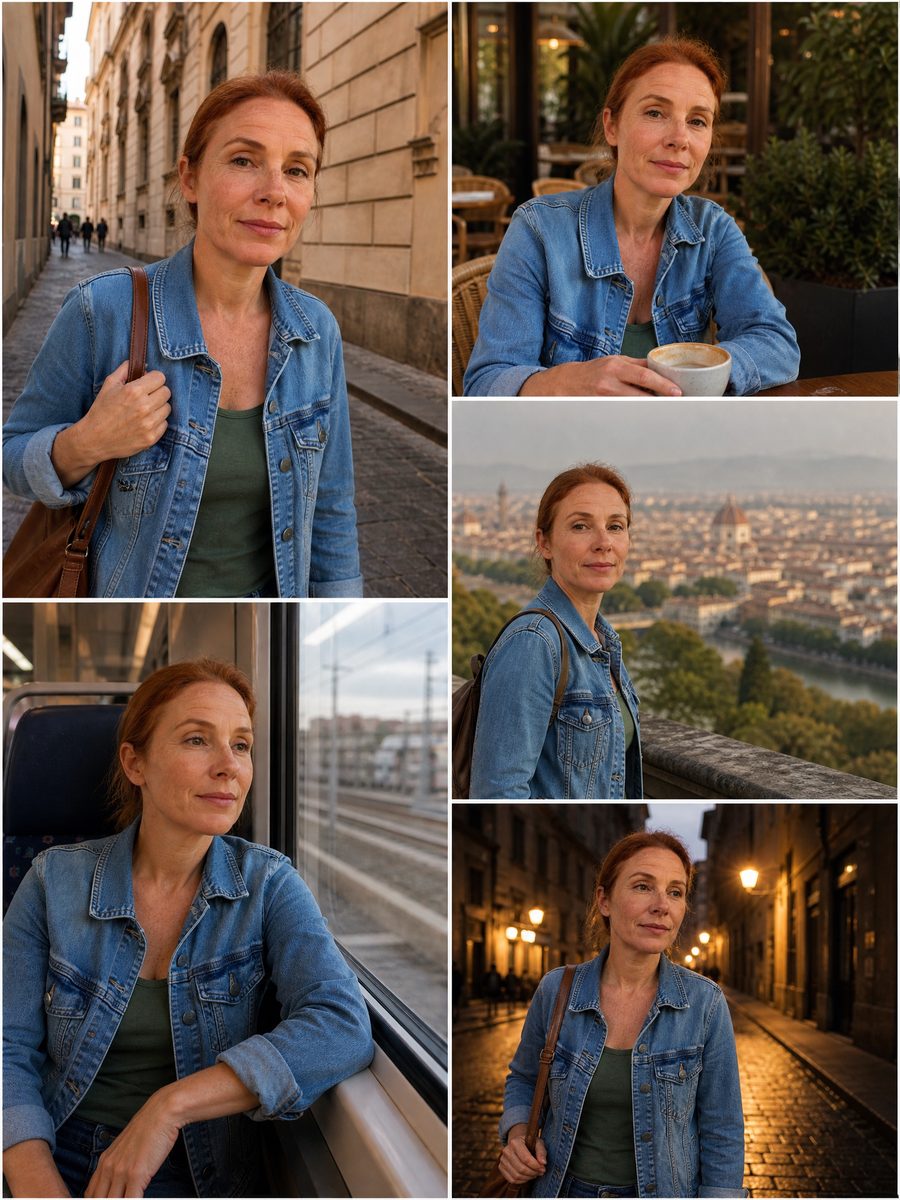
Day-one outfit post
A fashion creator lands in Milan with one good outfit and one good photo. The collage returns the same look at a tram stop, a cafe, a courtyard, on a metro and by the canal at dusk, so the first-day post has the variety of a shoot.
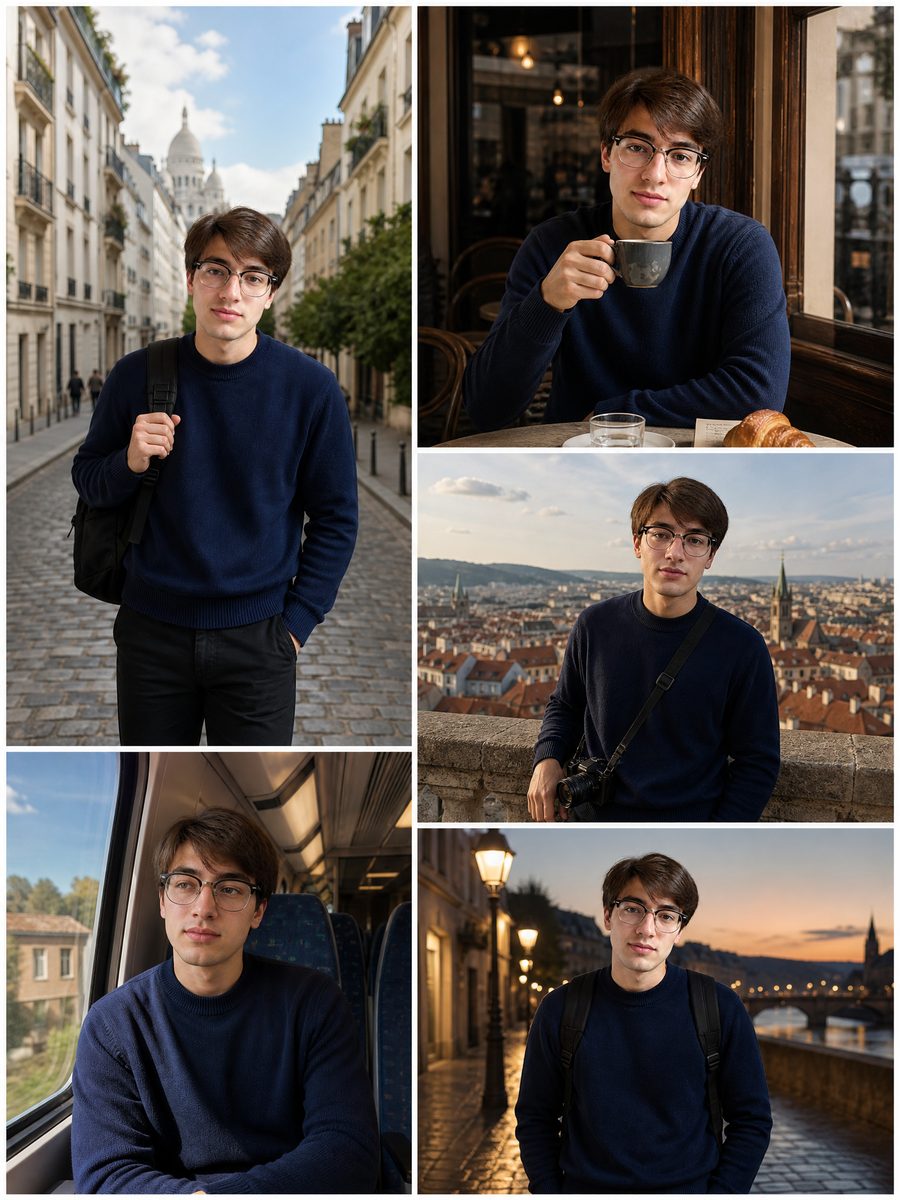
Solo traveler with no photographer
A solo traveler has one decent phone photo that a stranger took at a viewpoint. The template turns it into a five-scene grid that fills the gap where a friend with a camera would have been, with a consistent face, hair and jacket in every frame.
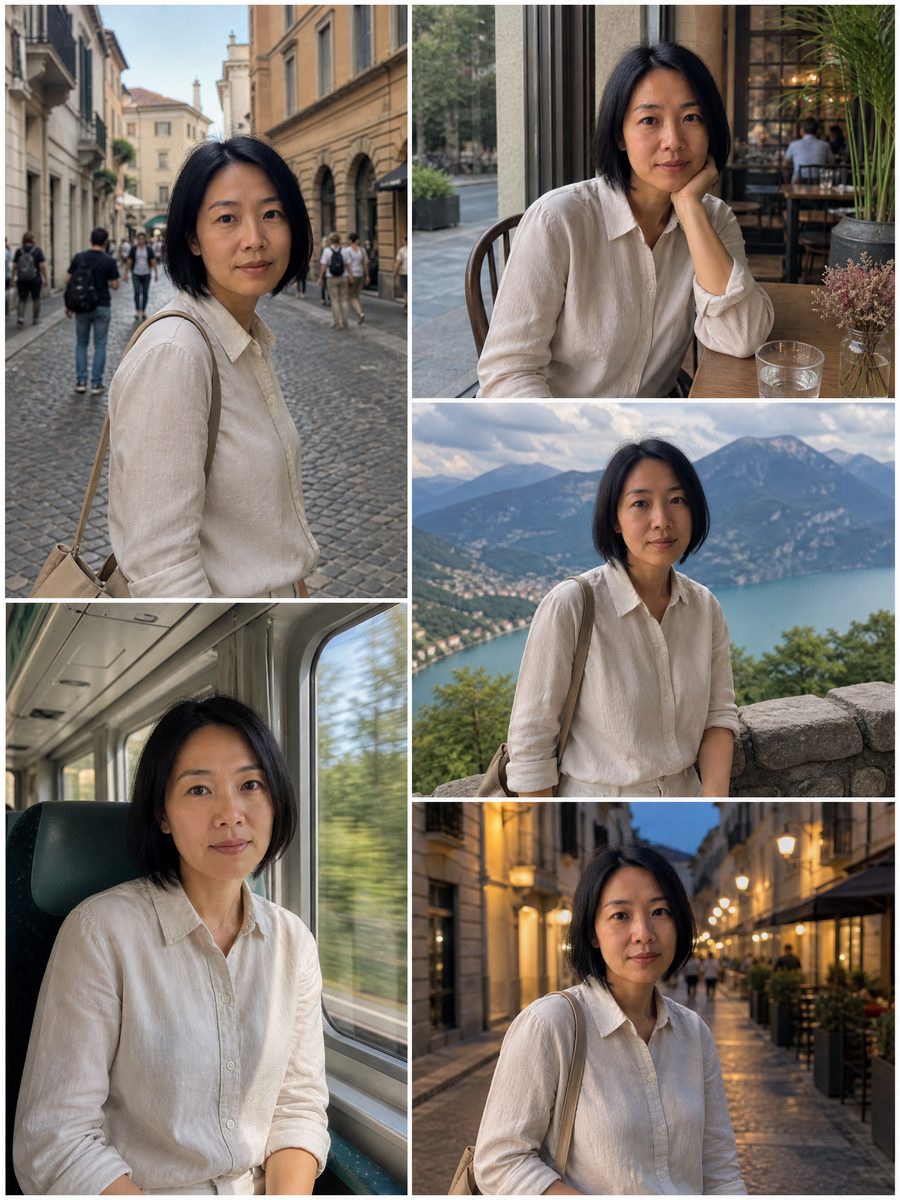
Tour company itinerary teaser
A small tour operator uploads a photo of their guide in the company jacket in the old town. The collage places the guide at five stops on the walking route, which becomes a vertical teaser for the itinerary without booking a half-day shoot.
FAQ
Common questions
What is a travel photo collage?+
It is a grid of several trip photos arranged on one canvas. This LazyKiwi template builds the collage from a single upload instead of five photos: person, outfit and hairstyle are locked, and the engine generates five scenes around the same city in a two-column grid.
What size and layout does the grid come in?+
The five-frame output is one image at the ratio you pick in the workbench (16:9, 9:16, 1:1, 4:3 or 3:4, default 1:1): two tall frames stacked on the left and three shorter frames on the right, separated by thin white gutters. The sample above was rendered at 9:16, which posts natively as an Instagram Story.
What photo works best for the ai travel photoshoot?+
A full-body or three-quarter photo in daylight, with the face clear and the whole outfit visible, gives the ai travel photoshoot the most to lock onto. Landmarks or a typical street in the background help the engine choose the other four scenes. Faces turned away produce looser consistency.
Five-scene grid vs a regular travel collage maker: what is different?+
A regular travel collage maker arranges photos you already have; it needs five inputs to produce five frames. This template needs one input and generates the other four scenes, keeping the same person and clothes. Use a standard collage maker when you have the shots, and this template when you came home with one.
Where should I post a travel collage from this template?+
Generated at 9:16, the grid fits Instagram Stories, TikTok photo carousels and Pinterest Pins, where the whole five-frame grid shows without cropping. For a feed post, crop that version to 4:5 and four frames stay in view, or generate at 1:1 instead. Many people also save the grid as a phone lock screen.
Can the collage change my outfit between frames?+
No. The template keeps the uploaded outfit constant on purpose, because a consistent look is what makes five generated scenes read as one real day. Identity, age, skin tone and hairstyle are locked by the same rule. For a different outfit, upload a second photo wearing it.
Other names for Travel Photo Collage
Searches for this template come in under several names. Trip collage and travel collages are the plain ones; ai travel photo generator, ai travel photoshoot and ai travel collage describe the generated part; travel collage maker and collage of travel are what people type when they expect to upload several photos. The template covers all of them from a single upload, so any of these phrases leads to the same page.
Get five travel scenes from the one photo you took
One full-body photo becomes a five-frame grid at the ratio you pick. Free credits with every new account.