
AI Christmas Photos: Cards, Family Sets and Limits
AI Christmas photos in practice: the settings that keep faces recognisable, card sizes and dpi that print well, and what you have to disclose.
 Maya Chen 9 min read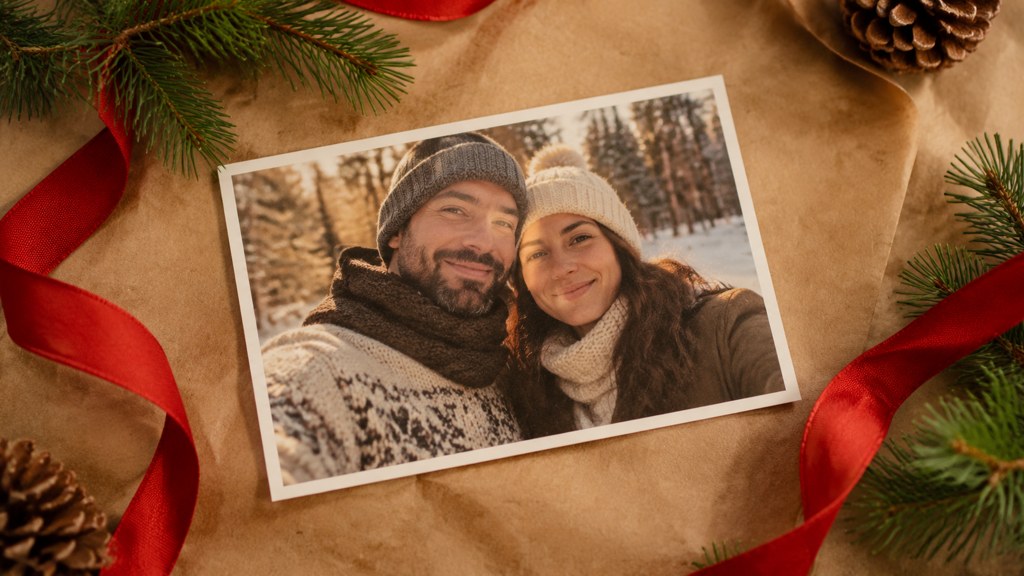
AI Christmas photos come in two flavours that get argued about as though they were one: a stylised card image built from real photos, and a generated family portrait standing in for a shoot that never happened. The first needs a print-resolution plan, the second needs a disclosure plan. Below is the real workflow, including a template that quietly turned a four-person group into a two-person polaroid, the card sizes and dpi that actually print, the photoshoot that beats all of it for twenty minutes of effort, and what the platforms require you to label.
What are AI Christmas photos and why are they everywhere?
Two different things share the name, and separating them explains most of the arguments people have about them.
- **A card image.** A stylised seasonal picture built from one or more real photos, sent to relatives with a message underneath. Nobody is claiming a photographer was present.
- **A portrait stand-in.** A generated family scene used where an actual family photo would normally go, often because the shoot never happened. This one carries a claim, and it is where the disclosure question below matters.

The December spike is not mysterious. Holiday spending sits at the top of the retail year, and the National Retail Federation's most recent forecast, published in November 2025, put total winter holiday sales between "$1.01 trillion and $1.02 trillion", with consumers planning to spend "$890.49 per person on average" across gifts, food and decorations. A card sits inside that budget, and a generated card sits inside it more cheaply than a studio session.
How do people make AI Christmas photos?
The workflow behind almost every one you have seen is three steps: a source photo of real people, a seasonal template that restyles it, and an export sized for a card or a feed. There is no complicated part, which is why the format spread so fast.
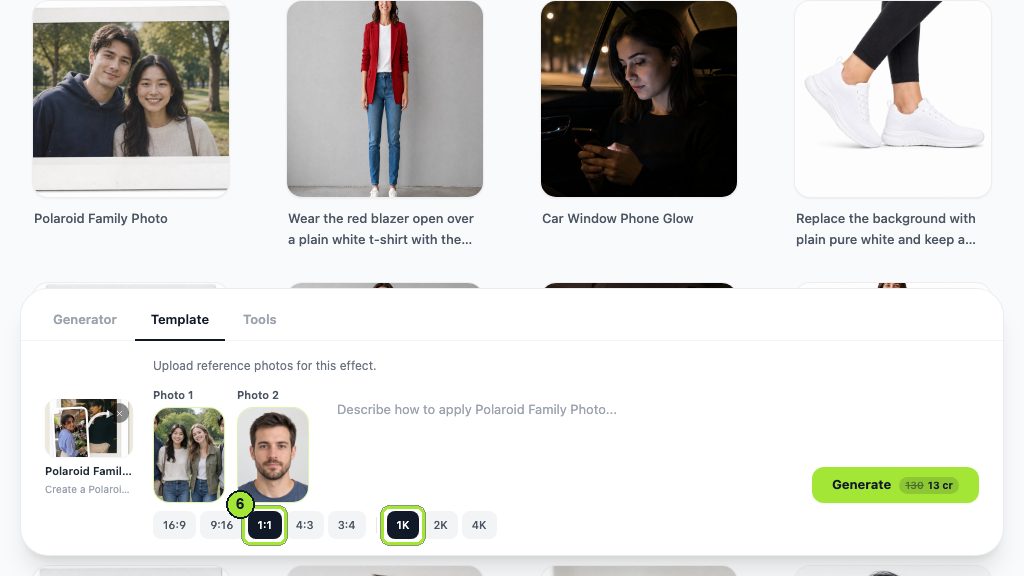
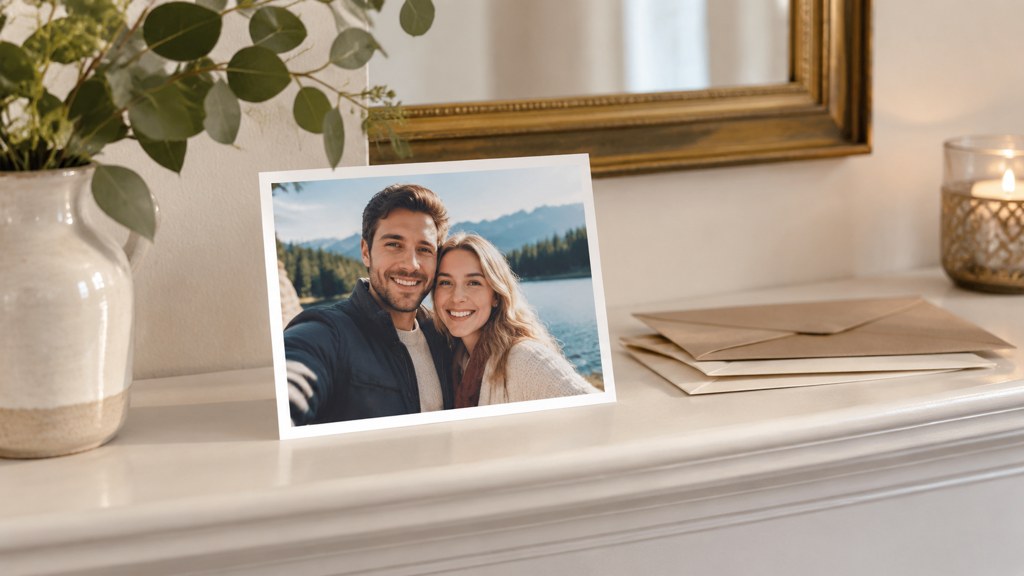
Here is the polaroid family photo template running on two real uploads. Note the first constraint before you plan anything: this template needs exactly two photos, in a Photo 1 box and a Photo 2 box. A single-person card is not something it will do.
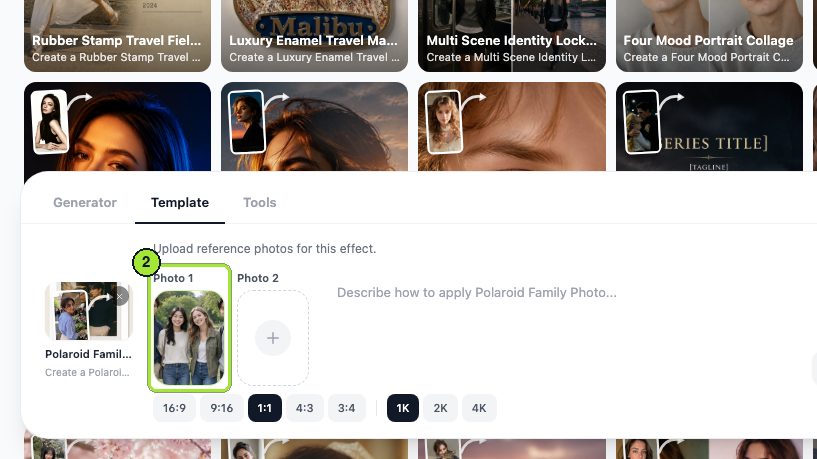
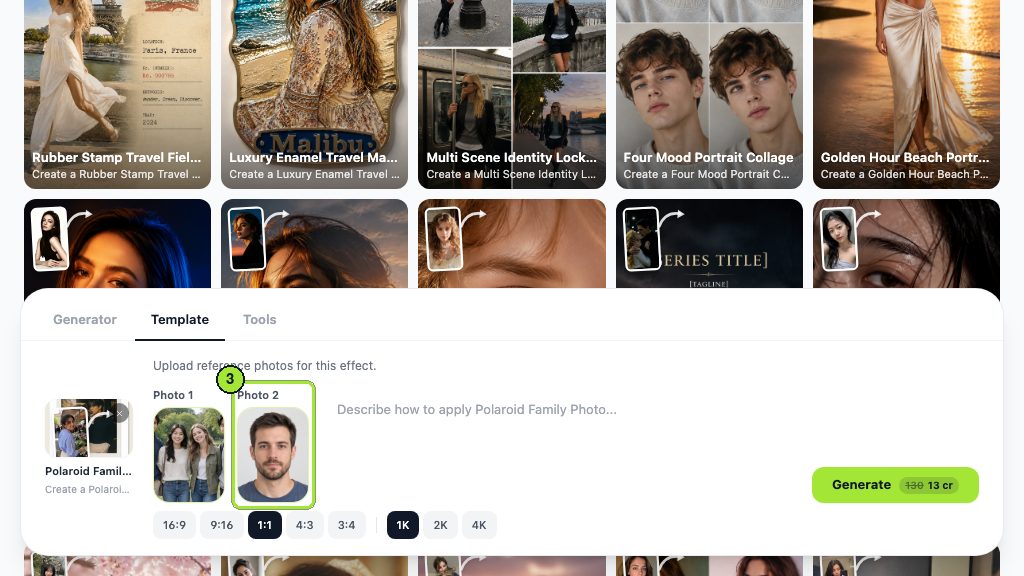

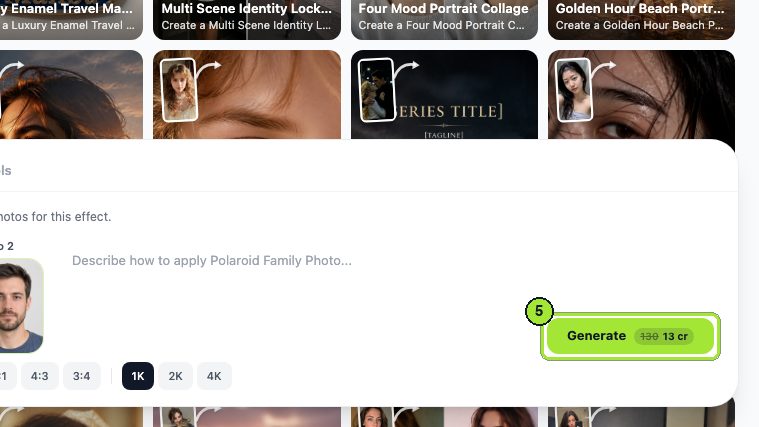
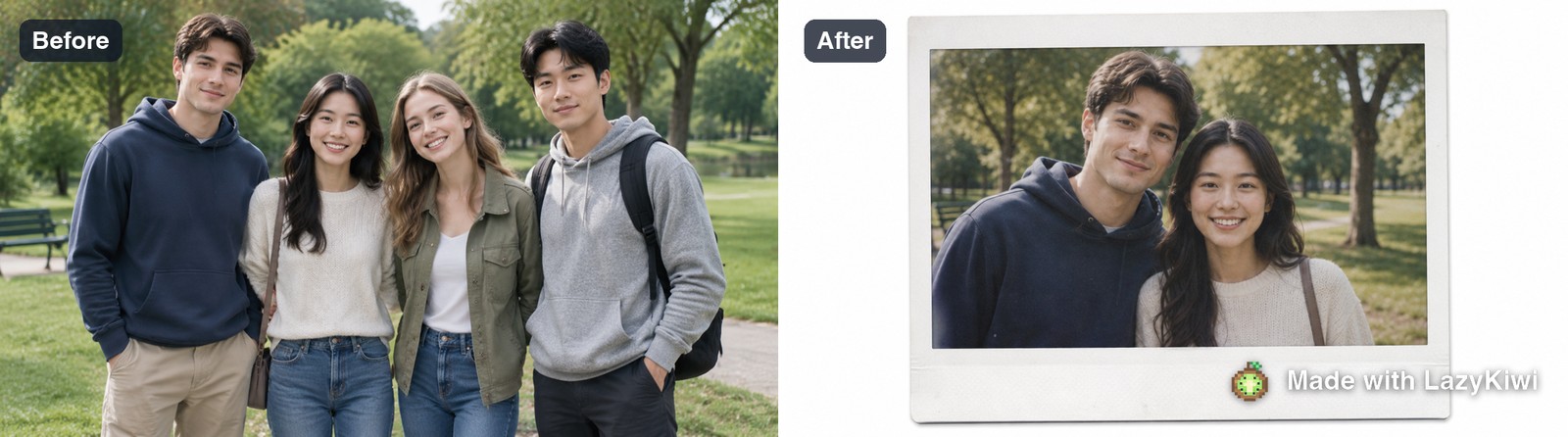
This template composes a pair, not a group
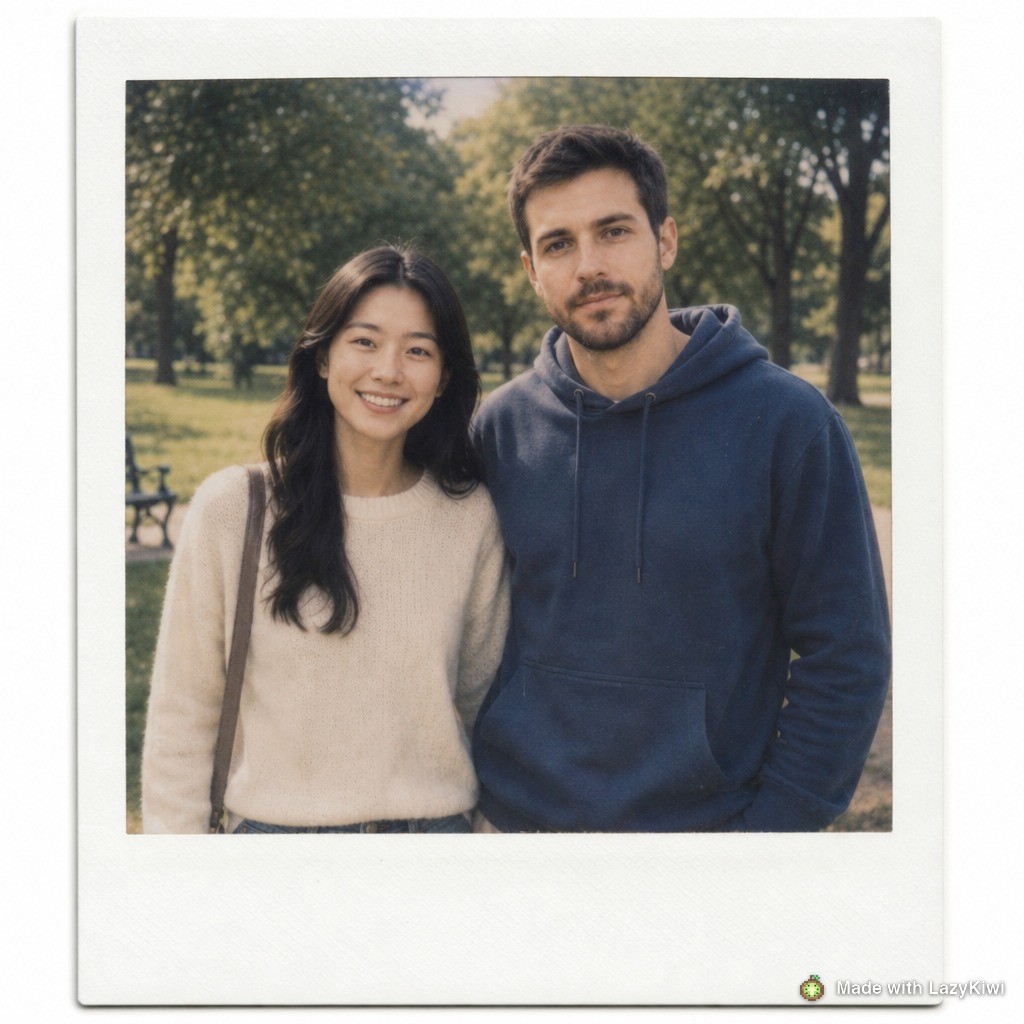
Fed a four-person group photo plus a single headshot, it returned a polaroid of two people. It is built to compose a couple, and it does not preserve a group of four. If your card needs everyone in it, this is the wrong route and no prompt fixes it.
That is worth saying plainly because the search results are full of examples that quietly show two people. Templates have shapes baked into them, and the fastest way to find out what shape you are in is one 13-credit run rather than an afternoon of prompt rewriting.
How do you make an AI Christmas photo that still looks like your family?
Face drift is the failure that ruins these, and it is almost always caused by the source photo rather than the model.
- 1
Use a sharp, well-lit source
A soft or dim photo gives the model less to hold on to, and it fills the gap with an average face. This is the single biggest factor.
- 2
One person per source file where possible
Faces in a group shot are small. A model working from forty pixels of cheek will invent the rest, which is why individual portraits produce better likenesses than a crowd.
- 3
Say that faces must not change
Put it in the instruction explicitly. Left unsaid, a seasonal restyle is free to tidy features it considers imperfect.
- 4
Avoid hats, scarves and heavy shadow in the source
Occluded faces get reconstructed. A woolly hat pulled low is the most common cause of a relative who does not quite look like themselves.
- 5
Run once, judge at full size, then adjust one thing
Repeated passes on the same output compound invention until everyone looks related to nobody.
Everything on the image side of the workbench, templates included, runs on GPT Image 2, so this advice holds whichever seasonal look you pick. A new account starts with 40 credits, which is three attempts at 1K.
How do you make an AI Christmas card?
A card is a print job wearing a photograph, and print rules decide it. Two numbers matter more than any design choice.
Vistaprint's own help centre states the resolution rule plainly: "For the best print quality, upload images that are 300 dpi at the size you want them to print", and repeats it as "at least 300 pixels per inch (dpi) at the size you plan to print them" (Vistaprint, 2026). Shutterfly lists its flat card sizes as "2x3, 3x5, 4x8, 5x7, and 6x8" inches (Shutterfly, 2026).
| Card size | Pixels needed at 300 dpi | Comfortable output setting |
|---|---|---|
| 3 x 5 in | 900 x 1500 | 1K covers it |
| 5 x 7 in | 1500 x 2100 | 1K is borderline; 2K is safe |
| 6 x 8 in | 1800 x 2400 | 2K |
| 4 x 8 in panorama | 1200 x 2400 | 2K |
- **Leave a margin.** Trimming moves by a millimetre or two. Keep faces and text well inside the edge rather than tight to it.
- **Put the text in the layout, not in the image.** A poster generator or any layout tool sets type crisply. Type generated inside a picture tends to arrive slightly wrong and cannot be corrected.
- **Choose the ratio before you generate.** Extending or cropping afterwards costs another run and can clip a head.
- **Print one test card.** Screens are backlit and paper is not, so a card that looks rich on a phone often prints darker than expected.
What Christmas photoshoot ideas work without AI?
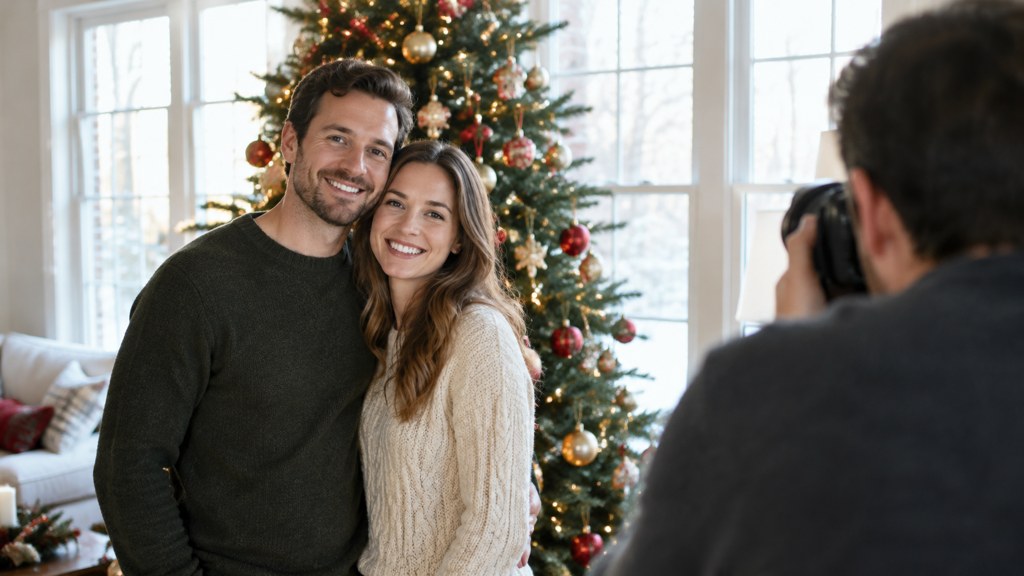
The honest comparison is not generated versus nothing. It is generated versus twenty minutes with a window, and the window often wins.
- **Window light and the tree.** Subjects facing the window, tree behind and slightly to one side so the lights fall out of focus. Mid-morning, curtains open, no flash.
- **One lamp, lights off.** A single warm lamp at head height to one side gives modelling that overhead lighting never will.
- **Tree lights as a background only.** Beautiful behind a subject, useless as a light source. Light the faces separately.
- **The wrapping-paper flat lay.** Hands, paper, ribbon, shot from above on a table by a window. No faces to get wrong and it always works.
- **Outdoors on an overcast day.** Cold light, warm knitwear. The most flattering free light there is, and it lasts all day.
On clothing, the useful rule is to avoid competing with the room. Green and red decorations plus green and red outfits produce a picture with no focal point. Cream, grey, navy and rust photograph well against a tree and let the decorations do the seasonal work. Those christmas photo ideas cost nothing and they age better than any template.
How do you replace a family member who could not make the shoot?
This is the request behind a surprising share of seasonal composites, and it splits cleanly into two cases.
Someone who was simply elsewhere that afternoon: a composite is a reasonable convenience, and the image combiner route needs a recent photo of them shot in similar light, matched head height and a shared ground line. It will look fine and everyone will know it was assembled, because they know where that person was.
Someone who has died: this deserves more thought than a settings guide can give. Some families find it comforting and some find it distressing, and the difference is not predictable from the outside. If you make one, keep it private unless the closest relatives have asked for it, and never send it as a surprise.
A card is a message to people who know your family. They will spot a stand-in before they finish reading the greeting.
— Maya Chen
How do you print AI Christmas photos properly?
Most disappointing prints come from three avoidable mistakes, none of which is about the printer.
- **Printing a screenshot.** A screenshot of a preview is a compressed copy at screen resolution. Always download the actual file from the results panel.
- **Ignoring the dpi maths.** A 5 by 7 needs 1,500 by 2,100 pixels to hit 300 dpi. Generate at 2K rather than enlarging a 1K file afterwards.
- **Expecting screen contrast on paper.** A backlit screen shows deeper blacks than ink on card. Lift the shadows slightly before sending to print, especially on a dark seasonal image.
One more that catches people every year: order early. Card printers get slower through December, and a file that is perfect on the 20th is not much use if it arrives in January. If you are working to a posting date, count backwards from it and set your own deadline a week earlier.
Should you tell people a Christmas photo is AI?
For a card to relatives, one line on the back settles it and costs nothing. For anything posted publicly, the platforms have written rules and they are not ambiguous.
| Where | What the rule says | Practical answer |
|---|---|---|
| [YouTube](https://support.google.com/youtube/answer/14328491) | Disclosure is required for content that "Generates a realistic scene that didn't actually occur" or "Alters footage of a real event or place" | Tick the disclosure box on any generated family scene |
| [Meta](https://about.fb.com/news/2024/04/metas-approach-to-labeling-ai-generated-content-and-manipulated-media/) | Meta set out its labelling approach for AI-generated and manipulated media in April 2024 | Use the platform's own AI label rather than relying on a caption |
| A printed card | Nobody's rules but your own | One line on the reverse: made with AI from a photo taken in 2025 |
| [Content Credentials](https://c2pa.org/) | The C2PA describes them as functioning "like a nutrition label for digital content" | Where a tool attaches them, leave them attached rather than stripping them |
The searches for how to do ai christmas photos on facebook mostly land on whatever seasonal filter is circulating that week. Whichever one you use, the labelling obligation belongs to you rather than to the tool, and a family card is the easiest possible place to be straightforward about it.
What makes an AI Christmas photo look wrong?
- **Hands.** Still the first thing that fails, and a group shot multiplies the chances. Count fingers before you print a hundred cards.
- **Repeating ornaments.** The same bauble at regular intervals across a tree. Once noticed, impossible to ignore.
- **A room lit from nowhere.** Faces lit from the left, tree lights on the right, no light source visible for either.
- **A missing person.** Templates with a fixed composition drop people, as the pair-only result above shows. Count heads in the output against heads in the input.
- **Text that is almost a word.** Any generated signage, banner or greeting. Set type in a layout tool instead.
The check that catches all five takes thirty seconds: open the file at full size, count hands and heads, look for one repeated object, and find the light source. If any of the four questions has no answer, run it again rather than sending it to a printer.
Key takeaways
- Templates have fixed compositions. The polaroid family template returned a pair from a four-person group, and no prompt changes that.
- Face likeness depends on the source photo. Sharp, well lit, one person per file, faces unobstructed.
- Print maths first: 300 dpi means a 5 by 7 card needs 1,500 by 2,100 pixels, so generate at 2K.
- Set the greeting text in a layout tool. Type generated inside an image arrives almost right and cannot be fixed.
- Label public posts. YouTube requires disclosure for a realistic scene that did not occur, and a card just needs one line on the back.
Image & Design Editor
Maya Chen
Maya Chen edits the image and design desk at LazyKiwi. She spends most of her week running real files through the workbench and writing down what the settings actually did, including the runs that did not work.
FAQ
Common questions
How to make ai christmas photos that include everyone in the family?
Check the template's composition before you plan around it. Fixed-composition templates such as the polaroid family one compose a pair regardless of what you upload. For a full group, use a general image tool with an instruction rather than a seasonal template.
Is there an ai christmas photo generator that keeps faces exact?
None keeps them exact, because every one rebuilds the face rather than copying it. What moves the needle is the input: a sharp, evenly lit portrait of one person, with no hat or scarf across the face, and an instruction that says the face must not change.
What resolution do I need for a printed Christmas card?
Three hundred pixels per inch at final size, per Vistaprint's own guidance. A 5 by 7 card therefore needs about 1,500 by 2,100 pixels, which means generating at 2K rather than enlarging a 1K file after the fact.
How to ai christmas photos on a phone without installing anything?
The tools open in mobile Safari or Chrome and take a file straight from the camera roll. Judge the result on a larger screen before printing, because a phone display flatters shadow detail that paper will not reproduce.
Are christmas photoshoot ideas still worth doing instead?
Usually, yes. Twenty minutes by a window with the tree behind you produces a picture that ages better than any template, costs nothing, and needs no disclosure line. Generated cards are best treated as an addition rather than a replacement.
Test the template before you plan the card
One 13-credit run tells you what shape a template composes in. New accounts start with 40 credits, which is three tests at 1K.
Related reading
Halloween Photo Ideas: 20 Shots and Costume Looks
Twenty Halloween photo setups from easy to ambitious, the light that makes costumes read on camera, and AI looks you can test before buying anything.
9 min read
Family Picture Outfit Ideas: Palettes That Work
Six colour palettes for family photos, how to coordinate without matching, what to avoid on camera, and how to plan the whole set from one anchor outfit.
8 min read
How to Look Better in Photos: 5 Things That Work
Angle, posture, light, wardrobe and edit — in that order. The five variables that actually change how a photo of you reads, and how to test each one.
9 min read