
Compare AI Tools for Creating Profile Pictures
Compare profile-picture tools by input, control, editing, and consistency to find the right fit for your account and intended use.
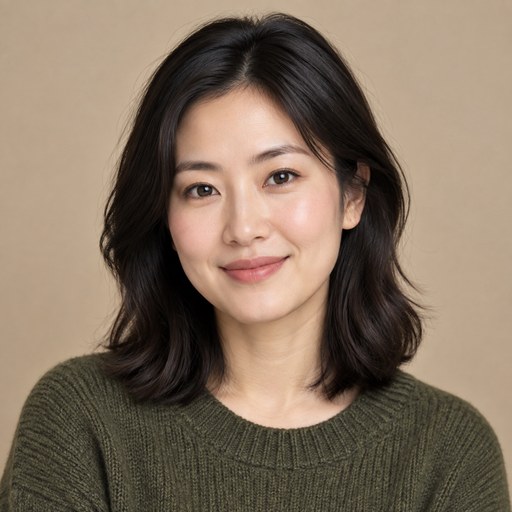 Maya Chen 6 min read

The best AI tool for creating a profile picture depends on what you want to start with: a written prompt, your own photos, or a design you plan to edit. Compare tools by input method, control over the result, consistency, and how much cleanup they require—not just by how striking one sample image looks.
Which type of AI tool fits your profile-picture goal?
For a custom concept, choose a prompt-based image generator; for a recognizable portrait based on your appearance, look for a tool designed to work from personal photos; for a branded graphic, consider a template or editing workflow. These are different approaches, so a fair comparison starts by deciding what the image needs to do.
| Tool approach | Best fit |
|---|---|
| Prompt-based image generation | Creating a new character, stylized portrait, or concept from a description |
| Photo-based portrait generation | Exploring portrait variations while using your own photos as a reference |
| Template or editing workflow | Adding a frame, color treatment, typography, or other deliberate design elements |
| Video generation | Exploring a moving visual for a use case that supports video rather than a static avatar |
A tool may combine more than one approach, but check its actual workflow before assuming it accepts reference photos, keeps a face consistent, or includes editing controls. LazyKiwi's AI image generator is a place to explore image creation, while its profile picture ideas page can help you choose a direction.
Write down the must-have first: recognizable likeness, a specific art style, a clean professional crop, or a distinctive brand look. That requirement should guide your comparison.
How do prompt-based image generators compare?
Prompt-based generators are strongest when you want to invent a look from a description, but they may require more prompt iteration and selection. You describe the subject, visual style, background, lighting, and composition, then refine the request based on the generated options.
- Good for: illustrated avatars, fictional characters, editorial-style portraits, and concepts that do not need to match a particular person.
- Watch for: results that interpret vague phrases differently than you intended, or that change details between generations.
- Compare: how clearly you can describe the look, how easy it is to try variations, and whether the result suits a small circular crop.
For a more useful test, keep the subject and requested composition constant while changing one detail at a time, such as background color or illustration style. This makes it easier to see whether a tool gives you meaningful creative control or simply produces a different image each time. The available AI models page can help you review model options, but check each model's own description instead of assuming every one handles portraits the same way.
Use concrete visual language. “Head-and-shoulders portrait, centered, plain warm-gray background, soft side lighting” gives clearer direction than “make it look cool.”
When is a photo-based portrait tool a better choice?
A photo-based portrait workflow is a better fit when your profile picture should still look like you. It uses personal photos as input, so compare how the tool explains its photo requirements, what kinds of variations it offers, and whether the results remain recognizable across those variations.
- 1
Check the input process
Confirm whether the tool accepts one photo or asks for several, and follow its stated guidance for lighting, framing, and image quality.
- 2
Judge likeness and natural details
Look for a result that resembles you without awkward facial details, distracting edits, or a pose that feels unlike the image you want to present.
- 3
Check the practical terms
Review the tool's current information about photo handling, outputs, and usage rights before submitting personal images or relying on the result.
Do not treat a polished portrait as proof that the workflow is right for you. If recognizable likeness is essential, prioritize that over dramatic styling; if you mainly want a playful avatar, a prompt-based generator may be simpler. Compare the finished images at the size and crop where people will actually see them.
Use photos you are comfortable submitting, and read the tool's own terms rather than assuming all services handle uploads or generated images alike.
What should you compare before choosing?
Compare the whole creation experience, not only the first image. A useful tool should suit your input, give you enough control to reach the intended look, and produce an image that works in the profile space where you plan to use it.
- Input: Does it start from a text description, personal photos, or a template?
- Control: Can you specify style, background, clothing, framing, or other details that matter to you?
- Consistency: If you need several related images, can you keep the overall visual direction coherent?
- Crop readiness: Is the face or subject clear when the image is shown as a small circle or square?
- Editing: Can you refine the result, or will you need a separate workflow for finishing touches?
- Practical details: Are the tool's current output, privacy, and usage terms suitable for your intended use?
A simple comparison can expose tradeoffs quickly: make the same brief, use the same reference material where supported, and assess each result against the same checklist. For general design inspiration, browse templates, but distinguish inspiration from a feature guarantee: a template page does not mean every generation workflow includes the same editing options.
How can you make a profile picture that works?
A strong profile picture stays legible at small sizes, puts the subject first, and uses a background that does not compete for attention. Even a visually impressive image can become hard to recognize once a platform crops it into a circle or displays it as a tiny icon.
- 1
Choose the context
Decide whether the image is for a professional profile, a personal account, a creator identity, or a community space. The setting helps determine how formal or expressive the portrait should feel.
- 2
Set a simple composition
Ask for a clearly visible face or subject, uncluttered surroundings, and enough space around the edges to survive a tight crop.
- 3
Generate a small set of directions
Try a few distinct looks rather than many tiny prompt changes. Compare a natural portrait, a more stylized approach, or a different background while keeping your basic goal the same.
- 4
Preview the actual crop
Check the image in a square and circular crop, then confirm it still reads clearly when reduced.
If you are starting with a prompt, describe the composition as well as the style: for example, centered head-and-shoulders framing, clear facial features, simple background, and no text. For a structured visual direction, browse profile picture ideas before writing your prompt.
Keep one final version with a clean background and an uncluttered crop. It is often more versatile across different profile layouts than an image with small decorative details.
Which option makes sense for different users?
Choose based on the job the picture needs to do: a recognizable professional portrait, a distinctive personal avatar, or a coordinated visual identity. There is no single best tool for everyone because the right input and amount of creative control vary by goal.
| If your priority is... | Start by comparing... |
|---|---|
| Looking like yourself | Photo-based portrait workflows and their likeness, photo, and privacy details |
| A unique illustrated identity | Prompt-based generators and their style and composition controls |
| A consistent creator brand | Tools that let you repeat a visual direction and make finishing edits |
| A polished graphic treatment | Templates or editing options that suit the intended crop and platform |
For most people, start with the simplest approach that can meet the goal. A fictional avatar does not need a photo-based workflow, and a likeness-focused portrait is not well judged by how imaginative a text-only generation looks. If your use case calls for motion rather than a static picture, explore a dedicated AI video generator as a separate workflow.
A practical way to make your final choice
The most reliable choice is the tool that meets your main requirement with the least unwanted compromise. Before committing, compare a small number of options using one brief and a consistent review process.
- 1
Write a one-sentence brief
State who or what the picture should show, the intended style, and where you will use it.
- 2
Match the tool to the input
Choose prompt-based generation for an invented concept, a photo-based workflow for a likeness-focused portrait, or templates and editing for a design-led result.
- 3
Check the output at profile size
Review clarity, crop, expression, background, and whether the image fits the context.
- 4
Review the tool's current details
Before using personal images or publishing a result, read the relevant terms and feature descriptions for that specific workflow.
This process keeps the comparison grounded in your needs rather than in broad claims about which AI tool is “best.” If you want to try a prompt-led image workflow, start with LazyKiwi's image generator and evaluate the results against your brief.
Key takeaways
- Choose a tool by input method: prompt, personal photos, or template and editing workflow.
- Prioritize likeness for portraits based on you and creative control for invented avatars.
- Compare tools using the same brief and judge images at their real profile-picture size.
- Check the crop, clarity, privacy details, and usage terms before choosing a final image.
Image & Design Editor
Maya Chen
I test the image tools we ship on real photos — faces, text, backgrounds — and note which edits hold up at full size and which quietly fall apart.
FAQ
Common questions
What is the best type of AI tool for a profile picture?
It depends on your goal. A prompt-based generator suits a custom concept or illustrated avatar, while a photo-based portrait workflow is more appropriate when resemblance to you matters.
Can a prompt-based AI generator make a picture that looks like me?
A text prompt alone may not provide reliable likeness. If resemblance is important, compare workflows that explicitly use personal photos and review how they describe their inputs and results.
How do I compare AI profile-picture tools fairly?
Use the same brief and comparable input material wherever possible. Then assess likeness or style, composition, crop readiness, editing options, and the tool's current privacy and usage details.
What should I include in a profile-picture prompt?
Describe the subject, style, framing, background, and overall mood. Ask for a clear, centered subject and a simple background so the image remains readable when cropped or reduced.
Why does an AI profile picture look different in a profile crop?
Many profile layouts crop images into a circle or display them at a small size, which can cut off edges and hide details. Preview the final image in the crop you expect to use before deciding.
Should I upload personal photos to an AI portrait tool?
Only after checking that tool's current information about photo handling and usage. Use images you are comfortable submitting, and do not assume different services treat uploads the same way.
Create a Profile Picture That Fits Your Style
Explore an image-generation workflow and compare the results against your own profile-picture brief.
Keep reading

Magnific Free vs Paid Features: What to Check
Compare Magnific's free and paid options by checking access, export limits, editing controls, and the cost of your actual workflow.
7 min read
New Year Family Prompts for AI Photos
Create warm, personal New Year family images with practical AI prompts for portraits, celebrations, keepsakes, and fresh-start moments.
7 min read
New Year Pet Prompts for Photos and Videos
Create festive pet portraits and short clips with copy-ready New Year prompts, styling ideas, and practical tips for better results.
7 min read