How to Write AI Video Prompts That Generate Better Results
Use this practical framework to write ai video prompts for Sora 2, Veo 3, social clips, product shots, cinematic scenes, and more.
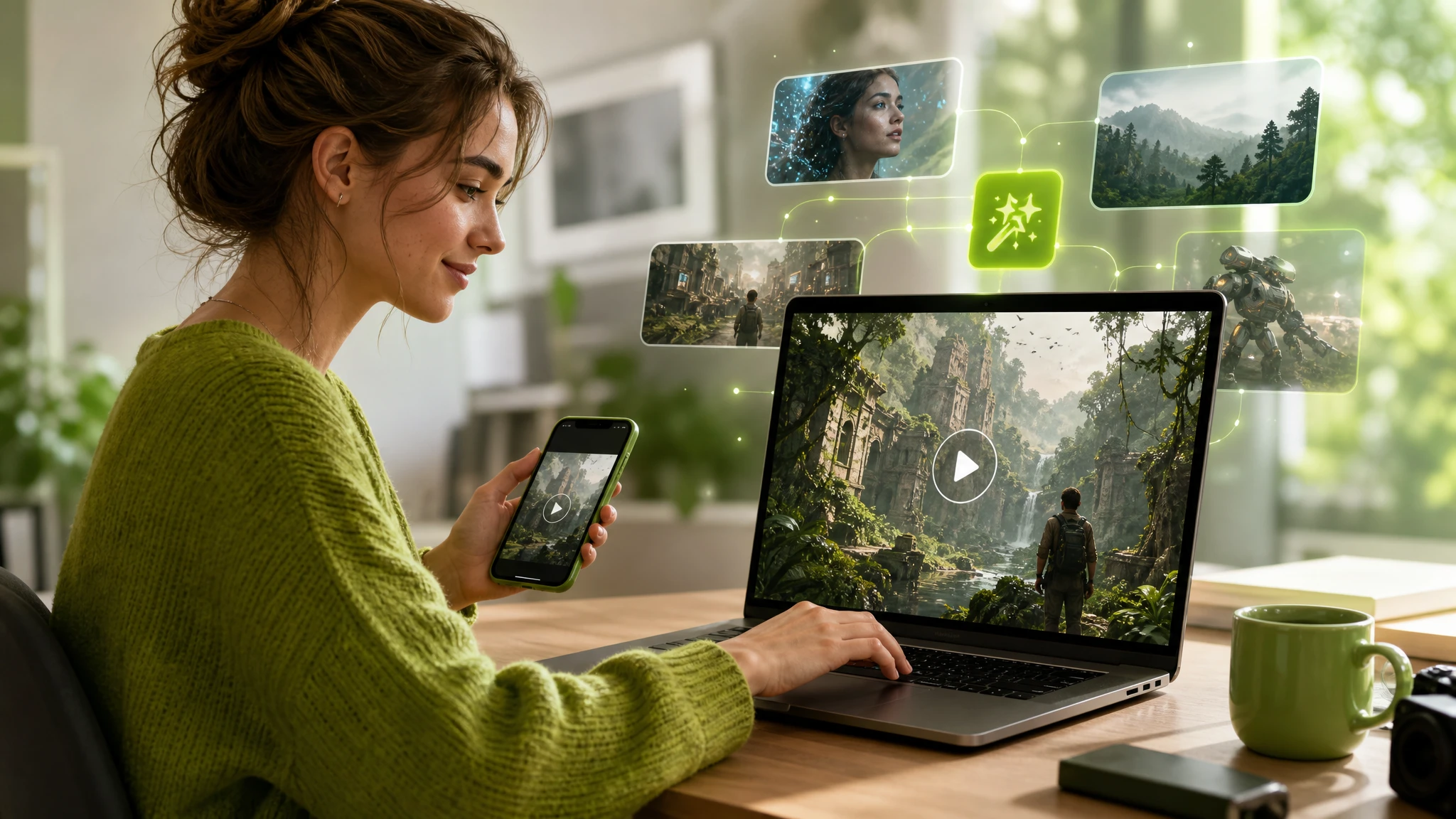
Strong AI video prompts turn a rough idea into clear production instructions. Instead of relying on model-specific tricks that quickly become outdated, this guide gives you an evergreen framework based on subject, action, setting, camera, timing, lighting, style, and constraints. You can apply it to Sora 2, Veo 3, or another text-to-video AI model, then adjust the details for each platform and use case.
What problem does AI Video Prompts solve?
Video generation models must interpret many decisions from a small amount of text. A vague request such as create a cinematic city video leaves the subject, motion, framing, time of day, visual continuity, and pacing undefined. The model fills those gaps itself, which can produce attractive footage that does not match your intended story or format.
Well-structured ai video prompts reduce that ambiguity. A useful prompt describes what appears, what changes during the shot, how the camera behaves, and which details must remain consistent. It acts less like a list of keywords and more like a compact shot brief for a director, cinematographer, and visual effects team.
A reusable structure also makes iteration easier. When a generation is close but not correct, you can identify whether the problem comes from the action, composition, camera movement, style, or constraints. This is more reliable than replacing the entire ai video prompt and hoping a new version works.
- Translate an abstract concept into one observable shot.
- Control subject movement and camera movement separately.
- Define the visual hierarchy so the main subject remains clear.
- Keep important character, product, and environmental details consistent.
- Create prompt variations without losing the original creative direction.
How to do AI Video Prompts step by step
Start with a single shot rather than an entire film. Most failed prompts contain too many locations, actions, cuts, and transformations at once. Decide what the viewer should see during one continuous moment, then build the prompt from that central event.
Use the following sequence as a practical ai video prompt generator framework. Not every prompt needs every field, but keeping the order consistent helps you diagnose weak results and reuse successful ideas across models.
- 1
Define the subject
Name the main person, creature, object, or product. Add only identity-defining details, such as clothing, material, color, age range, or condition. For example: a weathered orange exploration robot with a rectangular display.
- 2
Describe one visible action
Use a concrete verb and explain how the action unfolds. Replace walks dramatically with moves slowly across wet pavement, pauses under a streetlight, and turns toward the camera.
- 3
Establish the environment
Specify the location, time, weather, atmosphere, and relevant background elements. Include details that interact with the subject, such as wind moving fabric or neon light reflecting on rain.
- 4
Direct the camera
Choose a shot size, angle, lens character, and movement. A practical instruction could be: medium tracking shot at eye level, camera moving backward at the subject's pace, shallow depth of field.
- 5
Set the lighting and visual treatment
Describe motivated light sources and a coherent aesthetic. For example: soft morning window light, warm highlights, restrained contrast, natural skin texture, and a documentary color grade.
- 6
Add timing and constraints
Explain the sequence of events and state what should remain stable. Useful constraints include one continuous shot, consistent clothing, unchanged product shape, readable logo placement, no extra characters, and no sudden camera cuts.
- 7
Generate, review, and revise one variable
Evaluate subject accuracy, motion, camera behavior, continuity, and composition separately. Change the weakest component while preserving the parts that already work.
How does it change by platform or use case?
The underlying prompt structure remains stable, but the emphasis changes with the output. A cinematic scene needs spatial continuity and intentional camera direction. A product clip needs accurate geometry, branding, and controlled reflections. A short social video often needs immediate movement, a clear first frame, and enough negative space for captions.
Platform capabilities also change over time. Before adding technical instructions, check whether the current model supports references, aspect-ratio controls, audio, shot extension, or camera presets. Instructions that a platform cannot use may be ignored or interpreted as visual content.
Treat the prompt as one part of the workflow. Aspect ratio, duration, seed, reference images, and model settings are usually more dependable when selected in the interface rather than buried in a long sentence. Use text for creative direction and supported controls for technical configuration.
| Use case | Prompt emphasis | Useful constraint |
|---|---|---|
| Cinematic narrative | Character action, blocking, camera path, atmosphere, and continuity | One continuous shot with a clearly ordered action |
| Product video | Shape, material, surface reflections, background, and brand visibility | Product proportions and label placement remain unchanged |
| Social media clip | Immediate action, bold composition, vertical framing, and caption space | Keep the main subject inside the center-safe area |
| Explainer or educational visual | Readable sequence, simple motion, visual hierarchy, and uncluttered framing | Show one concept at a time without decorative distractions |
| Ambient loop | Subtle repeatable motion, stable composition, and consistent lighting | End in a state that can transition smoothly to the opening frame |
How should you write AI video prompts for Sora 2?
For Sora 2, write the prompt as a visually ordered shot description. Begin with the main subject and action, establish the setting, and then specify framing and camera movement. Keep cause and effect clear: if a gust of wind moves a coat, introduce the wind before describing the fabric movement.
Avoid stacking several unrelated camera commands into one shot. Instructions such as drone view, macro close-up, handheld tracking, and rapid orbit can compete with each other. Choose one dominant camera idea and describe how it relates to the subject. You can test and refine Sora-specific concepts from the LazyKiwi Sora 2 workspace.
A reusable example is: A ceramic artist shapes a wide clay bowl at a wooden wheel in a sunlit studio. Medium side-profile shot, slow camera push-in, fine clay dust visible in the warm backlight. Her hands move steadily while the bowl keeps a symmetrical form. Natural colors, tactile detail, quiet documentary style, one continuous shot, no other people.
- Lead with visible content rather than abstract mood words.
- Describe action in chronological order.
- Separate subject motion from camera motion.
- Repeat only the continuity details that are essential to the shot.
- Check current Sora 2 controls before placing technical parameters in the prompt.
How should you write AI video prompts for Veo 3?
Veo 3 prompts can use the same subject-action-setting-camera framework. Keep the visual direction self-contained and make each event observable. If your current workflow supports synchronized sound, add a short audio layer after the visual description instead of mixing every sound cue into the opening sentence.
Describe audio by source, timing, and relative prominence. For example, specify distant traffic under soft footsteps, followed by a bicycle bell as the subject crosses the frame. Do not overload a short clip with dialogue, music, environmental effects, and several timed actions unless each element is necessary.
A practical prompt is: At dawn, a cyclist crosses an empty steel bridge covered in light fog. Wide locked-off shot with strong leading lines; the cyclist enters from the left and passes through the center as pale sunlight appears behind the structure. Cool muted palette, realistic motion, stable bridge geometry. Where supported, include soft tire noise on damp pavement and distant morning birds.
- Keep visual direction complete even when adding audio instructions.
- State when a sound occurs and identify its on-screen or off-screen source.
- Use concise dialogue that fits the available shot duration.
- Avoid assuming that every version or interface supports the same controls.
- Preserve a model-neutral base prompt so the concept can move to another platform.
How can LazyKiwi speed this up?
LazyKiwi can help you move from an initial idea to structured ai video prompts without rebuilding the format each time. Start with your subject, intended platform, aspect ratio, and creative goal. Then expand the idea into separate fields for action, setting, camera, lighting, style, timing, and constraints.
Use an ai video prompt generator as a drafting assistant, not as a substitute for creative judgment. Review every generated detail and remove instructions that do not contribute to the shot. A shorter prompt with a clear visual hierarchy is often easier to troubleshoot than a long block containing several competing aesthetics.
Browse the creative utilities in LazyKiwi's AI tools to develop prompt variations, refine language, and organize assets. Keep a master prompt outside the model, duplicate it for each test, and label the variable you changed. This creates a useful record of what improved the result.
- 1
Capture the core idea
Write one sentence describing the subject, action, and desired outcome.
- 2
Expand the production details
Add setting, shot size, camera path, lighting, visual style, timing, and continuity requirements.
- 3
Create controlled variations
Generate alternatives for one category, such as three camera treatments or three lighting setups, while keeping the story unchanged.
- 4
Adapt for the chosen model
Move supported technical settings into the interface and retain a clean, portable prompt for future models.
- 5
Save successful prompt blocks
Build reusable modules for product shots, character entrances, establishing shots, ambient loops, and other recurring needs.
What mistakes should you avoid?
The most common mistake is asking for too much inside one generation. Multiple locations, wardrobe changes, time jumps, lines of dialogue, and complex camera transitions create competing priorities. Split a sequence into individual shots, generate each shot separately, and connect them during editing.
Another mistake is treating descriptive volume as control. Long lists of cinematic, epic, stunning, ultra-detailed, and award-winning do not explain what should happen on screen. Replace generic praise with observable decisions about composition, movement, light, texture, and timing.
- Do not combine conflicting styles or camera movements without establishing a clear priority.
- Do not rely on negative instructions alone; describe the desired result positively first.
- Do not place essential information at the end of an excessively long prompt.
- Do not change the subject, camera, lighting, and setting simultaneously when diagnosing a failed result.
- Do not assume a text prompt will fix an unsuitable reference image or incorrect interface setting.
- Do not depend on model-specific prompt jargon that may become obsolete after an update.
- Do not request precise readable text unless the selected workflow supports reliable text rendering.
- Do not leave continuity requirements implied when product shape, clothing, or character identity must stay stable.
FAQ
The best ai video prompts are clear enough to direct a shot but flexible enough to work across changing model versions. Keep a model-neutral master prompt, then create platform-specific copies only when a feature requires different wording.
The answers below address practical questions about prompt length, formatting, negative instructions, prompt generators, and adapting a single concept across multiple video models.
Key takeaways
- Build each prompt around one subject, one primary action, and one coherent shot.
- Use a consistent order: subject, action, setting, camera, lighting, style, timing, and constraints.
- Describe subject movement and camera movement separately.
- Adapt the emphasis for cinematic, product, social, explainer, or looping video.
- Keep a model-neutral master prompt and create Sora 2 or Veo 3 versions only where needed.
- Revise one variable at a time so you can identify what improves the output.
- Use LazyKiwi to structure ideas, generate controlled variations, and preserve reusable prompt blocks.
Creator Playbook Editor
Maya Chen
I turn LazyKiwi workflows into practical how-tos for creators who want results without the fluff.
FAQ
Common questions
How long should an AI video prompt be?
It should be long enough to define the subject, action, setting, camera, lighting, and essential constraints without repeating the same idea. A focused paragraph is usually more useful than a large list of disconnected keywords. Complex sequences should be divided into separate shot prompts.
What is a good AI video prompt formula?
Use: subject and defining details, visible action, environment, shot size and angle, camera movement, lighting, visual treatment, timing, and continuity constraints. Put the most important visual information first.
Should I use an AI video prompt generator?
An ai video prompt generator is useful for expanding ideas, finding missing production details, and creating controlled variations. Review its output before generating video, remove unsupported instructions, and preserve the creative decisions that matter most.
Can the same prompt work with every prompt to video AI model?
The same base prompt can usually be adapted, but controls and interpretation vary. Keep the visual concept model-neutral, then adjust references, audio cues, duration, aspect ratio, and other supported settings for the selected prompt to video AI platform.
Do negative prompts improve AI video results?
They can help when the platform supports them, but positive direction should come first. Describe the desired composition and behavior, then add a short list of specific problems to avoid, such as extra characters, changing product geometry, abrupt cuts, or unstable clothing.
How do I make AI-generated video more consistent?
Repeat the subject's identity-defining traits, simplify the action, use one continuous camera idea, and state which elements must not change. Reference assets, seeds, or continuity controls may also help when the platform provides them.
Why does my AI video ignore parts of the prompt?
The prompt may contain too many instructions, conflicting actions, unsupported controls, or details with no clear visual priority. Shorten it, move essential information earlier, and test one change at a time.
Try this in LazyKiwi
Continue in Sora 2 model.