
AI Thanksgiving Photo Prompts for Every Holiday Scene
Use ready-to-copy Thanksgiving photo prompts for portraits, dinner tables, food shots, and profile pictures, plus a simple way to refine each result.
 Maya Chen 7 min read
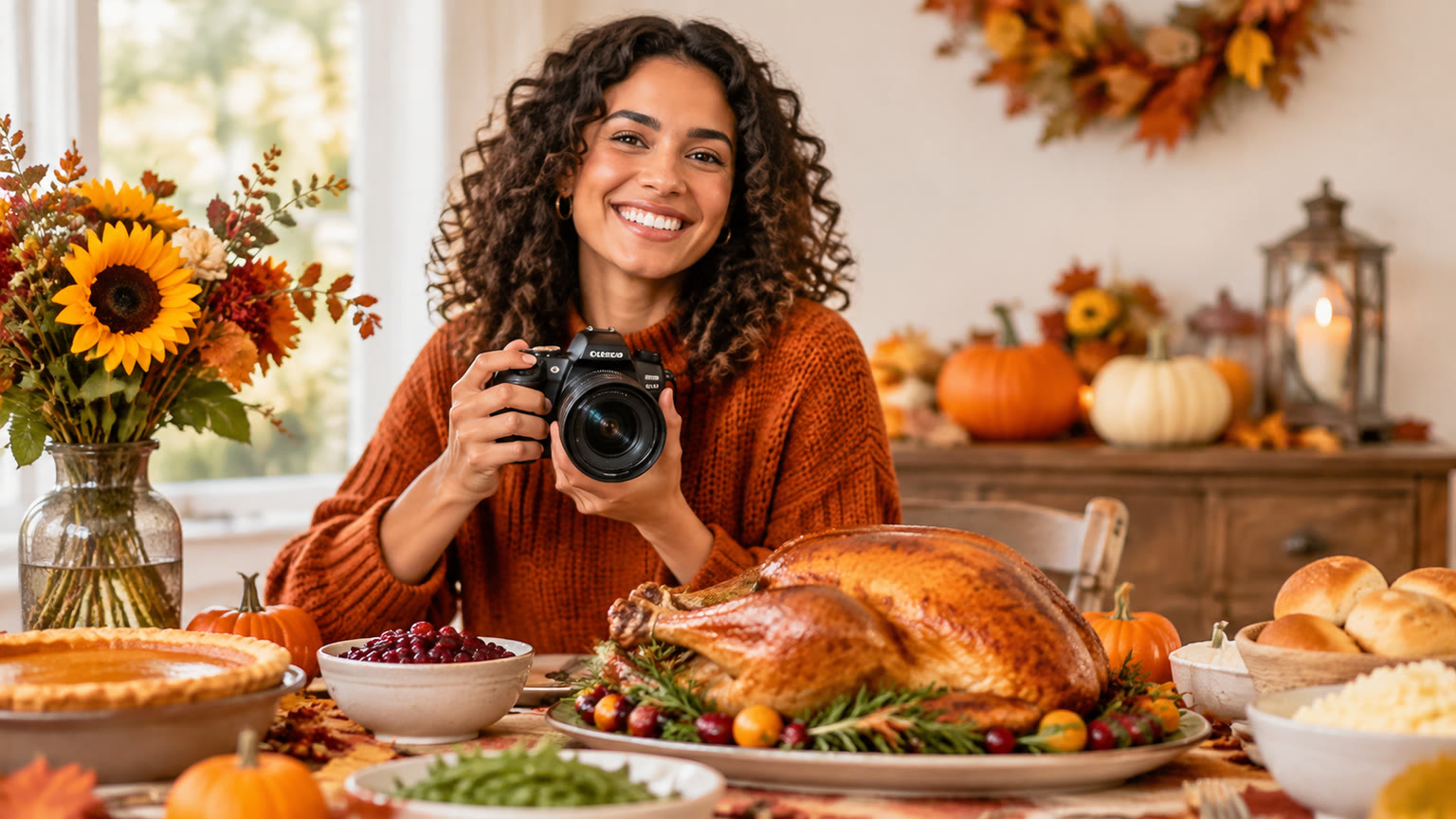
The best AI Thanksgiving photo prompts describe a specific subject, setting, lighting, composition, and mood. Start with the ready-to-copy prompts below, then replace details such as the number of people, table decor, or camera angle to make the image fit your plans. You will also find a checklist for fixing results that feel too generic or crowded.
Build a Thanksgiving Photo Prompt From Five Details
A useful Thanksgiving photo prompt tells the image generator what the camera should see, not just what holiday the image celebrates. Include a subject, an action or arrangement, a setting, a camera view, and lighting. Add one or two style details only after those essentials are clear. You can test your description in the AI image generator, then adjust one part of the prompt at a time.
- 1
Name the subject
Specify a family portrait, a dinner table, a plated dessert, or a single person. State how many people should appear when that matters.
- 2
Set the scene
Describe the location and a few recognizable details, such as a kitchen island, fall leaves outside a window, or a linen tablecloth.
- 3
Choose the framing
Ask for a waist-up portrait, an overhead food shot, a wide dining-room view, or a close-up with space around the subject.
- 4
Control the light and mood
Try soft window light for a daytime photo or warm lamp and candlelight for an evening meal. Words like candid, relaxed, and editorial help set the tone.
Reusable formula: “Photorealistic [subject and action] in [setting], with [two or three specific details], photographed from [camera view] in [lighting], [mood], natural textures.” Fill in every bracket before adding decorative adjectives.
Use These Prompts for Thanksgiving Family Portraits
For a Thanksgiving family portrait, give the group a simple shared activity and a clear position in the frame. A prompt that only says “happy family at Thanksgiving” leaves the setting, pose, and composition open to interpretation. These examples provide enough direction while leaving room to change clothing, location, or group size.
- Classic group photo: “Photorealistic portrait of five family members standing together on a front porch decorated with small pumpkins and fall branches, relaxed smiles, coordinated clothing in muted autumn colors, eye-level camera, soft late-afternoon daylight, everyone visible from the waist up, natural skin texture.”
- Candid kitchen moment: “Photorealistic candid photo of three adults preparing Thanksgiving dinner together in a home kitchen, one stirring a pot while the others arrange serving dishes, flour-dusted counter, warm window light, medium-wide composition, joyful but unposed expressions, documentary photography style.”
- Outdoor walk: “Photorealistic photo of a family of four walking together through a tree-lined park in late fall, fallen leaves underfoot, comfortable coats, captured from a slight distance at eye level, overcast natural light, warm and relaxed mood, clear faces.”
- Small gathering: “Photorealistic portrait of two friends sitting side by side at a Thanksgiving table, smiling toward the camera, simple place settings and autumn flowers behind them, close medium shot, soft indoor light, genuine expressions, uncluttered background.”
For a posed portrait, specify where everyone stands or sits and whether they should look at the camera. For a candid image, describe the activity instead. Keeping the group size modest can make it easier to judge faces, hands, and expressions before trying a larger scene.
Create Dinner-Table Photos With a Clear Focal Point
A strong Thanksgiving dinner photo centers one moment or arrangement instead of asking for every holiday detail at once. Decide whether the focus is the people, the food, or the table itself. If you want a scene built around the holiday meal, the Thanksgiving dinner template is another place to explore the theme.
- Guests at the table: “Photorealistic wide photo of six adults seated around a Thanksgiving dinner table in a cozy dining room, passing serving bowls and talking, roasted vegetables and a pie visible on the table, warm pendant lighting, candid expressions, camera positioned at seated eye level.”
- Table before guests arrive: “Photorealistic Thanksgiving table set for six, cream linen tablecloth, simple ceramic plates, folded cloth napkins, low arrangement of autumn branches, serving dishes placed neatly in the center, three-quarter camera angle, soft daylight from a side window, refined but lived-in home.”
- Intimate evening meal: “Photorealistic close view of two people sharing Thanksgiving dinner at a small wooden table, one person reaching for a serving dish, candlelit room with gentle background blur, natural hand positions, warm colors, quiet and grateful mood.”
Choose a wide view when the room and gathering matter. Choose a closer view when you want expressions, place settings, or a single interaction to lead the image. Keep centerpieces low in prompts with seated guests so they do not visually compete with faces. If the first result looks crowded, remove two background objects before changing the entire scene.
Try Food and Fall-Decor Prompts for Close-Up Images
Food and decor prompts work best when they describe texture, placement, and camera angle. “Thanksgiving food” could produce a busy assortment; “one slice of pie on a ceramic plate” gives the camera an obvious subject. Use these prompts for a recipe-style image, a dinner invitation background, or a seasonal post.
- Pumpkin pie detail: “Photorealistic close-up of a slice of pumpkin pie on a white ceramic plate, small spoon beside it, visible flaky crust and smooth filling, wooden dining table, soft side-window light, shallow depth of field, appetizing natural color.”
- Overhead spread: “Photorealistic overhead photo of a Thanksgiving meal arranged on a linen-covered table, roasted vegetables, bread rolls, salad, and pie in separate serving dishes, balanced spacing between plates, a few autumn leaves at the edges, bright diffused daylight, editorial food photography.”
- Seasonal centerpiece: “Photorealistic still life of a modest Thanksgiving centerpiece with small pumpkins, pears, greenery, and two taper candles on a wooden table, empty place settings softly visible behind it, three-quarter view, warm afternoon light, simple home styling.”
- Invitation background: “Photorealistic overhead photo of a neutral linen table with a folded napkin, one small pumpkin, autumn leaves, and a ceramic cup placed along the left edge, generous empty space on the right for invitation text, soft natural light, restrained warm palette.”
If you plan to add your own words later, ask for clear empty space in a specific part of the frame. Leave the invitation wording out of the image prompt so you can set and edit the text separately.
Make a Thanksgiving Profile Photo Feel Personal
For a Thanksgiving profile picture, prioritize one recognizable subject, a simple background, and a crop that remains clear at small sizes. Seasonal props should frame the person rather than cover the face. You can also browse the Thanksgiving PFP template for a holiday profile-picture direction.
- Warm indoor portrait: “Photorealistic head-and-shoulders portrait of one adult in a cozy sweater, looking toward the camera with a relaxed smile, softly blurred fall wreath and warm lights in the background, face centered, gentle window light, natural skin texture, square composition.”
- Outdoor autumn portrait: “Photorealistic close portrait of one person standing under golden fall trees, a few leaves visible at the edges of the frame, eye-level camera, face sharp and centered, soft overcast light, calm expression, square composition with room around the head.”
- Pet portrait: “Photorealistic close portrait of a dog sitting on a porch beside a small pumpkin, looking toward the camera, autumn leaves in the background, soft afternoon daylight, face and eyes in focus, simple square composition.”
For a smaller profile crop, keep the face near the center and avoid placing important details in the corners. If you are making a portrait of a particular person or pet, a text description alone may not reproduce their exact appearance. Review the result for the likeness and details you need before using it as a personal photo.
Fix Generic or Awkward Results One Change at a Time
The fastest way to improve a Thanksgiving image prompt is to identify one visible problem and rewrite the instruction responsible for it. Changing the subject, location, lighting, and style together makes it harder to tell what helped. Keep the strongest parts of the image and make a targeted edit.
| If the result looks like this | Change the prompt like this |
|---|---|
| The scene feels generic | Replace “Thanksgiving setting” with a specific room, activity, and two meaningful objects. |
| The table looks crowded | Name fewer dishes, request balanced spacing, and identify one focal dish. |
| People are too small in the frame | Switch from a wide shot to a medium shot and ask for visible faces. |
| The lighting feels harsh | Request soft side-window light or gently diffused indoor lighting. |
| The image has no room for a title | Place the main subject on one side and ask for uncluttered space on the other. |
- 1
Inspect the focal point
Can you tell immediately whether the photo is about a person, a dish, or the whole gathering? If not, name a single main subject.
- 2
Check the framing
Decide what should be fully visible. For example, ask for all seated guests in frame or a pie slice shown from plate to crust.
- 3
Refine the atmosphere
Adjust the light, colors, or mood only after the subject and composition are working.
Choose a Prompt, Template, or Video for Your Final Use
Choose your starting point based on what you need to publish: a custom still image, a holiday-themed template, or a moving scene. A detailed photo prompt gives you control over the subject and composition. The template collection is useful when you want to browse existing themes before deciding on a direction.
- For a personal greeting or invitation, start with a portrait or table prompt and reserve visible space for any words you will add later.
- For a food-focused post, use a close-up or overhead prompt. Name the dish and keep surrounding props limited so the food stays prominent.
- For a playful holiday scene, explore the Thanksgiving dance template instead of trying to communicate movement in a still photo.
- For an original moving concept, open the AI video generator and begin with a simple scene description, such as guests taking their seats around a warm, well-lit dinner table.
Before generating, write down where the result will appear. A square profile picture needs a centered subject; a wide banner needs room across the frame; an invitation needs a quiet area for text. That decision is often more useful than adding another style adjective.
Key takeaways
- Build each prompt around a subject, setting, framing, lighting, and mood.
- Use a clear focal point for family portraits, dinner scenes, and food photos.
- Ask for empty space when you plan to add invitation or greeting text.
- Improve weak results by changing one prompt detail at a time.
- Choose the image generator for a custom still or explore a holiday template for a themed starting point.
Image & Design Editor
Maya Chen
I test the image tools we ship on real photos — faces, text, backgrounds — and note which edits hold up at full size and which quietly fall apart.
FAQ
Common questions
What should I put in an AI Thanksgiving photo prompt?
Describe the main subject, what is happening, where it takes place, the camera view, and the lighting. Add a few Thanksgiving details, such as a set dinner table or fall branches, rather than a long list of decorations.
How do I make a Thanksgiving family photo look natural?
Give the group a simple activity, such as preparing food or passing a serving dish, and ask for relaxed expressions. If you prefer a posed portrait, state how people are arranged and whether they should look at the camera.
What is a good prompt for a Thanksgiving dinner table?
Name the number of place settings, a few dishes or decorations, the camera angle, and the lighting. Decide whether the focal point is the food, the guests, or the full table before writing the prompt.
Can I make a Thanksgiving invitation image without text in it?
Yes. Ask for a seasonal scene with uncluttered space on the side where you plan to place your invitation details. Add the wording separately so you can revise its placement and readability.
How should I prompt a Thanksgiving profile picture?
Ask for one centered subject in a head-and-shoulders or close portrait, with a simple fall-themed background. A square composition and clear face will hold up better when the image is shown at a small size.
Why does my Thanksgiving image look too busy?
The prompt may name too many people, dishes, props, or actions without identifying what matters most. Remove a few details, specify one focal point, and ask for balanced spacing or a tighter camera view.
Create Your Thanksgiving Photo
Pick a prompt, make it your own, and try it in the AI image generator.
Keep reading

AI Christmas Photo Prompts: 15 Ideas to Try
Try 15 customizable AI Christmas photo prompts for cards, family portraits, pets, and holiday posts, plus tips for improving each result.
8 min read
ChatGPT Photo Editing Prompts: A Practical Guide
Use these copy-ready ChatGPT photo editing prompts to change backgrounds, improve portraits, and refine product photos without losing what matters.
8 min read
Consistent Character Tools for Image Series
Learn which character consistency tools to use and how to keep faces, outfits, and visual style coherent across an AI image series.
6 min read